
1. Mawu Oyamba
Thank you for choosing the Nikai 85-inch 4K QLED Smart TV, model NIK85MEU4QLED. This manual provides essential information for the safe and efficient use of your new television. Please read it thoroughly before operating the device and retain it for future reference.
This television features a frameless design, 4K QLED display for stunning visuals, and runs on Web OS with built-in Wi-Fi, offering access to various streaming services and smart functionalities.

Image: The Nikai 85-inch 4K QLED Smart TV showcasing a crystal clear 4K image with vibrant colors.
2. Zambiri Zachitetezo
- Magetsi: Ensure the TV is connected to a power source matching the voltage specified on the product label (220V AC, 50Hz).
- Mpweya wabwino: Musatseke mipata ya mpweya wabwino. Lolani malo okwanira kuzungulira TV kuti mpweya uziyenda bwino kuti mupewe kutenthedwa.
- Madzi ndi Chinyezi: Musaike TV pamalo pomwe pali mvula, chinyezi, kapena kuyika zinthu zodzaza ndi zakumwa pa TV kapena pafupi nayo.
- Kuyeretsa: Chotsani TV musanayeretse. Gwiritsani ntchito nsalu yofewa, youma. Osagwiritsa ntchito zotsukira zamadzimadzi kapena zotsukira aerosol.
- Kuyika: Place the TV on a stable, level surface or mount it securely to a wall. Keep it away from direct sunlight, heat sources, and strong magnetic fields.
- Ana: Yang'anirani ana kuti asakwere pa TV kapena kusewera ndi remote control.
- Kutumikira: Osayesa kugulitsa izi nokha. Tumizani mautumiki onse kwa ogwira ntchito oyenerera.
3. Zamkatimu Phukusi
Onetsetsani kuti zinthu zonse zilipo mu phukusi:
- Nikai 85-inch 4K QLED Smart TV Unit
- Standard Remote Control
- Magic Remote Control
- Chingwe Chamagetsi
- Buku la ogwiritsa (chikalatachi)
- Zida Zoyimira pa TV (ngati zikuyenera)
- Screws for TV Stand (if applicable)
4. Kukhazikitsa
4.1 Kutulutsa
Carefully remove the TV from its packaging. It is recommended to have two people for this process due to the size and weight of the television.
4.2 Kuyika Stand (Mwasankha)
If you plan to place the TV on a tabletop, attach the stand according to the instructions provided with the stand components. Ensure all screws are tightened securely.
4.3 Kukweza Khoma (Mwasankha)
If you plan to wall-mount the TV, use a VESA-compatible wall mount (VESA standard: 75 x 100 mm). Consult a professional for wall mounting to ensure safety and proper installation. Note: The VESA standard provided (75x100mm) is unusually small for an 85-inch TV. Please verify the correct VESA pattern with your wall mount manufacturer or the TV's physical specifications before installation.
4.4 Mphamvu yolumikizira
Plug the power cable into the TV's power input, then into a wall outlet. Do not power on the TV yet.
4.5 Kulumikiza Zida Zakunja
Connect your external devices (e.g., cable box, Blu-ray player, gaming console) to the TV's input ports:
- Madoko a HDMI (onse anayi): Kwa zida zomveka bwino zomvera ndi makanema.
- USB Ports (3 total, 2 are USB 3.0): For USB storage devices or other compatible peripherals.
- Port ya Ethernet: Kwa intaneti yamawaya.
- Kutulutsa Kwamawu kwa digito: Kuti mulumikizane ndi ma audio akunja.
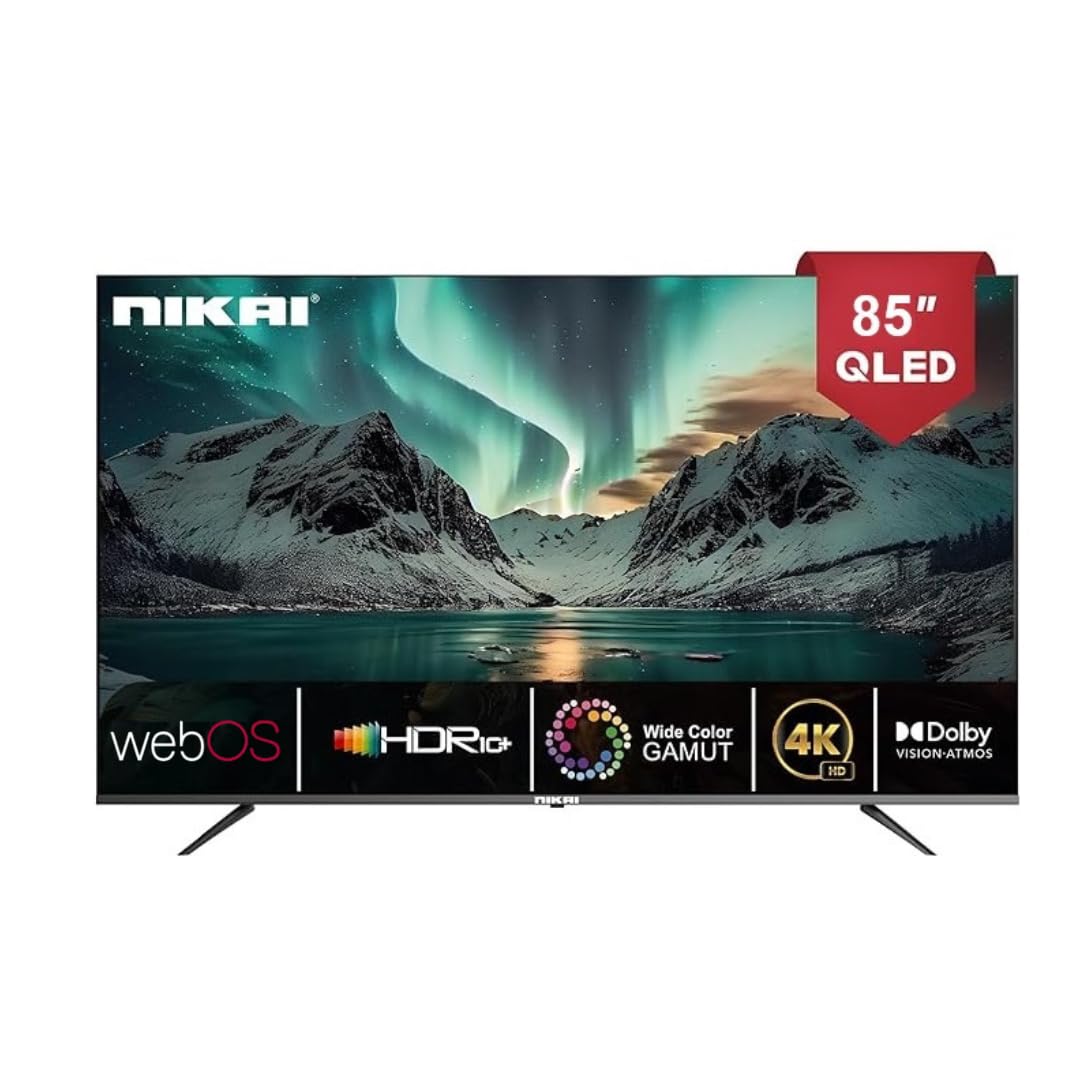
Image: The back of the Nikai 85-inch 4K QLED Smart TV, illustrating connection points for various devices.
4.6 Kuyambitsa Koyamba ndi Kukhazikitsa Koyamba
After connecting all necessary cables, plug the TV into the power outlet and press the power button on the TV or remote control. Follow the on-screen instructions for initial setup, which typically includes language selection, network connection, and channel scanning.
5. Malangizo Ogwiritsira Ntchito
5.1 Ntchito Zakutali
Your TV comes with two remote controls. The Magic Remote offers advanced features:

Image: A detailed diagram of the Magic Remote, highlighting its key functions such as Air Mouse, Voice Control, and Quick Access buttons.
- Batani Lamphamvu: Kuyatsa kapena kuzimitsa TV.
- Mabatani a Nambala: Zosankha mwachindunji.
- Kukweza / Kutsika: Kusintha kamvekedwe ka mawu.
- Channel Pamwamba/Pansi: Kusintha ma TV.
- Zolowetsa/Zochokera: Selects the input source (HDMI, USB, etc.).
- Navigation Buttons (Arrow Keys, OK/Enter): Kwa menyu navigation.
- Magic Remote Specifics:
- Air Mouse: Use air gestures for convenient control.
- Universal Control: Control your set-top box, speakers, and satellite TV.
- Kuwongolera Mawu: Command your remote to find desired content.
- Gudumu: Use to scroll vertically and horizontally, and adjust zoom level.
- Mabatani Olowa Mwachangu: Mabatani odzipereka a ntchito zodziwika bwino zotsatsira makanema monga Netflix ndi Prime Video.
5.2 Ntchito Zoyambira pa TV
- Yatsani/Zimitsa: Press the power button on the remote or TV.
- Kusankha Kolowera: Press the 'Input' or 'Source' button on the remote and select the desired input (e.g., HDMI 1, USB).
- Kusintha Zokonda pazithunzi: Navigate to the TV's settings menu to adjust brightness, contrast, color, and picture modes.
- Kusintha Makonda Amawu: Access the sound settings to modify bass, treble, balance, and select sound modes. This TV supports Dolby Atmos for immersive audio.

Image: A family enjoying content on the Nikai 85-inch 4K QLED Smart TV, highlighting the Dolby Audio feature for rich sound.
6. Zinthu Zanzeru ndi Kulumikizana
6.1 Web Chiyankhulo cha OS
Your TV operates on Web OS, providing an intuitive and user-friendly interface for accessing apps, settings, and content.
6.2 Network Kulumikiza
- Wifi: Navigate to Network Settings to connect to your home Wi-Fi network.
- Efaneti: Connect an Ethernet cable from your router to the TV's Ethernet port for a stable wired connection.
6.3 Streaming Services and Apps
Access a variety of pre-installed and officially licensed streaming applications directly from your TV, including:
- Netflix
- YouTube
- Prime Video
- Apple TV
- Disney +
- StarzPlay Arabia
- OSN Stream
- MBC Shahid
- Viu
- Sony Liv
- HBO Max
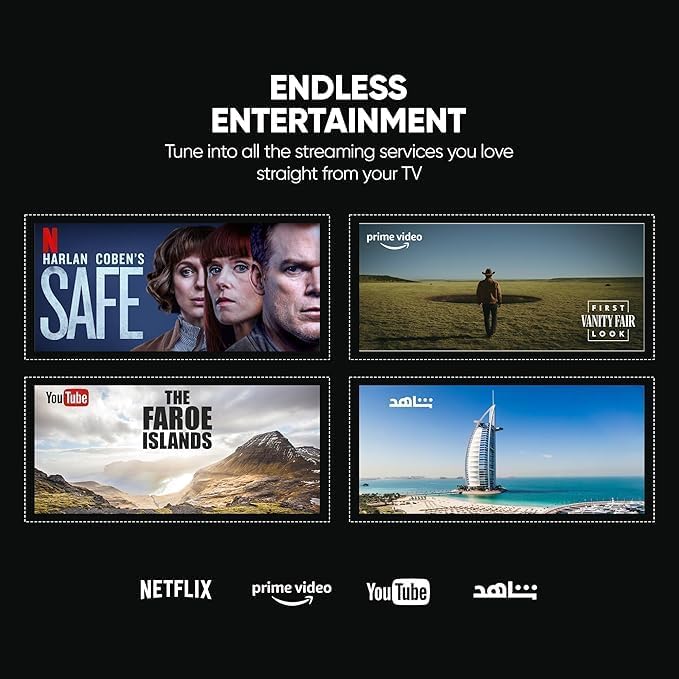
Image: The Nikai Smart TV displaying various streaming service interfaces, demonstrating its entertainment capabilities.
6.4 Screen Mirroring
Share content from your mobile devices to the TV using:
- AirPlay: Za zipangizo za Apple.
- Miracast: For compatible Android devices.
6.5 Voice Control and AI Features
Utilize voice commands for easy control and content search through integrated AI features. The TV supports Google Assistant, Amazon Alexa, and Apple AirPlay for smart home integration.

Image: The Nikai Smart TV demonstrating ThinQ AI and voice control capabilities, compatible with various smart home ecosystems.
7. Kusamalira
- Kuyeretsa Screen: Pang'onopang'ono pukutani chinsalu ndi nsalu yofewa, yopanda lint. Kwa zizindikiro zouma, pang'ono dampsungani nsaluyo ndi madzi kapena chotsukira mwapadera (osapopera mwachindunji pazenera).
- TV Body Cleaning: Gwiritsani ntchito nsalu yofewa komanso youma kuti muyeretse chimango cha TV ndi bolodi lakumbuyo.
- Zosintha pa Mapulogalamu: Periodically check for and install software updates via the TV's settings menu to ensure optimal performance and access to new features.
- Kasamalidwe kakusungira: The TV has 16GB of internal storage (ROM). Manage installed apps and media to ensure sufficient space for smooth operation.
8. Mavuto
Ngati mukukumana ndi zovuta ndi TV yanu, tchulani zovuta zotsatirazi ndi zothetsera:
| Vuto | Chifukwa Chotheka | Yankho |
|---|---|---|
| Palibe Mphamvu | Chingwe chamagetsi chatha, vuto la kutulutsa magetsi. | Check power cable connection. Try a different outlet. |
| Palibe Chithunzi, koma Phokoso Lilipo | Incorrect input source selected, faulty HDMI cable. | Verify input source. Check/replace HDMI cable. |
| Palibe Phokoso, Koma Chithunzi Chilipo | Vuto la voliyumu latsekedwa kapena lotsika kwambiri, vuto la makina akunja amawu. | Unmute volume, increase volume. Check external audio connections. |
| Kuwongolera Kwakutali Sikugwira Ntchito | Batteries depleted, obstruction, remote not paired. | Replace batteries. Remove obstructions. Re-pair Magic Remote if necessary. |
| Mavuto a Network Connection | Chizindikiro cha Wi-Fi chili chofooka, mawu achinsinsi olakwika, vuto la rauta. | Yang'anani mphamvu ya chizindikiro cha Wi-Fi. Lowetsaninso mawu achinsinsi. Yambitsaninso rauta. Yesani kulumikizana kwa waya ndi Ethernet. |
| Mapulogalamu Sakutsegula/Kusweka | Insufficient memory, app error, outdated software. | Close other apps. Clear app cache. Update TV software. Reinstall app. |
Ngati vutoli likupitirira mutayesa njira izi, funsani chithandizo cha makasitomala.
9. Zofotokozera
| Mbali | Kufotokozera |
|---|---|
| Dzina lachitsanzo | NIK85MEU4QLED |
| Kukula kwa Screen | 85 mu |
| Kuwonetsa Technology | Mtengo wa QLED |
| Kusamvana | 4K (3840 x 2160) |
| Mtengo Wotsitsimutsa | 60hz pa |
| Opareting'i sisitimu | Web OS |
| Ram | 2 GB |
| yosungirako Mkati (ROM) | 16 GB |
| Chithandizo cha HDR | HDR10, HDR10+, Dolby Vision Atmos |
| Kuwonjezera Zoyenda | MEMC (Motion Estimation, Motion Compensation) |
| Kutulutsa Kwamawu | 2.1 Channel, Dolby Atmos |
| Kulumikizana | Wi-Fi, Bluetooth, Efaneti |
| Lowetsani Madoko | 3 x HDMI, 3 x USB (2 x USB 3.0), Ethernet, Optical Audio |
| Screen Mirroring | AirPlay, Miracast |
| Kuwongolera Mawu | Google Assistant, Amazon Alexa, Apple AirPlay |
| Makulidwe Wazogulitsa (W x H x D) | 189 cm x 114 cm x 15 cm (approximate, based on 15D x 189W x 114H cm) |
| Kulemera kwa chinthu | 35kg pa |
| Magetsi | 220V AC, 50Hz |
| VESA Mounting Standard | 75 x 100 mm (Please verify with wall mount manufacturer) |
10. Chitsimikizo ndi Thandizo
10.1 Chidziwitso cha Chitsimikizo
This Nikai 85-inch 4K QLED Smart TV comes with a two-year agent warranty. Please retain your proof of purchase for warranty claims. The warranty covers manufacturing defects under normal use conditions. It does not cover damage caused by misuse, accidents, unauthorized repairs, or natural disasters.
10.2 Thandizo la Makasitomala
For technical assistance, troubleshooting beyond this manual, or warranty service, please contact your local Nikai authorized service center or the retailer where you purchased the product. Refer to your warranty card or Nikai's official webwebusayiti kuti mudziwe zambiri.