
1. Introduksjon
This manual provides essential information for the safe and efficient use of your Aiwa A65QUHDX3-GTV 65-inch QLED 4K Ultra HD Google Smart TV. Please read these instructions thoroughly before operating the television and retain them for future reference.
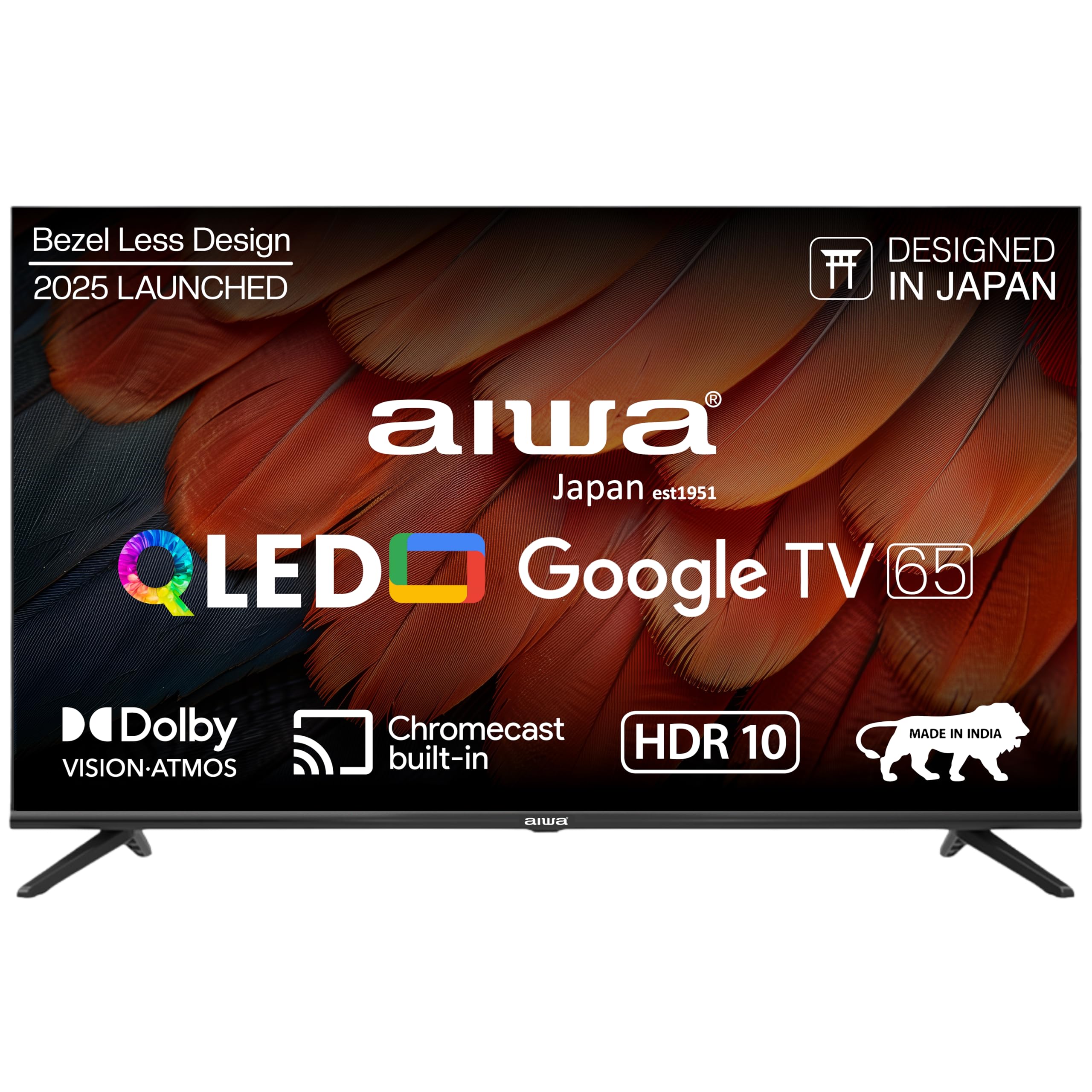
Figur 1.1: Foran view of the Aiwa A65QUHDX3-GTV 65-inch QLED Smart TV.

Figure 1.2: Aiwa A65QUHDX3-GTV showcasing its ultra sleek design.
2. Sikkerhetsinformasjon
Følg alltid følgende sikkerhetsregler for å forhindre elektrisk støt, brann eller skade på TV-en:
- Ikke utsett TV-en for regn eller fuktighet.
- Do not open the television casing. Overlat all service til kvalifisert personell.
- Sørg for tilstrekkelig ventilasjon. Ikke blokker ventilasjonsåpningene.
- Avoid placing the television near heat sources or in direct sunlight.
- Bruk kun strømledningen som følger med TV-en.
- Oppbevar batterier utilgjengelig for barn.
3. Hva er i esken
Kontroller at alle komponentene er til stede når du pakker ut:
- 1N LED-TV
- 4N Screws for stand/wall mount
- 1N fjernkontroll
- 2N AAA-batterier (for fjernkontroll)
- 1N brukerhåndbok med garantikort
- 1N Sett bordstativ
- 1N Wallmount bracket
4. Oppsett
4.1 Fysisk installasjon
Your Aiwa TV supports both table-top and wall-mount installations. Choose the method suitable for your environment.
Montering av bordstativ
- Plasser TV-skjermen forsiktig med ned på en myk, flat overflate for å unngå skade.
- Attach the provided table stands to the designated slots at the bottom of the TV using the included screws.
- Ensure the stands are securely fastened.
- Løft TV-en forsiktig opp til oppreist posisjon på en stabil overflate.
Veggmontering
If using the wall mount, follow the instructions provided with the wall mount kit. Professional installation is recommended for wall mounting.

Figure 4.1: Dimensions of the Aiwa A65QUHDX3-GTV 65-inch QLED Smart TV.
4.2 Koble til eksterne enheter
The TV features an array of ports for various devices. Refer to the back panel image for port locations.

Figur 4.2: Bak view of the TV displaying connectivity ports.

Figur 4.3: Detaljert view of the TV's connectivity ports including LAN, HDMI, USB, Antenna In, and AV In.
- HDMI-porter (x3): Connect Blu-ray players, gaming consoles, set-top boxes, or other HDMI-enabled devices.
- USB-porter (x2): Koble til USB-lagringsenheter for medieavspilling eller programvareoppdateringer.
- LAN-port: Koble til en Ethernet-kabel for en kablet internettforbindelse.
- Antenne inn: Koble til en antenne eller et kabel-TV-signal.
- AV-inngang: Koble til eldre enheter med komposittvideo- og stereolydkabler.
- Bluetooth: Pair wireless headphones, soundbars, or other Bluetooth devices.
- Wi-Fi: Koble til det trådløse hjemmenettverket ditt for å få internettilgang.
4.3 Veiviser for første oppstart og oppsett
- Koble strømledningen til TV-en og deretter til en stikkontakt.
- Trykk på av/på-knappen på fjernkontrollen eller på selve TV-en.
- Follow the on-screen instructions to complete the initial setup, including language selection, network connection, and Google account sign-in.
5. Bruksanvisning
5.1 Fjernkontroll
The included smart remote control allows for easy navigation and voice commands.

Figure 5.1: Smart Remote Control with dedicated quick access buttons for streaming services and voice control functionality.
- Strømknapp: Slår TV-en på eller av.
- Navigasjonsplate: Use the directional buttons to move through menus and the center button to select.
- Tilbake-knapp: Går tilbake til forrige skjermbilde.
- Hjem-knapp: Åpner Google TV-startskjermen.
- Volum opp/ned: Justerer lydvolumet.
- Dempeknapp: Demper eller slår på lyden.
- Knapp for stemmeassistent: Aktiverer Google Assistant for talekommandoer.
- Hurtigtilgangsknapper: Dedicated buttons for Netflix, Prime Video, YouTube, and Disney+Hotstar.
5.2 Google TV-grensesnitt
Your Aiwa Smart TV runs on Google TV, offering a personalized content experience.

Figure 5.2: Google TV home screen displaying a wide range of applications and content.

Figure 5.3: Google TV interface with personalized content suggestions.
- Innholdsanbefalinger: The TV provides personalized suggestions based on your viewhistorikk og preferanser.
- Overvåkningsliste: Add movies and shows to your watchlist for later viewing.
- Personal Profile: Lag individuell profffiles for each user to receive tailored content.
- Kids Profile: Set up a dedicated profile for children with age-appropriate content and parental controls.
- Google Assistant: Bruk talekommandoer til å søke etter innhold, kontrollere smarthjemenheter og få informasjon.
- Innebygd Chromecast: Cast innhold direkte fra smarttelefonen eller nettbrettet til TV-en.
5.3 Innstillinger for bilde og lyd
Juster bilde- og lydinnstillinger for å optimalisere viewopplevelse.
Bildemoduser
Access picture settings through the TV menu to select from various modes:
- Levende: Enhances colors and brightness for a dynamic picture.
- Standard: Default setting suitable for most content.
- Sport: Optimizes motion and color for sports broadcasts.
- Film: Provides a cinematic experience with accurate colors.
- Bruker: Allows custom adjustment of brightness, contrast, color, and sharpness.
- Energisparing: Reduces power consumption by adjusting brightness.
The QLED display supports Dolby Vision and HDR10 for enhanced contrast and color depth.

Figure 5.4: Explanation of Quantum Dot nanocrystals technology for vibrant picture quality.

Figure 5.5: Crysta Tech Vision for enhanced detail and Black Reflect anti-glare technology.
Lydmoduser
Select sound modes to match your content:
- Standard: General audio setting.
- Sport: Enhances dialogue and crowd noise for sports.
- Film: Provides a rich, immersive audio experience.
- Musikk: Optimaliserer lyd for musikkavspilling.
The TV features Aiwa Signature Sound and Dolby Atmos for high-fidelity audio.

Figure 5.6: Aiwa Signature Sound, crafted to perfection in Japan, for high fidelity audio.
6. Vedlikehold
6.1 Rengjøring av TV-en
- Trekk alltid ut støpselet til TV-en før rengjøring.
- Bruk en myk, tørr klut til å tørke av skjermen og kabinettet.
- For gjenstridige merker, tørk lettampRengjør kluten med vann eller et mildt, ikke-slipende skjermrensemiddel.
- Ikke bruk alkohol, benzen, tynner eller andre flyktige stoffer.
6.2 Programvareoppdateringer
Your Google TV may receive automatic software updates. Ensure your TV is connected to the internet to receive the latest features and security patches. You can also manually check for updates in the TV's settings menu.
7. Feilsøking
Hvis du støter på problemer med TV-en, kan du se følgende vanlige løsninger:
| Problem | Mulig løsning |
|---|---|
| Ingen strøm / TV-en slår seg ikke på | Ensure the power cord is securely connected to both the TV and the power outlet. Check if the power outlet is working. Try pressing the power button on the TV itself. |
| Ikke noe bilde / Dårlig bildekvalitet | Check cable connections (HDMI, Antenna). Ensure the correct input source is selected. Adjust picture settings (brightness, contrast, mode). For antenna, rescan channels. |
| No sound / Low sound | Check volume level and ensure TV is not muted. Verify audio cable connections if using external speakers. Check sound settings and sound mode. |
| Fjernkontrollen virker ikke | Replace batteries in the remote control. Ensure there are no obstructions between the remote and the TV's IR sensor. Re-pair the Bluetooth remote if applicable. |
| Smart TV features not working / Slow performance | Check internet connection (Wi-Fi or LAN). Restart the TV by unplugging it for a few minutes. Clear app cache or reinstall problematic apps. Ensure software is up to date. |
| Casting issues (Chromecast) | Ensure your casting device and TV are on the same Wi-Fi network. Restart both the TV and the casting device. |
8. Spesifikasjoner
Detailed technical specifications for the Aiwa A65QUHDX3-GTV:
| Trekk | Detalj |
|---|---|
| Merke | aiwa |
| Modell | A65QUHDX3 |
| Skjermstørrelse | 65 tommer |
| Skjermteknologi | QLED |
| Oppløsning | 4K Ultra HD (3840 x 2160 piksler) |
| Oppdateringsfrekvens | 60 Hz |
| Viewing vinkel | 178 grader |
| Operativsystem | Google TV |
| RAM-minne | 2 GB |
| Lagringskapasitet | 16 GB |
| Grafisk koprosessor | Mali-450 GPU |
| Tilkobling | Wi-Fi (Dual band), Bluetooth (2-way), HDMI 2.0 (x3), USB 2.0 (x2), LAN (x1) |
| Lydutgangseffekt | 24 watt |
| Lydfunksjoner | Aiwa Signature Sound, Dolby Atmos, Stereo Audio |
| Spesielle funksjoner | 4K Ultra HD, Built-in Apps, Voice Control, HDR10, Google OS, Flat Screen, Miracast, Smart Features, Dolby Vision, Crysta Tech Vision, Black Reflect |
| Produktmål (med stativ) | 10 x 9.8 x 83 cm (approx. 145.2 cm width, 89.6 cm height) |
| Varevekt | 18.6 kg |
| Strømkilde | AC 220 volt |
| Wattage | 150 watt |
9. Garanti og støtte
9.1 Garantiinformasjon
Your Aiwa A65QUHDX3-GTV television comes with a manufacturer's warranty. Please refer to the included Warranty Card for detailed terms, conditions, and duration of the warranty period.
9.2 Kundestøtte
For technical assistance, installation services, or any product-related inquiries, please contact Aiwa customer support:
- Hjelpelinje for kundeservice: 1800-120-5619
- Service is available across 19000+ pincodes in India.

Figure 9.1: Aiwa provides installation and service support across India.