1. Inleiding
The Ice-Watch ICE fit 1.0 smartwatch is designed for sports enthusiasts and performance tracking. It features an integrated GPS for precise route tracking, compatibility with Strava, and real-time data to help achieve fitness goals. With 4GB of internal storage, you can listen to music directly from your watch during activities. This manual provides essential information for the proper use and maintenance of your device.

Voorkant view of the Ice-Watch ICE fit 1.0 Black AMOLED Smartwatch.
2. Producteigenschappen
- Weergave: 1.78-inch AMOLED-scherm.
- Geïntegreerde GPS: For precise activity tracking.
- Muziekopslag: 4GB internal memory for offline music playback.
- Gezondheidsmonitoring: Includes heart rate tracking, sleep monitoring, and maximum oxygen uptake (VO2 Max) estimation.
- Multisport-tracker: Supports various sports activities.
- Strava Compatibility: Sync your activities with Strava.
- Waterbestendigheid: IP68 rated, resistant to immersion up to 1.5 meters for 30 minutes. Not suitable for swimming or diving.
- Levensduur batterij: Up to 5-7 days depending on usage.
- Noodcontacten: Ability to store 3 emergency contacts.

Key features of the ICE fit 1.0 smartwatch, including battery life and connectivity options.
3. Installatiehandleiding
3.1 Eerste keer opladen
Before first use, fully charge your smartwatch. Connect the charging cable to the charging port on the back of the watch and to a USB power source. The watch display will indicate charging status.
3.2 App-installatie en koppeling
- Download the official Ice-Watch companion app from your smartphone's app store (iOS or Android).
- Open de app en volg de instructies op het scherm om een account aan te maken of in te loggen.
- Zorg ervoor dat Bluetooth is ingeschakeld op uw smartphone.
- In the app, select 'Add Device' or similar option and choose your ICE fit 1.0 from the list of available devices.
- Bevestig het koppelingsverzoek op zowel uw smartphone als uw smartwatch.
The connection process is designed to be straightforward, with no known issues connecting to iPhones.
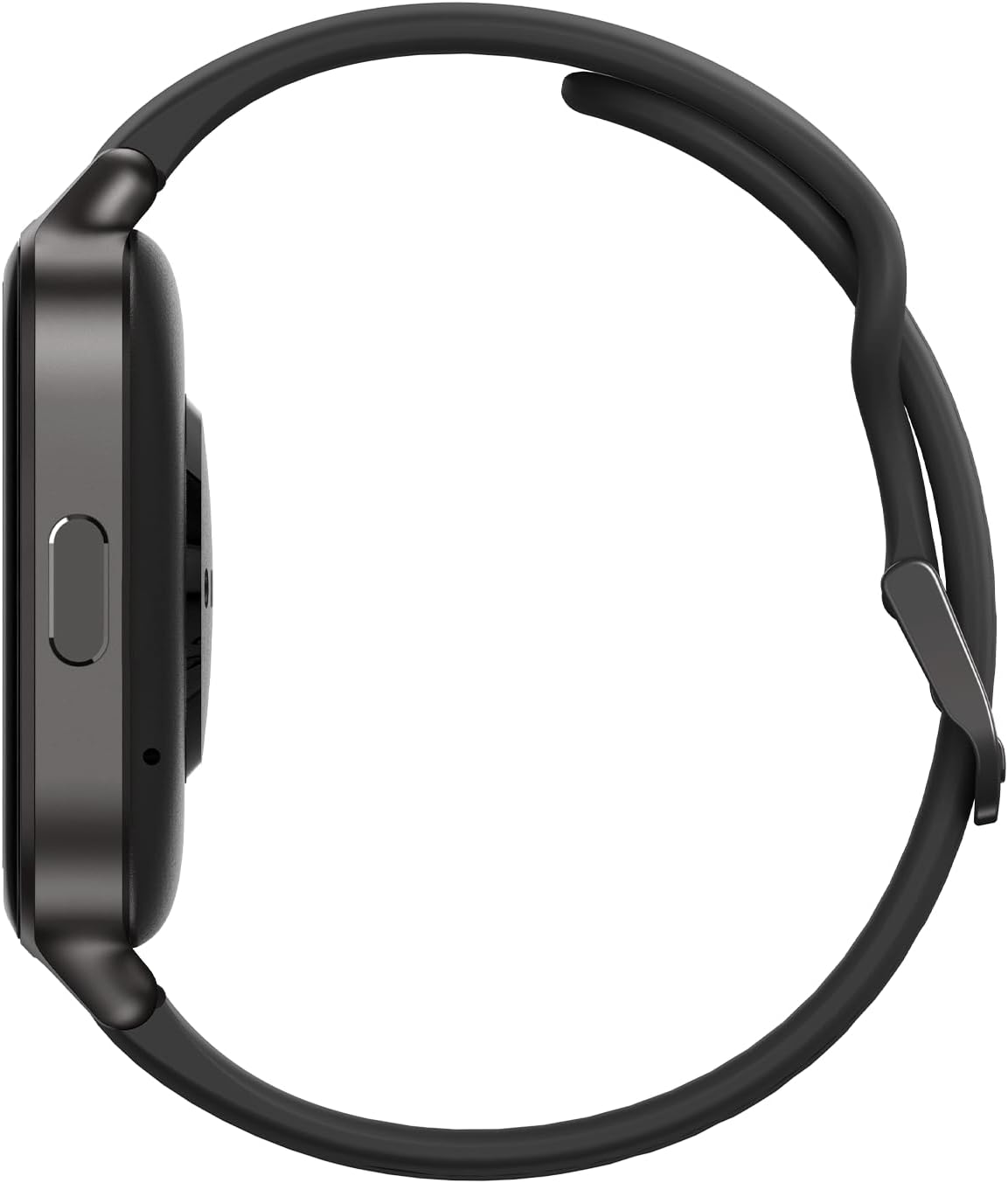
Kant view of the smartwatch, highlighting the physical button and charging area.
4. Gebruiksaanwijzing
4.1 Basisnavigatie
- Aanraakscherm: Veeg naar links, rechts, omhoog of omlaag om door menu's en widgets te navigeren. Tik om een optie te selecteren.
- Zijknop: Press to return to the home screen or to access the app list. A long press may activate specific functions or power the device on/off.
4.2 Using Key Features
- GPS-tracking: Start a workout from the sports mode to activate the integrated GPS. The watch will track your route, distance, and pace.
- Gezondheidsmonitoring: Access the heart rate, sleep, or oxygen uptake widgets to view your data. Ensure the watch is worn snugly on your wrist for accurate readings.
- Muziek afspelen: Muziek overzetten files to the watch's 4GB storage via the companion app. Connect Bluetooth headphones to the watch for audio playback.
- Strava-synchronisatie: Configure Strava integration within the companion app to automatically upload your workout data.
- Noodcontacten: Set up to 3 emergency contacts in the companion app. In an emergency, a specific action on the watch (refer to app for details) can alert these contacts.

The smartwatch display showing fitness metrics like recovery time and GPS tracking.

Additional features displayed on the smartwatch, including emergency contacts and health app integration.
5. Onderhoud
5.1 Reinigen
Reinig je smartwatch en bandje regelmatig om huidirritatie te voorkomen en de functionaliteit te behouden. Gebruik een zachte, droge doek.amp cloth to wipe the screen and casing. For the silicone strap, mild soap and water can be used. Ensure the watch is completely dry before wearing or charging.
5.2 Waterbestendigheid
The ICE fit 1.0 is IP68 water-resistant, meaning it can withstand immersion in water up to 1.5 meters for a maximum of 30 minutes. It is resistant to splashes, rain, and accidental short-term immersion. However, it is niet designed for swimming, diving, or high-pressure water activities. Avoid exposing the watch to hot water, steam, or chemicals.
5.3 Batterijonderhoud
To prolong battery life, avoid extreme temperatures. Charge the watch using the provided cable and a standard USB power adapter. Do not leave the watch fully discharged for extended periods.

The back of the smartwatch, featuring the optical heart rate sensors.
6. Probleemoplossing
- Horloge gaat niet aan: Zorg ervoor dat het horloge volledig is opgeladen. Sluit het minstens 30 minuten aan op de oplader.
- Kan niet koppelen met smartphone: Make sure Bluetooth is enabled on your phone and the watch. Restart both devices and try pairing again. Ensure the companion app is updated to the latest version.
- GPS volgt niet: Zorg ervoor dat u zich in een open ruimte bevindt met een vrije doorgang. view van de hemel. Geef het horloge een paar ogenblikken om een GPS-signaal te ontvangen voordat u met uw activiteit begint.
- Onnauwkeurige hartslagmetingen: Zorg ervoor dat het horloge goed om uw pols zit, niet te los en niet te strak. Reinig het sensorvlak aan de achterkant van het horloge.
- Korte batterijduur: Reduce screen brightness, disable unnecessary notifications, and limit continuous heart rate monitoring if not needed. Ensure background app refresh for the companion app is optimized on your phone.
For issues not covered here, please refer to the companion app's help section or contact customer support.
7. Specificaties
| Functie | Detail |
|---|---|
| Modelnummer | 024104 |
| Weergaveformaat | 1.78 inch |
| Weergavetype | AMOLED |
| Interne opslag | 4GB |
| Connectiviteit | Bluetooth |
| GPS | Geïntegreerde GPS |
| Waterbestendigheid | IP68 (1.5 meter gedurende 30 minuten) |
| Batterijtype | Lithium-polymer (1 CR5 included) |
| Besturingssysteem | ATS3085 |
| Casing Materiaal | Metaal + kunststof |
| Bandmateriaal | Siliconen |
8. Garantie en ondersteuning
Your Ice-Watch ICE fit 1.0 smartwatch comes with a standard manufacturer's warranty. Please refer to the warranty card included in your product packaging for specific terms and conditions. For technical support, troubleshooting assistance, or warranty claims, please contact Ice-Watch customer service through their official webwebsite of de contactgegevens die u in de productdocumentatie vindt.
Informatie over de beschikbaarheid van reserveonderdelen is momenteel niet beschikbaar.