
1. उत्पादन समाप्तview
The Zecamin TH02 Pro is a mini smart digital thermometer and hygrometer designed for indoor use. It provides accurate temperature and humidity readings, displayed on a compact LCD screen, and offers advanced features such as WiFi connectivity, app monitoring with alerts, voice control compatibility, and data storage. Its small size and versatile mounting options make it suitable for various environments.

चित्र १: Zecamin TH02 Pro device displaying temperature and humidity, with icons indicating features like temperature, humidity, data storage, app monitoring, high accuracy, and alert notification. A note indicates to press a hole twice to change between Celsius and Fahrenheit.
2. प्याकेज सामग्री
कृपया निम्न वस्तुहरूको लागि प्याकेज जाँच गर्नुहोस्:
- Zecamin TH02 Pro Smart Digital Thermometer & Hygrometer (4 units if 4-pack)
- 2 x AAA Batteries (per device, included)
- Magnetic Self-Adhesive Film
- 3M टाँस्ने टेप
- झुण्डिएको डोरी
- प्रयोगकर्ता पुस्तिका
3. सेटअप
3.1 ब्याट्री स्थापना
- यन्त्रको पछाडिको ब्याट्री डिब्बा कभर खोल्नुहोस्।
- सही ध्रुवता (+/-) सुनिश्चित गर्दै दुई AAA ब्याट्रीहरू घुसाउनुहोस्।
- Close the battery compartment cover. The device LCD screen will power on.
३.३ एप स्थापना र जोडा बनाउने
- डाउनलोड गर्नुहोस् Tuya स्मार्ट or स्मार्ट जीवन तपाईंको स्मार्टफोनको एप स्टोर (iOS वा Android) बाट एप।
- तपाईंको खातामा रेजिस्टर वा लग इन गर्नुहोस्।
- तपाईंको स्मार्टफोन a मा जडान भएको सुनिश्चित गर्नुहोस् 2.4 GHz WiFi नेटवर्क. The device does not support 5 GHz WiFi.
- एपमा, नयाँ उपकरण थप्न "+" आइकनमा ट्याप गर्नुहोस्।
- Follow the on-screen instructions to put the device into pairing mode (usually involves pressing and holding a button or pinhole until an indicator light flashes).
- Select the device type (e.g., "Temperature and Humidity Sensor") and complete the pairing process.
3.3 यन्त्र प्लेसमेन्ट
कम्प्याक्ट डिजाइनले लचिलो प्लेसमेन्टको लागि अनुमति दिन्छ:
- चुम्बकीय संलग्नक: Use the magnetic self-adhesive film to attach the sensor to metallic surfaces like refrigerators.
- टाँस्ने माउन्टिङ: Use the 3M adhesive tape for attachment to other smooth surfaces.
- झुण्डिएको: Utilize the included hanging cord to suspend the sensor in desired locations.
4. सञ्चालन निर्देशनहरू
L LCD डिस्प्ले
The device features a mini LCD screen that displays real-time temperature and humidity readings. This allows for quick checks without needing to access the app.
4.2 App Remote Monitoring and Alerts
Once paired with the Tuya Smart/Smart Life app, you can monitor temperature and humidity remotely from your smartphone. Set custom thresholds for temperature and humidity, and the app will send instant notifications if readings fall outside these predefined ranges. This feature is useful for monitoring nurseries, wine cellars, basements, or other sensitive areas.
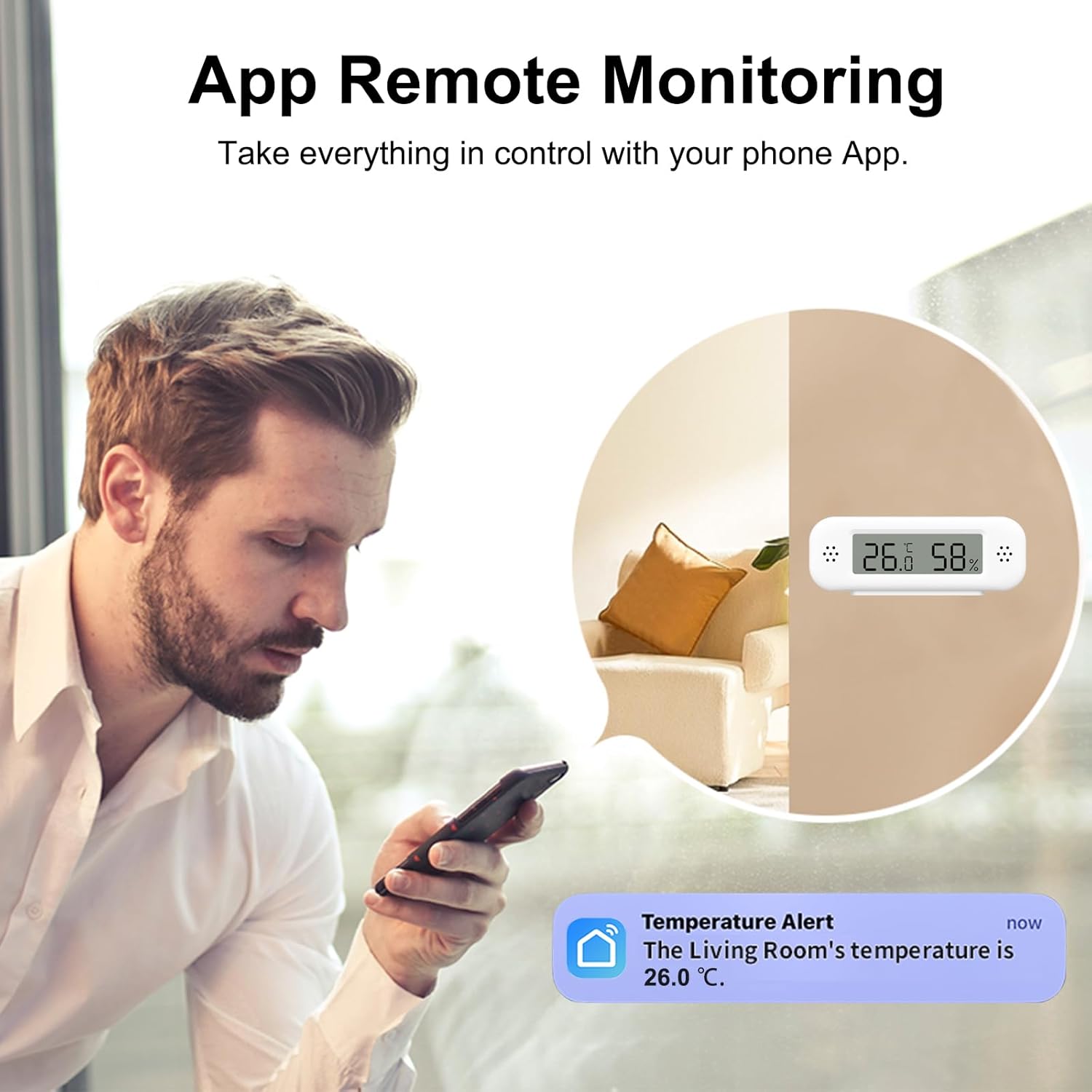
चित्र १: Remote monitoring of temperature and humidity via the smartphone app, displaying a temperature alert.
4.3 आवाज नियन्त्रण
The TH02 Pro is compatible with Amazon Alexa and Google Home. After linking the Tuya Smart/Smart Life app with your voice assistant, you can inquire about the current temperature and humidity using voice commands. Note: Temperature data may not be displayed directly within the Alexa app, but can be queried via voice.

चित्र १: Voice control integration with Amazon Alexa and Google Home for checking environmental conditions.
4.4 Smart Scenes Automation
स्वचालित दृश्यहरू सिर्जना गर्न एप मार्फत TH02 Pro लाई अन्य स्मार्ट उपकरणहरूसँग एकीकृत गर्नुहोस्। उदाहरणका लागिample, you can configure the system to automatically turn on a humidifier when humidity drops below 50% or activate an air conditioner if the temperature exceeds 26°C.

चित्र १: Example of smart scene automation, where the sensor triggers an air conditioner or humidifier based on set conditions.
५.३ डाटा भण्डारण र निर्यात
The device stores historical temperature and humidity data, which can be viewed as graphs within the app. This data can also be exported for further analysis, providing insights into environmental trends over time.

चित्र १: Historical data graphs and export options available through the app.
4.6 क्यालिब्रेसन प्रकार्य
The TH02 Pro includes a calibration function, allowing users to adjust for minor discrepancies in readings to ensure optimal accuracy. Refer to the app settings for calibration options.
4.7 Changing Temperature Units (C/F)
To switch between Celsius (°C) and Fahrenheit (°F), locate the small pinhole button on the side of the device. Press this button twice quickly to toggle the temperature unit.
5. मर्मतसम्भार
5.1 ब्याट्री प्रतिस्थापन
The device features a low battery warning function. When the battery icon appears on the LCD or an alert is received via the app, replace the two AAA batteries promptly to ensure continuous operation and accurate readings. Follow the battery installation steps in Section 3.1.
८.१ सरसफाई
नरम, सुख्खा कपडाले उपकरण पुछ्नुहोस्। घर्षण गर्ने क्लिनरहरू प्रयोग नगर्नुहोस् वा उपकरणलाई पानीमा डुबाउनुहोस्।
T. समस्या निवारण
- वाइफाइमा जडान नभएको यन्त्र: Ensure your WiFi network is 2.4 GHz. The device does not support 5 GHz networks. Check that the device is within range of your router. Restart the device and try pairing again.
- गलत पठनहरू: Use the calibration function in the app to fine-tune the sensor. Ensure the device is not placed near heat sources, direct sunlight, or in areas with extreme drafts, which can affect readings.
- App alerts not received: Check your app notification settings on your smartphone and within the Tuya Smart/Smart Life app. Ensure the device is connected to WiFi and has sufficient battery power.
- LCD display is blank: ब्याट्रीको स्तर जाँच गर्नुहोस् र आवश्यक परेमा बदल्नुहोस्। ब्याट्रीहरू सही ध्रुवीयतामा घुसाइएको सुनिश्चित गर्नुहोस्।
7. निर्दिष्टीकरणहरू
| सुविधा | विवरण |
|---|---|
| मोडेल नम्बर | TH02 प्रो |
| ब्रान्ड | जेकामिन |
| जडान प्रविधि | वाइफाइ (२.४ GHz मात्र) |
| प्रदर्शन प्रकार | एलसीडी स्क्रिन |
| तापमान मापन दायरा | -10 °C देखि 50 °C (14 °F देखि 122 °F) |
| तापमान शुद्धता | ±1 डिग्री सेल्सियस |
| आर्द्रता मापन दायरा | 0% देखि 99% RH |
| आर्द्रता शुद्धता | ±5% RH |
| शक्ति स्रोत | २ x AAA ब्याट्रीहरू (समावेश) |
| विशेष सुविधाहरू | High Accuracy, Alarm, Calibration Function, Low Battery Warning |
| बाह्य सामग्री | प्लास्टिक |
| प्याकेज आयामहरू | ६ x ०.८ x ४.७ सेमी; 14 ग्राम |
| रङ | सेतो |
8. वारेन्टी जानकारी
Specific warranty details are not provided in the product information. Please refer to the retailer's return policy or contact the manufacturer directly for warranty inquiries.
9. ग्राहक समर्थन
For technical assistance, troubleshooting, or product-related questions, please contact the manufacturer or your point of purchase. Refer to the product packaging or the retailer's webसम्पर्क जानकारी को लागी साइट।
10. आवेदनहरू
The Zecamin TH02 Pro is suitable for a wide range of indoor environments where temperature and humidity monitoring is crucial:
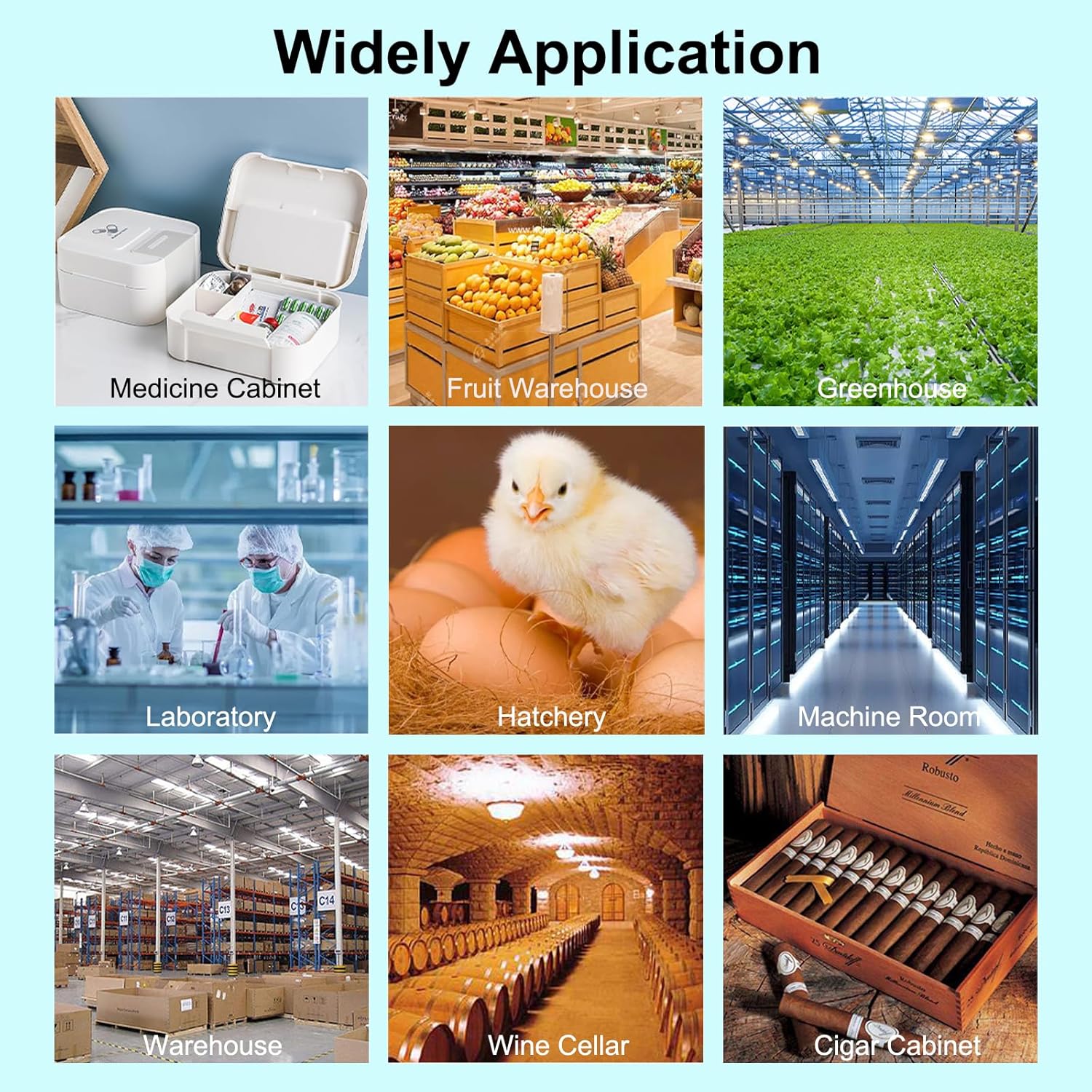
चित्र १: Diverse applications for the TH02 Pro, including medicine cabinets, fruit warehouses, greenhouses, laboratories, hatcheries, machine rooms, warehouses, wine cellars, and cigar cabinets.