
1. နိဒါန်း
This manual provides detailed instructions for the installation, operation, and maintenance of your Easegain E27-3MP 3MP Light Bulb Security Camera. Please read this manual thoroughly before using the product to ensure proper function and safety. This camera is designed for both indoor and outdoor surveillance, offering 360-degree coverage, motion detection, and intelligent night vision.
2. ဘေးကင်းရေးအချက်အလက်
- Ensure the power supply is off before installation or maintenance.
- Install the camera in a stable E27 bulb base.
- ကင်မရာကို အပူချိန်လွန်ကဲစွာ၊ စိုထိုင်းဆ သို့မဟုတ် တိုက်ရိုက်ရေနှစ်မြှုပ်ခြင်းသို့ မပြပါနှင့်။
- စက်ပစ္စည်းကို ကလေးလက်လှမ်းမမီအောင်ထားပါ။
- Use only authorized accessories and power adapters.
3. အထုပ်အကြောင်းအရာများ
- Easegain E27-3MP Light Bulb Security Camera
- အသုံးပြုသူလက်စွဲ
- Mounting Accessories (ဖြစ်နိုင်လျှင်)
4. ကုန်ပစ္စည်းကျော်view
The Easegain E27-3MP camera integrates a 3MP HD camera with a standard E27 light bulb form factor, allowing for easy installation into existing light sockets. It features a rotating lens for 360-degree coverage, infrared and color night vision, two-way audio, and motion detection capabilities.

ပုံ- အရှေ့ view of the Easegain E27-3MP Light Bulb Security Camera, highlighting its pan and tilt capabilities for 360-degree coverage.
5. စနစ်ထည့်သွင်းပါ။
5.1. တပ်ဆင်ခြင်း။
- Ensure the power to the E27 light socket is turned off.
- Screw the Easegain E27-3MP camera into a standard E27 bulb base.
- Turn on the power to the light socket. The camera will power on and initiate its startup sequence.

Image: A close-up of the Easegain E27-3MP camera being screwed into a standard E27 light bulb socket.
၄။ အက်ပ်ဒေါင်းလုဒ်လုပ်ခြင်းနှင့် Wi-Fi ချိတ်ဆက်မှု
- Download the companion app (e.g., YCC365 Plus) from your mobile device's app store (iOS or Android).
- အကောင့်တစ်ခုအတွက် မှတ်ပုံတင်ပြီး အကောင့်ဝင်ပါ။
- Tap the '+' icon to add a new device. Select 'Intelligent Camera' or similar option.
- Follow the on-screen prompts to connect the camera to your 2.4GHz or 5GHz Wi-Fi network. You will typically input your Wi-Fi password and then scan a QR code generated by the app with the camera's lens.
- Once connected, the app will confirm 'Addition success!' and prompt you to name the device (e.g., 'Living Room', 'Shop').
Video: Demonstrates the process of connecting the Easegain E27-3MP camera to the mobile application via QR code scanning for Wi-Fi setup.
6. ကင်မရာကိုလည်ပတ်ခြင်း။
6.1. တိုက်ရိုက်ထုတ်လွှ View နှင့် Pan/Tilt Control
After successful setup, you can access the live video feed from your camera through the app. Use the on-screen controls to pan (horizontal rotation) and tilt (vertical movement) the camera lens to achieve a 360-degree view မျက်စိကန်းခြင်းမရှိဘဲ။

Image: Illustrates the 360-degree smart camera functionality and app controls for viewing.
6.2. ညမြင်ကွင်းမုဒ်များ
The camera supports intelligent night vision, offering both ordinary infrared night vision and full-color night vision. You can switch between these modes via the app settings to suit your monitoring needs.

Image: A side-by-side comparison showing the clarity of full-color night vision versus infrared night vision.
၆.၃။ Motion Detection နှင့် သတိပေးချက်များ
Equipped with a highly sensitive motion sensor, the camera can detect moving objects. When motion is detected, it will record the event and send real-time alerts to your mobile application. You can also set custom activity zones to focus on specific areas.
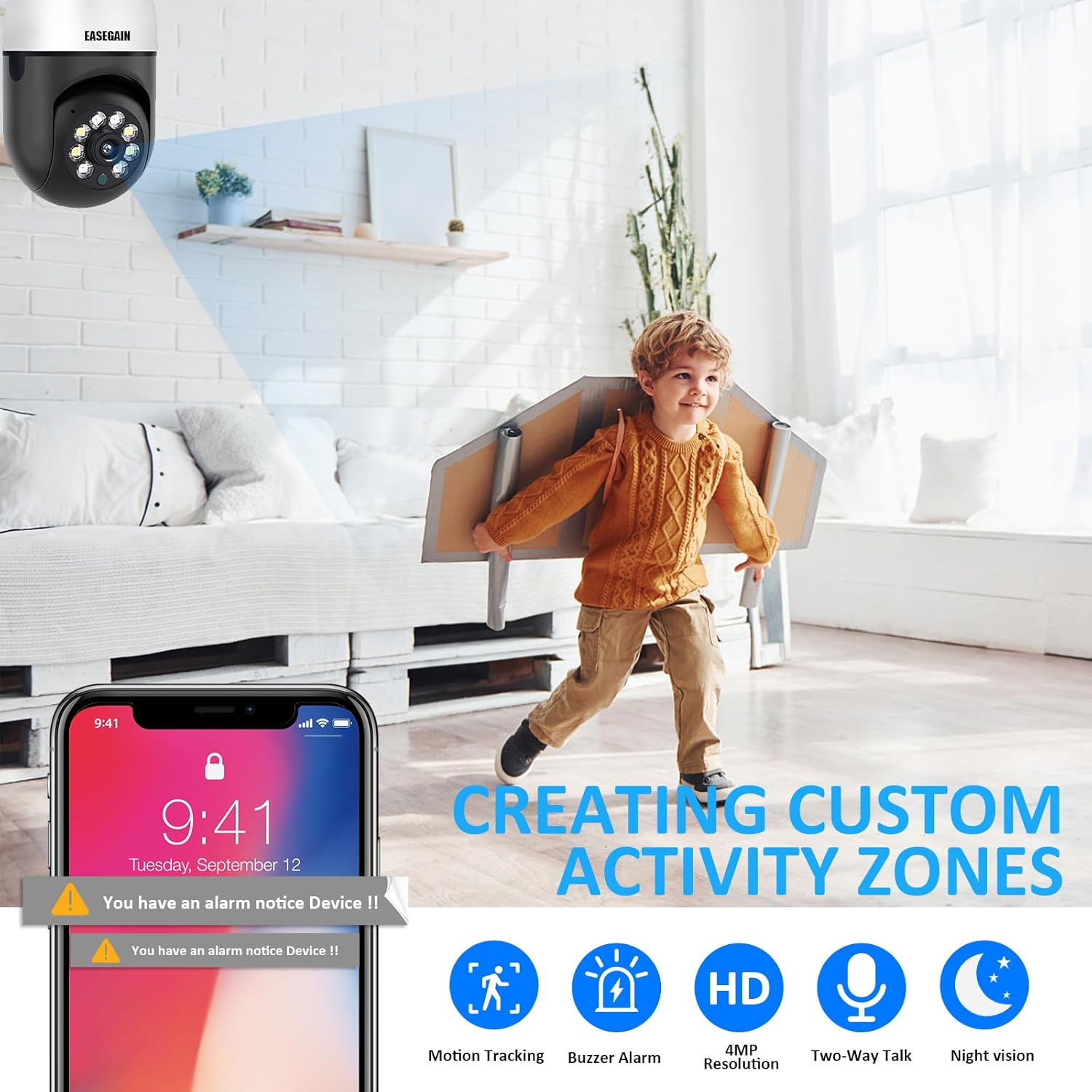
Image: Depicts the camera's motion detection feature, showing an alert notification on a smartphone and the concept of creating custom activity zones.
6.4. နှစ်လမ်းအသံ
The camera features a built-in microphone and speaker, enabling two-way communication. You can listen to the environment around the camera and speak through the camera using the app.
၅.၃။ မှတ်တမ်းတင်ခြင်းနှင့် သိမ်းဆည်းခြင်း။
The camera supports cloud storage for recorded footage. Additionally, it can record to a local SD card (not included). Ensure a compatible SD card is inserted for local storage options.
7. ပြုပြင်ထိန်းသိမ်းမှု
၁၁.၁။ သန့်ရှင်းရေး
To maintain optimal image quality, regularly clean the camera lens with a soft, dry cloth. Do not use harsh chemicals or abrasive materials.
7.2. Firmware Updates
Periodically check the app for available firmware updates. Keeping your camera's firmware up-to-date ensures optimal performance, security, and access to new features.
၃
- ကင်မရာကို Wi-Fi နှင့်မချိတ်ဆက်ပါ- Ensure your Wi-Fi network is 2.4GHz or 5GHz and the password is correct. Place the camera within range of your router.
- ဗီဒီယိုဖိဒ်မရှိပါ- Check the camera's power supply and Wi-Fi connection. Restart the camera and the app.
- ရွေ့လျားမှု သတိပေးချက်များ မရရှိပါ- Verify app notification settings are enabled on your phone and within the camera's app settings.
- ရုပ်ပုံအရည်အသွေး ညံ့ဖျင်းသည်- Clean the camera lens. Ensure adequate lighting for optimal night vision performance.
9. သတ်မှတ်ချက်များ
| ထူးခြားချက် | သတ်မှတ်ချက် |
|---|---|
| မော်ဒယ်နံပါတ် | E27-3MP |
| ဗီဒီယိုရိုက်ကူးမှု ကြည်လင်ပြတ်သားမှု | 3MP (2K) |
| ချိတ်ဆက်မှုနည်းပညာ | Wi-Fi (2.4GHz နှင့် 5GHz) |
| ပါဝါအရင်းအမြစ် | E27 Bulb Base |
| Mounting အမျိုးအစား | မျက်နှာကျက်တောင် |
| အထူးအင်္ဂါရပ် | 360-degree Pan/Tilt, Motion Detection, Night Vision |
| Indoor/Outdoor အသုံးပြုမှု | Indoor ၊ Outdoor |
| ထိန်းချုပ်မှုနည်းလမ်း | အက်ပ် |
| ပစ္စည်းအလေးချိန် | ၁၆.၈၉ ပေါင် |
10. အာမခံနှင့် ပံ့ပိုးမှု
Easegain provides a three-month warranty for this product. For technical support, troubleshooting assistance, or any questions regarding your camera, please contact our customer service. We offer 24-hour fast response technical support to ensure your satisfaction.