
1. Prodott Aktarview
The Hunter ZenTech 52 Inch Smart Ceiling Fan (Model 53638) is designed for both indoor and covered outdoor spaces, offering quiet, efficient performance with advanced smart home integration. This 5-blade fan features a slim DC motor, adjustable LED lighting with TrueLight technology, and Wi-Fi connectivity for control via the HunterSMART app, Amazon Alexa, Google Assistant, and Apple HomeKit. It is ENERGY STAR certified and damp-rated for versatile use.
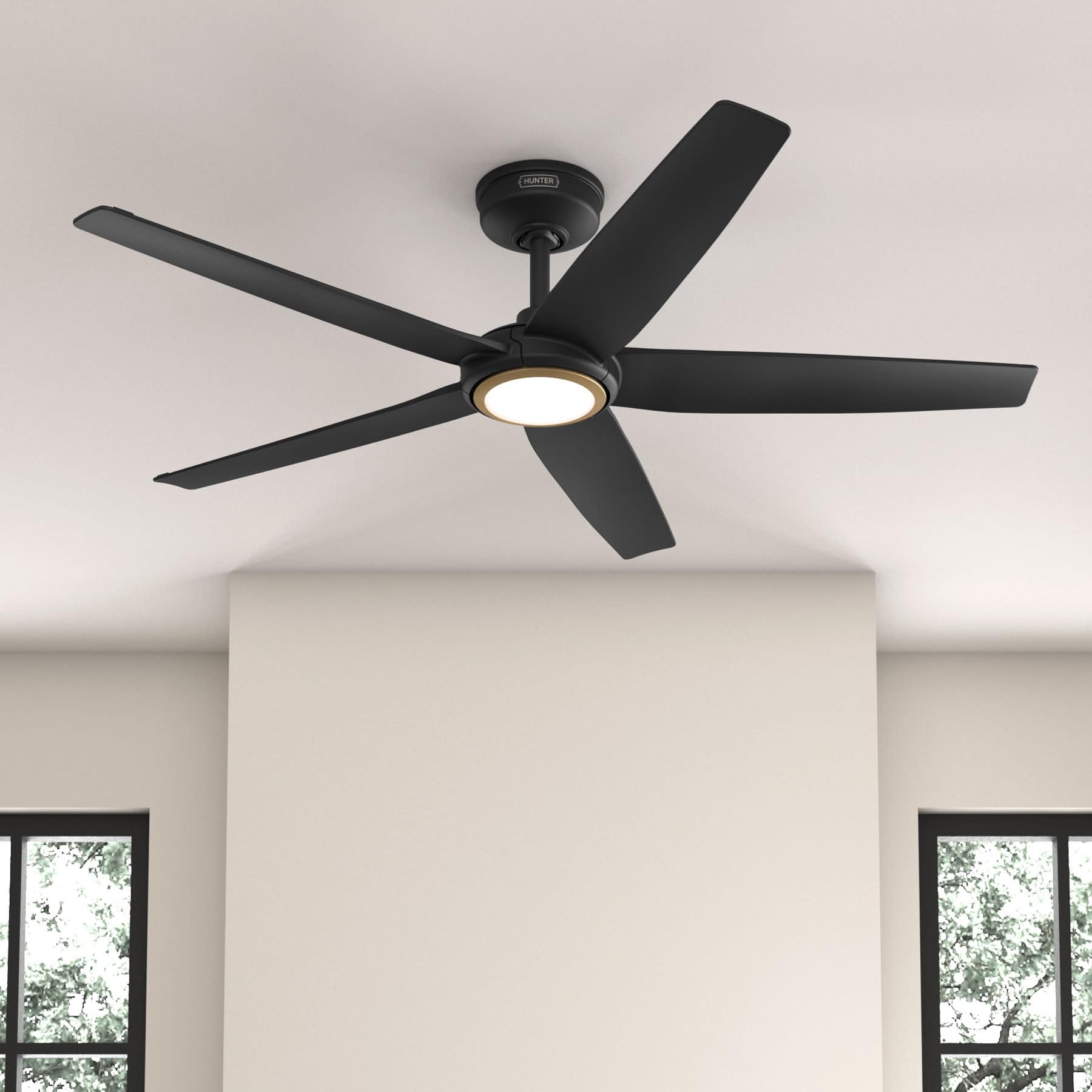
Figure 1: Hunter ZenTech 52 Inch Smart Ceiling Fan (Matte Black)
Karatteristiċi ewlenin:
- Disinn Avvanzat: Ultra-slim DC motor for powerful, quiet airflow and a modern aesthetic.
- Integrazzjoni tad-Dar Intelliġenti: HunterSMART technology for app and voice control via Amazon Alexa, Google Assistant, and Apple HomeKit.
- Dawl LED aġġustabbli: TrueLight LED offers 10 brightness levels and 10 color temperatures, protected by a durable Duralight lens.
- SureSpeed Guarantee: Delivers strong, consistent airflow with quiet, wobble-free performance.
- Effiċjenti fl-Enerġija: ENERGY STAR certified reversible 6-speed DC motor.
- Damp Ikklassifikat: Suitable for indoor and covered outdoor areas.
2. Istruzzjonijiet Importanti dwar is-Sigurtà
Aqra l-istruzzjonijiet kollha bir-reqqa qabel tibda l-installazzjoni. Jekk ma ssegwix dawn l-istruzzjonijiet, dan jista' jirriżulta f'xokk elettriku, nar, jew korriment personali.
- Dejjem skonnettja l-enerġija mis-circuit breaker prinċipali qabel l-installazzjoni jew is-servizz.
- Ensure all electrical connections comply with local codes and ordinances. If you are unfamiliar with electrical wiring, consult a qualified electrician.
- L-istruttura tal-immuntar trid tkun kapaċi ssostni l-piż tal-fann (madwar 14.11 lbs).
- Do not bend blade brackets during installation or cleaning.
- Żomm idejk 'il bogħod mix-xfafar tal-fann meta l-fann ikun qed jaħdem.
- Dan il-fann huwa damp-rated for use in covered outdoor areas but should not be exposed directly to water.
3. Kontenut tal-Pakkett
Iċċekkja li l-komponenti kollha elenkati hawn taħt huma preżenti fil-pakkett tiegħek qabel tibda l-installazzjoni.
- Djar tal-Mutur tal-Fann tas-Saqaf
- 5 Xfafar tal-fann
- Light Kit with Duralight Lens
- Downrod ta' 6 pulzieri
- Kanupew u Bracket tal-Immuntar
- Kontroll mill-bogħod li jinżamm fl-idejn
- Pakkett tal-Ħardwer (viti, woxers, ġewż tal-wajer)

Figure 2: ZenTech 52 Inch Fan Components
4. Gwida għall-Installazzjoni
Professional installation is recommended. Ensure the power is OFF at the circuit breaker before starting.
4.1 Immuntar tal-Fann
- Waħħal il-bracket tal-immuntar mal-kaxxa tal-junction tas-saqaf. Il-kaxxa tal-junction trid tkun elenkata għall-appoġġ tal-fann.
- Assemble the downrod (6-inch included, compatible with up to 24-inch downrods) to the fan motor housing.
- Dendel l-assemblaġġ tal-fann mill-bracket tal-immuntar.
- Complete electrical wiring connections as per the wiring diagram provided in the full manual.
- Waħħal ix-xfafar tal-fann mal-housing tal-mutur.
- Install the light kit and Duralight lens.

Figure 3: ZenTech Fan installed in a covered outdoor space
5. Istruzzjonijiet Operattivi
The ZenTech fan can be operated using the included handheld remote control or through the HunterSMART app.
5.1 Operazzjoni tal-Kontroll mill-bogħod
- Fan On / Off: Agħfas il-buttuna tal-fann biex tixgħel jew titfi l-fann.
- Veloċità tal-fann: Use the speed buttons to cycle through 6 fan speeds.
- Dawl mixgħul/mitfi: Agħfas il-buttuna tad-dawl biex tixgħel jew titfi d-dawl.
- Tnaqqis tad-Dawl: Hold the light button to dim or brighten the light.
- Temperatura tal-Kulur: Press the color temperature button to cycle through different color temperatures (warm to cool).
- Funzjoni Reverse: Press the reverse button to change the fan's direction for seasonal use.
5.2 LED Light Control (TrueLight Technology)
The TrueLight LED system allows for precise control over your lighting environment. You can select from 10 brightness levels and 10 color temperatures to match your preference.

Figure 4: TrueLight LED Technology for adjustable lighting
6. Smart Home Integrazzjoni
The ZenTech fan features HunterSMART technology, enabling seamless integration with popular smart home ecosystems.
6.1 Connecting to HunterSMART App
- Download the HunterSMART app from your device's app store.
- Follow the in-app instructions to create an account and add your ZenTech fan.
- Ensure your fan is powered on and your mobile device is connected to a 2.4 GHz Wi-Fi network during setup.
6.2 Voice Control Compatibility
Once connected to the HunterSMART app, you can link your fan to:
- Amazon Alexa
- Google Assistent
- Apple HomeKit
Refer to the respective smart home platform's instructions for linking smart devices.

Figure 5: HunterSMART Control Options
7. Kura u Manutenzjoni
Manutenzjoni regolari tiżgura prestazzjoni ottimali u lonġevità tal-fann tas-saqaf tiegħek.
- Tindif: Dust the fan blades and motor housing periodically with a soft, lint-free cloth. For damp-rated areas, wipe down with a slightly damp cloth, then dry thoroughly. Do not use abrasive cleaners or solvents.
- Verifika tal-Issikkar: Annually, check all screws and connections for tightness. Vibrations can cause them to loosen over time.
- Kit tad-Dawl: The LED light source is designed for long life and is not user-serviceable.
8. Gwida għas-soluzzjoni tal-problemi
If you encounter issues with your ZenTech ceiling fan, refer to the table below for common problems and solutions.
| Problema | Kawża Possibbli | Soluzzjoni |
|---|---|---|
| Fan ma jibda | Ebda enerġija għall-fann; Konnessjonijiet tal-wajers maħlula; Batterija tal-kontroll remot baxxa. | Iċċekkja s-circuit breaker; Ivverifika li l-konnessjonijiet tal-wajers kollha huma sikuri; Ibdel il-batterija tal-kontroll remot. |
| Id-dawl ma jaħdimx | No power to the light kit; Loose wire connection; Light kit malfunction. | Check circuit breaker; Verify light kit wiring; Contact customer support if LED is faulty. |
| Fan wobbles | Loose blades or blade holders; Improperly balanced blades; Loose mounting bracket. | Ensure all blade screws are tight; Use a blade balancing kit (not included); Tighten mounting bracket screws. |
| Smart features not connecting | Incorrect Wi-Fi network (not 2.4 GHz); Incorrect app setup; Router issues. | Ensure connection to 2.4 GHz Wi-Fi; Re-attempt app setup; Restart router and fan. |
9. Speċifikazzjonijiet Tekniċi
| Speċifikazzjoni | Dettall |
|---|---|
| Brand | Kaċċatur |
| Isem tal-Mudell | ZenTech |
| Numru tal-Mudell | 53638 |
| Daqs | 52 pulzieri |
| Kulur | Iswed Matte |
| Dimensjonijiet tal-Prodott | 52"D x 52"W x 11.78"H |
| Piż tal-oġġett | 14.11 Liri |
| Numru ta' Xfafar | 5 |
| Tip ta' Mutur | DC |
| Numru ta' Veloċitajiet | 6 |
| Kapaċità tal-Fluss tal-Ajru | 5443.94 Piedi Kubu Fil-Minuta |
| Wattage | 17 watt |
| Voltage | 120 Volts |
| Użu fuq ġewwa/barra | Indoor, Covered Outdoor (Damp Klassifikat) |
| Karatteristiċi Speċjali | LED Light, Quiet Operation, Water Resistant, Wi-Fi Enabled |
| Tip ta' Kontrollur | Kontroll tal-App, Kontroll mill-Bogħod |
| Ċertifikazzjonijiet | ETL, Energy Star, FCC |
| Tul Downrod | 6 Pulzieri (inklużi) |
10. Informazzjoni dwar Garanzija
The Hunter ZenTech 52 Inch Smart Ceiling Fan is backed by Hunter's commitment to quality. It includes a limited lifetime motor warranty, ensuring long-term confidence in your product. For full warranty details and terms, please refer to the documentation included with your fan or visit the official Hunter Fan Company websit.
11. Appoġġ għall-Klijent
If you require further assistance, have questions about installation, operation, or troubleshooting that are not covered in this manual, please contact Hunter Fan Company customer support. You can typically find contact information on the official Hunter Fan Company webis-sit jew fl-imballaġġ tal-prodott.