
Introduzzjoni
Thank you for choosing the ZIPRO MODO Exercise Bike. This manual provides essential information for the safe assembly, operation, and maintenance of your new fitness equipment. Please read it thoroughly before first use and keep it for future reference. The ZIPRO MODO is designed for effective indoor cardio training, featuring adjustable resistance, a quiet mechanical system, and app connectivity for tracking your progress.
Informazzjoni dwar is-Sigurtà
- Ikkonsulta tabib qabel tibda xi programm ġdid ta' eżerċizzju.
- Kun żgur li l-boltijiet u l-ġewż kollha huma ssikkati sew qabel kull użu.
- Place the exercise bike on a flat, stable surface. Use a mat to protect your floor.
- Żomm it-tfal u l-annimali domestiċi 'l bogħod mit-tagħmir waqt it-tħaddim.
- Ilbes ħwejjeġ u żraben xierqa għall-eżerċizzju. Evita ħwejjeġ maħlula li jistgħu jinqabdu fil-partijiet li jiċċaqalqu.
- If you experience dizziness, pain, or shortness of breath, stop exercising immediately and consult a physician.
- Il-piż massimu tal-utent għal dan l-apparat huwa ta' 120 kg.
Setup u Assemblea
The ZIPRO MODO Exercise Bike is designed for straightforward assembly. All necessary tools and instructions are included in the package. Follow the step-by-step guide provided in the box for detailed assembly instructions.
- Spakkjar: Carefully remove all components from the packaging. Verify that all parts are present according to the parts list in the included manual.
- Assemblaġġ tal-Bażi: Attach the front and rear stabilizers to the main frame. Ensure they are securely fastened.
- Installazzjoni tal-pedali: Attach the pedals to the crank arms. Note that pedals are typically marked 'L' for left and 'R' for right and thread in opposite directions.
- Installazzjoni tal-Arblu tas-Sedil u l-Arblu tal-Manubriju: Insert the seat post and handlebar post into their respective slots on the main frame.
- Seat and Handlebar Attachment: Secure the seat to the seat post and the handlebar to the handlebar post.
- Installazzjoni tal-monitor: Attach the LCD monitor to the handlebar post. The screws for securing the monitor are often pre-attached to the display itself; unscrew them, position the monitor, and then re-fasten. Connect any necessary sensor cables.
- Kontroll Finali: Before first use, double-check all connections and ensure all bolts and nuts are tightened to prevent wobbling during exercise.
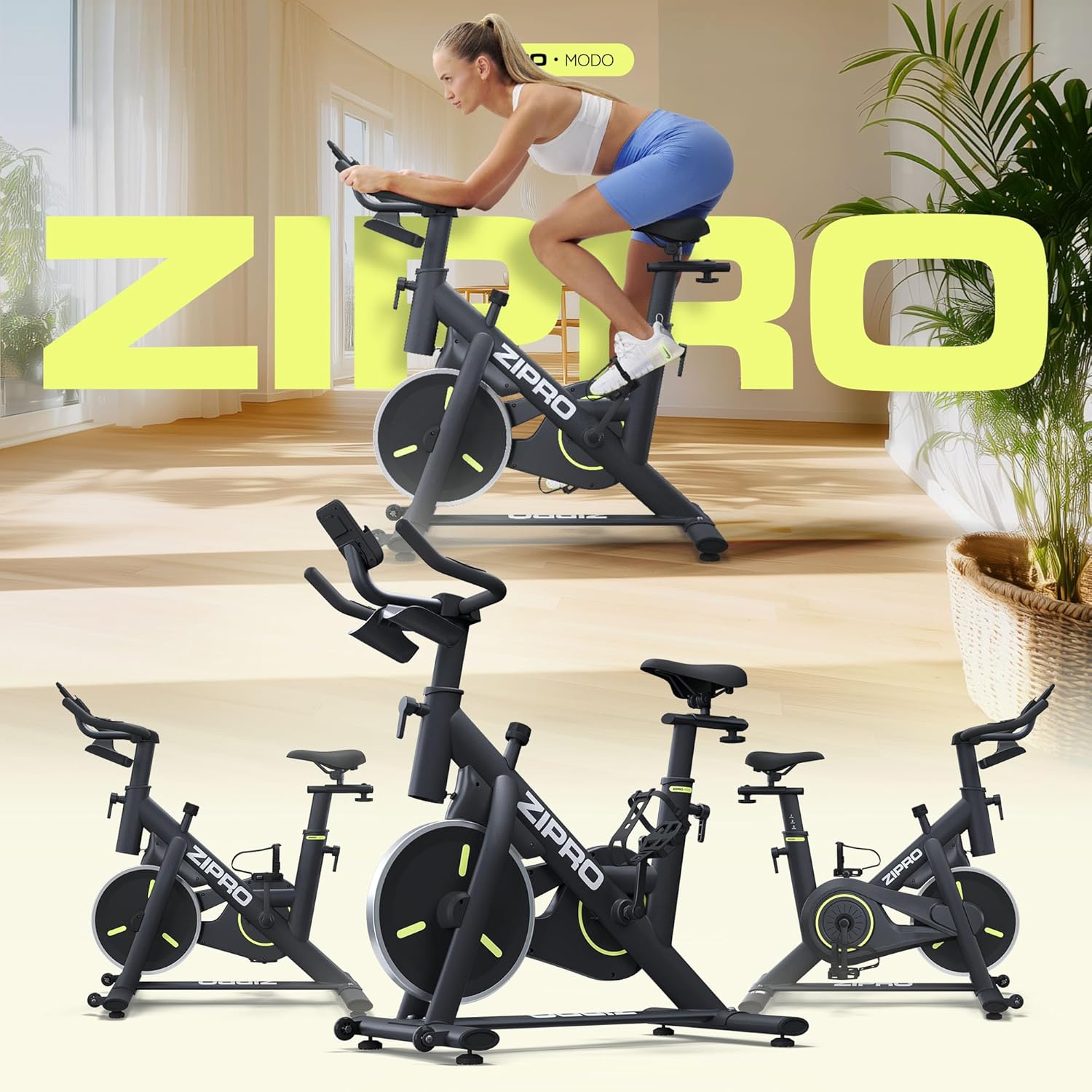
Image: The ZIPRO MODO Exercise Bike fully assembled, showcasing its compact design and robust structure.
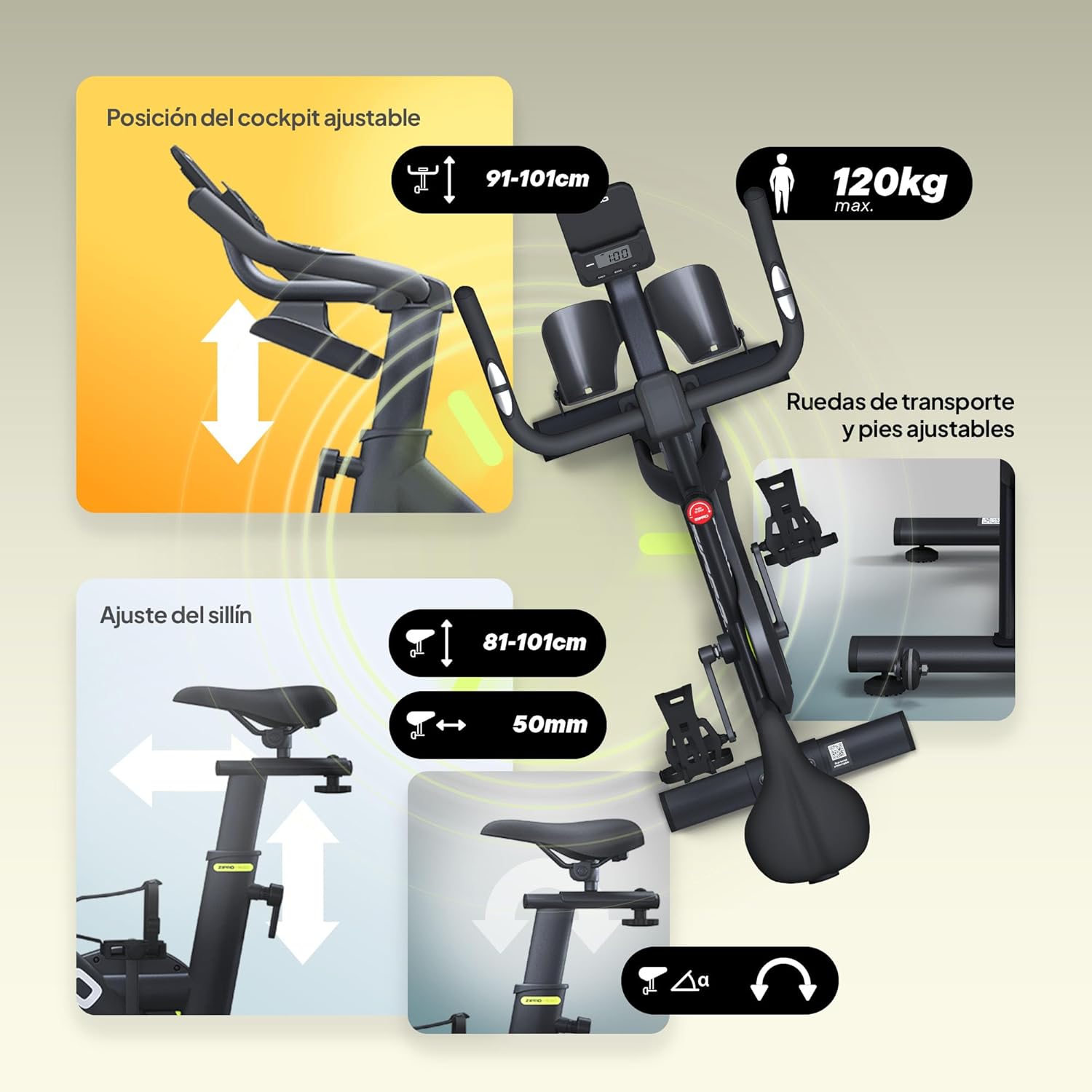
Immaġni: Dettaljata view of the adjustable seat and handlebar mechanisms, allowing users to customize their riding position for optimal comfort and ergonomics.

Image: Close-up of the LCD monitor and integrated tablet/phone holder, providing a convenient space for your device during workouts.
Istruzzjonijiet Operattivi
1. Adjusting Your Riding Position
- Għoli tas-Sedil: Ħoll il-pum tal-aġġustament fuq il-virga tas-sedil, erfa’ jew baxxi s-sedil sakemm riġlek tkun mgħawġa ftit fl-irkoppa meta l-pedala tkun fl-aktar punt baxx tagħha. Issikka l-pum sew.
- Seat Position (Forward/Backward): Loosen the adjustment knob under the seat, slide the seat forward or backward to find a comfortable distance from the handlebars. Tighten the knob securely.
- Għoli tal-manubriju: Loosen the adjustment knob on the handlebar post, raise or lower the handlebars to a comfortable height that allows for a relaxed upper body posture. Tighten the knob securely.

Image: Visual guide demonstrating the intuitive adjustments for seat height, forward/backward position, and handlebar height to achieve an ergonomic riding posture.
2. Aġġustament tar-Reżistenza
The ZIPRO MODO features continuous adjustable resistance. To increase resistance, turn the resistance knob clockwise. To decrease resistance, turn it counter-clockwise. For an emergency stop, press the resistance knob down firmly.

Image: Close-up of the resistance adjustment knob, indicating how to increase or decrease resistance and the push-to-stop emergency function.
3. Using the LCD Monitor and App Connectivity
The integrated LCD monitor displays key workout metrics such as time, distance, speed, and calories burned. Use the buttons on the monitor (MODE, SET, RESET) to navigate through display modes and reset values.
For enhanced tracking and interactive workouts, connect your ZIPRO MODO to a compatible fitness app via Bluetooth. Download the recommended app (e.g., FitShow) from your device's app store. Follow the app's instructions to pair your exercise bike and access features like virtual routes, personalized training programs, and detailed statistics.

Image: The LCD monitor displaying workout data, alongside a smartphone showing the FitShow app interface, illustrating the bike's connectivity features.
Manutenzjoni
- Tindif: Imsaħ ir-rota bl-adamp Ċarruta wara kull użu biex tneħħi l-għaraq u t-trab. Evita prodotti tat-tindif li joborxu.
- Spezzjoni: Iċċekkja regolarment il-boltijiet, il-ġewż, u l-partijiet li jiċċaqalqu kollha għall-issikkar u l-użu. Issikka kwalunkwe qafliet maħlula.
- Lubrikazzjoni: The mechanical resistance system is designed for low maintenance. Refer to the detailed manual for any specific lubrication requirements, though typically none are needed for the main resistance mechanism.
- Ħażna: When not in use, store the bike in a dry, clean environment. The integrated transport wheels allow for easy relocation.
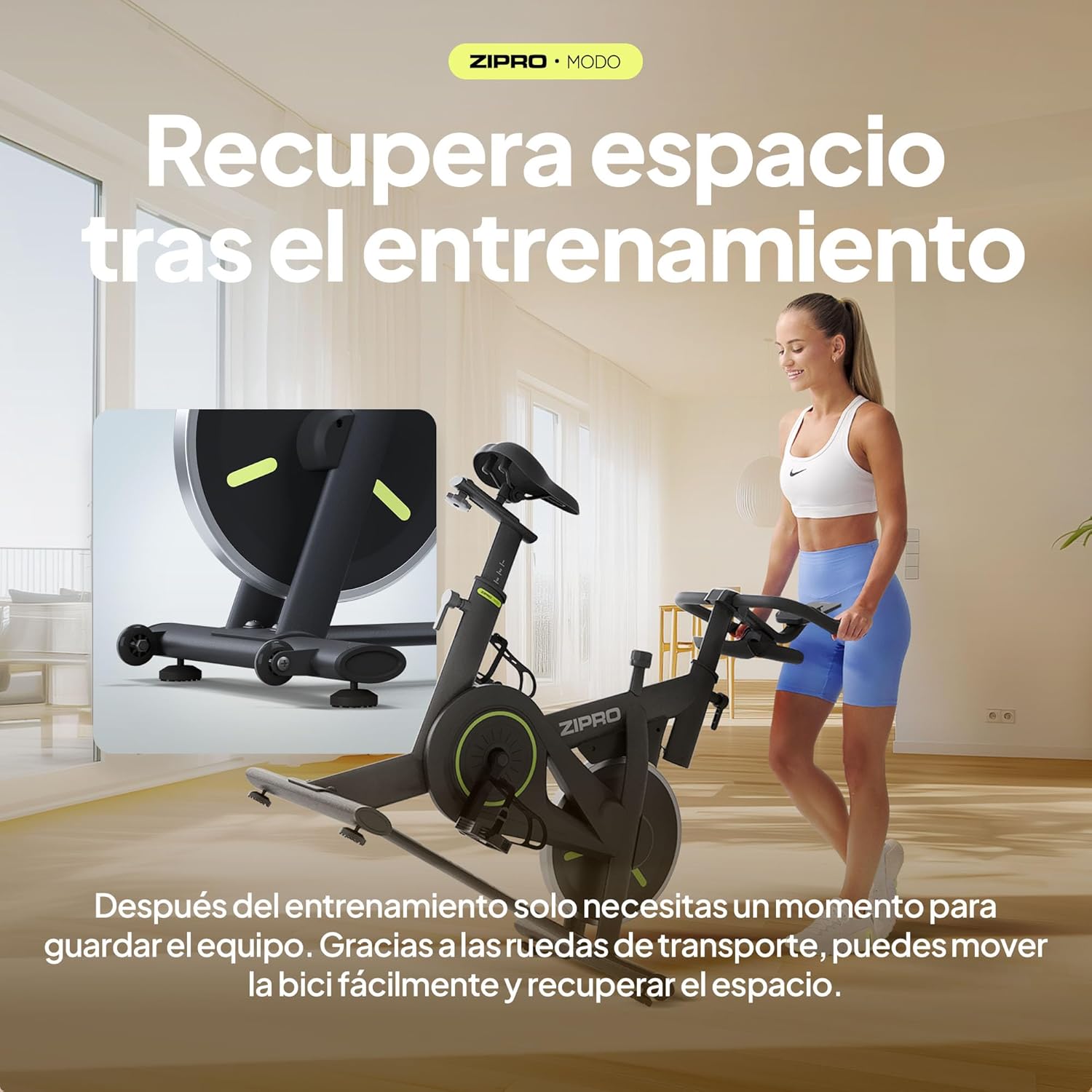
Image: The ZIPRO MODO Exercise Bike being moved using its integrated transport wheels, highlighting its portability for storage.
Issolvi l-problemi
| Problema | Kawża Possibbli | Soluzzjoni |
|---|---|---|
| Ir-rota titħarrek waqt l-użu. | Qafliet maħlula; wiċċ irregolari. | Ensure all assembly bolts and nuts are securely tightened. Adjust the leveling feet on the stabilizers if the floor is uneven. |
| Resistance is not adjusting correctly. | Resistance knob not fully engaged or mechanism issue. | Turn the resistance knob fully clockwise and counter-clockwise to ensure it engages properly. If the issue persists, contact customer support. |
| Il-monitor LCD mhux qed juri d-dejta. | Konnessjoni tal-kejbil maħlula; batteriji mejta. | Check that all sensor cables are securely connected to the monitor. Replace the batteries in the monitor if necessary. |
| Cannot connect to fitness app via Bluetooth. | Bluetooth not enabled; app pairing issue; interference. | Ensure Bluetooth is enabled on your device. Restart the app and the bike's monitor. Try pairing again. Ensure no other devices are actively connected to the bike's Bluetooth. Refer to the app's specific troubleshooting guide. |
| Saddle or handlebar feels loose after adjustment. | Adjustment knobs not tightened sufficiently. | Ensure the adjustment knobs for the saddle and handlebar are tightened to their maximum secure point after positioning. |
Speċifikazzjonijiet
| Karatteristika | Dettall |
|---|---|
| Numru tal-Mudell | MODO |
| Dimensjonijiet (L x W x H) | 104 x 50.5 x 117 ċm |
| Piż tal-Prodott | 29.72 kg |
| Piż Massimu tal-Utent | 120 kg |
| Mekkaniżmu ta' Reżistenza | Fluid mechanical resistance with continuous adjustment |
| Materjal | PU Foam (seat), Steel Structure |
| Karatteristiċi Speċjali | Fitness app compatibility, Robust construction, Compact design, Silent operation, Adjustable seat and handlebar position, Transport wheels |
| Sors tal-Enerġija (Monitor) | Imħaddma bil-batterija |
Garanzija u Appoġġ
For warranty information and customer support, please refer to the documentation included with your product or visit the official ZIPRO websit. Żomm il-prova tax-xiri tiegħek għal kwalunkwe talba ta' garanzija.
If you require assistance with assembly, operation, or troubleshooting beyond what is covered in this manual, please contact ZIPRO customer service directly. You can often find contact details on the manufacturer's webis-sit jew permezz tal-bejjiegħ bl-imnut minn fejn xtrajt il-prodott.
Għal aktar informazzjoni, żur il- ZIPRO Store on Amazon.