
Introduzzjoni
Thank you for choosing the Grundig 3-in-1 Wireless Charging Station. This device is designed to provide a convenient and efficient way to charge your Qi-compatible smartphone, smartwatch, and wireless earbuds simultaneously. Please read this manual carefully before use to ensure proper operation and to maximize the lifespan of your product.
Informazzjoni dwar is-Sigurtà
- Żarmax jew timmodifikax l-apparat.
- Żomm l-apparat 'il bogħod mill-ilma, l-umdità, u temperaturi għoljin.
- Evita li twaqqa’ jew tissuġġetta l-apparat għal impatti qawwija.
- Use only certified power adapters that meet the specified input requirements (5V/2A or 9V/1.67A).
- The charging station features integrated protection against overcharge, overheating, and overvoltage biex jiġi żgurat tħaddim sikur.
- Tpoġġix oġġetti tal-metall jew karti manjetiċi fuq il-wiċċ tal-iċċarġjar, għax dan jista' jinterferixxi mal-iċċarġjar jew jagħmel ħsara lill-apparat.
Kontenut tal-Pakkett
- 1x Grundig 3-in-1 Wireless Charging Station
- 1x USB-C Iċċarġjar Cable
- 1x Manwal għall-Utent
Prodott Overview
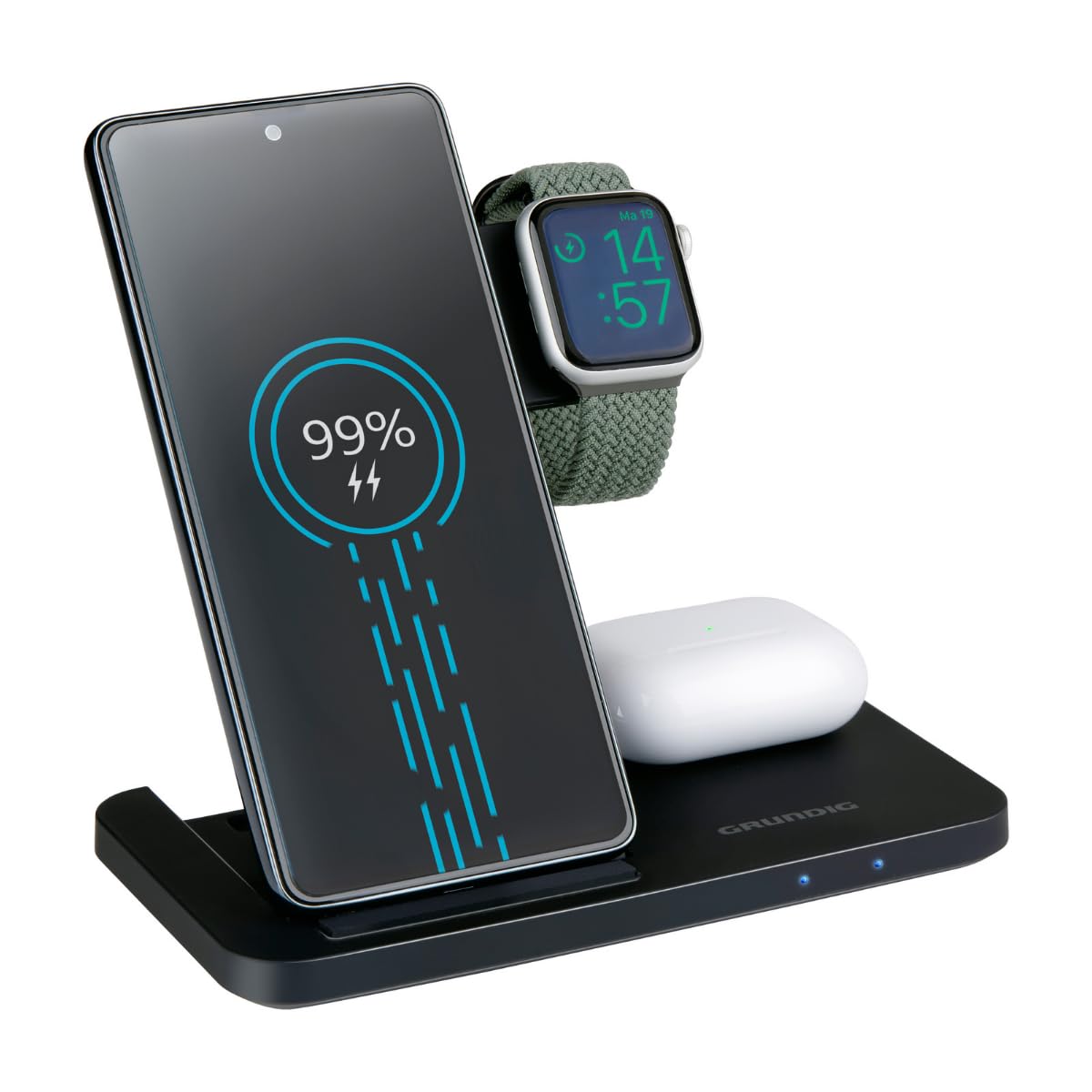
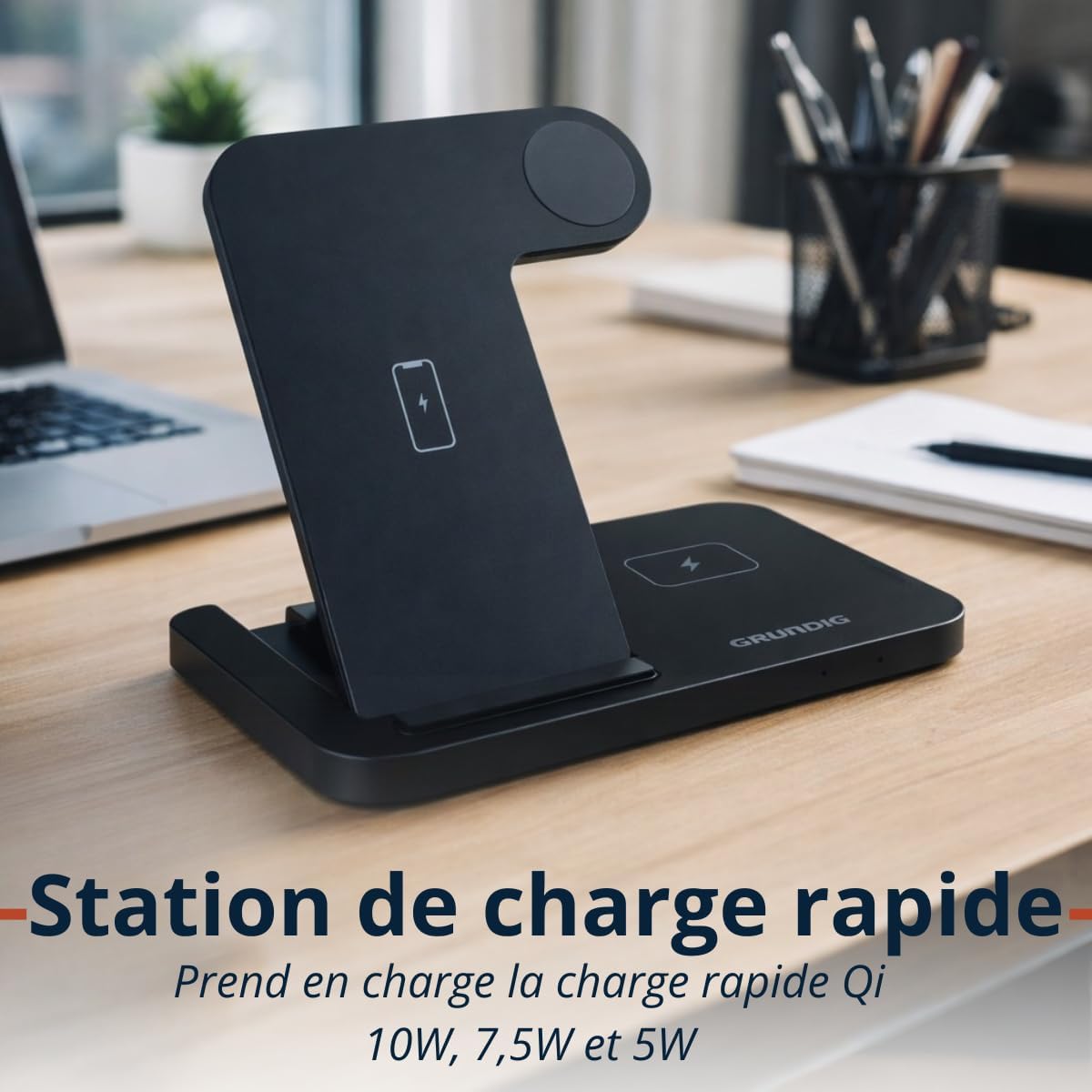
The Grundig 3-in-1 Wireless Charging Station is designed for convenience and efficiency. It features a foldable design for portability and three dedicated charging zones for your smartphone, smartwatch, and wireless earbuds.

Setup
- Unpack the Grundig 3-in-1 Wireless Charging Station and the USB-C cable.
- Connect the provided USB-C cable to the input port on the charging station.
- Connect the other end of the USB-C cable to a compatible power adapter (not included). Ensure the power adapter meets the input specifications (5V/2A or 9V/1.67A) for optimal performance, especially for fast charging.
- Place the charging station on a stable, flat surface.
Istruzzjonijiet Operattivi
Iċċarġjar tat-Tagħmir Tiegħek
- Iċċarġjar tal-ismartphone: Place your Qi-compatible smartphone vertically on the designated smartphone charging pad. Ensure the phone is centered for proper alignment. The charging station supports 10W, 7.5W, and 5W wireless charging for smartphones.
- Iċċarġjar tal-arloġġ intelliġenti: Place your Apple Watch or other compatible smartwatch on the dedicated smartwatch charging module. The module provides 2W charging output.
- Iċċarġjar tal-earbuds: Place your wireless earbuds case on the designated earbuds charging pad. This pad provides 5W charging output.
Indikaturi LED
The charging station is equipped with LED indicators to show the charging status of your devices. Refer to the product's specific LED behavior for detailed status information (e.g., solid light for charging, blinking for error, off for fully charged or no device).

Manutenzjoni
- To clean the charging station, disconnect it from the power source and wipe it with a soft, dry cloth.
- Tużax prodotti tat-tindif li joborxu, solventi, jew kimiċi ħarxa, għax dawn jistgħu jagħmlu ħsara lill-wiċċ jew lill-komponenti interni.
- Ensure the charging pads are free from dust and debris to maintain optimal charging efficiency.
Issolvi l-problemi
- Apparat mhux qed jiċċarġja:
- Ensure the charging station is properly connected to a power source.
- Ivverifika li t-tagħmir tiegħek huwa kompatibbli mal-Qi.
- Check if the device is correctly aligned on the charging pad. Remove any thick cases that might interfere with wireless charging.
- Ipprova uża kejbil USB-C u adapter tal-enerġija differenti.
- Iċċarġjar bil-mod:
- Ensure you are using a power adapter that supports fast charging (e.g., a Quick Charge 3.0 or Power Delivery adapter).
- Confirm proper alignment of the device on the charging pad.
- L-indikaturi LED ma jaħdmux:
- Iċċekkja l-konnessjoni tal-enerġija mal-istazzjon tal-iċċarġjar.
- Jekk il-kwistjoni tippersisti, ikkuntattja l-appoġġ tal-klijent.
Speċifikazzjonijiet
| Brand | ART |
| Mudell | Stazzjon tal-Iċċarġjar bla Fili 3-in-1 |
| Input | USB-C 5V/2A, 9V/1.67A |
| Smartphone Output | 10W / 7.5W / 5W (Qi) |
| Smartwatch Output | 2W |
| Earbuds Output | 5W |
| Dimensjonijiet (mitwija) | Appross. 140 × 70 × 14 mm |
| Piż | Appross. 150 g |
| Wireless Charging Zones | Smartphone, Smartwatch, Earbuds |
| Kompatibilità | Qi-enabled smartphones, Apple Watch, other smartwatches, wireless earbuds |
| Karatteristiċi ta' Protezzjoni | Overcharge, Overheat, Overvoltage Protezzjoni |
Informazzjoni dwar Garanzija
This Grundig 3-in-1 Wireless Charging Station comes with a manufacturer's warranty of 2 snin mid-data tax-xiri. Din il-garanzija tkopri difetti fil-materjali u l-abbilità taħt użu normali.
The warranty does not cover damage caused by misuse, accidents, unauthorized modifications, or failure to follow the instructions in this manual. Please retain your proof of purchase for warranty claims.
For full warranty terms and conditions, please refer to the official Grundig websit jew ikkuntattja l-appoġġ tal-klijent.
Appoġġ
If you encounter any issues or have questions regarding your Grundig 3-in-1 Wireless Charging Station that are not addressed in this manual, please visit the official Grundig website for further assistance or contact their customer support.
Tista' ssib aktar informazzjoni u riżorsi ta' appoġġ billi żżur il- GRUNDIG Brand Store.