
1. Introduzzjoni
Thank you for choosing the DUDGSIS Portable Bluetooth Speaker X2. This manual provides essential information for setting up, operating, and maintaining your speaker. Please read it carefully before use.
Karatteristiċi ewlenin:
- IPX7 Waterproof & Rugged Design: Fully submersible in 1 meter of water for 30 minutes, dustproof, and durable for outdoor use.
- 20W Crystal Clear Sound: Equipped with a 53mm high-performance driver for 20W peak power, punchy bass, and crisp highs.
- Dynamic Beat-Driven RGB Light Show: Multi-color light display that syncs with music, offering 7 RGB colors.
- Stable Bluetooth 5.4 & Multi-Mode Connectivity: Fast pairing and stable connection. Supports Bluetooth, AUX input (WAV/FLAC/APE/MP3).
- Ultra-Portable with 15H Playtime: Weighs 300g (0.66 lbs), 4.25 inches tall, with a 2600mAh battery for up to 15 hours of continuous music. Includes a convenient lanyard.
2. Kontenut tal-Pakkett
Kun żgur li l-oġġetti kollha huma preżenti fil-kaxxa:
- DUDGSIS Portable Bluetooth Speaker X2
- Cable tal-Iċċarġjar tal-USB-C
- Gwida Quick Start
- Karta ta' Garanzija

Figure 2.1: Speaker packaging showing the X2 model and waterproof feature.

Figure 2.2: Unboxed items: DUDGSIS X2 speaker, USB-C charging cable, and user manual.
3. Setup
3.1 Iċċarġjar tal-Ispeaker
Before first use, fully charge the speaker. The battery indicator lights will show the charging status.
- Locate the rubber flap on the side of the speaker, covering the charging port.
- Open the flap and connect the USB-C charging cable to the speaker's charging port.
- Qabbad it-tarf l-ieħor tal-kejbil USB-C ma' adapter tal-enerġija USB kompatibbli (mhux inkluż).
- The LED indicators on the speaker will light up to show the charging progress. All four LEDs will be solid when fully charged.

Figure 3.1: Speaker displaying the battery indicator lights during charging.
3.2 Power On/Off
Biex tixgħel jew titfi l-ispiker:
- Qawwa Mixgħul: Agħfas u żomm il- Buttuna tal-qawwa (
 ) for 2-3 seconds until you hear an audible prompt and the LED lights illuminate.
 - Itfi: Agħfas u żomm il- Buttuna tal-qawwa for 2-3 seconds until the LED lights turn off.
3.3 Tqabbil tal-Bluetooth
Biex tqabbad l-ispiker tiegħek ma' apparat li jaħdem bil-Bluetooth:
- Ensure the speaker is powered on and in Bluetooth pairing mode (the LED light ring will flash).
- Fuq l-apparat tiegħek (smartphone, tablet, eċċ.), mur fis-settings tal-Bluetooth.
- Fittex għal available devices and select "X2" from the list.
- Once connected, you will hear an audible confirmation, and the LED light ring will become solid.
Video 3.1: Demonstrates unboxing, power on, Bluetooth pairing, and basic controls of the DUDGSIS X2 speaker.
4. It-Tħaddim tal-Ispeaker
4.1 Kontrolli
L-ispiker għandu buttuni intuwittivi għal kontroll faċli:
- Buttuna tal-Qawwa: Press and hold to power on/off. Short press to change RGB light modes.
- Volum 'il fuq (+): Agħfas qasir biex iżżid il-volum. Agħfas fit-tul għat-trakka li jmiss.
- Buttuna Play/Pause (): Agħfas qasir biex tilgħab jew twaqqaf il-mużika.
- Volum 'l isfel (-): Agħfas qasir biex tnaqqas il-volum. Agħfas fit-tul għat-trakka ta' qabel.
Figura 4.1: Dettaljat view tal-pannell tal-kontroll tal-ispiker.
4.2 Dynamic RGB Light Show
The speaker features a dynamic RGB light ring that can be customized:
- Agħfas qasir il- Buttuna tal-qawwa to cycle through 7 different RGB color modes.
- The lights can sync with your music's rhythm, creating an enhanced audio-visual experience.

Figure 4.2: Speaker showcasing its dynamic RGB lighting feature.
Video 4.1: Demonstrates the various LED light modes and their responsiveness to music.
4.3 Tqabbil ta' Stereo Veru Wireless (TWS)
For an immersive stereo experience, you can pair two DUDGSIS X2 speakers together:
- Kun żgur li ż-żewġ kelliema huma mixgħula u mhumiex konnessi ma' xi apparat Bluetooth ieħor.
- Fuq kelliem wieħed (dan se jkun il-kelliem primarju), agħfas u żomm il-buttuna Buttuna Play/Pause for 3-5 seconds until you hear a pairing tone.
- Iż-żewġ kelliema jikkonnettjaw ma' xulxin awtomatikament. Ladarba jkunu konnessi, tisma' ton ta' konferma.
- Issa, qabbad it-tagħmir tiegħek mal-ispiker primarju permezz tal-Bluetooth kif deskritt fit-Taqsima 3.3.

Figure 4.3: Two speakers connected via TWS for a wider soundstage.
5. Manutenzjoni
Klassifikazzjoni tal-Ilma IPX7 ta' 5.1
The DUDGSIS X2 speaker is IPX7 rated, meaning it can be submerged in water up to 1 meter (3 feet) for 30 minutes. This makes it suitable for use in showers, by the pool, or at the beach.
- Kun żgur li l-flap tal-gomma li jkopri l-port tal-iċċarġjar ikun magħluq sew qabel ma tesponi l-ispiker għall-ilma.
- Wara li jkun espost għall-ilma, imsaħ l-ispiker b'ċarruta ratba.
- Tiċċarġjax l-ispiker jekk il-port tal-iċċarġjar ikun imxarrab.
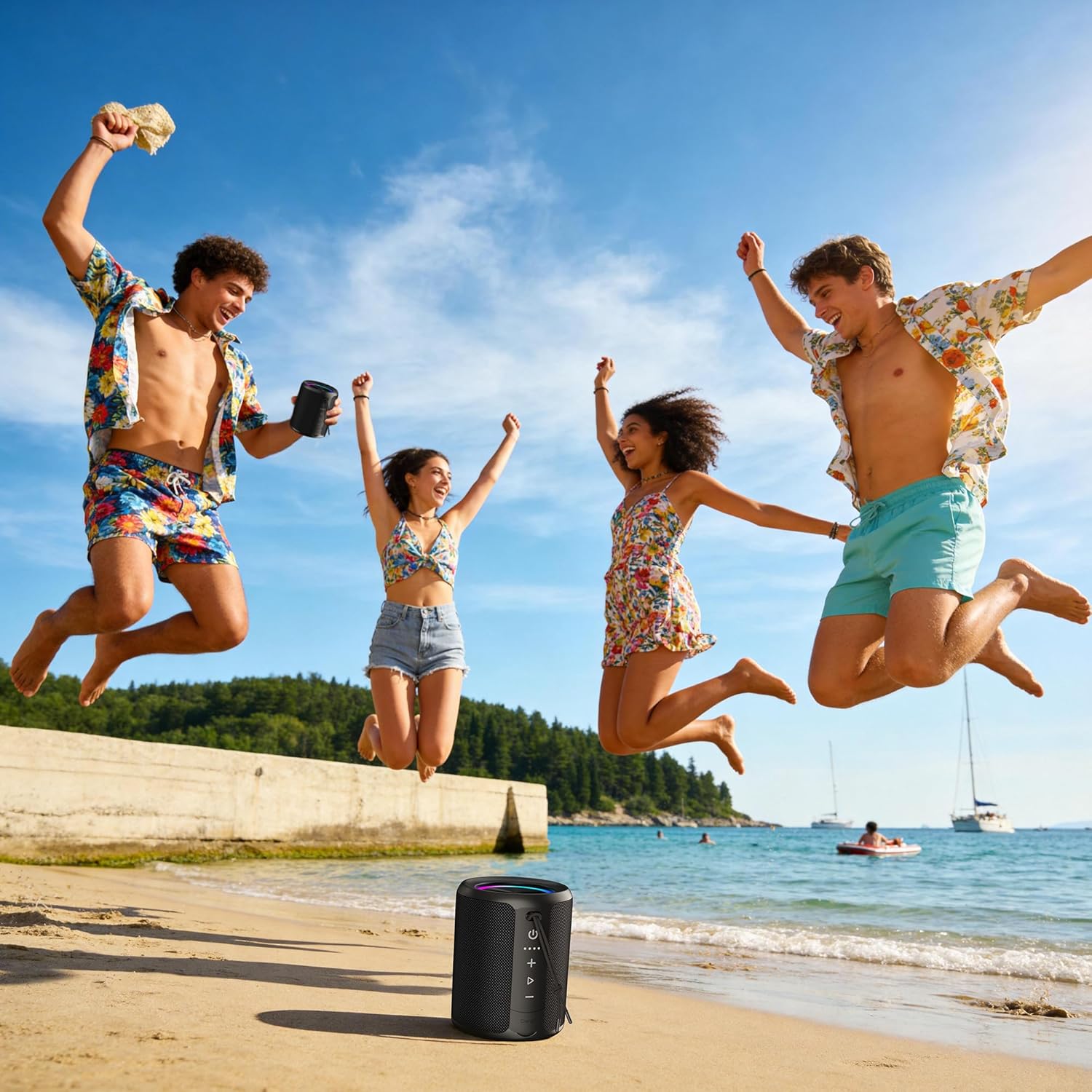
Figure 5.1: Speaker demonstrating its IPX7 waterproof capability in various environments.
Video 5.1: A demonstration of the speaker's waterproof capabilities by submerging it in water.
6. Speċifikazzjonijiet
| Karatteristika | Speċifikazzjoni |
|---|---|
| Numru tal-Mudell | X2 |
| Brand | DUDGSIS |
| Qawwa tal-Ħruġ Massimu tal-Ispeaker | 20 Watts |
| Verżjoni Bluetooth | 5.4 |
| Livell ta 'Reżistenza għall-Ilma | IPX7 |
| Kapaċità tal-batterija | 2600 mAh |
| Ħajja Medja tal-Batterija | 15 Sigħat |
| Teknoloġija tal-Konnettività | Awżiljarju, Bluetooth, USB |
| Modalità tal-Ħruġ tal-Awdjo | Stereo |
| Piż tal-oġġett | 300 Gramm |
| Dimensjonijiet tal-oġġett (D x W x H) | 2.99"D x 2.99"W x 4.25"H |
| Metodu ta' Kontroll | Imbotta Buttuna |
7 Issolvi l-problemi
If you encounter any issues with your DUDGSIS X2 speaker, please refer to the following common solutions:
- L-ispiker mhux se jixgħel: Kun żgur li l-batterija hija ċċarġjata. Qabbad l-ispiker ma' sors ta' enerġija billi tuża l-kejbil USB-C.
- Ma tistax tqabbad permezz tal-Bluetooth:
- Make sure the speaker is in pairing mode (LED light ring flashing).
- Kun żgur li l-Bluetooth huwa attivat fuq it-tagħmir tiegħek.
- Mexxi l-ispiker eqreb lejn l-apparat tiegħek.
- Insieh l-ispiker mil-lista tal-Bluetooth tat-tagħmir tiegħek u erġa' pprova tqabbad.
- L-ebda ħoss jew volum baxx:
- Żid il-volum kemm fuq l-ispiker kif ukoll fuq l-apparat konness tiegħek.
- Kun żgur li l-ispiker huwa konness sew permezz tal-Bluetooth jew l-AUX.
- Iċċekkja jekk l-ispiker huwiex siekta.
- Kwistjonijiet ta' tqabbil tat-TWS: Ensure both speakers are fully charged and not connected to any other device before attempting TWS pairing.
8. Garanzija u Appoġġ
The DUDGSIS Portable Bluetooth Speaker X2 comes with a Garanzija ta' 1 snin mill-manifatturJekk jogħġbok żomm l-irċevuta tax-xiri tiegħek għal talbiet ta' garanzija.
For further assistance or support, please refer to the contact information provided on the warranty card included in your package.