
1. Introduzzjoni
This manual provides detailed instructions for the setup, operation, and maintenance of your Lemnoi 4G LTE Cellular Trail Camera S76. This camera is designed for outdoor monitoring, featuring 4G cellular connectivity, solar power, 2K video resolution, 360° pan-tilt-zoom (PTZ) capabilities, and motion detection with instant alerts. Please read this manual thoroughly before using the product to ensure proper functionality and longevity.
2. Prodott Aktarview
The Lemnoi S76 is an advanced outdoor camera system. Familiarize yourself with its components and features.

Image: The Lemnoi S76 camera unit, featuring a solar panel, integrated 4G LTE module, and included 32GB SD card. A smartphone screen shows live footage of a wild boar, illustrating its application as a trail camera.
2.1 Kontenut tal-Pakkett
Ivverifika li l-oġġetti kollha huma preżenti fil-pakkett tiegħek:
- Lemnoi S76 Solar Camera
- 6W Solar Panel (integrated)
- Integrated SIM Card (pre-installed)
- Karta SD ta' 32GB (installata minn qabel)
- Ċineg tal-Immuntar
- Bracket tal-Immuntar
- Manwal ta' Istruzzjoni
- Pinzetta
- Viti tal-Immuntar
- Iċċarġjar Cable

Image: A visual representation of the items included in the Lemnoi S76 product package, confirming the presence of the camera, solar panel, SIM card, SD card, mounting hardware, and accessories.
3. Setup
3.1 Installazzjoni tal-Karta SIM u l-Karta SD
The camera comes with a pre-installed SIM card and a 32GB SD card. The SIM card provides 7 days of unlimited data. A subscription is required after this period through the UBox app. The SD card supports up to 128GB for local storage.

Immaġni: Dettaljata view of the camera's internal compartment, highlighting the pre-installed SIM card and 32GB SD card. Information regarding cellular data plan options is also presented.
3.2 Installazzjoni tal-App u Ħolqien ta' Kont
- Niżżel l-app 'UBox' mill-app store tal-ismartphone tiegħek (iOS jew Android).
- Open the app and register for a new account using your email address.
- Follow the in-app instructions to add your Lemnoi S76 camera. This typically involves scanning a QR code on the camera or its packaging.
3.3 Immuntar tal-Kamera
The camera can be mounted using the provided straps or screws. Choose a location with good cellular signal and direct sunlight exposure for optimal solar charging.
- Immuntar taċ-Ċinga: Wrap the mounting strap around a tree or pole and secure the camera bracket.
- Immuntar bil-kamin: Use the mounting bracket and screws to attach the camera to a wall or other flat surface.
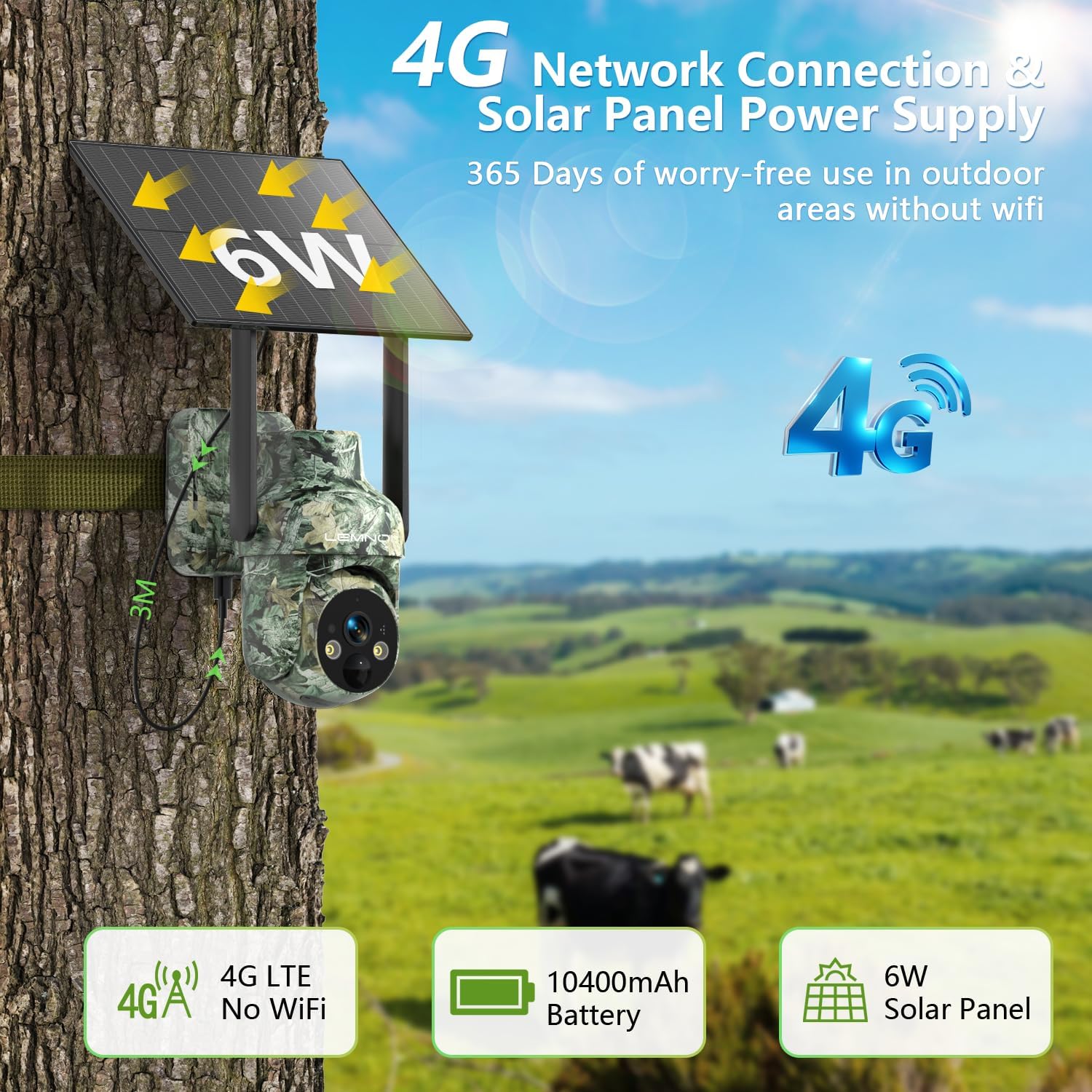
Image: The Lemnoi S76 camera securely mounted to a tree trunk, demonstrating its outdoor installation. The integrated solar panel is visible, indicating its self-sustaining power capability.
4. Istruzzjonijiet Operattivi
4.1 Tixgħel/Jitfi
The camera is primarily solar-powered with a built-in rechargeable battery. Ensure the solar panel receives adequate sunlight. The camera will automatically manage power. To manually power off, refer to the device's physical power button location, typically near the SIM/SD card slot.

Image: The camera installed on a tree, highlighting its 4G network connectivity and solar panel for continuous power. This setup allows for extended outdoor operation without external power sources.
4.2 Ħaj View u Reġistrazzjoni
Aċċess live footage and recorded videos through the UBox app.
- Live View: Open the UBox app and select your camera to view vidjo f'ħin reali.
- Daqq: Navigate to the playback section in the app to review recordings stored on the SD card or cloud (if subscribed).

Image: A smartphone screen displaying live video feed from the camera, capturing a squirrel. Icons for SD card and cloud storage options are visible, indicating dual-path video storage capabilities.
4.3 Sejbien tal-Mozzjoni u Twissijiet
The camera features a PIR motion sensor for accurate detection and instant alerts.
- Attivazzjoni: The camera automatically detects activity within its range (0-10 meters).
- Twissijiet: Upon detection, the camera sends real-time notifications to your UBox app.
- Personalizzazzjoni: Adjust detection sensitivity, zones, and schedules within the app to minimize false alarms and optimize power usage.

Image: The camera positioned in a forest, actively detecting a deer. A smartphone screen displays an instant UBox notification, demonstrating the camera's real-time alert system for detected activity.
4.4 Pan-Tilt-Zoom (PTZ) Control
Ikkontrolla l-kamera viewing angle remotely via the UBox app.
- Ħobż: Rotazzjoni orizzontali ta' 355°.
- Mejjel: Rotazzjoni vertikali ta' 100°.
- Zoom: 4X digital zoom.
- Nota: Auto-tracking is not supported.
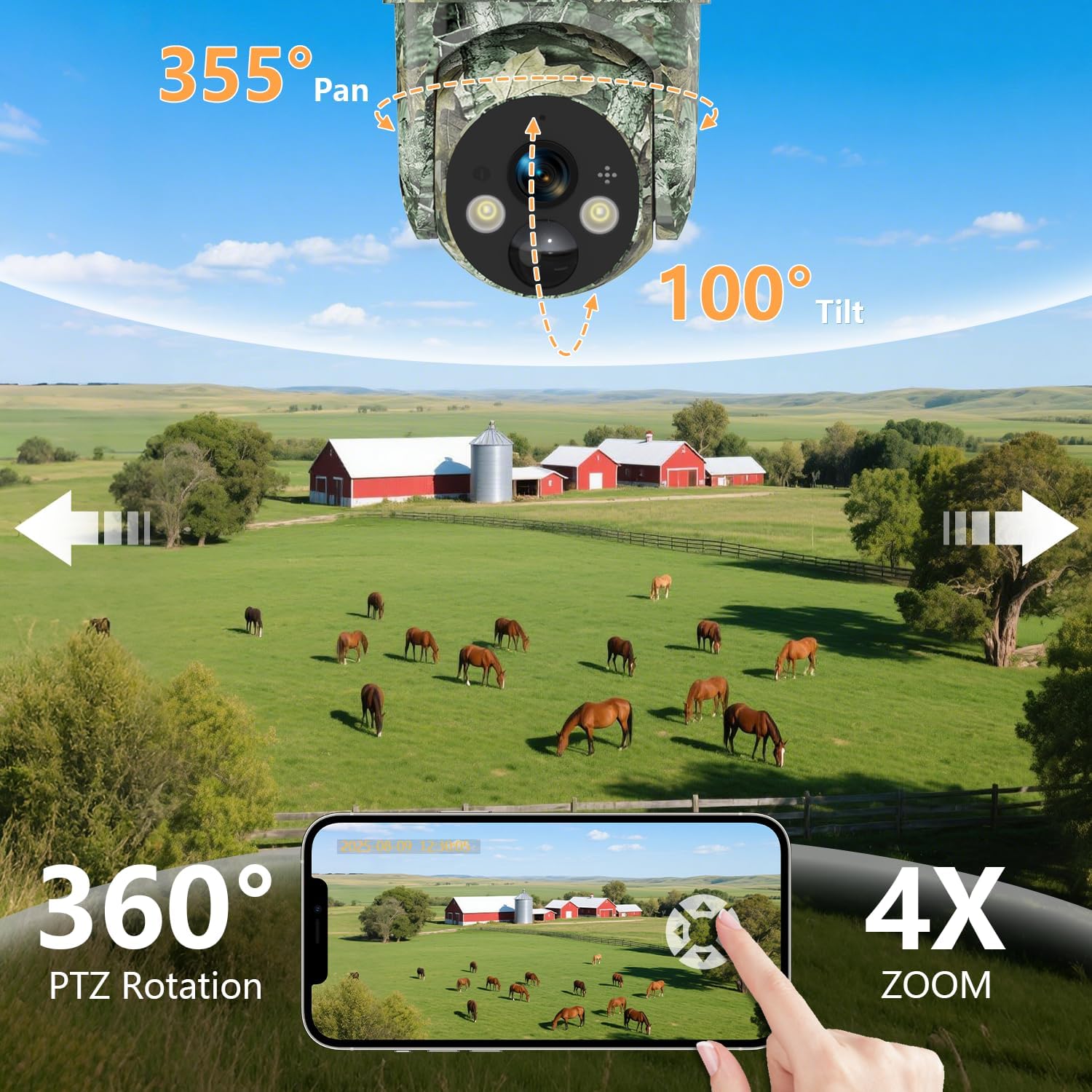
Image: An illustration of the camera's 355° pan and 100° tilt capabilities, providing extensive coverage. A smartphone displays the remote control interface, allowing users to adjust the camera's view and utilize 4X zoom.
4.5 Modi ta' Viżjoni bil-Lejl
The camera offers multiple night vision options for clear monitoring in low-light conditions.
- 2K HD Day Vision: Standard color video during daylight.
- 2K HD Color Night Vision: Utilizes white light for full-color video at night.
- 2K HD IR Night Vision: Infrared mode for sharp black-and-white footage fid-dlam sħiħ.
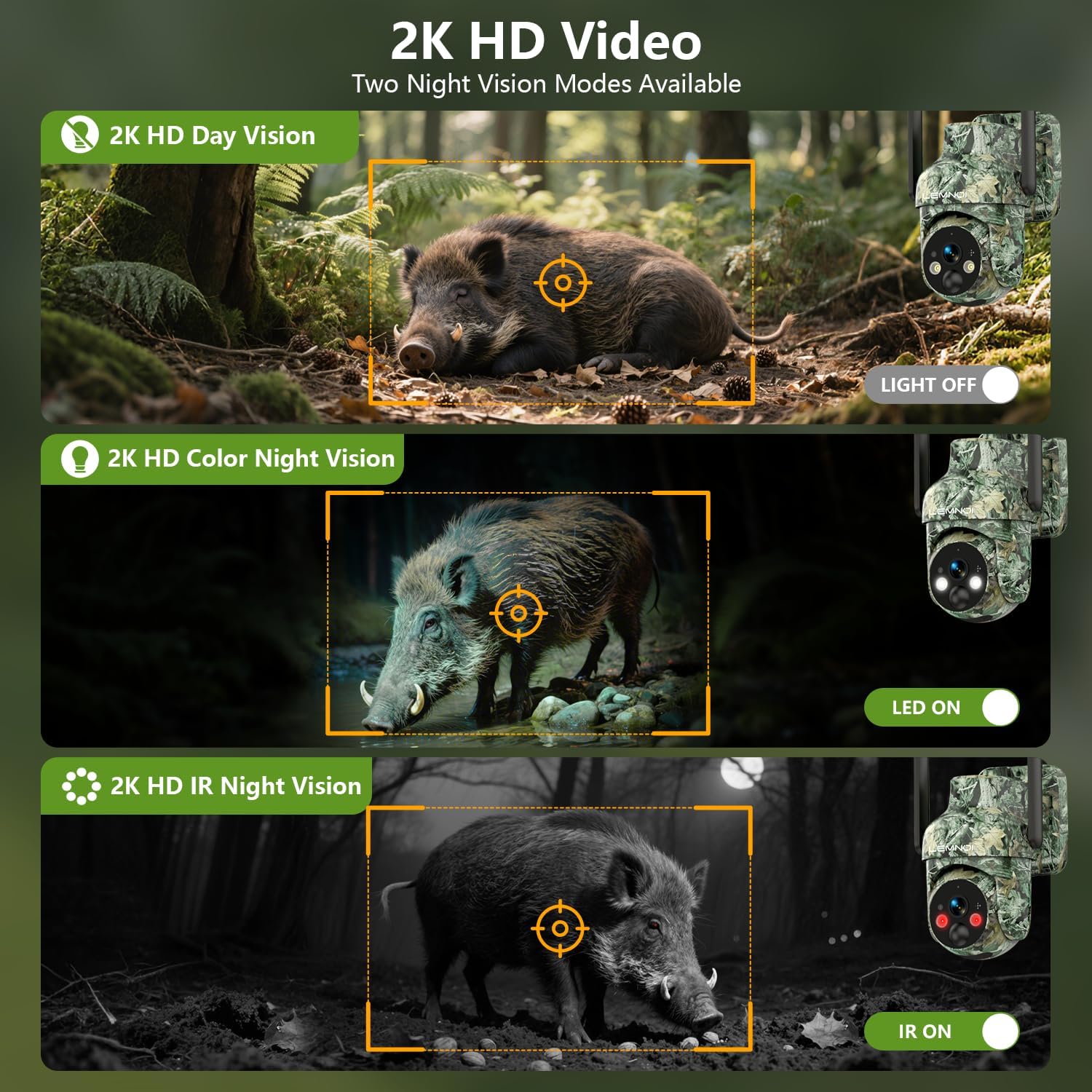
Image: A visual comparison demonstrating the camera's 2K HD Day Vision, 2K HD Color Night Vision (with LED on), and 2K HD IR Night Vision (with IR on) modes, showcasing its versatility in various lighting environments.
4.6 Awdjo b'żewġ direzzjonijiet
The built-in microphone and speaker enable two-way communication.
- Tkellem: Use the microphone icon in the UBox app to transmit your voice through the camera's speaker.
- Isma': The camera's microphone captures audio from its surroundings, which can be heard through the app.

Image: A scenario depicting a user interacting with the camera via a smartphone, utilizing the two-way audio feature to communicate. This highlights the camera's capability for remote interaction and deterrence.
5. Manutenzjoni
- Tindif tal-Panew Solari: Periodically clean the solar panel surface to ensure maximum charging efficiency. Use a soft, damp drapp biex tneħħi trab, ħmieġ, jew debris.
- Tindif tal-Lenti: Gently wipe the camera lens with a microfiber cloth to maintain clear image quality. Avoid abrasive materials.
- Aġġornamenti tal-Firmware: Check the UBox app regularly for available firmware updates. Keeping the firmware updated ensures optimal performance and access to new features.
- Saħħa tal-batterija: While solar-powered, monitor battery levels via the app, especially during prolonged periods of low sunlight.
- Protezzjoni tat-Temp: The camera is IP66 weatherproof, but extreme conditions may require additional protection or temporary relocation.

Image: An illustration highlighting the camera's IP66 weatherproof rating, indicating its resistance to various environmental elements such as rain, snow, dust, and wind. The specified operating temperature range (-20°C to 50°C) is also shown.
6 Issolvi l-problemi
- Camera Not Connecting: Ensure the camera is powered on and has a strong 4G cellular signal. Check the SIM card status in the UBox app and verify your data plan.
- L-ebda Twissijiet ta' Sejbien ta' Mozzjoni: Verify that motion detection is enabled in the app settings. Adjust sensitivity and check detection zones. Ensure the camera lens is clear.
- Kwalità Fqira tal-Immaġni/Vidjo: Clean the camera lens. Check the app for resolution settings. Ensure adequate lighting for optimal night vision performance.
- Batterija Mhux Iċċarġja: Ensure the solar panel is clean and receiving direct sunlight. Check the charging cable connection if using external power.
- Kwistjonijiet tal-App: Ensure your UBox app is updated to the latest version. Try restarting the app or your smartphone.
7. Speċifikazzjonijiet
| Karatteristika | Speċifikazzjoni |
|---|---|
| Brand | Lemnoi |
| Isem tal-Mudell | S76 |
| Użu fuq ġewwa/barra | Barra |
| Apparati Kompatibbli | Smartphone |
| Sors tal-Enerġija | Powered Solari, Batteriji |
| Protokoll tal-Konnettività | Ċellulari |
| Tip ta' Kontrollur | Ubox APP |
| Tip ta 'Immuntar | Mount Wall |
| Riżoluzzjoni tal-Qbid tal-Vidjo | 1080p (Note: Product title states 2K, specifications list 1080p. Using 1080p from specifications for accuracy.) |
| Kulur | Aħdar |
| Komponenti Inklużi | Charging Cable (and camera, solar panel, SIM, SD card, mounting hardware) |
| Teknoloġija tal-Komunikazzjoni mingħajr Fili | Ċellulari |
| Dimensjonijiet tal-oġġett (L x W x H) | 9 x 6 x 5 pulzieri |
| Daqs Installat tal-Memorja Flash | 32 GB |
| Batteriji Meħtieġa? | Yes (1 C battery included) |
| Format tal-Qbid tal-Vidjo | MP4 |
| Użi Speċifiċi Għall-Prodott | 360 Degree Coverage |
| Klassifikazzjoni tal-Protezzjoni Internazzjonali | IP66 |
| Memorja Flash Daqs Sostnut Massimu | 128 GB |
| Teknoloġija Ċellulari | 4G |
| Kapaċitajiet ta' Reġistrazzjoni Awdjoviżiva | Video |
| Piż tal-oġġett | 2.59 liri |
| Manifattur | Lemnoi |
| Użi Rakkomandati Għall-Prodott | Game & Trail, Outdoor Security |
| Karatteristika Speċjali | 2-Way Audio, HD Resolution, Motion Sensor, Night Vision, Remote control |
8. Garanzija u Appoġġ
For warranty information and technical support, please refer to the contact details provided with your product packaging or visit the official Lemnoi website. Ensure you have your product model (S76) and purchase details ready when contacting support.