
Introduzzjoni
Experience crystal-clear visuals with this versatile 15.6-inch portable LCD monitor. Featuring a Full HD resolution of 1920x1080 pixels, this display delivers sharp, detailed images across its widescreen 16:9 aspect ratio. The monitor boasts a smooth 60Hz refresh rate and 20ms response time, making it suitable for both professional work and casual entertainment. With a brightness rating of 230 cd/m² and a contrast ratio of 1000:1, you'll enjoy vivid colors and clear contrast in your content. The display supports 16.7 million colors through 6-bit+FRC technology, covering 45% of the NTSC color gamut. Its wireless connectivity feature adds convenience, allowing you to set up your workspace without cable clutter. Perfect for multi-monitor setups, remote work, or as a secondary display for your laptop, this portable monitor combines functionality with mobility. The slim profile and portable design make it an ideal companion for professionals on the move who need additional screen real estate.
X'hemm fil-Kaxxa
Upon unpacking your Yattberak Portable Monitor, please ensure all the following items are present:
- Portable screen X1
- PU leather protective case X1
- Desktop stand X1
- Type-C data cable X1 (1 meter)
- 5V3A adapter X1
- Type-A to Type-C power cord X1 (1 meter)
- HDMI to Mini HDMI cable X1 (1 meter)

The image above displays the complete set of accessories provided with your monitor, ensuring you have all necessary components for setup and use.
Prodott Overview
The Yattberak Portable Monitor is designed for versatility and high performance, offering a range of features to enhance your viewing esperjenza.
- Wiri: 15.6-inch Full HD (1920x1080) IPS screen with a 16:9 aspect ratio.
- Prestazzjoni: 60Hz refresh rate and 20ms response time for smooth visuals.
- Visual Quality: 230 cd/m² brightness, 1000:1 contrast ratio, and 16.7 million colors (6-bit+FRC).
- Konnettività: Supports wireless (Wi-Fi) connections, as well as wired connections via HDMI and two Type-C ports.
- Ergonomija: Features a built-in G-Sensor for automatic screen rotation (landscape/portrait) and VESA 75x75mm compatibility for mounting.
- Kura tal-għajnejn: Equipped with low blue light and flicker-free technology to reduce eye strain.
The monitor's slim design and integrated features make it a powerful tool for various applications.

The adjustable stand provides flexibility for optimal viewangoli u orjentazzjoni.

The G-sensor ensures your display always matches your preferred orientation.

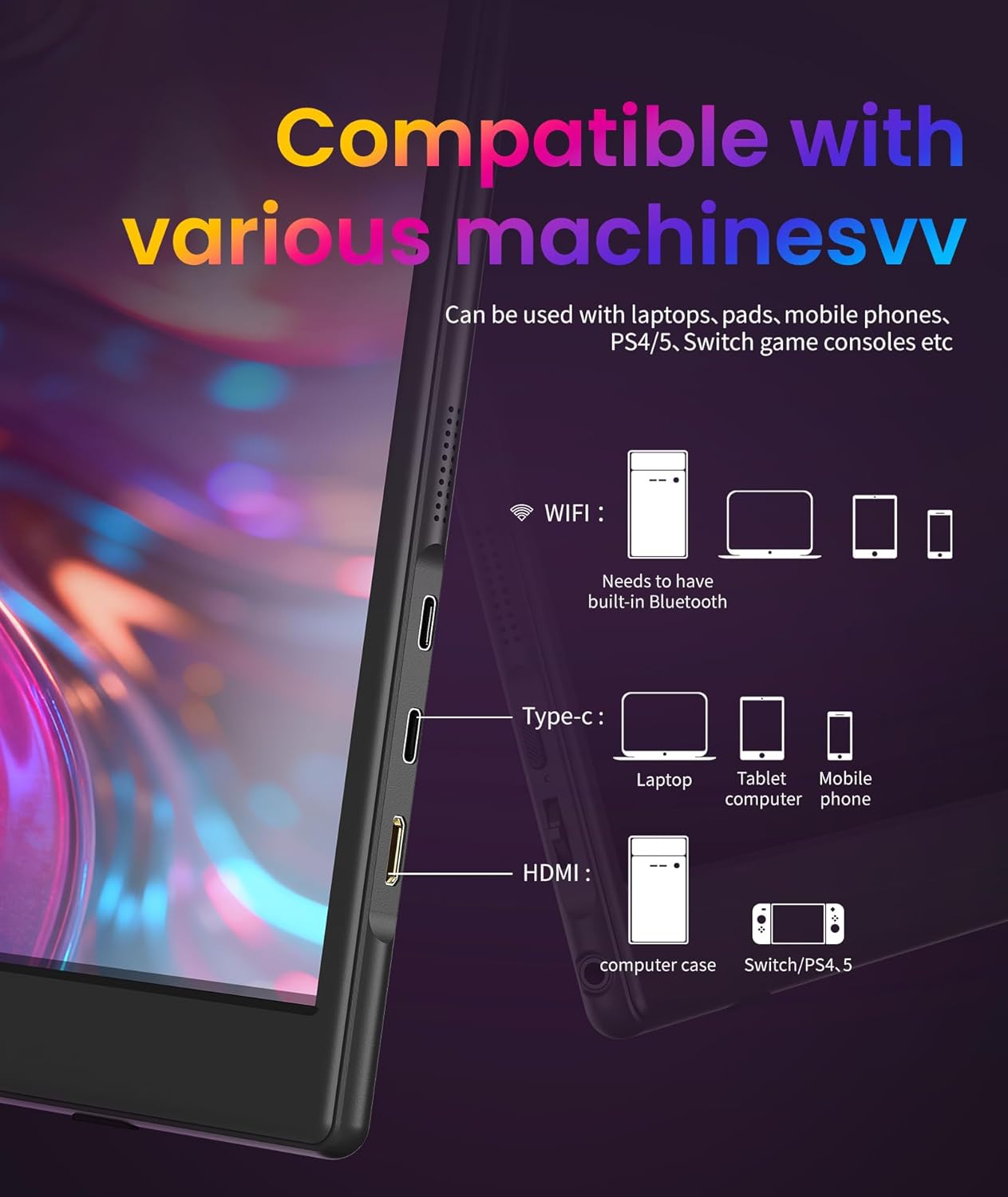
The monitor offers extensive compatibility with a wide range of devices.
Eye care technologies are integrated for comfortable long-term use.
Setup
Follow these steps to set up your Yattberak Portable Monitor:
Setup Fiżiku
- Unpack the monitor and all included accessories from the box.
- Attach the provided desktop stand to the monitor, or use the PU leather protective case as a foldable stand.
- Connect the monitor to a power source using the provided 5V3A adapter and Type-A to Type-C power cord, or directly via a compatible USB-C port on your device.
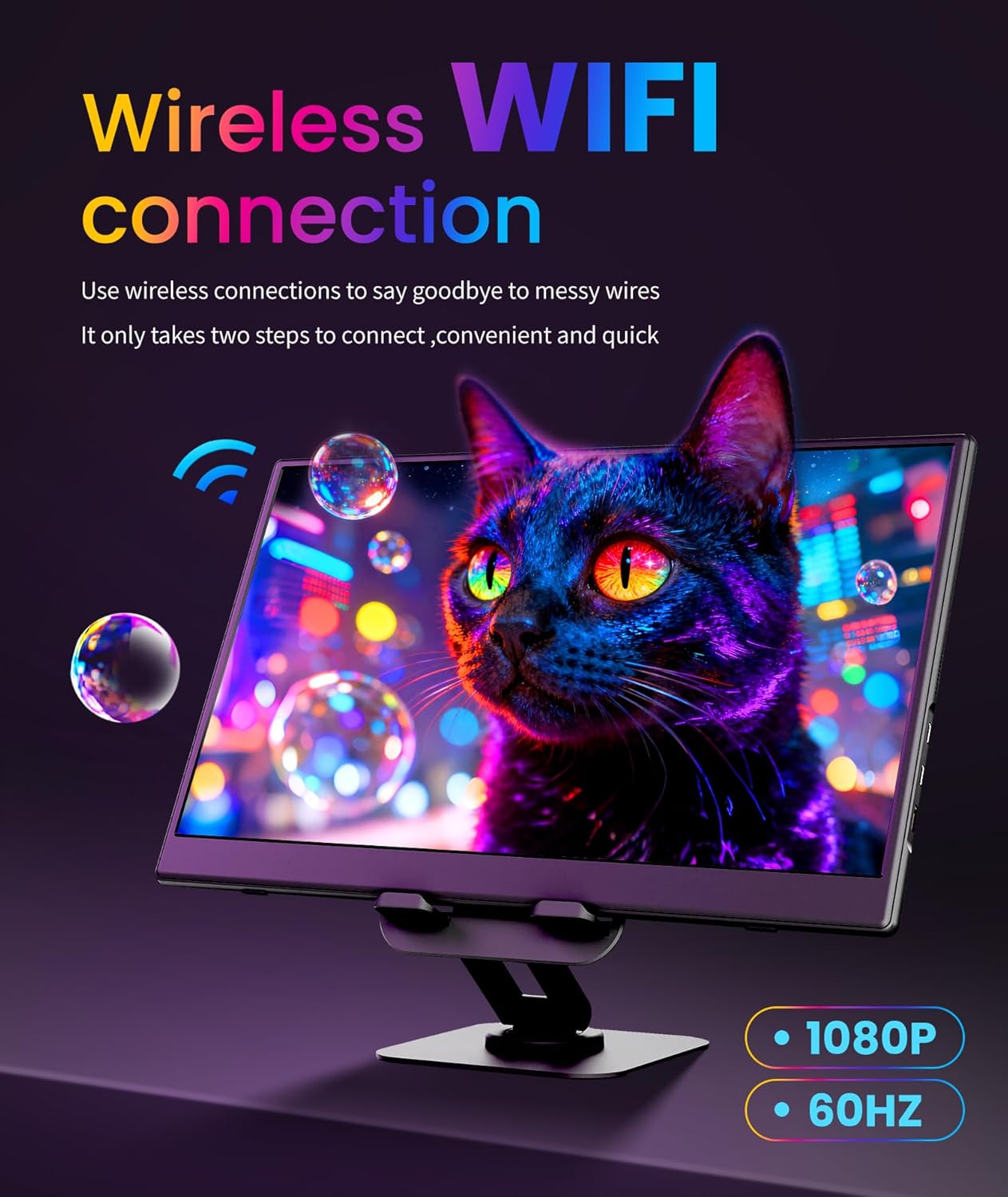
Wireless Connection (HD Wireless Screen Mirroring)
For a cable-free setup, use the wireless screen mirroring function:
- Ensure Wi-Fi is turned on for both your monitor and the source device.
- For Windows Miracast: Press the 'Win + K' keys simultaneously on your keyboard, then select the monitor's device ID from the list.
- For macOS AirCast: Click the screen mirroring icon on your menu bar, then select the monitor's device ID.
- For Android Miracast: Swipe down from the notification panel, expand quick settings, tap 'Cast' or 'Smart View' or 'Screen Share', then select the monitor's device ID.
- For iOS AirCast: Swipe down from the top-right corner to open the Control Center, choose 'Screen Mirroring', then select the monitor's device ID.
- If prompted for a password, enter 1234.
The monitor supports wireless connectivity for a clutter-free workspace.
The provided cables facilitate various connection methods.
Konnessjoni bil-fili
For wired connections, use the appropriate cables:
- USB-C: Connect the Type-C data cable from the monitor to a compatible laptop, phone, or gaming console (e.g., Nintendo Switch, Steam Deck) that supports video output via USB-C.
- HDMI: Connect the HDMI to Mini HDMI cable from the monitor to a compatible device such as a PC, PlayStation 5/4, or Xbox.
The monitor supports both USB-C and HDMI for wired display connections.
This video provides a visual guide to setting up the wireless connection.
This video illustrates the physical setup and portability of the monitor.
Operazzjoni
Utilize the monitor's features for an optimized experience:
- Power On/Off: Use the dedicated power button located on the side of the monitor.
- Navigazzjoni fil-menu: Access the On-Screen Display (OSD) menu using the setting buttons (power, volume, brightness, input selection) to adjust display parameters.
- Awto-Rotazzjoni: The built-in G-Sensor automatically detects the monitor's orientation and adjusts the display to landscape or portrait mode accordingly.
- Modi tal-Wiri: Configure your connected device to either extend your desktop onto the portable monitor for more screen real estate or duplicate your screen for mirrored content.
The G-sensor simplifies screen orientation adjustments.
Adjust the stand to find your preferred viewangolu tal-ing.
Manutenzjoni
Manutenzjoni xierqa tiżgura l-lonġevità u l-prestazzjoni ottimali tal-monitor tiegħek:
- Tindif: Use a soft, lint-free cloth to gently wipe the screen. Avoid using abrasive cleaners, alcohol, or ammonia-based solutions, as these can damage the display surface.
- Ħażna: When not in use or during travel, store the monitor in its provided PU leather protective case to prevent scratches and damage.
- Ambjent: Avoid exposing the monitor to extreme temperatures, high humidity, or direct sunlight for extended periods.
- Immaniġġjar: Handle the monitor with care to prevent drops or impacts, which could damage internal components or the screen.
Issolvi l-problemi
Jekk tiltaqa' ma' xi problemi, irreferi għall-pariri li ġejjin għas-soluzzjoni tal-problemi:
- Ebda Sinjal:
- Check all cable connections (power, HDMI/USB-C) to ensure they are secure.
- Verify that the connected device is powered on and actively outputting a display signal.
- Kun żgur li s-sors tad-dħul korrett huwa magħżul fuq il-monitor permezz tal-menù OSD.
- For wireless connections, confirm Wi-Fi is active on both devices and mirroring steps are followed accurately.
- Ebda Qawwa:
- Confirm the power adapter is correctly connected to the monitor and a functional power outlet.
- If powering via USB-C, ensure the connected device's USB-C port supports power delivery to external displays.
- Display Issues (Flickering, Low Brightness):
- Adjust brightness and contrast settings through the monitor's OSD menu.
- Ensure low blue light and flicker-free technologies are enabled or disabled as per your preference.
- Touchscreen Not Working:
- Verify that the USB-C cable used supports both video and touch data transfer, and that it is connected to a compatible port on your device.
- Kwistjonijiet tal-Awdjo:
- Check the volume settings on both the portable monitor and the connected source device.
- If using external audio devices, ensure they are properly connected to the monitor's 3.5mm audio jack.
Speċifikazzjonijiet
Detailed technical specifications for the Yattberak Portable Monitor:
| Daqs tal-Iskrin | 15.6 Pulzier |
| Riżoluzzjoni | FHD 1080p (1920 Pixels) |
| Proporzjon ta' l-aspett | 16:9 |
| Luminożità tal-Immaġni | 230 Kandela għal kull Metru Kwadru |
| Proporzjon ta' Kuntrast | 1000:1 |
| Riffriskar Rata | 60Hz |
| Ħin ta' Rispons | 20ms |
| Deskrizzjoni tal-wiċċ tal-iskrin | Bord tal-IPS |
| Portijiet USB totali | 2 (Tip Ċ) |
| Dimensjonijiet tal-Prodott | 1.7 x 11 x 13 pulzieri |
| Piż tal-oġġett | 2.5 liri |
| Muntatura VESA | 75x75mm |
Garanzija u Appoġġ
For warranty information, technical support, or to access additional resources, please refer to the manufacturer's official website or contact their customer service department directly. Details can typically be found in the product packaging or on the brand's online presence.