
Introduzzjoni
Thank you for choosing the SGIN S15 N5100 15.6-inch Laptop. This manual provides essential information for setting up, operating, maintaining, and troubleshooting your new device. Please read it carefully to ensure optimal performance and longevity of your laptop.
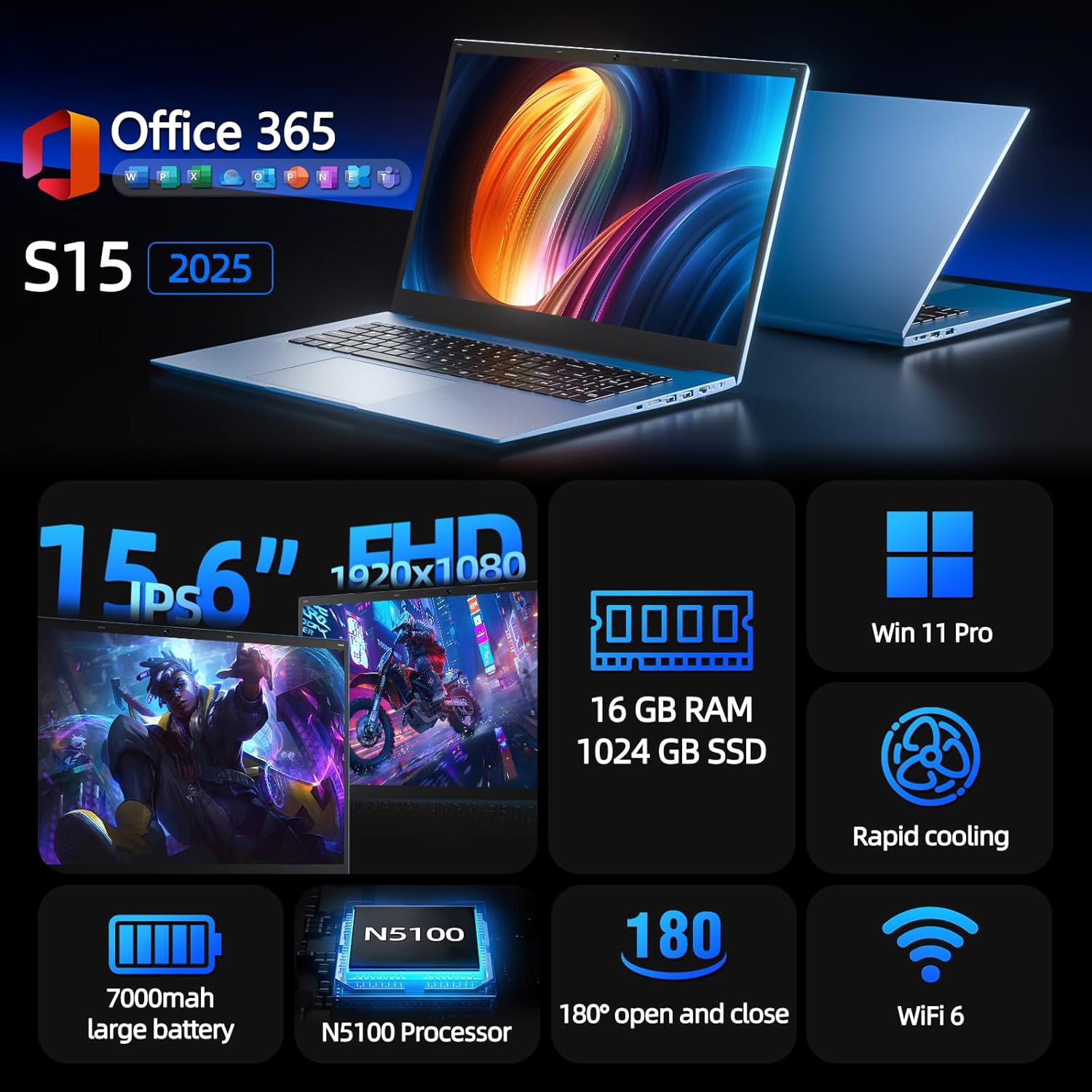
Figure 1: SGIN S15 N5100 Laptop Overview
1. Setup
1.1 Tneħħija tal-kaxxa u Spezzjoni Inizjali
Neħħi l-komponenti kollha mill-imballaġġ bir-reqqa. Ivverifika li l-oġġetti kollha elenkati fit-taqsima "X'hemm fil-Kaxxa" huma preżenti u mhux imħassra. Jekk xi oġġetti huma neqsin jew imħassra, ikkuntattja l-appoġġ għall-klijenti immedjatament.
- SGIN S15 N5100 Laptop
- Adapter/Ċarġer tal-Enerġija
- Manwal għall-Utent (dan id-dokument)
Vidjo 1: Unboxing u r-reviżjoni inizjaliview of the SGIN S15 Laptop.
1.2 Konnessjoni tal-Adapter tal-Enerġija
Connect the power adapter to the DC-in port on the side of the laptop. Plug the other end into a power outlet. The battery indicator light will illuminate, indicating that the laptop is charging.

Figure 2: Laptop ports, including the DC-in port for charging.
1.3 L-Ewwel Xgħel u s-Setup tal-Windows
Press the power button to turn on the laptop. Follow the on-screen instructions to complete the Windows 11 Pro setup. This includes selecting your region, language, connecting to a Wi-Fi network, and creating a user account. The laptop comes pre-installed with a 1-year Office 365 subscription, which can be activated during or after the initial setup.
2. Istruzzjonijiet Operattivi
2.1 Karatteristiċi tal-Wiri
The SGIN S15 features a 15.6-inch Full HD IPS (1920x1080) Anti-Glare Display. The 180° viewing angle allows for flexible screen positioning, ideal for sharing content or adjusting to your preferred working posture.

Figure 3: High-resolution IPS display with 180° hinge.
2.2 Ħażna u Prestazzjoni
Equipped with 16GB DDR4 RAM and a 1024GB SSD, the laptop offers fast boot-up times and smooth multitasking. The Intel Celeron N5100 processor (4 cores, 4 threads, up to 2.8GHz) provides efficient performance for daily tasks, business applications, and student work.

Figure 4: Internal storage and memory configuration.

Figure 5: Celeron N5100 processor details.
2.3 Konnettività
The laptop supports WiFi 6 for strong wireless signals and fast connections, and Bluetooth 5.2 for connecting peripherals. It includes various ports for external devices:
- Port HDMI
- Port tat-Tip Ċ
- 3.5mm TRRS audio jack
- Memory card slot (TF card up to 1TB)
- USB 3.2 ports (2 ports)

Figure 6: WiFi 6 connectivity for enhanced network performance.
3. Manutenzjoni
3.1 Kura tal-Batterija
The laptop is equipped with a 7000mAh battery, providing up to 8 hours of continuous use. To prolong battery life:
- Evita li tiċċarġja l-batterija kompletament ta' spiss.
- Tesponix il-laptop għal temperaturi estremi.
- Aħżen il-laptop b'ċarġ parzjali (madwar 50%) jekk ma tużahx għal perjodi twal.

Figure 7: Laptop battery for extended use.
3.2 Tindif tal-Laptop
Uża drapp artab u mingħajr suf biex tnaddaf l-iskrin u l-barra. Għal tbajja' iebsa, neħħi ftitampen the cloth with water or a screen-safe cleaner. Avoid harsh chemicals or abrasive materials. Ensure the laptop is powered off and unplugged before cleaning.
3.3 Sistema tat-tkessiħ
The laptop features dual cooling fans for efficient heat dissipation. Ensure that the vents are not obstructed to maintain optimal airflow and prevent overheating. Avoid using the laptop on soft surfaces like beds or couches that can block the vents.
4 Issolvi l-problemi
4.1 Kwistjonijiet tal-Enerġija
- Il-laptop ma jixgħelx: Kun żgur li l-adapter tal-enerġija huwa konness sew u li s-sokit jaħdem sew. Iċċekkja jekk il-batterija għandhiex biżżejjed ċarġ.
- Il-batterija mhix qed tiċċarġja: Verify the power adapter is correctly plugged into both the laptop and the wall outlet. Try a different outlet if available.
4.2 Problemi tal-Wiri
- L-iskrin huwa vojt: Connect an external monitor via HDMI to check if the issue is with the laptop's display or graphics output. Ensure the laptop is powered on and not in sleep mode.
- Skrin li jteptep: Update your display drivers. Adjust the screen refresh rate in Windows display settings.
4.3 Kwistjonijiet ta' Konnettività
- Il-Wi-Fi mhux qed jikkonnettja: Kun żgur li l-Wi-Fi huwa attivat fis-settings tal-Windows. Erġa' ibda r-router u l-laptop tiegħek. Iċċekkja għal sewwieqa tal-Wi-Fi aġġornati.
- Apparat Bluetooth mhux qed jitqabbad: Ensure Bluetooth is enabled on both the laptop and the device. Place devices close to each other during pairing.
4.4 Kwistjonijiet ta' Prestazzjoni
- Il-laptop huwa bil-mod: Agħlaq l-applikazzjonijiet mhux meħtieġa. Iċċekkja t-Task Manager għal użu għoli tas-CPU/RAM. Kun żgur li hemm biżżejjed spazju ħieles fuq l-SSD. Mexxi tindif tad-diska.
- Is-sħana żejda: Ensure cooling vents are clear. Use the laptop on a hard, flat surface. Consider reducing heavy workload if persistent.
5. Speċifikazzjonijiet
| Karatteristika | Dettall |
|---|---|
| Isem tal-Mudell | S15 |
| Numru tal-Mudell tal-Oġġett | N5100 |
| Daqs tal-Wiri | 15.6 Pulzier |
| Riżoluzzjoni tal-Iskrin | 1920 x 1080 pixel (FHD IPS Kontra d-Dija) |
| Proċessur | Intel Celeron N5100 (4 Cores, 4 Threads, up to 2.8GHz) |
| RAM | 16 GB DDR4 |
| Ħażna | 1024 GB SSD (Expandable with TF card up to 1TB) |
| Sistema Operattiva | Windows 11 Pro |
| Batterija | 7000mAh (up to 8 hours) |
| Konnettività bla fili | WiFi 6, Bluetooth 5.2 |
| Portijiet | HDMI, Type-C, 3.5mm TRRS Jack, Memory Card Slot, 2x USB 3.2 |
| Dimensjonijiet (LxWxH) | 14.56 x 9.4 x 0.86 pulzieri |
| Piż tal-oġġett | 4.4 liri |
6. Garanzija u Appoġġ
6.1 Garanzija tal-Prodott
Your SGIN S15 N5100 laptop comes with a 1-year repair service warranty mid-data tax-xiri. Din il-garanzija tkopri difetti fil-manifattura u malfunzjonamenti tal-ħardwer taħt użu normali. Jekk jogħġbok żomm il-prova tax-xiri tiegħek għal talbiet ta' garanzija.
6.2 Politika ta' Ritorn
A Politika ta 'ritorn ta' 30 jum is offered for this product. Please refer to your retailer's specific return guidelines for detailed information.
6.3 Appoġġ għall-Klijent
For any technical assistance, troubleshooting, or warranty inquiries, please contact SGIN customer support. We offer 24/7 customer instant help to address your concerns promptly.
Informazzjoni ta' kuntatt (eż., website, email, phone number) would typically be provided here by the manufacturer.