
VKROBAG V90
VKROBAG V90 Wireless Earbuds User Manual
Model: V90 | Brand: VKROBAG
1. Introduzzjoni
Thank you for choosing the VKROBAG V90 Wireless Earbuds. These earbuds are designed to provide a superior audio experience with advanced features such as Bluetooth 5.3 connectivity, immersive 3D stereo sound, CVC 8.0 noise cancellation for clear calls, and an ergonomic, waterproof design suitable for sports and daily use. This manual provides detailed instructions on how to set up, operate, and maintain your earbuds to ensure optimal performance and longevity.

Image: VKROBAG V90 Wireless Earbuds and their charging case.
2. Kontenut tal-Pakkett
Jekk jogħġbok ivverifika li l-oġġetti kollha huma preżenti fil-pakkett tiegħek:
- 2 x V90 Sport Earbuds (Left and Right)
- 1 x Portable Charging Box
- 1 x Cable tal-Iċċarġjar USB-C
- 1 x Manwal Dettaljat għall-Utent
- 3 x Silicone Pairs of Eartips (S/M/L)
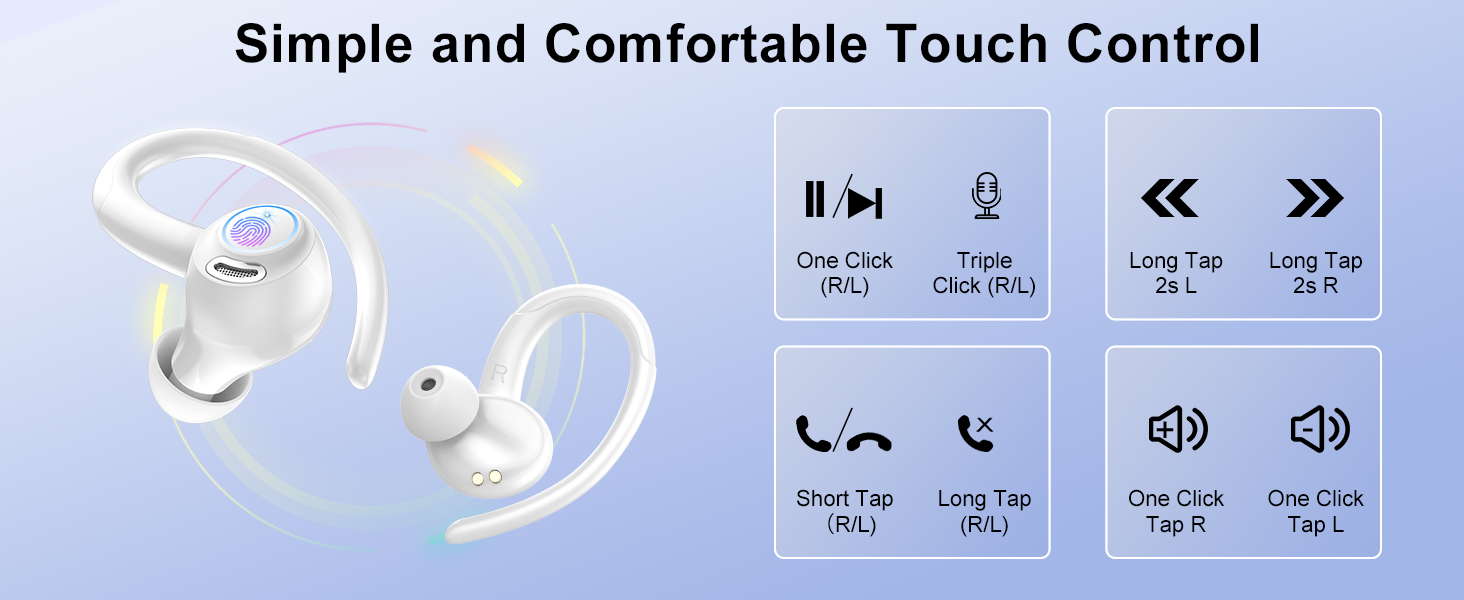
Image: All components included in the VKROBAG V90 Wireless Earbuds package.
3. Karatteristiċi tal-prodott
Teknoloġija Bluetooth 5.3
Equipped with an advanced Bluetooth 5.3 chip, these earbuds offer faster transmission speeds, lower latency, and enhanced anti-interference capabilities for a stable and reliable connection. Enjoy uninterrupted, high-quality sound whether listening to music or making calls.

Image: Visual representation of Bluetooth 5.3 technology and internal sound components, including 13mm drivers.
3D Stereo Sound & CVC 8.0 Noise Cancellation
The V90 earbuds feature SBC/AAC high-performance audio decoders and 13mm dynamic drivers, delivering a wide soundstage with deep bass, clear mids, and crisp highs for an immersive 3D stereo experience. Built-in CVC 8.0 noise cancellation effectively filters out ambient sounds, ensuring your voice remains clear during calls, even in noisy environments.
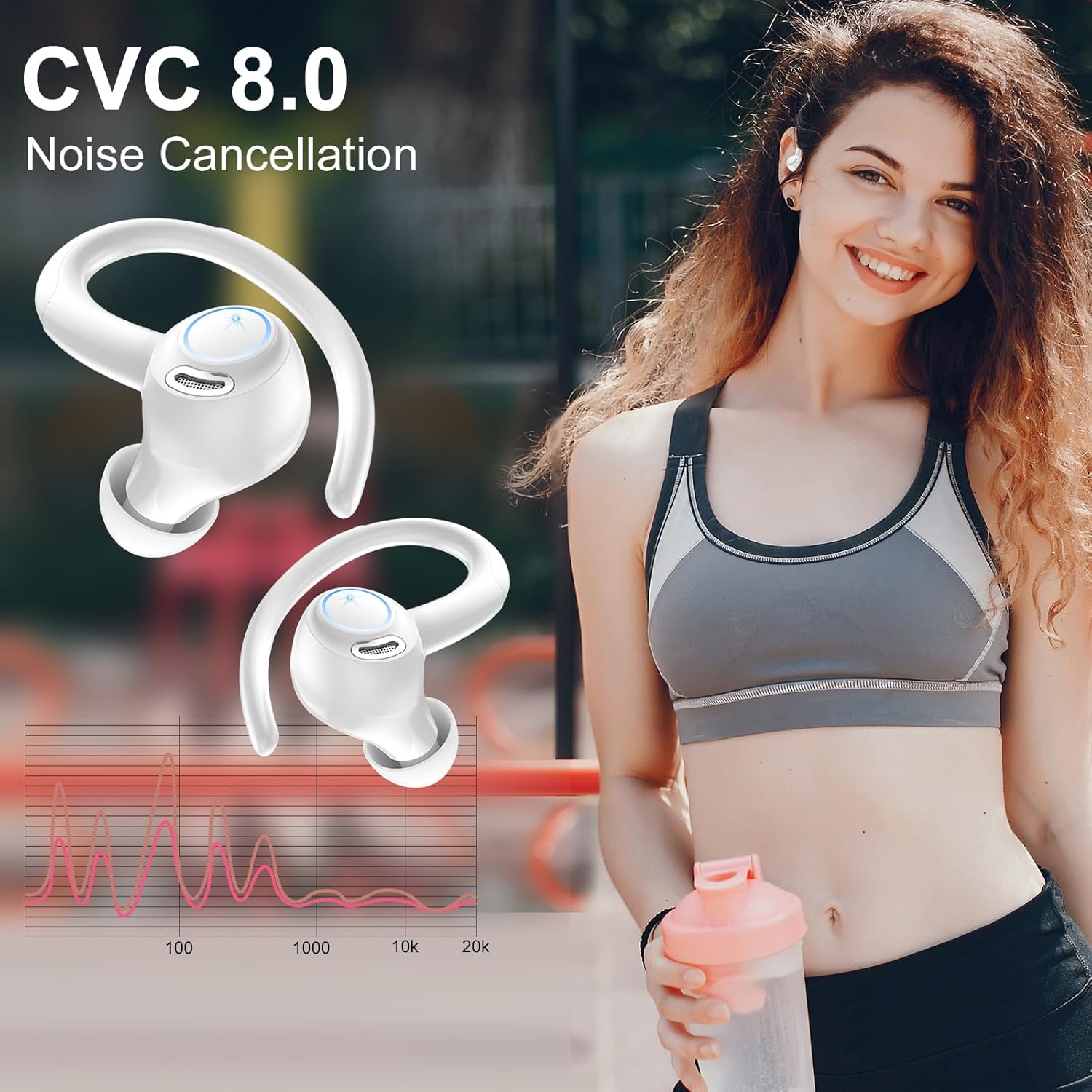
Image: Earbuds highlighting the CVC 8.0 Noise Cancellation feature, with a frequency response graph.
Extended Playtime & Dual LED Display
Enjoy up to 8 hours of continuous playback on a single charge. The high-capacity charging case provides an additional 4-5 charges, extending total usage to 48 hours. The intelligent dual LED display on the case accurately shows the remaining battery levels for both the case and individual earbuds, allowing for efficient power management. USB-C fast charging fully recharges the case in just 1.5 hours.
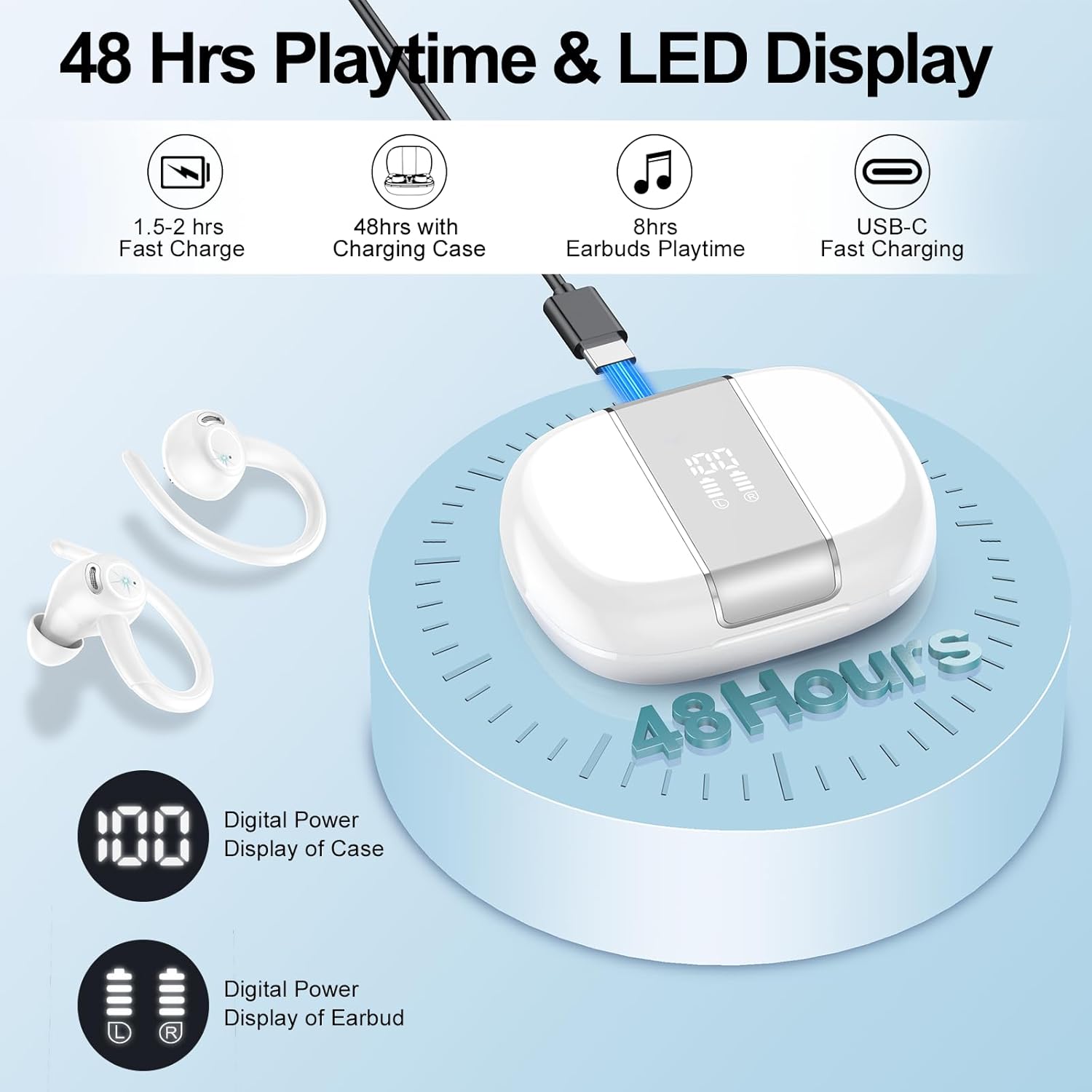
Image: Earbuds and charging case illustrating 48 hours of total playtime and the dual LED battery display.
Ergonomic Design & IP7 Waterproof
The earbuds feature an ergonomic design with flexible ear hooks that fit snugly and securely, preventing slippage during intense activities. Included S/M/L-sized ear tips ensure a comfortable fit for various ear shapes. With an IP7 waterproof rating, these earbuds are resistant to sweat and light rain, making them ideal for workouts and outdoor activities. Note: Not suitable for swimming or showering.
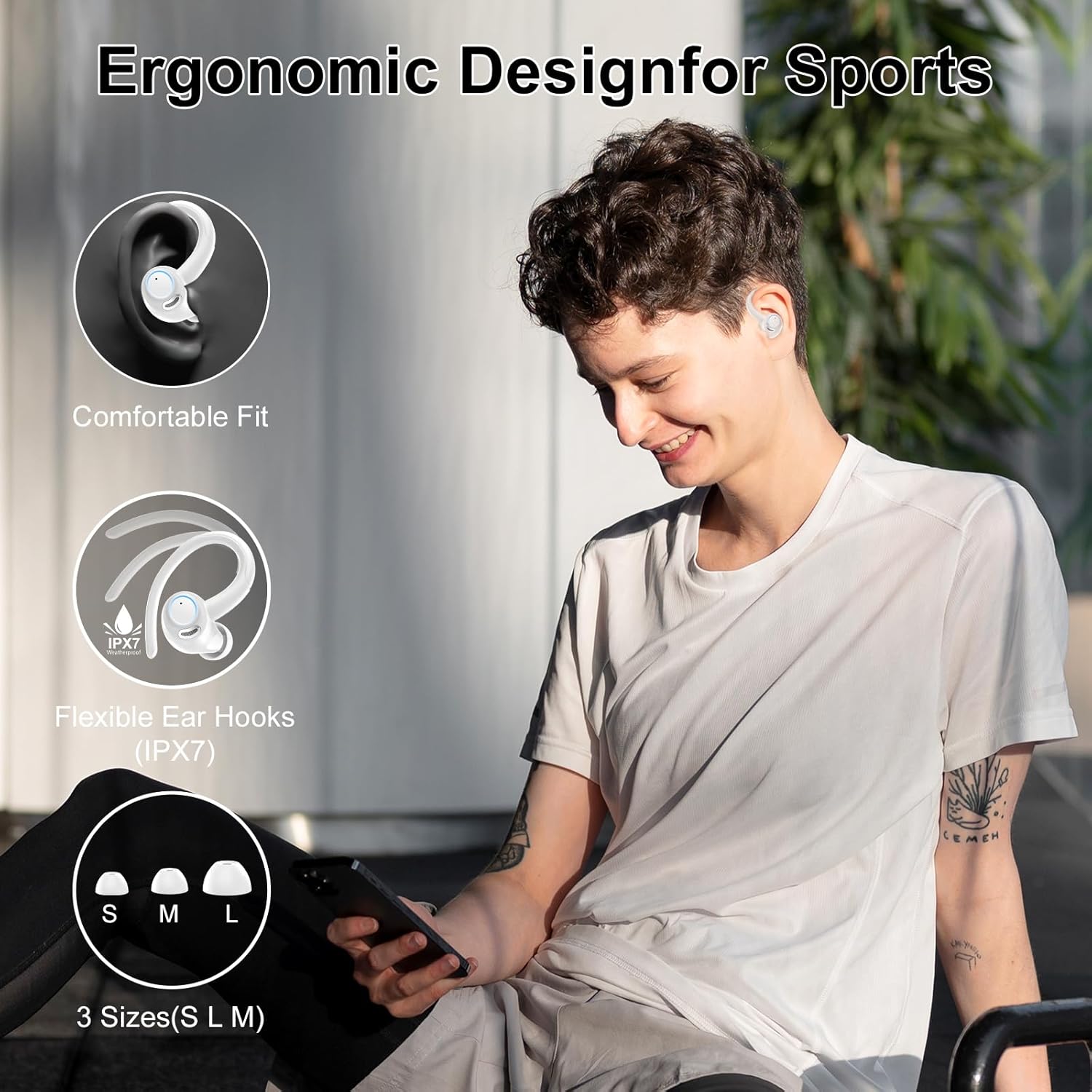
Image: A person wearing the earbuds, emphasizing their ergonomic design, secure fit, and IPX7 waterproof rating.
Kontroll Smart Touch
The earbuds are equipped with intuitive touch sensors, allowing for effortless control of music playback, track switching, volume adjustment, and call management with simple taps. This provides seamless operation during any activity.

Image: Visual guide to the smart touch control functions on the earbuds, including play/pause, track skipping, volume, and call management.
4. Nibdew
4.1 Iċċarġjar tal-Earbuds u l-Kaxxa
Qabel l-ewwel użu, iċċarġja l-earbuds u l-kaxxa tal-iċċarġjar kompletament.
- Poġġi l-earbuds fil-kaxxa tal-iċċarġjar. Kun żgur li huma mqiegħda sew fl-islott rispettivi tagħhom (L għax-xellug, R għal-lemin).
- Qabbad il-kejbil tal-iċċarġjar USB-C mal-port tal-iċċarġjar fuq il-kaxxa u t-tarf l-ieħor ma' sors ta' enerġija USB (eż., adapter tal-ħajt, port USB tal-kompjuter).
- Id-displej LED fuq il-kaxxa tal-iċċarġjar se juri l-perċentwal tal-batterijatage, indicating the charging status. The earbud indicators will also show charging.
- Charging typically takes about 1.5 hours for a full charge of the case.

Image: Illustration of the earbuds and charging case during the charging process, showing battery indicators.
4.2 It-tqabbil inizjali
The earbuds feature Hall effect smart sensor technology for automatic pairing.
- Kun żgur li l-earbuds huma ċċarġjati.
- Iftaħ il-kaxxa tal-iċċarġjar. Il-earbuds jinxtegħlu awtomatikament u jidħlu fil-modalità ta' tqabbil.
- Fuq l-apparat tiegħek (smartphone, tablet, kompjuter), attiva l-Bluetooth u fittex apparati disponibbli.
- Select "V90" from the list of found devices to connect.
- Ladarba jkunu konnessi, il-earbuds jingħaqdu awtomatikament mat-tagħmir tiegħek kull meta tiftaħ il-kaxxa tal-iċċarġjar.
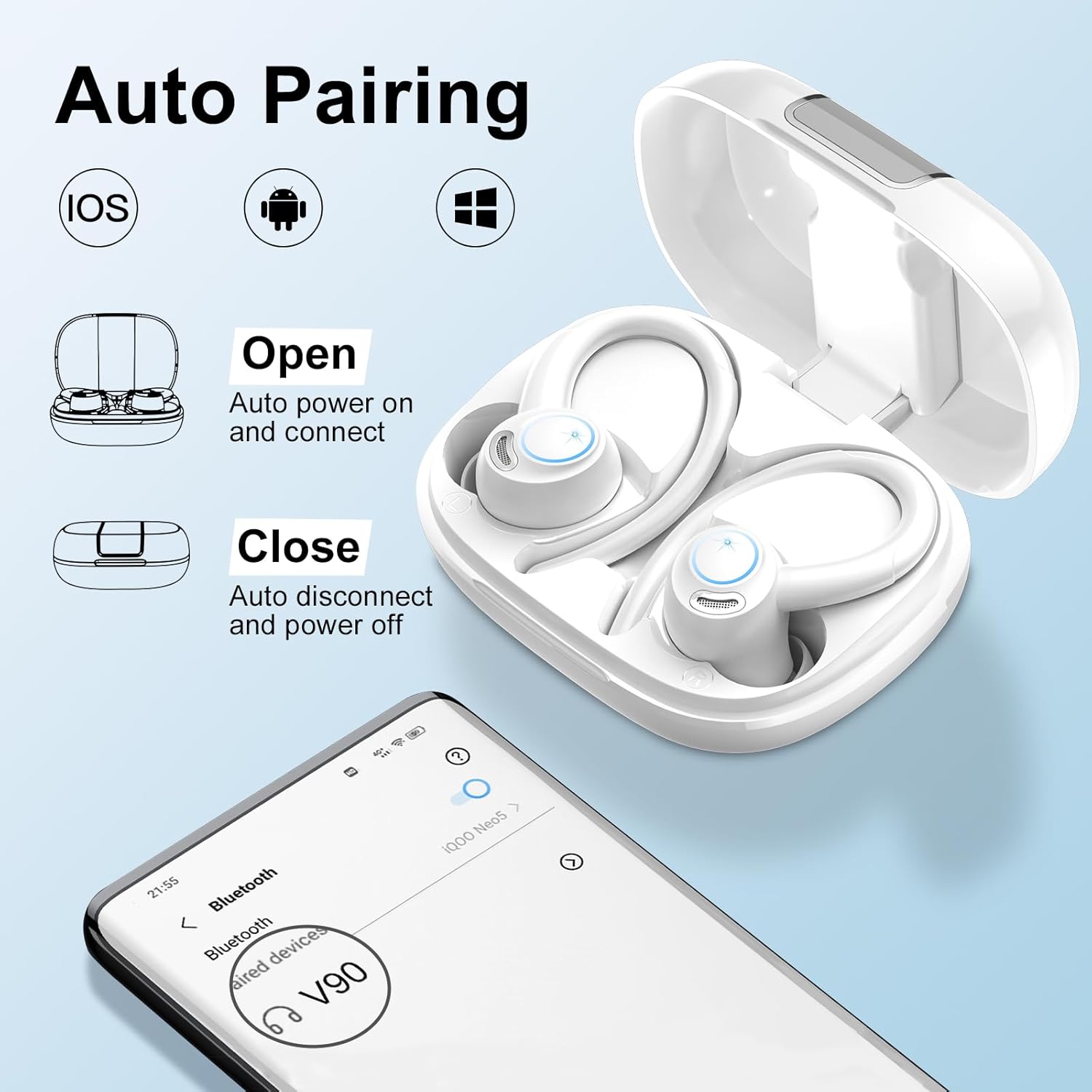
Image: Steps for automatic pairing of the earbuds with a mobile device.
4.3 L-Ilbies tal-Earbuds
For optimal sound quality and secure fit, ensure the earbuds are worn correctly.
- Choose the correct size of ear tips (S/M/L) that provide a comfortable and snug seal in your ear canal.
- Poġġi l-ganċ tal-widna fuq widnejk.
- Daħħal bil-mod il-earbud fil-kanal tal-widna tiegħek.
- Rotate the earbud slightly to find the most comfortable and secure angle. The ear hook should rest comfortably behind your ear.

Image: Step-by-step guide on how to wear the earbuds for a secure and comfortable fit.
5. Operazzjoni
5.1 Kontrolli touch
The V90 earbuds feature touch-sensitive areas on each earbud for easy control. The functions are as follows:
| Azzjoni | Earbud tax-Xellug (L) | Earbud tal-lemin (R) |
|---|---|---|
| Play/Pawsa | Ikklikkja waħda | Ikklikkja waħda |
| Track Preċedenti | Long Tap (2s) | N/A |
| Track li jmiss | N/A | Long Tap (2s) |
| Volum 'l isfel | Ikklikkja waħda | N/A |
| Volum Up | N/A | Ikklikkja waħda |
| Tweġiba/Tmiem Sejħa | Tektek qasir | Tektek qasir |
| Irrifjuta Sejħa | Tektek twil | Tektek twil |
| Attiva l-Assistent tal-Vuċi | Ikklikkja Triple | Ikklikkja Triple |

Image: Comprehensive guide to the touch control gestures and their corresponding functions.
6. Kura u Manutenzjoni
6.1 Tindif
Tindif regolari jgħin biex tinżamm il-prestazzjoni u l-iġjene tal-earbuds tiegħek.
- Uża drapp artab, niexef u mingħajr suf biex timsaħ il-earbuds u l-kaxxa tal-iċċarġjar.
- For ear tips, remove them from the earbuds and clean with a mild soap solution if necessary, then rinse thoroughly with water and allow to air dry completely before reattaching.
- Tużax kimiċi ħarxa, solventi tat-tindif, jew deterġenti qawwija.
- Evita li tidħol l-umdità fi kwalunkwe fetħiet.
6.2 Reżistenza għall-Ilma (IP7)
The earbuds have an IP7 waterproof rating, meaning they are protected against immersion in water up to 1 meter for up to 30 minutes. This makes them resistant to sweat and light rain.
- Tgħaddasx il-earbuds fl-ilma apposta.
- The charging case is not waterproof. Keep it dry.
- If the earbuds get wet, wipe them dry thoroughly before placing them back in the charging case to prevent damage.
6.3 Ħażna
When not in use, store the earbuds in their charging case to protect them from dust, scratches, and accidental damage. Store in a cool, dry place away from extreme temperatures.
7 Issolvi l-problemi
If you encounter issues with your VKROBAG V90 earbuds, please refer to the following common solutions:
| Problema | Kawża Possibbli | Soluzzjoni |
|---|---|---|
| Il-earbuds mhux qed jitqabbdu/jikkonnettjaw | Bluetooth off, earbuds out of range, low battery, previous pairing issue. | 1. Kun żgur li l-Bluetooth huwa attivat fuq it-tagħmir tiegħek. 2. Place earbuds closer to your device. 3. Charge the earbuds and case fully. 4. Forget "V90" in your device's Bluetooth settings and re-pair. |
| L-ebda ħoss jew volum baxx | Volume too low, earbud placement, dirty ear tips, connection issue. | 1. Adjust volume on both earbuds and your device. 2. Ensure earbuds are properly seated in your ears. 3. Clean ear tips and earbud mesh. 4. Reconnect the earbuds to your device. |
| Earbuds ma jiċċarġjawx | Poor contact, faulty cable/charger, dirty charging contacts. | 1. Ensure earbuds are correctly placed in the case. 2. Check USB-C cable and charger for damage; try a different one. 3. Clean the charging contacts on both earbuds and case with a dry cotton swab. |
| Il-kwalità tas-sejħa hija fqira | Environmental noise, microphone obstruction, weak signal. | 1. Move to a quieter environment. 2. Ensure microphone area on earbuds is not covered. 3. Ensure stable Bluetooth connection. |
| Il-kontrolli tal-mess ma jirrispondux | Incorrect gesture, dirty touch sensor, temporary glitch. | 1. Refer to the touch control table for correct gestures. 2. Clean the touch sensor area on the earbuds. 3. Place earbuds back in the case, close, then reopen to reset. |
8. Speċifikazzjonijiet Tekniċi
| Karatteristika | Speċifikazzjoni |
|---|---|
| Isem tal-Mudell | V90 |
| Teknoloġija tal-Konnettività | Wireless (Bluetooth) |
| Verżjoni Bluetooth | 5.3 |
| Medda Bluetooth | Sa 15 metri |
| Daqs tas-Sewwieq tal-Awdjo | 13 Millimetru |
| Earbud Playtime | Sa 8 sigħat għal kull ħlas |
| Ħin Totali tal-Logħob (bil-kaxxa) | Sa 48 sigħat |
| Kawża tal-Ġarr Kapaċità tal-Batterija | 400 Milliamp Sigħat |
| Ħin tal-Iċċarġjar (Każ) | Madwar sagħtejn (USB-C) |
| Livell ta 'Reżistenza għall-Ilma | IP7 Waterproof |
| Kontroll tal-Ħoss | Passive Noise Cancellation (CVC 8.0 for mic) |
| Tip ta' Kontroll | Touch Control |
| Tqegħid tal-widnejn | Fuq il-widnejn |
| Materjal | Metall, Plastik, Silikon |
| Piż tal-oġġett | 4.6 uqija |
9. Garanzija u Appoġġ
VKROBAG is committed to providing high-quality products. For any product-related inquiries, technical support, or warranty claims, please contact VKROBAG customer service through the retailer where you purchased the product or visit the official VKROBAG store on Amazon:
Visit the VKROBAG Store on Amazon
Jekk jogħġbok żomm il-prova tax-xiri tiegħek għal skopijiet ta' garanzija.
Ask a question about this manual
Ask about setup, troubleshooting, compatibility, parts, safety, or missing instructions. Manuals+ will review the question and use this page’s manual context to help answer it.