
1. Introduction
This manual provides essential information for the safe and efficient operation, maintenance, and troubleshooting of your MACAP LEO 55 Touch Burr Coffee Grinder. Please read all instructions carefully before using the appliance and retain this manual for future reference.
Important Safety Information
- Always ensure the grinder is unplugged before cleaning or performing any maintenance.
- Do not immerse the grinder in water or other liquids.
- Keep hands and foreign objects away from the burrs during operation.
- Use only whole roasted coffee beans in the hopper. Do not grind other substances.
- This appliance is for household use only.
2. Product Overview and Features
The MACAP LEO 55 Touch is a precision coffee grinder designed for home use, featuring 55mm flat burrs and a modern touchscreen interface for optimal control.

Figure 2.1: MACAP LEO 55 Touch Coffee Grinder highlighting its main features.
Key Features:
- Exclusive Blind Flat Burrs: Designed to improve grind consistency and reduce retention for professional espresso performance.
- Modern Touchscreen Interface: A 2.4-inch color display provides precise control over grind size and dose.
- Ultra-Quiet Operation: Incorporates quiet grinder technology for minimal noise.
- Hands-Free Auto Grinding: Activates grinding upon portafilter insertion for consistent dosing.
- Infinite Grind Precision: Stepless micrometric adjustment allows fine-tuning for various brew methods, from espresso to French press.
- Low Retention Design: Engineered to reduce grind waste and static for a cleaner workflow.
3. Setup
3.1 Unboxing and Placement
Carefully remove all packaging materials. Place the grinder on a stable, flat, and dry surface. Ensure adequate ventilation around the unit.
3.2 Hopper Installation
- Ensure the grinder is unplugged.
- Align the hopper with the opening on top of the grinder.
- Twist the hopper clockwise until it locks securely into place.
- Fill the hopper with whole roasted coffee beans.
3.3 Power Connection
Connect the power cord to the grinder and then plug it into a grounded electrical outlet. The touchscreen display will illuminate.
4. Operating Instructions
4.1 Touchscreen Interface
The LEO 55 Touch features a 2.4-inch color touchscreen for intuitive control.
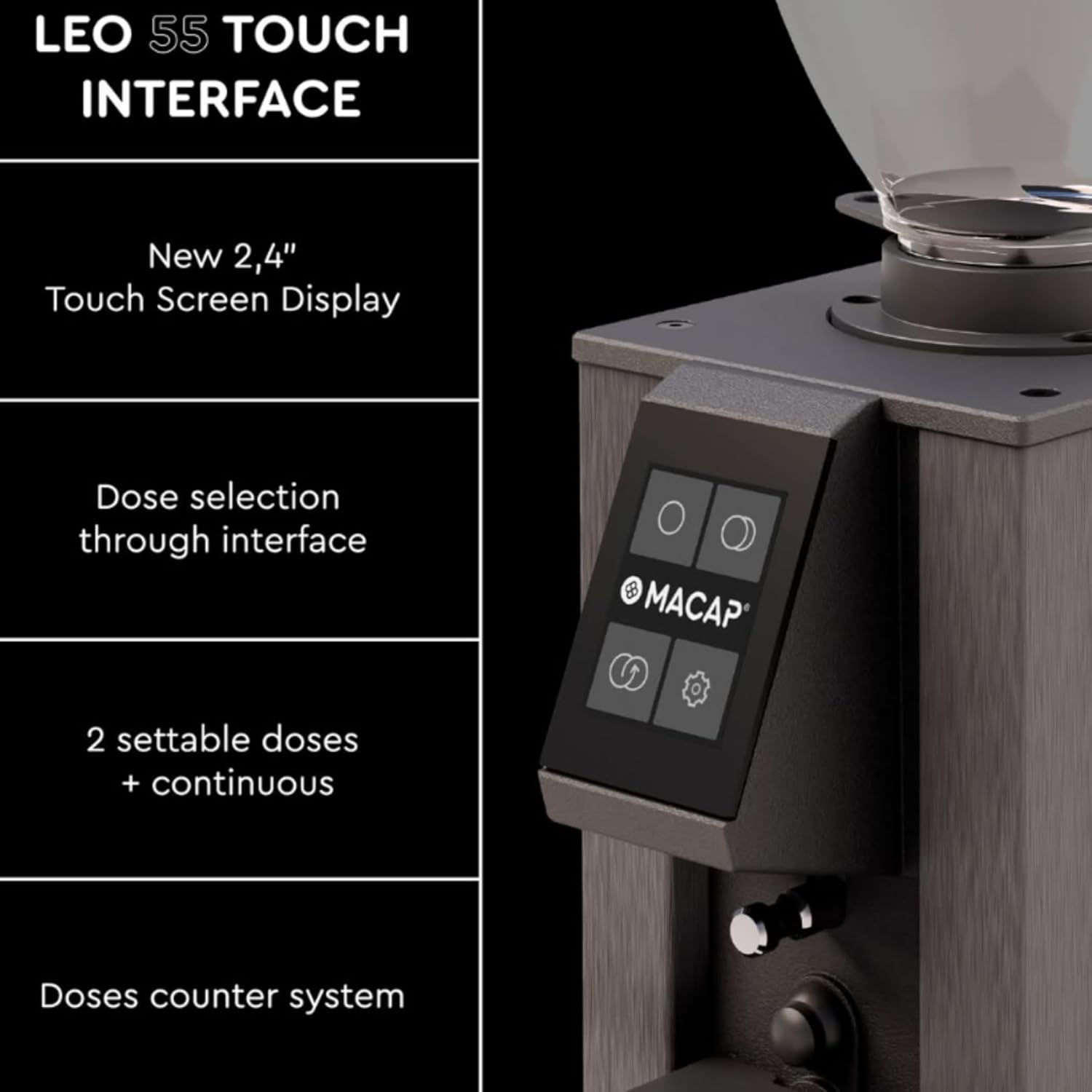
Figure 4.1: The LEO 55 Touch interface with dose selection and settings.
The display allows you to:
- Select pre-set doses (single or double).
- Activate continuous grinding.
- Access settings for grind time adjustment.
- View the doses counter.
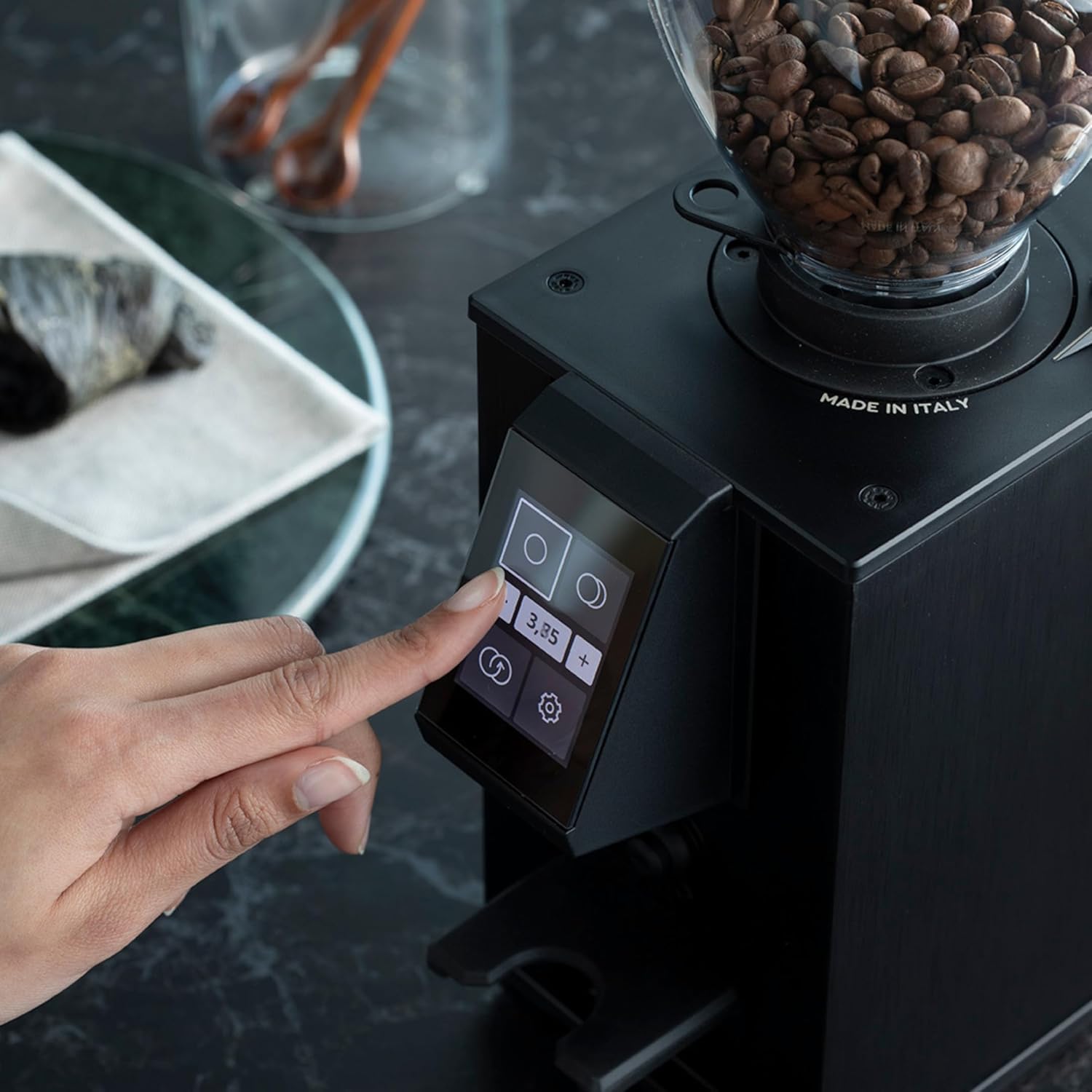
Figure 4.2: Interacting with the touchscreen to select dose or adjust settings.
4.2 Grind Size Adjustment
The LEO 55 Touch features stepless micrometric adjustment for precise control over grind fineness.
- To adjust the grind, locate the adjustment knob, typically on the side or top of the grinder.
- Turn the knob clockwise for a finer grind (suitable for espresso).
- Turn the knob counter-clockwise for a coarser grind (suitable for pour-over, French press, etc.).
- Make small adjustments and test the grind to achieve your desired consistency.

Figure 4.3: Adjusting the grind fineness using the micrometric knob.
4.3 Dosing and Grinding
The grinder supports hands-free auto grinding.
- Select your desired dose (single, double, or continuous) on the touchscreen.
- Place your portafilter or grinding container under the dispensing chute.
- For hands-free operation, insert the portafilter into the designated holder to activate grinding. The grinder will dispense the pre-set amount.
- For continuous grinding, select the continuous option and remove the portafilter when the desired amount is reached.
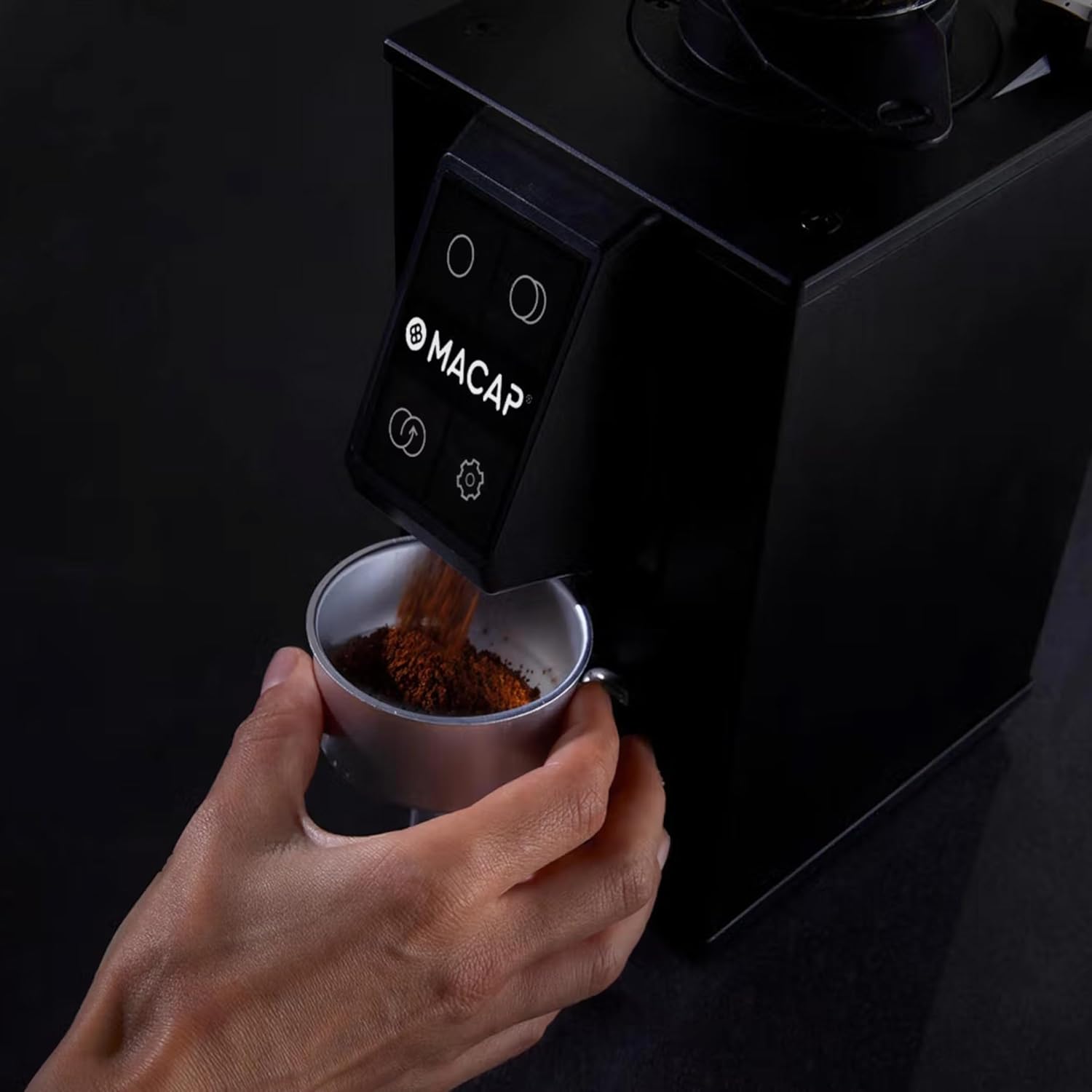
Figure 4.4: Grinding coffee directly into a portafilter.
5. Maintenance
Regular cleaning and maintenance ensure optimal performance and longevity of your grinder.
5.1 Cleaning the Burrs
The LEO 55 Touch features a no-screw system for easy burr removal.
- Unplug the grinder from the power outlet.
- Remove the coffee bean hopper.
- Follow the specific instructions in your grinder's quick start guide or on the unit itself for releasing the upper burr assembly without tools.
- Carefully lift out the upper burr.
- Use a brush or vacuum cleaner to remove any accumulated coffee grounds from both burrs and the grinding chamber.
- Reinsert the upper burr and secure it according to the grinder's mechanism.

Figure 5.1: Removing the burr for cleaning.
5.2 General Cleaning
- Wipe the exterior of the grinder with a damp cloth. Do not use abrasive cleaners.
- Clean the dispensing chute regularly to prevent blockages and ensure consistent flow.
6. Troubleshooting
If you encounter issues with your MACAP LEO 55 Touch, please refer to the following common solutions:
- Grinder not turning on: Ensure the power cord is securely plugged into both the grinder and a working electrical outlet. Check if the hopper is correctly installed and locked.
- No coffee dispensing: Check if the hopper has enough beans. Ensure the grinding chamber and dispensing chute are not clogged with old grounds. Refer to Section 5.1 for burr cleaning.
- Inconsistent grind: Verify that the burrs are clean and free from debris. Adjust the grind setting incrementally as described in Section 4.2.
- Excessive noise: This may indicate a foreign object in the grinding chamber or improperly seated burrs. Unplug the unit and inspect the burrs.
If the problem persists, please contact customer support.
7. Specifications
| Feature | Detail |
|---|---|
| Brand | Macap |
| Model Number | LEO 55 Touch |
| Color | Satin Gray |
| Product Dimensions | 5.1"L x 7.2"W x 14.9"H |
| Capacity | 0.3 Kilograms (Coffee Beans) |
| Material | Stainless Steel |
| Item Weight | 13.67 pounds |
| Manufacturer | MACAP |
| Burr Type | 55mm Flat Burrs |
8. Warranty and Support
Your MACAP LEO 55 Touch Burr Coffee Grinder is covered by a manufacturer's warranty. Please refer to the warranty card included with your product for specific terms and conditions. For technical support, service, or to inquire about replacement parts, please visit the official Macap store or contact your local distributor.
Official Macap Store: Macap Store on Amazon
9. About Macap
Macap has a rich history rooted in Italian engineering and a passion for coffee. Since 1930, Macap has been dedicated to crafting precision grinders, evolving from Officine Petiziol to a global force in coffee grinding technology.
Video 9.1: A brief history of MACAP, detailing the brand's evolution and commitment to coffee grinding innovation.


