
1. Istruzzjonijiet Importanti dwar is-Sigurtà
Jekk jogħġbok aqra dan il-manwal bir-reqqa qabel ma tħaddem l-apparat u żommu għal referenza futura. Jekk ma ssegwix dawn l-istruzzjonijiet, dan jista' jirriżulta f'xokk elettriku, nar, jew korriment serju.
- Dejjem qabbad l-apparat ma’ sokit tal-elettriku ertjat.
- Tħaddimx l-apparat b'korda jew plagg bil-ħsara.
- Tgħaddix l-apparat, korda, jew plagg fl-ilma jew likwidi oħra.
- Żomm l-apparat 'il bogħod minn sorsi ta' sħana u dawl tax-xemx dirett.
- Aċċerta ruħek li jkun hemm ventilazzjoni xierqa madwar l-unità; timblokkax id-daħliet jew il-ħruġ tal-arja.
- Dan l-apparat huwa għall-użu fuq ġewwa biss.
- Skonnettja l-apparat qabel ma tnaddaf jew tagħmel xi manutenzjoni.
2. Prodott Aktarview
The BRITEC Dehumidifier + WiFi Air Purifier is an innovative appliance designed to improve indoor air quality by effectively removing excess moisture and purifying the air. It features a HEPA H13 filter to capture fine particles, pollen, bacteria, and viruses.
2.1. Komponenti u Karatteristiċi

Figura 2.1: Quddiem view of the BRITEC Dehumidifier. This image shows the sleek white design of the unit with a black top panel and a digital display.
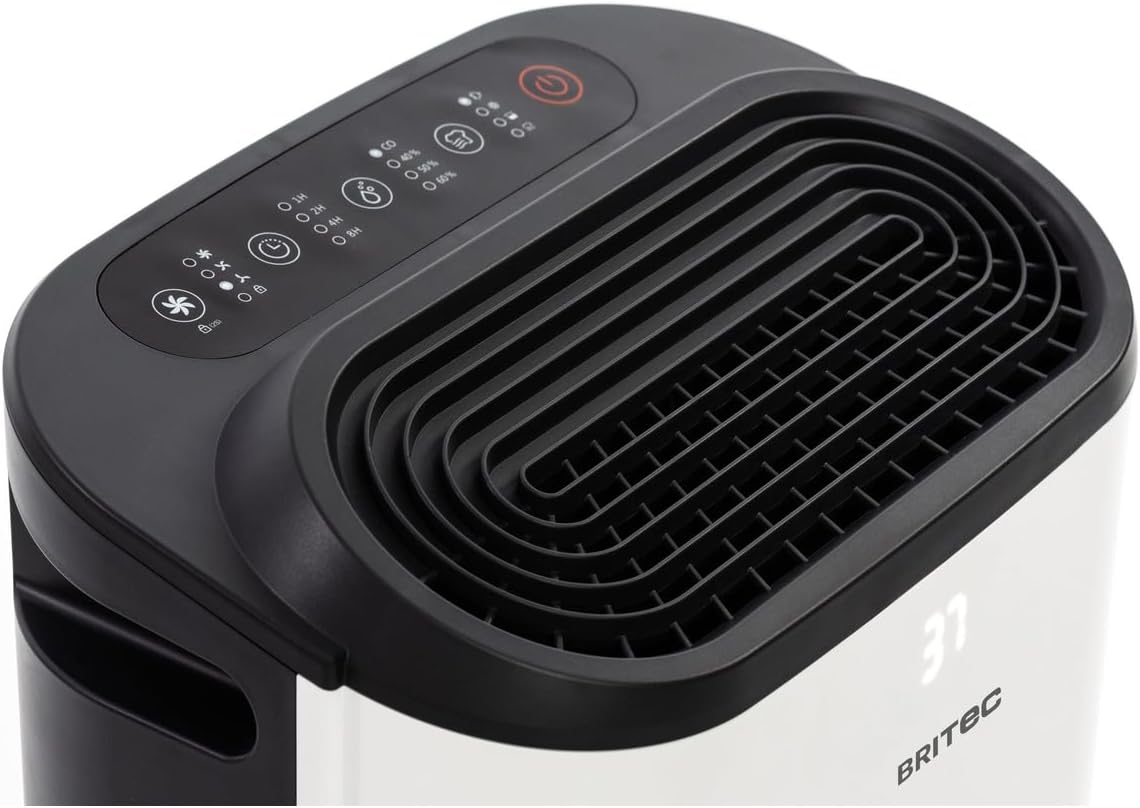
Figura 2.2: Fuq view of the dehumidifier, highlighting the control panel and air outlet grille. The control panel features various buttons for mode selection, timer, fan speed, and power.

Figure 2.3: Diagram illustrating the main external components. Labels indicate the Ventilation Outlet, Front Display, and Control Panel.
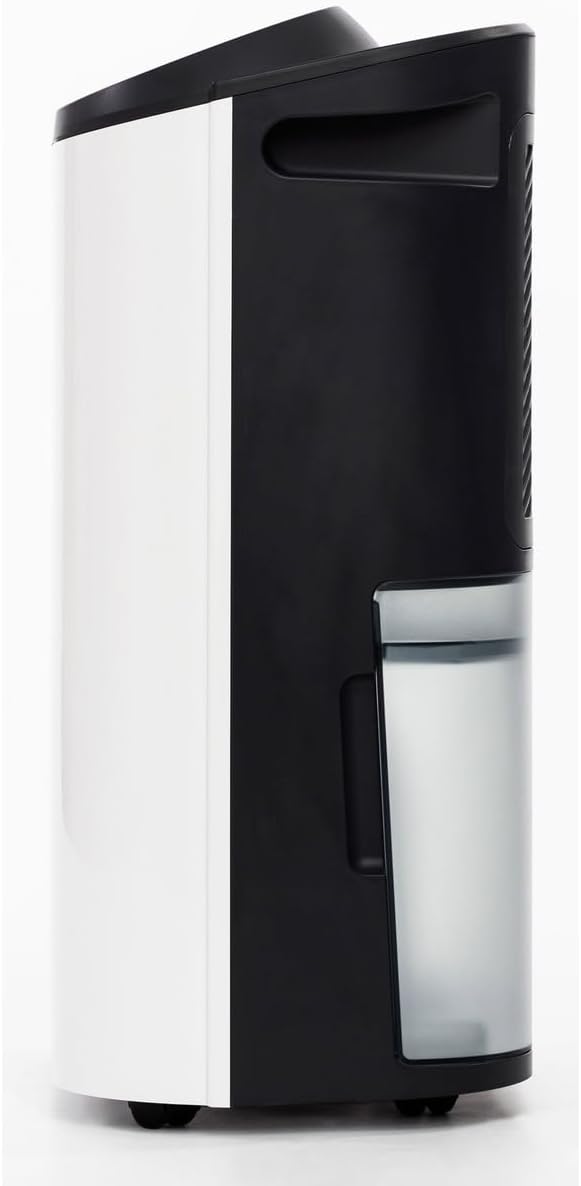
Figura 2.4: Ġenb view of the dehumidifier, showing the transparent water collection tank. The tank is designed for easy removal and emptying.

Figura 2.5: Wara view of the dehumidifier, showing the air intake grille and the water tank in place. This is where the air is drawn in for filtration and dehumidification.

Figure 2.6: Diagram of the rear components. Labels point to the Carry Handle, Filtration area, Continuous Drainage outlet, Removable 2.3L Tank, and Wheels for easy mobility.
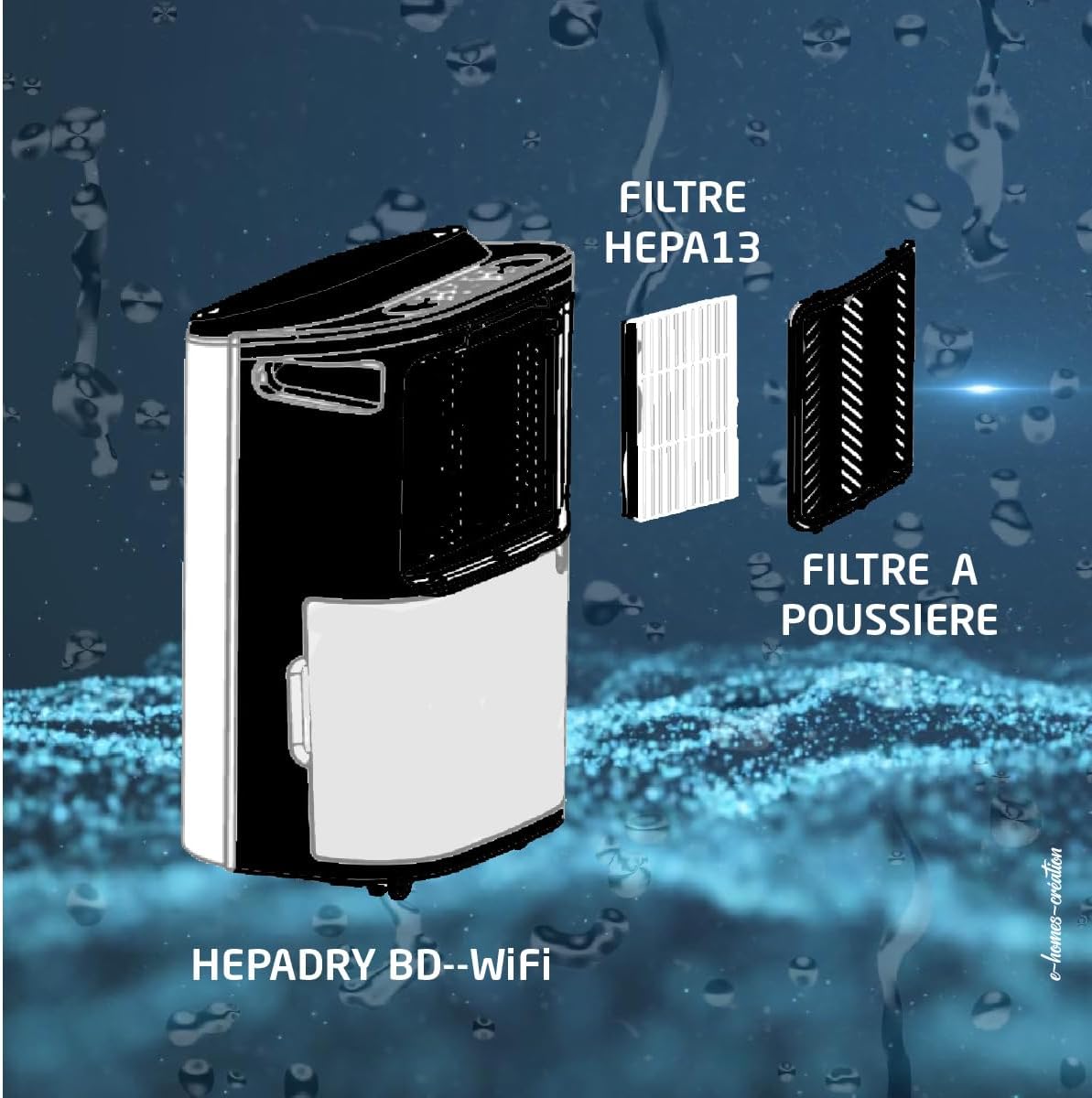
Figure 2.7: Diagram illustrating the dual filter system. It shows the HEPA13 Filter and the Dust Filter, which work together to purify the air.
3. Setup
3.1. Spakkjar
- Neħħi d-deumidifikatur mill-imballaġġ tiegħu bir-reqqa.
- Neħħi l-materjali tal-ippakkjar kollha, inkluż kwalunkwe tejp jew films protettivi.
- Spezzjona l-unità għal xi sinjali ta’ ħsara. Jekk tkun bil-ħsara, tħaddimhiex u kkuntattja l-appoġġ għall-klijenti.
3.2 Tqegħid
- Poġġi d-dehumidifikatur fuq wiċċ sod u livellat.
- Kun żgur li hemm mill-inqas 20 ċm (8-il pulzier) ta' spazju madwar l-unità għal fluss tal-arja xieraq.
- Tpoġġix l-unità ħdejn apparati li jiġġeneraw is-sħana jew fid-dawl tax-xemx dirett.
- For optimal performance, place the unit in the center of the room where dehumidification is needed.
3.3. Konnessjoni tal-Enerġija
Ipplaggja l-korda tal-enerġija f'bokk elettriku ertjat. Kun żgur li l-vultaġġtage jaqbel mal-ispeċifikazzjonijiet tal-unità.
3.4. WiFi Setup (Tuya App)
- Niżżel l-app 'Tuya Smart' mill-app store tal-ismartphone tiegħek (iOS jew Android).
- Irreġistra jew idħol fil-kont Tuya tiegħek.
- Ensure your dehumidifier is plugged in and powered on.
- In the Tuya app, tap '+' to add a device.
- Follow the on-screen instructions to connect your dehumidifier to your home WiFi network. This typically involves putting the device into pairing mode (refer to the control panel section for specific button presses if needed).
- Once connected, you can control the dehumidifier remotely via the app.
4. Istruzzjonijiet Operattivi
4.1. Control Panel Overview
The control panel on the top of the unit allows you to manage all functions. The LED display shows current humidity levels or settings.
4.2. Power On/Off
- Agħfas il- Qawwa buttuna (simbolu: ċirku b'linja vertikali) biex tixgħel jew titfi l-unità.
4.3. Għażla tal-Mod
Agħfas il- Modalità buttuna (symbol: usually a fan or water drop icon) biex tiċċikla bejn il-modi disponibbli:
- Mod ta' Dehumidifikazzjoni: Ineħħi l-umdità mill-arja.
- Modalità ta' Purifikazzjoni tal-Arja: Operates the fan and filter without active dehumidification.
- Modalità Tnixxif: Designed to help dry laundry faster.
4.4. Humidity Setting
In Dehumidification Mode, press the Umdità buttuna (symbol: often a % sign or up/down arrows) to set your desired humidity level (e.g., 40%, 50%, 60%). The unit will operate until the set humidity is reached.
4.5. Funzjoni Timer
Agħfas il- Timer buttuna (simbolu: ikona tal-arloġġ) to set a delay for the unit to turn on or off (up to 24 hours). Each press typically increases the time by one hour.
4.6. Veloċità tal-fann
Agħfas il- Veloċità tal-fann buttuna (symbol: fan icon with varying bars) to adjust the fan speed (e.g., Low, Medium, High). A lower fan speed results in quieter operation.
5. Manutenzjoni
Manutenzjoni regolari tiżgura prestazzjoni ottimali u testendi l-ħajja tad-deumidifikatur tiegħek.
5.1. Tbattil tat-Tank tal-Ilma
- Meta t-tank tal-ilma jkun mimli, l-unità tieqaf taħdem awtomatikament u tixgħel dawl indikatur.
- Iġbed it-tank tal-ilma 'l barra bir-reqqa mill-ġenb tal-unità.
- Vojta l-ilma miġbur.
- Żerżaq it-tank vojt lura fl-unità sakemm tikklikkja f'postu. L-unità terġa' tibda taħdem.
5.2. Continuous Drainage Setup
For continuous operation without emptying the tank, you can set up continuous drainage:
- Sib il-ħruġ tad-drenaġġ kontinwu fuq wara tal-unità (ara l-Figura 2.6).
- Connect a suitable drainage hose (not included) to this outlet.
- Ensure the hose is sloped downwards to allow water to drain by gravity into a floor drain or larger container.
5.3. Tindif/Sostituzzjoni tal-Filtri
The unit uses a HEPA H13 filter and a dust filter (refer to Figure 2.7). Regular cleaning is essential.
- Itfi u aqla d-dehumidifier.
- Remove the rear grille to access the filters.
- Carefully remove the dust filter and the HEPA H13 filter.
- Clean the dust filter with a vacuum cleaner or wash it gently with warm water and mild detergent. Allow it to air dry completely before reinserting.
- The HEPA H13 filter cannot be washed. It should be replaced every 6-12 months, depending on usage and air quality.
- Reinsert the filters and replace the grille.
5.4. Tindif tal-Unità
- Imsaħ il-barra tal-unità b'artab, damp drapp.
- Tużax tindif jew solventi li joborxu.
- Clean the air inlets and outlets regularly to prevent dust buildup.
6 Issolvi l-problemi
| Problema | Kawża Possibbli | Soluzzjoni |
|---|---|---|
| L-unità ma tixgħel | Bla enerġija; Il-korda tal-enerġija mhux imdaħħla; Is-sokit tal-enerġija difettuż. | Iċċekkja l-konnessjoni tal-enerġija; Ipprova sokit differenti; Iċċekkja s-salvavita. |
| L-ebda deumidifikazzjoni | Room temperature too low; Air filter clogged; Humidity setting too high; Water tank full. | Ensure room temp is above 5°C; Clean/replace filter; Lower humidity setting; Empty water tank. |
| L-unità hija storbjuża | L-unità mhux fuq wiċċ livellat; Il-filtru tal-arja mblukkat; Il-fann huwa mblukkat. | Place on a level surface; Clean/replace filter; Check for obstructions. |
| Water tank full indicator on, but tank is empty | Water tank not properly inserted; Float switch stuck. | Reinsert tank correctly; Gently shake tank to free float switch. |
7. Speċifikazzjonijiet
| Karatteristika | Speċifikazzjoni |
|---|---|
| Brand | BRITEC |
| Numru tal-Mudell | BRI629036 |
| Kapaċità ta 'Deumidifikazzjoni | 12-16 L/day (depending on version) |
| Purifikazzjoni tal-Arja | HEPA H13 Filter (removes up to 99.97% of microparticles) |
| Livell ta' Storbju | 36 dB |
| Daqs tal-Kamra Rakkomandat | 15 sa 45 m² |
| Kapaċità tat-Tank tal-Ilma | Mobile water reservoir (approx. 2.3L) |
| Konnettività | WiFi (Tuya App) |
| Timer | Sa 24 sigħat |
| Piż | 14.01 kg |
8. Garanzija u Appoġġ
This BRITEC product is covered by a manufacturer's warranty. Please refer to the warranty card included with your purchase for specific terms and conditions, including the warranty period and coverage details.
8.1. Appoġġ għall-Klijent
If you encounter any issues or have questions regarding your dehumidifier, please contact the retailer or the manufacturer's customer support. Keep your purchase receipt and model number (BRI629036) ready when contacting support.