
1. Introduzzjoni
This manual provides essential information for the safe and efficient operation of your VUBBJCRS SMB-70-12 70W Ultra Thin Type Single Output Switching Mode Power Supply. Please read this manual thoroughly before installation and use, and retain it for future reference. This power supply is designed to convert AC input voltage (170-264VAC) to a stable 12V DC output, suitable for various applications including LED lighting and other electronic devices requiring a 12V 6A power source.

Figura 1: Fuq view of the SMB-70-12 power supply unit.
2. Istruzzjonijiet tas-Sigurtà
TWISSIJA: Riskju ta' xokk elettriku. L-installazzjoni u s-servizzjar għandhom jitwettqu biss minn persunal kwalifikat.
- Ensure the power supply is disconnected from the main AC power source before any installation, wiring, or maintenance procedures.
- Do not operate the unit in environments with high humidity, extreme temperatures, or corrosive substances.
- Ivverifika li l-input voltage range (170-264VAC) matches your local power supply specifications.
- Ensure proper grounding (FG terminal) to prevent electric shock.
- Do not exceed the maximum output current of 6A to prevent damage to the unit and connected devices.
- Maintain adequate ventilation around the power supply to prevent overheating.
3. Prodott Aktarview
The SMB-70-12 is a compact and efficient switching mode power supply designed for reliable performance. Its ultra-thin profile allows for installation in space-constrained applications. The unit features clearly labeled input and output terminals for straightforward wiring.
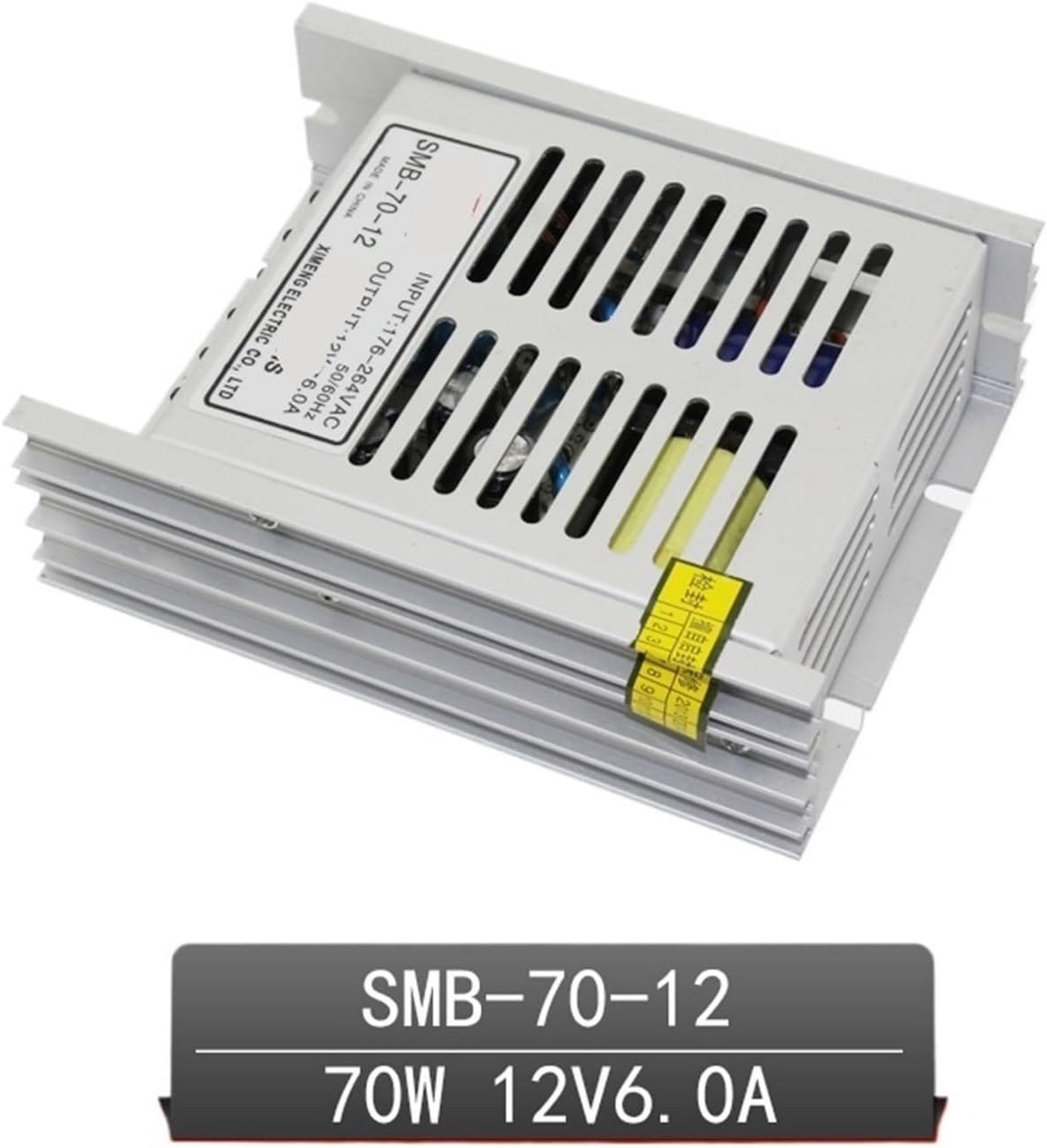
Figura 2: Angolat view highlighting the compact design of the power supply.
4. Speċifikazzjonijiet
| Parametru | Valur |
|---|---|
| Numru tal-Mudell | SMB-70-12 |
| Input Voltage | 170-264VAC |
| Frekwenza tad-dħul | 47-63Hz |
| Ħruġ Voltage | 12VDC |
| Kurrent tal-Ħruġ | 0-6A |
| Qawwa tal-Ħruġ | 70W |
| Dimensjonijiet (L x W x H) | 112 x 88 x 34 mm (madwar 4.41 x 3.46 x 1.34 pulzieri) |
| Piż | Madwar 50g (1.76 uqija) |
5. Setup u Installazzjoni
Follow these steps for proper installation of the SMB-70-12 power supply:
- Immuntar: Securely mount the power supply in a well-ventilated area using appropriate fasteners. Ensure there is sufficient clearance around the unit for heat dissipation.
- Wajers tal-Input AC: Connect the AC input wires to the terminals labeled 'AC' and 'AC'. Ensure correct polarity and a secure connection. Connect the ground wire to the 'FG' (Frame Ground) terminal.
- Wajers tal-Ħruġ DC: Connect the positive (+) lead of your 12V DC device to the '+V' terminal and the negative (-) lead to the '-V' terminal. Double-check polarity before applying power.
- Ivverifika l-Konnessjonijiet: Before powering on, visually inspect all connections to ensure they are tight, correctly wired, and free from short circuits.

Figure 3: Terminal block showing AC input (AC, AC, FG) and DC output (-V, +V) connections.
6. Istruzzjonijiet Operattivi
Once the power supply is correctly installed and wired:
- Qawwa Mixgħul: Connect the main AC power to the unit. The power supply will automatically begin providing 12V DC output.
- Monitoraġġ: Observe the connected device for proper operation. The power supply is designed for continuous operation within its specified limits.
- Itfi: Disconnect the main AC power to shut down the unit and stop the DC output.
7. Manutenzjoni
The SMB-70-12 power supply requires minimal maintenance. Adhere to the following guidelines:
- Tindif: Periodically clean the exterior of the unit with a soft, dry cloth. Ensure the unit is powered off and disconnected from AC mains before cleaning. Do not use liquid cleaners or solvents.
- Ventilazzjoni: Regularly check that ventilation openings are clear of dust and debris to ensure proper airflow and prevent overheating.
- Konnessjonijiet: Occasionally inspect wiring connections for tightness and signs of wear or corrosion. Re-tighten if necessary.
- Ħażna: If storing the unit, keep it in a cool, dry place away from direct sunlight and extreme temperatures.
8 Issolvi l-problemi
Jekk tiltaqa' ma' problemi bil-provvista tal-enerġija tiegħek, irreferi għall-problemi u s-soluzzjonijiet komuni li ġejjin:
| Problema | Kawża Possibbli | Soluzzjoni |
|---|---|---|
| L-ebda output voltage | L-ebda enerġija tad-dħul tal-AC | Check AC power source and input wiring. |
| L-ebda output voltage | Wiring mhux korrett | Verify all input and output connections are correct and secure. |
| Vol. Tal-ħruġtage unstable or low | Tagħbija żejda fuq l-output | Reduce the load connected to the power supply. Ensure total current draw does not exceed 6A. |
| L-unità qed tissaħħan iżżejjed | Ventilazzjoni insuffiċjenti | Ensure adequate airflow around the unit. Clear any obstructions from ventilation openings. |
| L-unità qed tissaħħan iżżejjed | Tagħbija żejda fuq l-output | Reduce the load connected to the power supply. |
If the problem persists after attempting these solutions, discontinue use and contact customer support.
9. Garanzija u Appoġġ
VUBBJCRS products are manufactured to high-quality standards. This product is covered by a limited warranty against defects in materials and workmanship. For specific warranty terms and conditions, please refer to the documentation provided at the time of purchase or contact your retailer.
For technical support, troubleshooting assistance, or warranty claims, please contact VUBBJCRS customer service through your purchase platform or the official VUBBJCRS website. Please have your model number (SMB-70-12) and purchase information ready when contacting support.