
Introduzzjoni
Thank you for choosing the CREATE Speaker Retro. This portable Bluetooth speaker combines a classic retro design with modern audio technology, offering versatile connectivity and powerful sound. This manual will guide you through the setup, operation, and maintenance of your new speaker to ensure optimal performance and longevity.

Image: The CREATE Speaker Retro, highlighting its elegant retro aesthetic and compact form factor.
Istruzzjonijiet Importanti dwar is-Sigurtà
- Aqra sew l-istruzzjonijiet kollha qabel tuża l-prodott.
- Żomm dan il-manwal għal referenza futura.
- Do not expose the speaker to water or excessive moisture. This product is mhux reżistenti għall-ilma.
- Tpoġġix ħdejn sorsi ta' sħana bħal radjaturi, reġistri tas-sħana, stufi, jew apparat ieħor (inkluż amplifiers) li jipproduċu sħana.
- Uża biss aċċessorji/aċċessorji speċifikati mill-manifattur.
- Spluggja dan l-apparat waqt maltempati tas-sajjetti jew meta ma jintużax għal perjodi twal.
- Irreferi l-manutenzjoni kollha lil persunal tas-servizz kwalifikat.
Kontenut tal-Pakkett
The CREATE Speaker Retro package includes:
- CREATE Speaker Retro Portable Bluetooth Speaker (1 unit)
- Cable tal-Iċċarġjar tal-USB-C
- Manwal għall-Utent (dan id-dokument)
Controls and Ports Overview
Iffamiljarizza ruħek mal-kontrolli u l-portijiet tal-konnessjoni tal-ispiker:

Immaġni: Dettaljata view tal-pannell tal-kontroll ta' fuq tal-ispiker.
- Buttuna tal-Volum: Jaġġusta l-volum ġenerali tal-ħoss.
- Pum tal-bass: Jaġġusta l-livell tal-bass.
- Pum tat-Triple: Jaġġusta l-livell tat-triple.
- Swiċċ tas-Selettur tal-Input: Toggles between AUX, Bluetooth (BT), and USB input modes.
- Swiċċ tal-Enerġija: Jixgħel/Jitfi l-ispiker.
- Input AUX (3.5mm): Għall-konnessjoni ta' apparati awdjo esterni permezz ta' kejbil awdjo.
- Port USB: Għall-plejbek minn USB drive.
- DC-IN 5V Port: Għall-iċċarġjar tal-ispiker.
- Dawl Indikatur: Juri l-istatus tal-enerġija, l-istatus tal-iċċarġjar, u l-istatus tal-akkoppjar tal-Bluetooth.
Setup
1. Iċċarġja l-Ispeaker
Before first use, fully charge the speaker. Connect the provided USB-C charging cable to the DC-IN 5V port on the speaker and the other end to a compatible USB power adapter (not included) or a computer's USB port. The indicator light will show the charging status. A full charge takes approximately 4-5 hours.
- Iċċarġjar: Indicator light glows (color may vary).
- Kompletament Iċċarġjat: Indicator light turns off or changes color.
2. Tixgħil / Mitfi
To power on the speaker, flip the Swiċċ tal-Qawwa to the "ON" position. To power off, flip the switch to the "OFF" position.
Istruzzjonijiet Operattivi
1. Modalità Bluetooth
The speaker features Bluetooth 5.2 for wireless audio streaming with a range of up to 10 meters.
- Qawwa fuq il-kelliem.
- Issettja l- Swiċċ tas-Selettur tal-Input to "BT/AUX" and then ensure it's in Bluetooth mode (indicator light will blink, indicating pairing mode).
- Fuq l-ismartphone, it-tablet, jew apparat ieħor li jaħdem bil-Bluetooth tiegħek, attiva l-Bluetooth u fittex apparati disponibbli.
- Select "CREATE Speaker Retro" from the list.
- Once paired, the indicator light will stop blinking and remain solid. You can now play music wirelessly.
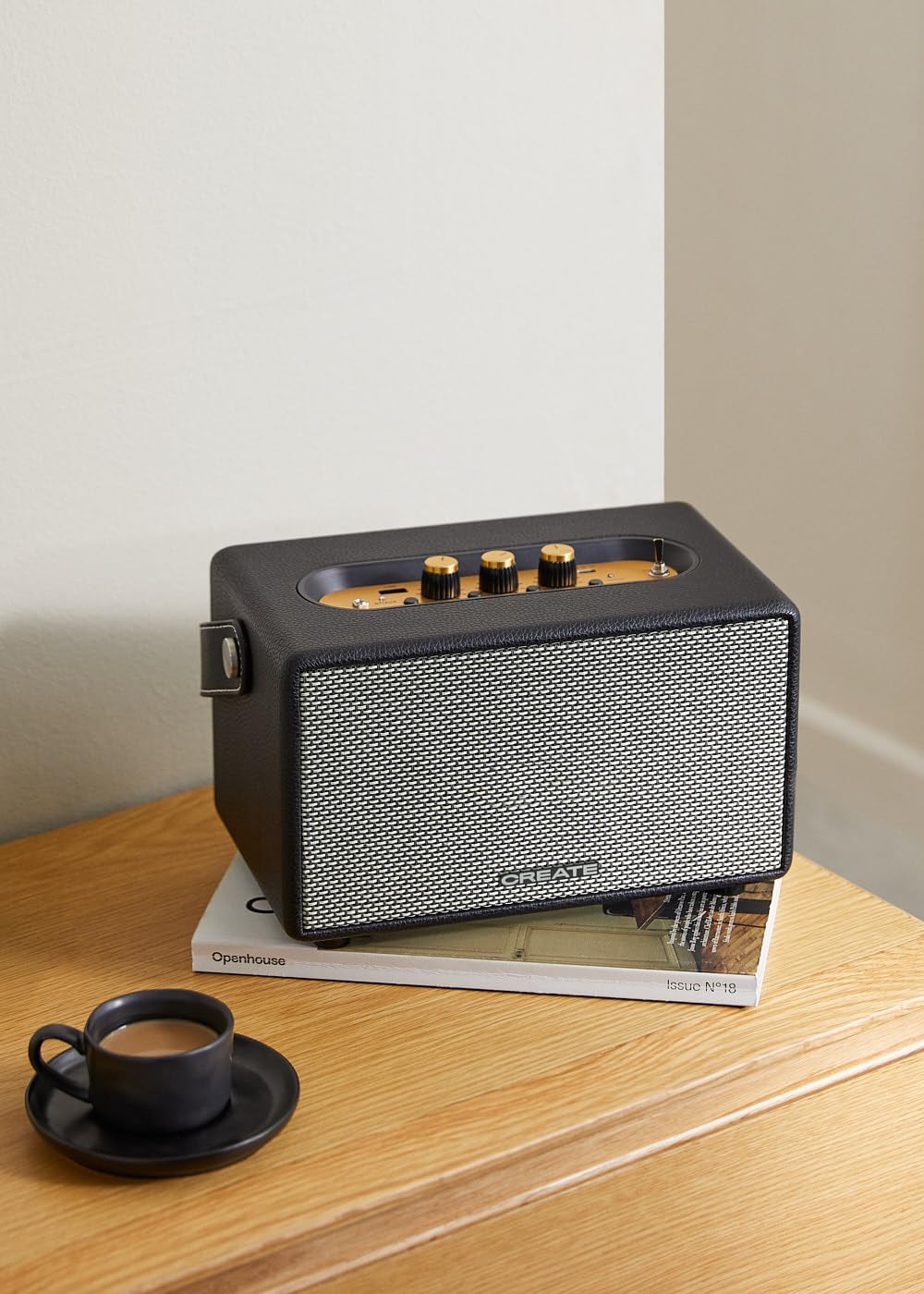
Image: Connecting to the speaker via Bluetooth from a mobile device.
2. Modalità ta' Daqq tal-USB
Play awdjo files direttament minn USB flash drive.
- Qawwa fuq il-kelliem.
- Daħħal USB flash drive li jkun fih l-awdjo files fil- Port USB.
- Issettja l- Swiċċ tas-Selettur tal-Input to "USB". The speaker will automatically begin playing music from the USB drive.

Image: Inserting a USB drive for direct audio playback.
3. Modalità tad-Dħul AUX
Qabbad apparati awdjo esterni billi tuża kejbil awdjo ta' 3.5mm.
- Qawwa fuq il-kelliem.
- Qabbad tarf wieħed ta' kejbil awdjo ta' 3.5mm (mhux inkluż) mal- Input AUX port fuq l-ispiker.
- Connect the other end of the cable to the headphone jack or audio output of your external device (e.g., MP3 player, laptop).
- Issettja l- Swiċċ tas-Selettur tal-Input to "AUX". The speaker will now play audio from your connected device.
4. Aġġustament tal-Ħoss
Use the dedicated knobs on the control panel to fine-tune your audio experience:
- Dawwar il- Buttuna tal-Volum to increase or decrease the overall sound level.
- Dawwar il- Buttuna tal-Bass to adjust the low-frequency sounds.
- Dawwar il- Pum Treble to adjust the high-frequency sounds.
Manutenzjoni
Tindif
To clean the speaker, use a soft, dry cloth. Do not use abrasive cleaners, waxes, or solvents as they may damage the finish. Avoid spraying liquids directly onto the speaker.
Ħażna
Meta ma tkunx qed tużah għal perjodi twal, aħżen l-ispiker f'post frisk u niexef 'il bogħod mix-xemx diretta u minn temperaturi estremi. Kun żgur li l-ispiker ikun iċċarġjat kompletament qabel ma taħżnu biex tippreserva s-saħħa tal-batterija.
Kura tal-batterija
The speaker is equipped with a built-in rechargeable battery. To maximize battery life:
- Evita li tiċċarġja l-batterija kompletament ta' spiss.
- Recharge the battery regularly, even if the speaker is not used often.
- Do not expose the speaker to temperatures above 45°C (113°F) or below 0°C (32°F).
Issolvi l-problemi
If you encounter any issues with your CREATE Speaker Retro, please refer to the following common problems and solutions:
| Problema | Kawża Possibbli | Soluzzjoni |
|---|---|---|
| L-ispiker ma jixgħelx. | Il-batterija hija eżawrita. | Charge the speaker for 4-5 hours using the USB-C cable. |
| L-ebda ħoss mill-kelliem. | Il-volum huwa baxx wisq; mod ta' input mhux korrett; apparat mhux imqabbad sew. | Increase volume. Ensure the correct input mode (BT, USB, AUX) is selected. Reconnect Bluetooth device or AUX cable. |
| Tqabbil Bluetooth ifalli. | Speaker is not in pairing mode; device is out of range; interference. | Ensure speaker is in Bluetooth pairing mode (blinking indicator). Move device closer to speaker (within 10m). Turn off other Bluetooth devices. |
| Il-plejbek tal-USB mhux qed jaħdem. | Incorrect input mode; USB drive not formatted correctly or no compatible files. | Ensure "USB" input mode is selected. Check USB drive for compatible audio files (e.g., MP3). Try a different USB drive. |
| Play/Pause button not responding. | Potential hardware issue or software glitch. | Restart the speaker. If the issue persists, contact customer support. (Note: A user review mentioned this issue.) |
Speċifikazzjonijiet
| Isem tal-Mudell | SPEAKER RETRO |
| Numru tal-Mudell | 181643_452174 |
| Dimensjonijiet (D x W x H) | 17 x 26 x 15 ċm |
| Piż | 2.5 kg |
| Max. Speaker Output Power | 40 W |
| Modalità tal-Ħruġ tal-Awdjo | Stereo (Kanal 2.0) |
| Teknoloġija tal-Konnettività | Bluetooth 5.2, USB, AUX (3.5mm) |
| Medda Bluetooth | Sa 10 metri |
| Kapaċità tal-batterija | 3000 mAh |
| Ħajja tal-batterija | Sa 5 sigħat (skont l-użu) |
| Ħin tal-Iċċarġjar | Appross. 4-5 sigħat |
| Metodu ta' Kontroll | Touch (knobs and switches) |
| Kulur | Iswed |
| Waterproof | Nru |
Garanzija u Appoġġ
Informazzjoni dwar Garanzija
The CREATE Speaker Retro comes with a standard manufacturer's warranty. Please retain your proof of purchase for warranty claims. The warranty covers defects in materials and workmanship under normal use. It does not cover damage caused by misuse, accidents, unauthorized modifications, or exposure to water.
For specific warranty terms and conditions, please refer to the warranty card included with your product or contact CREATE customer service.
Appoġġ għall-Klijent
If you have any questions, require technical assistance, or need to report an issue that cannot be resolved using the troubleshooting guide, please contact CREATE customer support.
You can find more information and contact details on the official CREATE webis-sit jew permezz tal-ħanut tal-marka Amazon tagħhom: