
1. Introduzzjoni
This instruction manual provides comprehensive guidance for the installation, operation, maintenance, and troubleshooting of your LINCNOVA AIBOX CARPLAY Adapter. Please read this manual thoroughly before using the device to ensure optimal performance and safety. The AIBOX CARPLAY Adapter is designed to enhance your in-car entertainment and connectivity by enabling wireless Apple CarPlay and Android Auto, along with direct streaming capabilities for various applications on your vehicle's infotainment system.
2. Prodott Aktarview
2.1 X'hemm fil-Kaxxa
- 1 x CarPlay Adapter
2.2 Karatteristiċi ewlenin
- Kompatibilità Universali: Integrates with vehicles supporting factory wired Apple CarPlay or Android Auto.
- Entertainment Unleashed: Access streaming services like Netflix, ESPN, YouTube, and HULU directly from your car's dashboard.
- Wireless Android Auto: Enjoy all functionalities of wired Android Auto with a wireless connection.
- CarPlay bla fili: Experience all functionalities of wired CarPlay with a wireless connection.
- Plug & Play: Simple USB plug and play installation without dismantling the original car stereo.
- Local Media Playback: Supports playing local video and music from an SD card slot.

The LINCNOVA AIBOX CARPLAY Adapter, a compact black square device, shown with its accompanying USB-C to USB-A cable. This adapter enables wireless CarPlay and Android Auto, and supports in-car streaming of various entertainment apps.

An in-car infotainment system screen showcasing various entertainment applications such as Netflix, YouTube, and ESPN, demonstrating the streaming capabilities of the AIBOX adapter.
3. Kompatibilità
The LINCNOVA AIBOX CARPLAY Adapter is designed for vehicles equipped with built-in factory wired Apple CarPlay. Please verify your vehicle's specifications before purchase.
This device might NOT work if:
- Your car already supports wireless CarPlay (e.g., some BMW models).
- Your car is configured with UConnect.
- Your car does not support a touch screen.
- Your car model is before 2016.
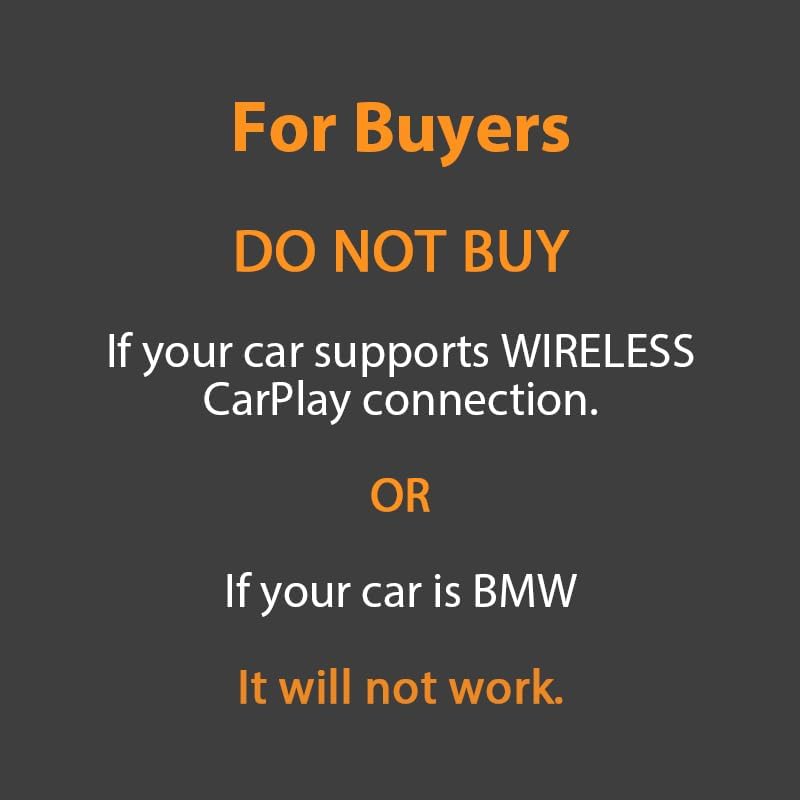
A crucial compatibility warning stating that the LINCNOVA AIBOX adapter may not function with vehicles that already support wireless CarPlay, such as BMW models.
4. Setup
The LINCNOVA AIBOX CARPLAY Adapter features a simple plug-and-play installation process. No complex wiring or dismantling of your car's stereo is required.
4.1 Passi ta' Installazzjoni
- Qabbad: Plug the AIBOX adapter into your car's existing USB port that supports wired CarPlay.
- Par via Bluetooth: On your smartphone, search for and pair with the AIBOX adapter via Bluetooth. Follow any on-screen prompts on your car's display.
- Igawdu: Once paired, the system will automatically launch the CarPlay or Android Auto interface, or allow access to streaming applications.
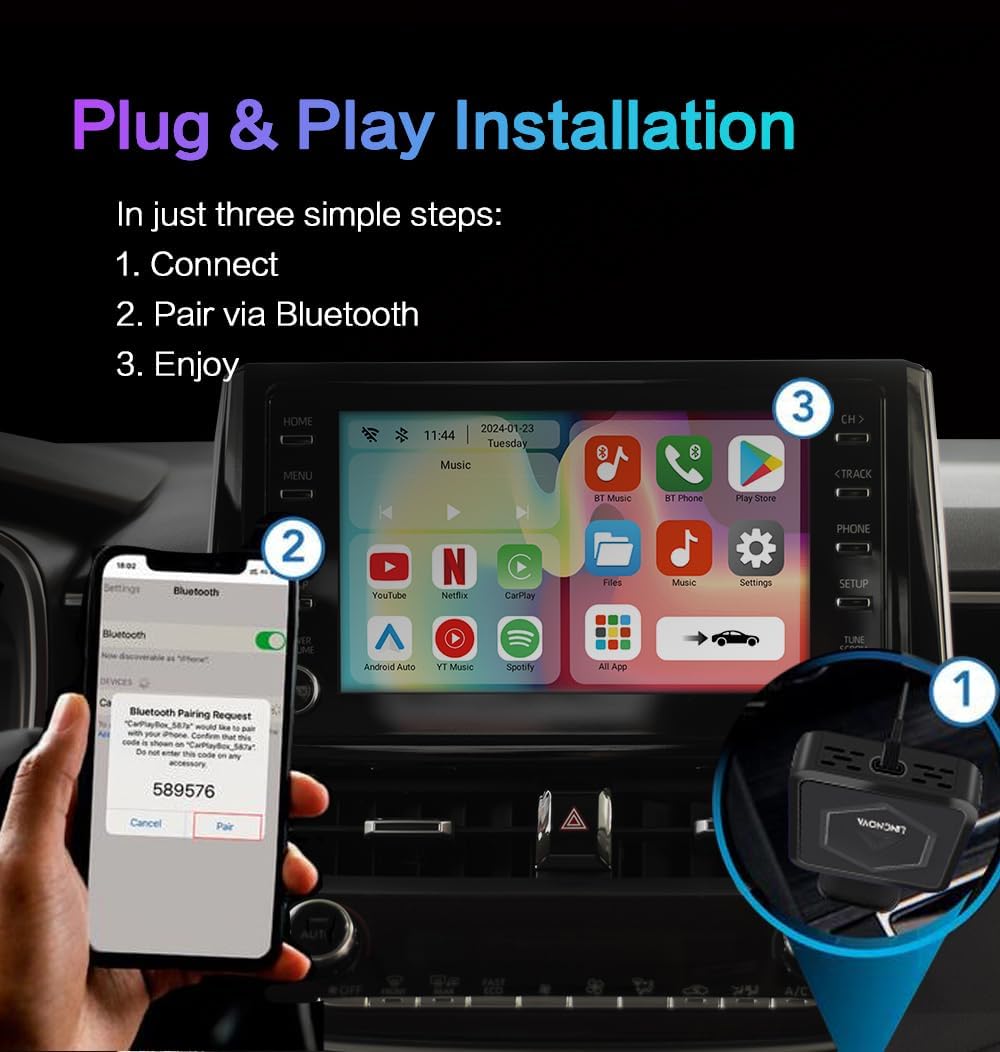
A visual guide illustrating the straightforward three-step installation process for the AIBOX CARPLAY Adapter: 1. Connect the adapter to the car's USB port. 2. Pair your smartphone via Bluetooth. 3. Begin using the system.
5. Istruzzjonijiet Operattivi
5.1 CarPlay mingħajr fili u Android Auto
After successful setup, your smartphone will automatically connect wirelessly to your car's infotainment system, enabling Apple CarPlay or Android Auto. You can access navigation, music, calls, and other compatible apps directly from your car's display without needing a physical cable connection.
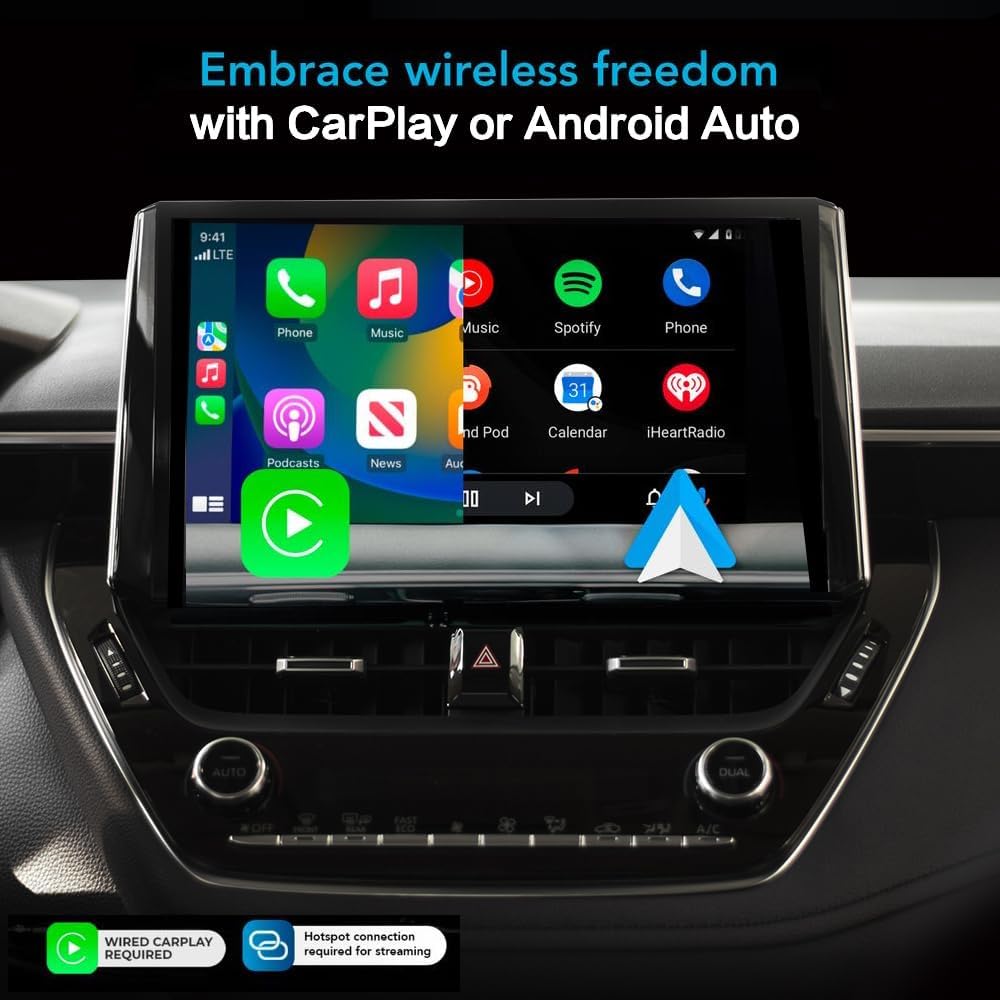
A car's infotainment screen displaying the familiar Apple CarPlay interface, indicating wireless connectivity enabled by the AIBOX adapter.
5.2 Streaming Entertainment
To access streaming services like Netflix, ESPN, YouTube, or HULU, you will need to connect the AIBOX adapter to a mobile hotspot. Once connected, you can launch these applications directly from the car's display. The device also supports playing local video and music files from an inserted SD card.

A car's infotainment screen actively playing a video, demonstrating the AIBOX adapter's capability to stream content directly to the vehicle's display.
5.3 Vidjo Uffiċjali tal-Prodott
Official product video demonstrating the features and functionality of the LINCNOVA AIBOX CARPLAY Adapter, including its smart box capabilities for Apple CarPlay.
6. Manutenzjoni
To ensure the longevity and optimal performance of your LINCNOVA AIBOX CARPLAY Adapter, follow these simple maintenance guidelines:
- Żomm l-apparat nadif u ħieles mit-trab u l-fdalijiet. Uża drapp artab u niexef għat-tindif.
- Evita li tesponi l-apparat għal temperaturi estremi, dawl tax-xemx dirett, jew umdità eċċessiva.
- Do not attempt to disassemble or repair the device yourself. This will void the warranty and may cause damage.
- Kun żgur li jkun hemm ventilazzjoni xierqa madwar l-apparat meta jkun qed jintuża.
7 Issolvi l-problemi
If you encounter issues with your AIBOX CARPLAY Adapter, please refer to the following common problems and solutions:
| Problema | Kawża Possibbli | Soluzzjoni |
|---|---|---|
| Device does not power on / No display. | Incorrect USB port, insufficient power, or loose connection. | Ensure the adapter is plugged into the correct USB port that supports wired CarPlay. Try a different USB port if available. Check the cable connection. |
| CarPlay/Android Auto mingħajr fili mhux qed jikkonnettja. | Bluetooth pairing issue, car not compatible, or phone settings. | Ensure Bluetooth is enabled on your phone and paired with the adapter. Verify your car has factory wired CarPlay. Restart both the adapter (by unplugging/replugging) and your phone. |
| Streaming apps (Netflix, YouTube) not working. | No mobile hotspot connection or weak signal. | Confirm the AIBOX adapter is connected to a stable mobile hotspot. Check the hotspot's data connection and signal strength. |
| Screen goes black or freezes intermittently. | Software glitch or temporary communication error. | Disconnect and reconnect the adapter. If the issue persists, check for firmware updates from the manufacturer's websit (jekk disponibbli). |
| Call quality issues (static, low hearing). | Bluetooth interference or software optimization. | Ensure no other Bluetooth devices are causing interference. Check for any available software updates for the adapter that might address audio quality. |
If the problem persists after attempting these solutions, please contact LINCNOVA customer support for further assistance.
8. Speċifikazzjonijiet
| Karatteristika | Dettall |
|---|---|
| Brand | LINCNOVA |
| Numru tal-Mudell | 00850067879923 |
| Teknoloġija tal-Konnettività | HOTSPOT, BLUETOOTH |
| Tip ta' Kontrollur | Android, iOS |
| Karatteristika Speċjali | Android Auto, Apple CarPlay |
| Apparati Kompatibbli | Smartphone |
| Tip ta' Konnettur | USB Tip-Ċ |
| Modalità tal-Ħruġ tal-Awdjo | Jdawru |
| Kulur | AIbox + cable |
| Servizzi tal-Internet Appoġġjati | Netflix, YouTube, ESPN, HULU |
| Piż tal-oġġett | 7.4 uqija |
| Dimensjonijiet tal-Pakkett | 3.54 x 3.54 x 1.73 pulzieri |
9. Garanzija u Appoġġ
For information regarding product warranty, returns, or technical support, please refer to the purchase documentation or contact LINCNOVA customer service directly. Keep your proof of purchase for any warranty claims.
LINCNOVA Customer Support: Please visit the official LINCNOVA webis-sit jew irreferi għall-informazzjoni ta' kuntatt ipprovduta mal-imballaġġ tal-prodott tiegħek.