
1. Introduzzjoni
This manual provides instructions for the safe and efficient operation of your Emerson Portable CD Player Boombox, Model EPB-3003-BL. This unit features a top-loading CD player, cassette player, tape recorder, and AM/FM radio. Please read this manual thoroughly before use and retain it for future reference.
2. Informazzjoni dwar is-Sigurtà
- Tesponix l-unità għax-xita jew l-umdità.
- Twaqqafx il-fetħiet tal-ventilazzjoni.
- Uża biss aċċessorji/aċċessorji speċifikati mill-manifattur.
- Aqla 'l-unità waqt maltempati tas-sajjetti jew meta ma tintużax għal perjodi twal.
- Irreferi l-manutenzjoni kollha lil persunal tas-servizz kwalifikat.
3. Prodott Aktarview
The Emerson Portable CD Player Boombox is a versatile audio system designed for home, indoor, and outdoor use. It includes a convenient carrying handle for portability.

Figura 3.1: Quddiem view of the Emerson Portable CD Player Boombox, showing the main controls, display, and dual speakers.
Komponenti u Kontrolli:
- Kompartiment tas-CD li jitgħabba minn fuq: Għad-daqq ta' CDs tal-awdjo.
- Gverta tal-Cassettes: Għad-daqq u r-reġistrazzjoni ta' cassette tapes.
- Sintonizzatur tar-Radju AM/FM: For receiving radio broadcasts.
- Kelliema Doppji: Integrated for stereo sound output.
- Buttuni tal-Kontroll: Play, Stop, Pause, Fast Forward, Rewind, Record, Function, Scan, Memory, Program, P-Mode.
- Kontroll tal-Volum: Jaġġusta l-livell tal-ħruġ tal-awdjo.
- Kontroll tal-irfinar: Jaġġusta l-frekwenza tar-radju.
- Jack tal-Input AUX: Għall-konnessjoni ta 'apparati awdjo esterni.
- Jack tal-headphone: Għal smigħ privat.
- Antenna teleskopika: Għar-riċezzjoni tar-radju AM/FM.
- Manku tal-Ġarr: Għal trasport faċli.
4. Setup
4.1 L-Ixgħel tal-Unità
The boombox can be powered by either AC power or batteries.
Tħaddim tal-Enerġija AC:
- Kun żgur li l-unità tkun mitfija.
- Connect the included AC/DC power adapter cord to the DC IN jack on the unit.
- Plug the other end of the adapter into a standard AC wall outlet.
Operazzjoni tal-batterija:
- Kun żgur li l-unità tkun mitfija u skonnettjata mill-enerġija AC.
- Iftaħ l-għatu tal-kompartiment tal-batterija fil-qiegħ tal-unità.
- Insert the required number of C-size batteries (not included), observing the correct polarity (+/-).
- Agħlaq l-għatu tal-kompartiment tal-batterija sew.
4.2 Setup ta' l-antenna
For optimal FM radio reception, fully extend the telescopic antenna. For AM reception, rotate the unit for the best signal.

Figure 4.1: The boombox with its telescopic antenna extended for improved radio reception.
5. Istruzzjonijiet Operattivi
5.1 Tħaddim tas-CD Player
- Agħfas il- FUNC. button repeatedly until 'CD' appears on the display.
- Iftaħ l-għatu tal-kompartiment tas-CD li jitgħabba minn fuq.
- Place a CD (CD, CD-R, or CD-RW compatible) onto the spindle with the label side facing up.
- Agħlaq il-qoxra tal-kompartiment tas-CD.
- Agħfas il- PLAY buttuna biex tibda d-daqq.
- Uża l- SKIP buttons (◀◀ / ►►) to navigate between tracks.
- Agħfas il- STOP/EJ. buttuna biex twaqqaf il-plejbek.

Figure 5.1: A user inserting a compact disc into the top-loading CD player of the boombox.
5.2 Cassette Player and Recorder Operation
Daqq ta' Kassett:
- Agħfas il- FUNC. button repeatedly until 'TAPE' appears on the display.
- Agħfas il- STOP/EJ. buttuna biex tiftaħ il-kompartiment tal-cassette.
- Daħħal tejp tal-cassette.
- Agħlaq il-kompartiment tal-cassette.
- Agħfas il- PLAY buttuna biex tibda d-daqq.
- Użu F.FWD (Avvanza 'l Quddiem) u REW (Rewind) buttons to quickly move through the tape.
- Agħfas il- STOP/EJ. buttuna biex twaqqaf il-plejbek.

Figure 5.2: A user inserting a cassette tape into the boombox's cassette player.
Reġistrazzjoni fuq Kassett:
- Daħħal tejp tal-cassette vojt fil-kompartiment tal-cassette.
- Select the desired audio source (CD, Radio, or AUX) using the FUNC. buttuna.
- Start playback of the audio source.
- Agħfas il- REKORD button on the boombox. The PLAY il-buttuna se tagħfas ukoll.
- Biex tieqaf tirrekordja, agħfas STOP/EJ. buttuna.
5.3 Tħaddim tar-Radju AM/FM
- Agħfas il- FUNC. button repeatedly until 'AM' or 'FM' appears on the display.
- Extend the telescopic antenna for FM reception.
- Uża l- TUN. + or TUN. - buttons to tune to your desired radio station.
- Agħfas u żomm il- SKANJA button to automatically scan for available stations.
- To save a station as a preset, tune to the station, then press the PROG./P-MODE buttuna, uża MEM. + or MEM. - biex tagħżel numru preset, u agħfas PROG./P-MODE mill-ġdid biex tikkonferma.
5.4 Input AUX
- Agħfas il- FUNC. button repeatedly until 'AUX' appears on the display.
- Connect an external audio device (e.g., smartphone, MP3 player) to the 3.5mm AUX IN jack using an audio cable (not included).
- Start playback on your external device. The audio will play through the boombox speakers.
5.5 Użu tal-Headphones
- Locate the headphone jack on the unit.
- Plug in a standard 3.5mm stereo headphone (not included).
- Audio will automatically switch from the speakers to the headphones.
- Aġġusta l-volum billi tuża VOL. + or VOL. - buttuni.
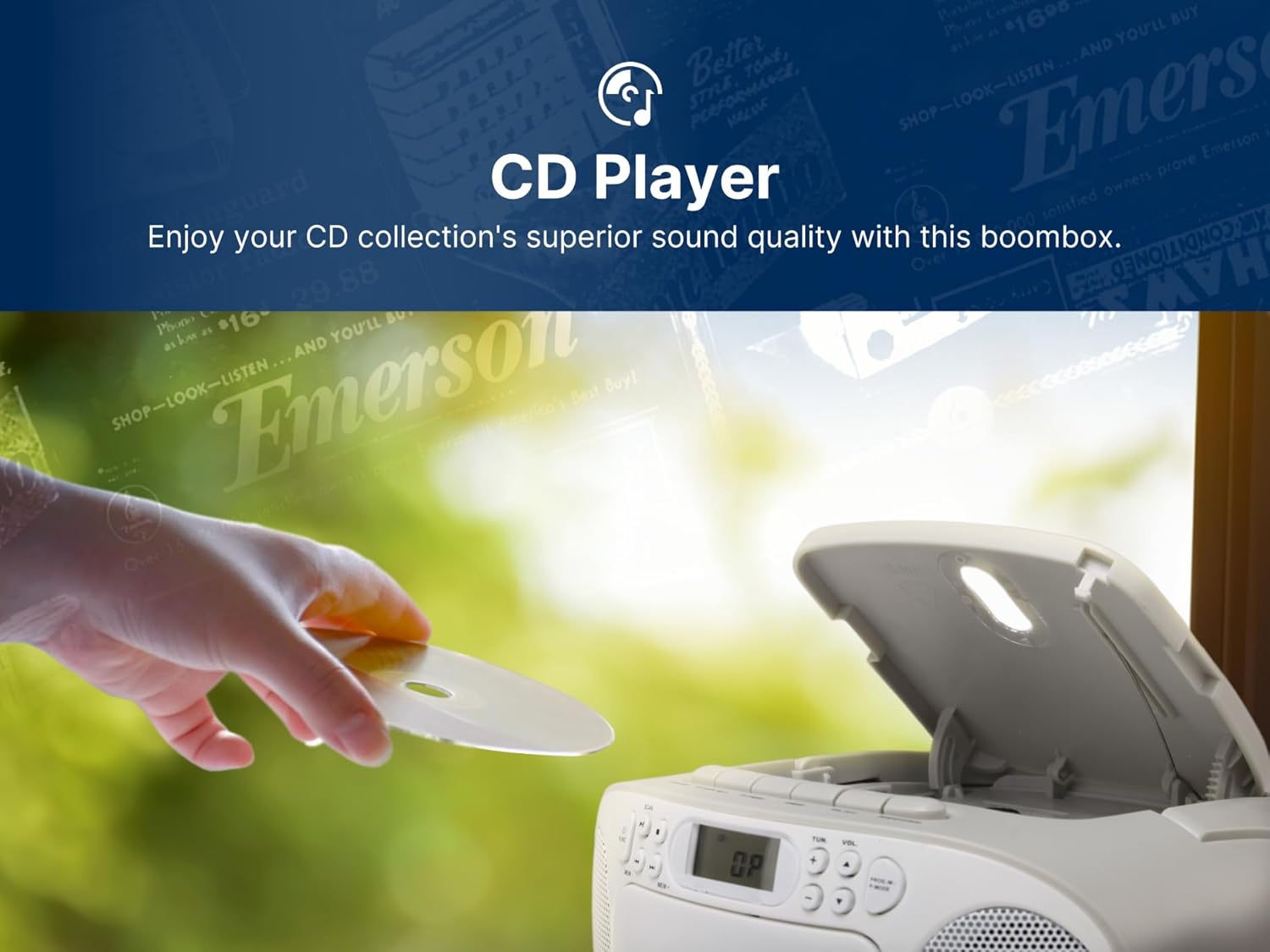
Figure 5.3: The boombox with headphones connected for personal audio enjoyment.
6. Kura u Manutenzjoni
Tindif tal-Unità:
- Imsaħ il-barra tal-unità b'artab, damp drapp. Tużax tindif jew solventi li joborxu.
- Għal-lenti tas-CD, uża prodott speċjalizzat għat-tindif tal-lentijiet tas-CD.
- For the cassette deck, periodically clean the tape heads and pinch rollers with a cotton swab lightly moistened with isopropyl alcohol.
Sostituzzjoni tal-batterija:
When the unit's performance degrades during battery operation, replace all batteries with new ones, ensuring correct polarity.
7 Issolvi l-problemi
| Problema | Kawża Possibbli | Soluzzjoni |
|---|---|---|
| Ebda qawwa | L-adapter tal-AC mhux imqabbad; Il-batteriji m'għadhomx jintużaw jew imdaħħla sew. | Check AC connection; Replace batteries, ensuring correct polarity. |
| L-ebda ħoss mill-kelliema | Volum baxx wisq; Headphones imqabbda; Funzjoni żbaljata magħżula. | Increase volume; Disconnect headphones; Select correct function (CD, TAPE, AM/FM, AUX). |
| Is-CD jaqbeż jew ma jdoqqx | CD dirty or scratched; CD inserted incorrectly; CD compartment open. | Clean or replace CD; Insert CD with label side up; Close compartment securely. |
| Riċeviment ħażin tar-radju | Antenna mhux estiża; Pożizzjoni tal-unità. | Estendi l-antenna tal-FM; Dawwar l-unità għar-riċeviment tal-AM. |
| It-tejp tal-cassette ma jdoqqx jew ma jirreġistrax | Tape damaged; Incorrect function selected; Record tab removed (for recording). | Try another tape; Ensure 'TAPE' function is selected; Check record tab on cassette. |
8. Speċifikazzjonijiet
- Dimensjonijiet tal-Prodott: 9.1 x 8.5 x 4.5 pulzieri
- Piż tal-oġġett: 2.86 liri
- Numru tal-Mudell: EPB-3003-BL
- Sors tal-Enerġija: AC/DC Adapter or Batteries (C-size, not included)
- Konnettività: Input Awżiljarju
- Tip ta' Kelliem: Stereo
- Midja Appoġġjata: CD, CD-R, CD-RW, Cassette Tape
- Bands tar-Radju: AM/FM

Figure 8.1: Dimensions and weight of the Emerson Portable CD Player Boombox.
9. Garanzija u Appoġġ
Għal informazzjoni dwar il-garanzija u appoġġ għall-klijenti, jekk jogħġbok irreferi għall-karta tal-garanzija inkluża mal-prodott tiegħek jew żur is-sit uffiċjali ta' Emerson. websit. Żomm l-irċevuta tax-xiri tiegħek bħala prova tax-xiri għal talbiet ta' garanzija.
Manifattur: Naxa Electronics, Inc.