
Ergear EGESD7W-CA
Manwal tal-Utent tal-Iskrivanija Elettrika ErGear
Model: EGESD7W-CA | Brand: ErGear
Introduzzjoni
Thank you for choosing the ErGear Electric Standing Desk. This manual provides detailed instructions for assembly, operation, maintenance, and troubleshooting to ensure optimal performance and longevity of your desk. Please read this manual thoroughly before installation and use, and retain it for future reference.
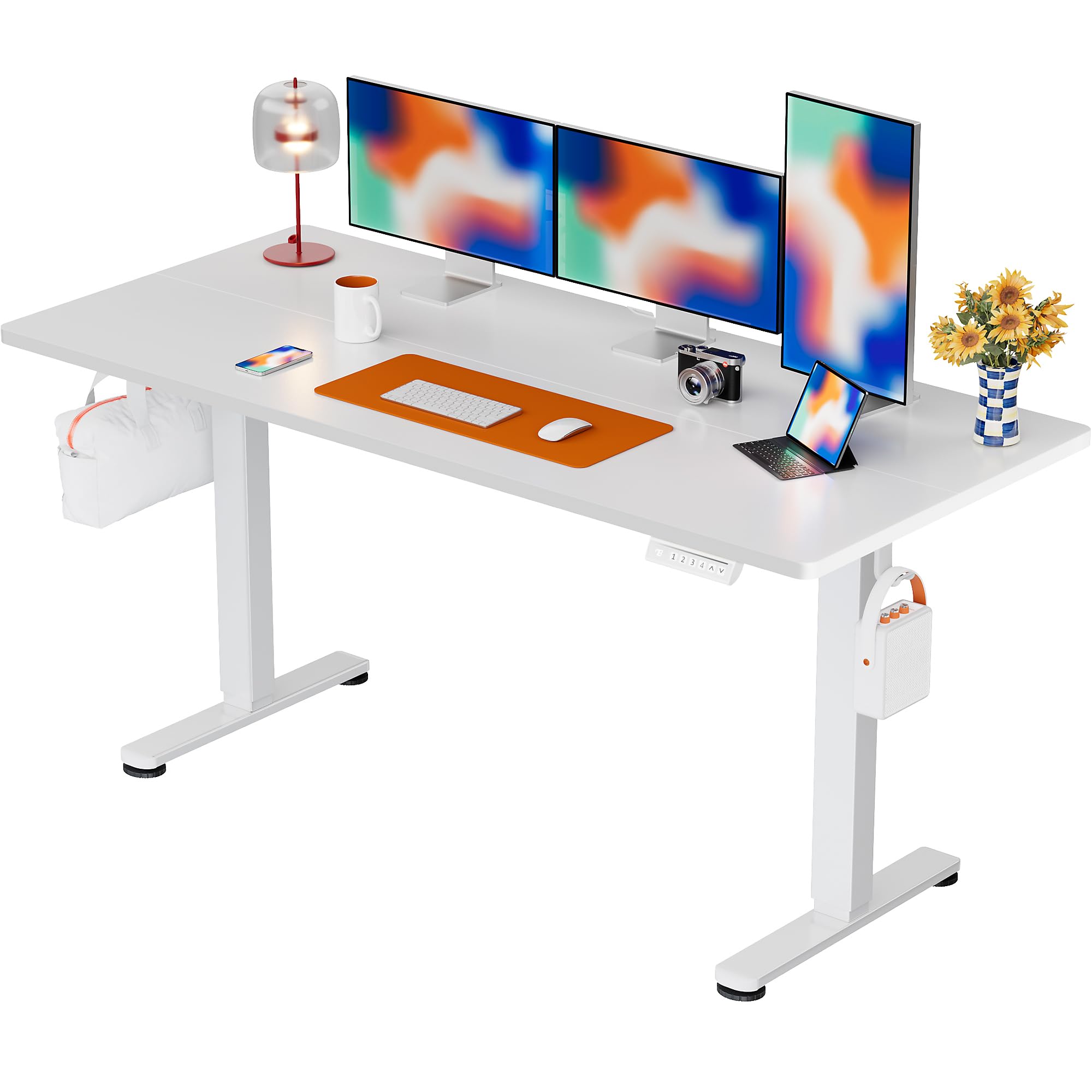
The ErGear Electric Standing Desk, 63x28 inch, in a white finish, featuring a spacious desktop and electric height adjustment capabilities.
Informazzjoni dwar is-Sigurtà
- Kun żgur li l-komponenti kollha huma preżenti u mhux imħassra qabel l-assemblaġġ. Tużax jekk xi partijiet huma neqsin jew difettużi.
- Żomm it-tfal u l-annimali domestiċi 'l bogħod mill-iskrivanija waqt l-operazzjoni biex tevita li tagħmel xi korriment.
- Do not overload the desk. The maximum weight recommendation is 176 pounds (80 kg).
- Ensure the power cord is not pinched or damaged. Connect to a grounded outlet.
- Evita li tpoġġi likwidi direttament fuq il-pannell tal-kontroll jew ħdejn komponenti elettriċi.
- Iċċekkja regolarment il-viti u l-konnessjonijiet kollha biex tiżgura li huma ssikkati u siguri.
- Din l-iskrivanija hija ddisinjata għall-użu fuq ġewwa biss.
Kontenut tal-Pakkett
Before beginning assembly, please verify that all the following components are included in your package:
- Desktop Boards ×2
- Leg with Motor ×1
- Riġel ×1
- Leg Bases ×2
- Crossbar & Transmission Rod
- Controller & Power Cable
- L-għodda u l-ħardwer kollha meħtieġa għall-assemblaġġ
Istruzzjonijiet ta' Armar
Follow these steps carefully to assemble your ErGear Electric Standing Desk. An assembly video is also provided for visual guidance.
Official ErGear Electric Standing Desk Assembly Video. This video demonstrates the step-by-step process for setting up your desk.
Pass 1: Arma s-Saqajn tal-Iskrivanija
Attach the leg bases to the desk legs using the provided screws. Ensure they are securely fastened.

The stable T-shaped desk legs provide a sturdy foundation for the electric standing desk.
Pass 2: Waħħal il-Pjanċi tal-Ġenb u l-Virga tat-Trażmissjoni
Connect the side plates to the desk legs. Insert the transmission rod fully into the left leg and secure it. If the two desk legs are not at the same height, insert the rod into the left leg and turn to adjust.
Step 3: Assemble and Attach the Desktop
Place the two desktop boards together, aligning the dowels. Secure the desktop to the assembled frame using the provided screws and brackets. Ensure all connections are tight.
Pass 4: Qabbad il-Kejbils
Connect the motor and control panel cables to the main control box. Ensure all connections are firm and correctly oriented.
Step 5: Install Cable Hole Covers
Place the cable hole covers into the designated openings on the desktop to manage wires neatly.

Ergonomic guidelines for using the standing desk, showing optimal monitor and arm positions for both sitting and standing.
Istruzzjonijiet Operattivi
Control Panel Matulview
The desk features an intuitive control panel with height adjustment buttons and memory presets.
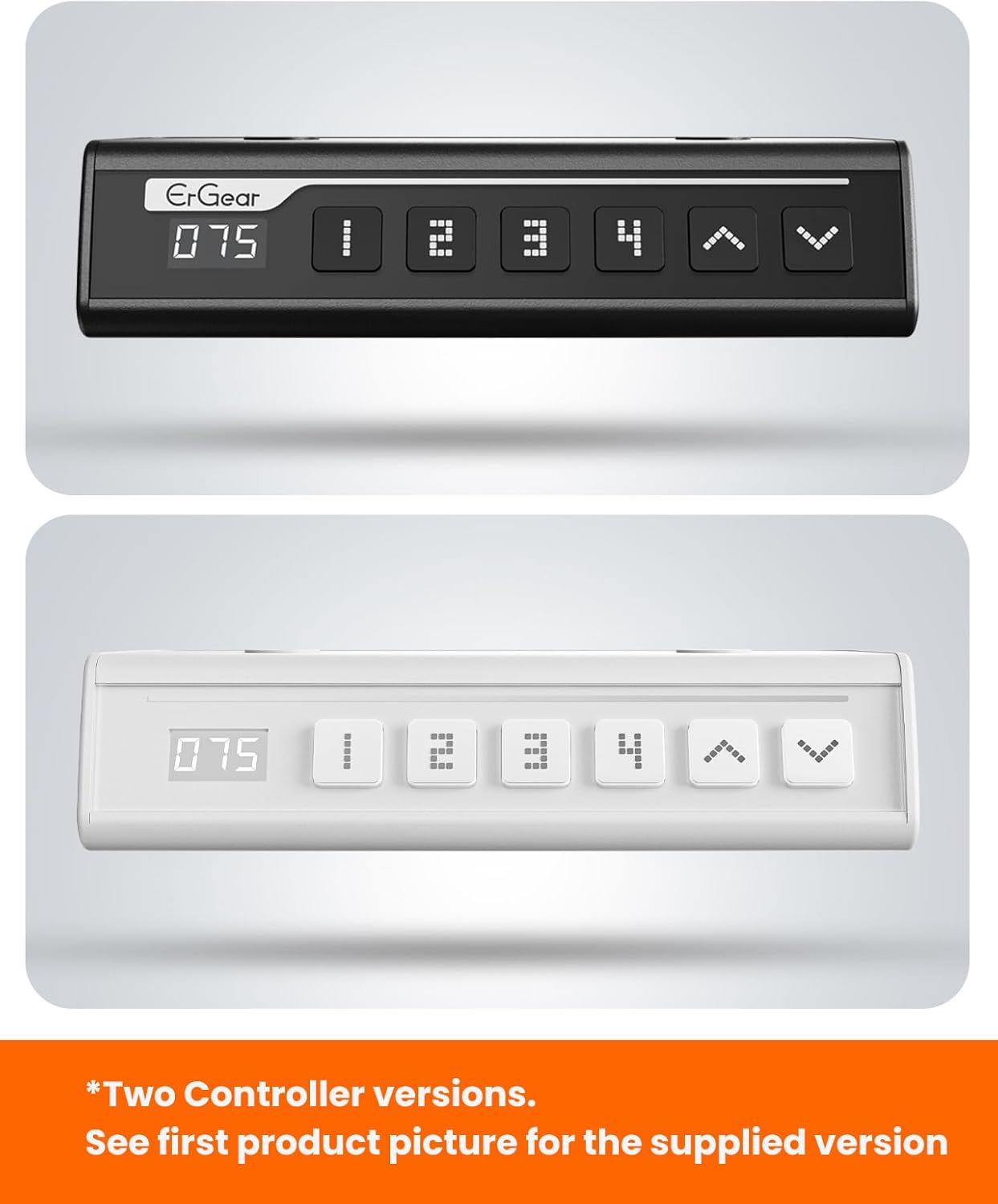
The ErGear control panel, available in two versions, features a digital height display and four programmable memory settings.
Aġġustament Għoli
- Uża l- 'Il fuq (^) u 'L isfel (v) arrows to smoothly adjust the desk height between 28.35 inches and 46.46 inches.
- Release the button at your desired height.
Presets tal-Memorja
The desk allows you to save up to 4 preferred height settings.
- Aġġusta l-iskrivanija għall-għoli mixtieq billi tuża l-vleġeġ 'il fuq/'l isfel.
- Agħfas il- M button (or equivalent memory set button). The display will flash.
- Agħfas waħda mill-buttuni bin-numru tal-preset (1, 2, 3, jew 4) fi żmien 3 sekondi biex issalva l-għoli attwali għal dik il-preset.
- Biex tirrevoka għoli ssejvjat, sempliċement agħfas il-buttuna preset innumerata korrispondenti. L-iskrivanija awtomatikament tiċċaqlaq għall-pożizzjoni ssejvjata.
This video demonstrates the smooth and quiet operation of the ErGear Electric Standing Desk, showcasing its height adjustment and memory preset features.
Manutenzjoni
- Tindif: Imsaħ id-desktop u l-qafas b'ċarruta ratba u damp drapp. Evita kimiċi ħarxa jew prodotti tat-tindif li joborxu.
- Spezzjoni: Periodically check all screws and connections for tightness. Re-tighten if necessary.
- Ġestjoni tal-Kejbil: Ensure cables are neatly organized and not tangled or pinched to prevent damage.
Issolvi l-problemi
Jekk tiltaqa' ma' xi problemi bl-ErGear Electric Standing Desk tiegħek, jekk jogħġbok irreferi għall-problemi u s-soluzzjonijiet komuni li ġejjin:
| Problema | Kawża Possibbli | Soluzzjoni |
|---|---|---|
| L-iskrivanija ma tiċċaqlaqx | Power cable disconnected, motor error, overloaded desk. | Check power connections. Unplug for 30 seconds and plug back in. Reduce weight on the desk. |
| Għoli irregolari | Transmission rod not fully inserted or adjusted. | Refer to Step 2 of assembly to ensure the transmission rod is correctly installed and adjusted. |
| Storbju waqt it-tħaddim | Normal operation sound, loose screws. | A slight motor sound is normal. Check and tighten any loose screws on the frame. |
| Il-presets tal-memorja mhux qed jaħdmu | Proċedura ta' salvataġġ mhux korretta. | Follow the memory preset instructions carefully (press M, then the number within 3 seconds). |
Speċifikazzjonijiet
| Karatteristika | Dettall |
|---|---|
| Brand | ErGear |
| Numru tal-Mudell | EGESD7W-CA |
| Disinn ta' l-Iskrivanija | Desk Permanenti |
| Forma | Rettangolari |
| Dimensjonijiet tal-Prodott (P x W x H) | 71.1D x 160W x 118H Ċentimetri |
| Daqs | 63 * 28 Pulzier |
| Kulur | Abjad |
| Għoli Minimu | 28.35 Pulzier |
| Għoli Massimu | 46.46 Pulzier |
| Ħxuna tal-mejda | 1.5 Ċentimetru |
| Materjal Bażi | Azzar Liga |
| Tip ta 'Materjal ta' Fuq | Engineered Wood (Walnut Wood finish) |
| Karatteristiċi Speċjali | Adjustable Height, Electric, Ergonomic |
| Rakkomandazzjoni tal-Piż Massimu | 176 Lira (80 kg) |
| Assemblea Meħtieġa | Iva (Jinkludi l-għodda kollha tal-assemblaġġ) |
Garanzija u Appoġġ
ErGear is committed to providing high-quality products and customer satisfaction. This product comes with:
- Protezzjoni ta' sentejn on the desktop and desk frame.
- Protezzjoni ta' sentejn on motors and electrical components.
For any questions, concerns, or warranty claims, please contact ErGear customer support. You can typically find contact information on the product packaging or the official ErGear website. Please have your model number (EGESD7W-CA) and purchase details ready when contacting support.

The ErGear Electric Standing Desk seamlessly integrates into various home office environments.