
Introduzzjoni
The Electight White Noise Machine is designed to enhance sleep quality and create a calming environment for adults and babies. It features 34 soothing sounds, a 7-color adjustable night light, and convenient Wi-Fi connectivity for app control. This manual provides comprehensive instructions for its setup, operation, and maintenance.
X'hemm fil-Kaxxa
- White Noise Machine *1
- Cable tal-Iċċarġjar USB-C *1
- Manwal għall-Utent
Prodott Overview
The Electight White Noise Machine combines a sound machine and a night light into a compact, user-friendly device. It offers both physical button controls and smart app control via Wi-Fi.

Immaġni: Fuqview of the Electight White Noise Machine highlighting its key features such as app control, timer, rechargeable battery, night light, 34 sounds, child lock, sleep programs, and customizable scenarios.
Buttuni ta' Kontroll
The device features intuitive buttons on its base for direct control of various functions.

Image: Detailed diagram illustrating the functions of each control button on the base of the device, including volume up/down, power/play/pause, sound selection, light color/brightness adjustment, and timer.
- Volum +/-: Jaġġusta l-volum tal-ħoss.
- Power / Play/Pause: Turns the device on/off and plays/pauses sounds.
- Għażla tal-Ħoss: Cycles through the available sound categories.
- Light Color / Brightness: Changes the night light color and adjusts brightness.
- Timer: Jissettja t-tajmer tat-tifi awtomatiku.
- Top Touch Sensor: Taps the top of the device to switch scenario modes or adjust light.
Setup
1. Konnessjoni tal-Enerġija
Connect the provided USB-C charging cable to the device and a suitable power adapter (not included). The device can be used while charging, or operate on its internal battery.
2. L-Ewwel Tixgħil
Long press the Power button on the base to switch the device on. The night light will illuminate, and a default sound may begin playing.
3. App Download and Wi-Fi Connection
For smart control features, download the dedicated app to your mobile phone. Refer to the instruction manual included in the box for specific app download details and QR codes. Ensure your Wi-Fi network is 2.4G, as 5G Wi-Fi is not compatible. Follow the in-app instructions to connect your device to Wi-Fi.

Image: The Electight White Noise Machine shown alongside a smartphone screen displaying the mobile application interface for controlling the device's sounds and lighting.
Istruzzjonijiet Operattivi
App Control
Once connected to Wi-Fi, use the mobile app for full control over your Electight White Noise Machine. The app allows you to:
- Select from 34 soothing sounds (white noises, fan sounds, lullabies, nature sounds).
- Adjust volume levels precisely.
- Choose from 7 night light colors and adjust brightness (1%-100%).
- Set custom auto-off timers and auto-wakeup programs.
- Create and customize scene modes combining specific sounds and lighting effects.
- Enable or disable child lock.

Image: A child sleeping with the white noise machine on a bedside table, illustrating its use for sleep. The image also shows the app interface for setting sleep programs and timers.
Kontroll Manwali
You can also operate the device using the physical buttons on its base:
- Power On/Off: Agħfas fit-tul il-buttuna tal-qawwa.
- Daqq/Pawża Ħoss: Agħfas qasir il-buttuna tal-qawwa.
- Aġġusta Volum: Uża l-buttuni '+' u '-'.
- Ibdel il-Ħoss: Press the sound selection button to cycle through sound categories.
- Ibdel il-Kulur tad-Dawl: Press the light color/brightness button to cycle through 7 colors.
- Aġġusta l-Luminożità tad-Dawl: Long press the light color/brightness button to dim or brighten the light.
- Issettja l-Timer: Press the timer button to set an auto-off duration.
- Scenario Mode Switching: Tap the top of the device to switch between pre-set or customized scenario modes.
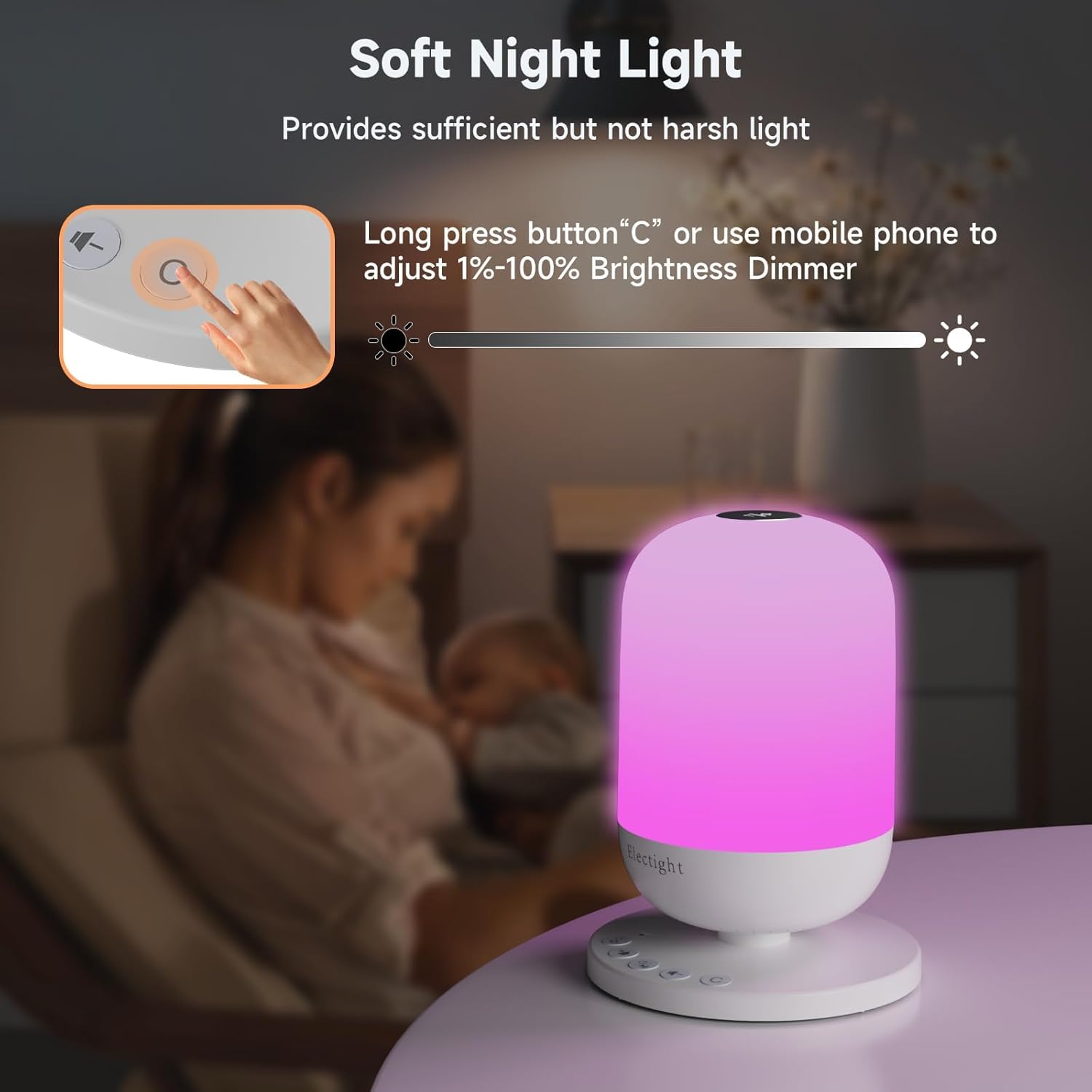
Image: A hand interacting with the device's control panel, specifically demonstrating how to adjust the soft night light's brightness using the physical buttons or the mobile app.
Għażla tal-Ħoss
The device offers 34 authentic sleep sounds, categorized as:
- 11 Ħsejjes abjad
- 3 Ħsejjes tal-fann
- 8 Lullabies
- 12 Ħsejjes tan-Natura

Image: A visual representation of the sound categories available, including white noises, fan sounds, lullabies, and nature sounds, suggesting a high-quality sound experience for a cozy atmosphere.
Karatteristiċi tad-Dawl tal-Lejl
The integrated night light provides soft, natural illumination with 7 soothing colors. It can be used as a bedside lamp, nursery light, or for creating ambient lighting. Brightness is adjustable from 1% to 100%.

Image: A visual demonstration of the night light's capabilities, showcasing different colors and a brightness scale from 10% to 100%.
Timer and Sleep Programs
Set an auto-off timer for the device to automatically turn off after a specified duration. You can also create personalized sleep programs via the app, combining specific sounds, lights, and timings for wake-up and sleep routines.
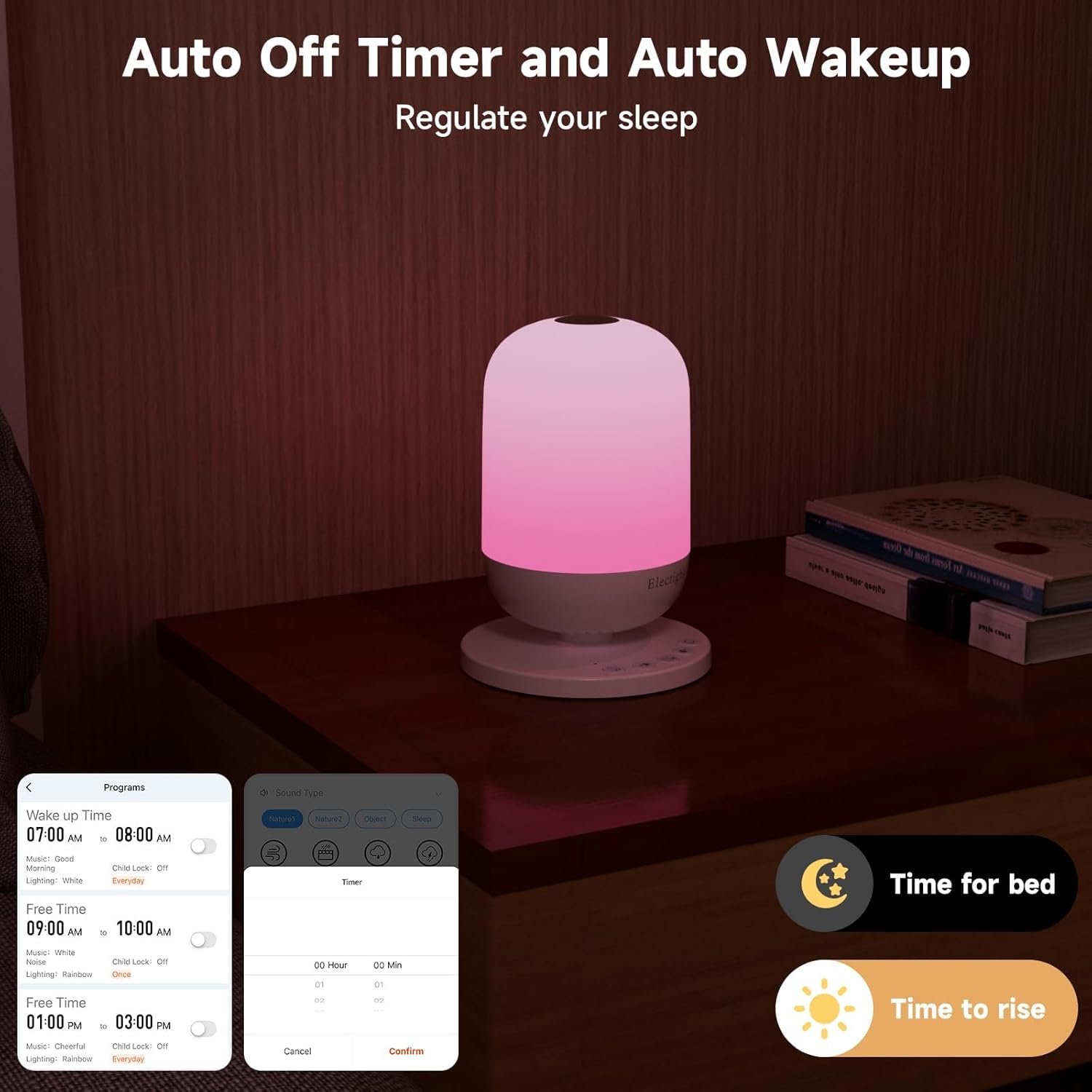
Image: The white noise machine on a nightstand, with a smartphone displaying the app's interface for setting auto-off timers and custom wake-up programs, labeled 'Time for bed' and 'Time to rise'.
Manutenzjoni
To ensure the longevity and optimal performance of your Electight White Noise Machine, follow these simple maintenance guidelines:
- Tindif: Imsaħ l-apparat b'ċarruta ratba u niexfa. Tużax prodotti tat-tindif li joborxu, solventi, u lanqas tgħaddas l-apparat fl-ilma.
- Ħażna: Meta ma tkunx qed tużah għal perjodi twal, aħżen l-apparat f'post frisk u niexef 'il bogħod mix-xemx diretta.
- Kura tal-batterija: To maintain battery health, avoid fully discharging the battery frequently. Charge the device regularly.
Issolvi l-problemi
If you encounter any issues with your Electight White Noise Machine, please refer to the following common solutions:
- L-Apparat Mhux Jixgħel: Ensure the device is charged or connected to a power source using the USB-C cable. Try a different power adapter or outlet.
- No Sound/Light: Check if the device is powered on and not in pause mode. Adjust volume and brightness settings.
- Kwistjonijiet ta' Konnettività tal-App: Verify your mobile device's Wi-Fi is enabled and connected to a 2.4G network. Ensure the white noise machine is within range of your Wi-Fi router. Restart both the device and the app.
- Buttuni ma jirrispondux: If the physical buttons are not responding, try restarting the device by holding the power button for 10 seconds.
- Kwistjonijiet ta' Kwalità tal-Ħoss: Ensure the device is placed on a stable surface. If using app control, check your phone's volume settings.
Jekk il-problema tippersisti, jekk jogħġbok ikkuntattja l-appoġġ għall-klijenti għal aktar assistenza.
Speċifikazzjonijiet
| Karatteristika | Dettall |
|---|---|
| Brand | Elett |
| Isem tal-Mudell | USHHSM1 (FRHHSM1-US) |
| Dimensjonijiet tal-Prodott | 4.44"D x 4.44"W x 6.1"H |
| Piż tal-oġġett | 10.4 uqija |
| Materjal | Acrylonitrile Butadiene Styrene, Polypropylene |
| Sors tal-Enerġija | Li jaħdem bil-batterija (batterija tal-jone tal-litju inkluża) |
| Voltage | 3.7 Volts |
| Tip ta' Sors tad-Dawl | LED |
| Kulur Dawl | 7 Kuluri Aġġustabbli |
| Numru ta' Ħsejjes | 34 Ħsejjes ta 'rqad serħan il-moħħ |
| Metodu ta' Kontroll | App, Buttuna tal-Imbottatura |
| Karatteristiċi Speċjali | Wi-Fi Connection, App Control, Timer |
| Użu fuq ġewwa/barra | Ġewwa |
| Livell ta 'Reżistenza għall-Ilma | Mhux Reżistenti għall-Ilma |
Garanzija u Appoġġ
For warranty information or technical support, please refer to the contact details provided in the product packaging or visit the official Electight websit. Żomm l-irċevuta tax-xiri tiegħek għal kwalunkwe talba ta' garanzija.