
Introduzzjoni
Thank you for choosing the VECHTEL 2 Din Car Stereo. This device features a 7-inch touchscreen with wireless CarPlay and Android Auto, Bluetooth 5.1, FM radio, Mirror Link functionality, and support for a rear view camera. This manual provides essential information for installation, operation, maintenance, and troubleshooting to ensure optimal performance and user safety.
Informazzjoni dwar is-Sigurtà
- Aqra l-istruzzjonijiet kollha bir-reqqa qabel l-installazzjoni u l-użu.
- Professional installation is recommended to prevent damage to the unit or vehicle.
- Tħaddimx l-apparat b'mod li jtelliflek l-attenzjoni mis-sewqan. Dejjem agħti prijorità lis-sigurtà fit-triq.
- Ensure all wiring is correctly connected to avoid short circuits or electrical hazards.
- Żomm l-unità 'l bogħod mill-ilma u l-umdità eċċessiva.
- Tippruvax tiżżarma jew timmodifika l-unità. Dan jannulla l-garanzija.
Kontenut tal-Pakkett
Ivverifika li l-oġġetti kollha huma preżenti fil-pakkett:
- 1 x VECHTEL 2 Din Car Stereo
- 1 x Wara View Kamera
- 1 x Kejbil tal-Enerġija
- 1 x Speaker Cable
- 1 x Kontroll mill-bogħod
- 1 x Mikrofonu Estern
- 1 x Manwal għall-Utent

Image: VECHTEL 2 Din Car Stereo with included accessories.
Prodott Overview
The VECHTEL car stereo features a 7-inch HD touchscreen for intuitive control and a clear display. Physical buttons and a rotary volume knob provide convenient access to essential functions while driving.

Image: 7-inch HD Touch Screen display comparison.

Image: Car stereo interface and port overview.
Setup
Installazzjoni
This unit is a standard 2 DIN size. Ensure your vehicle's dashboard opening is compatible. It is highly recommended to have the unit installed by a qualified professional to ensure correct wiring and secure mounting.
Konnessjonijiet tal-Wiring
Connect the power cable, speaker cables, external microphone, and rear view camera according to the provided wiring diagram in the included user manual. Pay close attention to positive and negative terminals to avoid damage.
- Qawwa: Qabbad mal-provvista tal-enerġija tal-vettura (ACC, B+, Ground).
- Kelliema: Connect to your vehicle's speakers (Front Left, Front Right, Rear Left, Rear Right).
- Kamera ta' wara: Connect the video input (CVBS) and power for the camera. The unit will automatically display the camera feed when reversing.
- Mikrofonu Estern: Plug into the designated microphone input for improved call clarity.
- USB/AWŻILI: Connect USB devices for media playback or charging, and AUX for external audio sources.
Istruzzjonijiet Operattivi
CarPlay mingħajr fili u Android Auto
Connect your smartphone wirelessly via Bluetooth to access CarPlay or Android Auto. This allows safe use of navigation, music, and messaging apps through the car stereo's display. Voice control via Siri or Google Assistant is supported for hands-free operation.
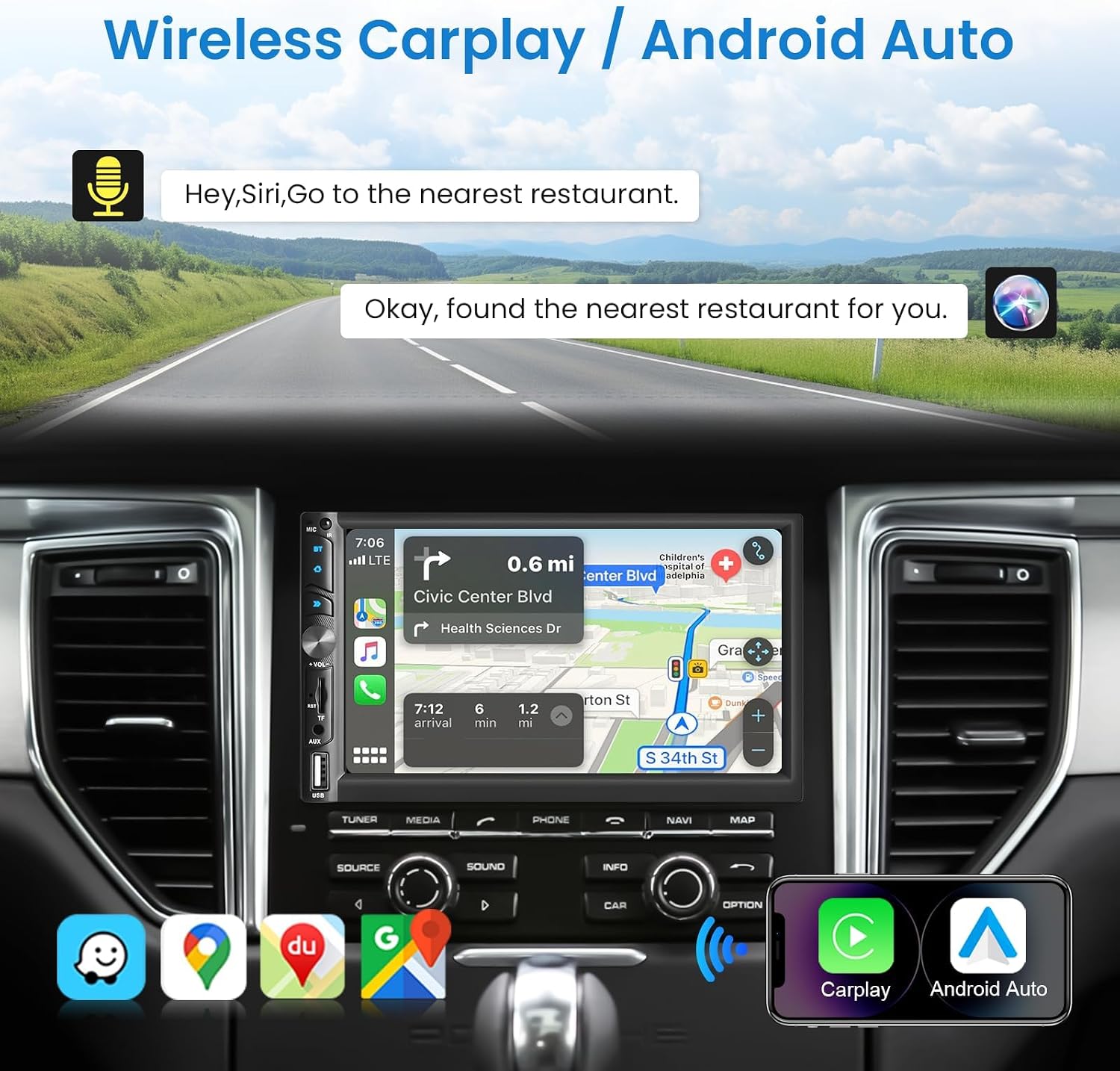
Image: Wireless CarPlay / Android Auto in use.
Konnettività Bluetooth 5.1
The unit features Bluetooth 5.1 for stable and fast wireless connections. Pair your phone to make hands-free calls and stream audio. The dual microphone system (built-in and external) ensures clear communication.

Image: Upgraded Bluetooth 5.1 features.
Funzjoni ta' Link tal-Mera
Connect your iOS or Android smartphone via USB to use the Mirror Link function. This allows you to display your phone's screen content, such as navigation apps, Spotify, or YouTube, directly on the car stereo's display.

Image: iOS / Android Mirror Link in action.
Radju FM
Tune into your favorite FM radio stations. The unit supports 18 preset stations for quick access.
Wara View Kamera
When the vehicle is shifted into reverse, the car stereo automatically displays the feed from the included 12-LED night vision rear camera. This feature provides a wide-angle view to assist with parking and maneuvering.

Immaġni: Wara View Camera display and features.
Settings tal-Ħsejjes
Adjust the audio output to your preference using the built-in 10-band equalizer. The unit also supports woofer output for enhanced bass performance.

Image: Excellent Sound Quality settings and connections.
USB/TF/AUX Playback
Insert a USB drive or TF card into the respective ports for media playback. Connect external audio devices via the AUX input.
Manutenzjoni
- Tindif: Uża drapp artab u niexef biex tnaddaf l-iskrin u l-unità. Evita prodotti tat-tindif jew solventi li joborxu.
- Aġġornamenti tas-Software: Check the VECHTEL webis-sit jew ikkuntattja l-appoġġ għal kwalunkwe aġġornament tas-softwer disponibbli biex tiżgura prestazzjoni ottimali u karatteristiċi ġodda.
- Kundizzjonijiet Ambjentali: Evita li tesponi l-unità għal temperaturi estremi jew dawl tax-xemx dirett għal perjodi twal.
Issolvi l-problemi
| Problema | Kawża Possibbli | Soluzzjoni |
|---|---|---|
| Ebda qawwa | Wajers mhux korretti; Fjus maħruq; Problema bil-batterija tal-vettura. | Check power connections (ACC, B+, Ground). Inspect vehicle fuses. Consult a professional if necessary. |
| L-ebda ħoss | Incorrect speaker wiring; Volume too low; Mute function active; Audio source issue. | Verify speaker connections. Increase volume. Disable mute. Check selected audio source. |
| Konnessjoni Bluetooth instabbli | Interference; Device too far; Phone Bluetooth issue. | Ensure phone is close to the unit. Restart phone and car stereo. Re-pair the device. |
| Il-kamera ta' wara ma turiex | Incorrect camera wiring; Camera power issue; Reverse trigger not connected. | Check camera video input and power connections. Ensure the reverse trigger wire is correctly connected to the vehicle's reverse light circuit. |
| Touchscreen ma jirrispondix | System freeze; Dirt on screen. | Restart the unit. Clean the screen with a soft cloth. |
Speċifikazzjonijiet
| Karatteristika | Dettall |
|---|---|
| Numru tal-Mudell | 113266 |
| Daqs tal-Iskrin | 7.0 pulzieri |
| Riżoluzzjoni tal-Iskrin | 1024 * 600 |
| Voltage | 12V |
| Verżjoni Bluetooth | 5.1 |
| Qawwa tal-Ħruġ | 4*45W (180 Watts total) |
| Interface USB | USB2.0 |
| Input Reverse | CVBS |
| Medda tar-Radju FM | 87.5-108.0MHZ |
| DVR Support | Iva |
| Woofer Output | Iva |
| Formati Awdjo | MP3 / WMA / WAV / APE / FLAC |
| Formati tal-vidjo | MKV/AVI/TS/TP/MP4/M4V (Max bitrate 50-80Mbps) |
| Dimensjonijiet (D x W x H) | 9.2 x 17.8 x 9.8 ċm |
Informazzjoni dwar Garanzija
This VECHTEL car stereo is covered by a garanzija ta' tliet snin mid-data tax-xiri. Din il-garanzija tkopri difetti fil-manifattura u malfunzjonijiet taħt użu normali. Jekk jogħġbok żomm il-prova tax-xiri tiegħek għal talbiet ta' garanzija. Il-garanzija ma tkoprix ħsara kkawżata minn installazzjoni mhux xierqa, użu ħażin, inċidenti, jew modifiki mhux awtorizzati.
Appoġġ
VECHTEL specializes in automotive electronics and provides dedicated customer support. If you encounter any issues with compatibility, installation, or operation, please do not hesitate to contact us. Our professional team is available to provide assistance.
For technical support, please follow these steps:
- Pass 1: Locate your order on the platform where you purchased the product.
- Pass 2: Click on the seller's name (VECHTEL) and select the option to 'Ask a question' or 'Contact seller'.
We offer 24/7 technical support to ensure your satisfaction.