
BtcLink BBQ-03
BtcLink Smart Wireless Meat Thermometer BBQ-03 User Manual
Model: BBQ-03 | Brand: BtcLink
1. Introduzzjoni
The BtcLink Smart Wireless Meat Thermometer BBQ-03 is designed to provide precise temperature monitoring for various cooking methods, including grilling, smoking, oven baking, and rotisserie. This device utilizes Bluetooth 5.4 technology to connect to your smartphone, allowing you to monitor cooking progress remotely via the dedicated app. Its wire-free design and high accuracy ensure optimal cooking results.
2. Kontenut tal-Pakkett
- 1 x BtcLink Wireless Meat Probe
- 1 x Charging Booster Base (wooden block)
- 1 x Cable tal-Iċċarġjar USB-C
- 1 x Manwal tal-Utent (dan id-dokument)

Figure 2.1: Components of the BtcLink Smart Wireless Meat Thermometer, including the probe, charging booster, and app interface.
3. Gwida ta' Setup
3.1 Iċċarġjar inizjali
Before first use, ensure both the probe and the charging booster are fully charged. Insert the probe into the charging booster. Connect the USB-C cable to the charging booster and a suitable power source. The indicator light on the booster will show charging status. It is recommended to charge for at least 10 minutes before each use, even if it has been in the cradle for a long time, to ensure optimal performance.
3.2 App Download u Installazzjoni
Download the "BBQOVN" app from your device's app store (available for iOS and Android). Fittex għal "BBQOVN" and install the application.
3.3 Tqabbil tal-Apparat
- Kun żgur li l-Bluetooth huwa attivat fuq l-ismartphone tiegħek.
- Open the BBQOVN app.
- Remove the probe from the charging booster. The probe and booster are pre-paired from the factory.
- The app should automatically detect and connect to the charging booster. Follow any on-screen prompts to complete the pairing process.
- If connection issues occur, ensure the booster is within 3 feet of the probe and your phone is within range of the booster.

Figure 3.1: The BBQOVN app interface, demonstrating meat presets, real-time temperature monitoring, and alert functions.
4. Istruzzjonijiet Operattivi
4.1 Probe Insertion
Insert the metal probe into the thickest part of the meat, avoiding bones. Ensure the probe is inserted up to the small mark on the probe shaft. The internal temperature sensor is located at the tip, while the handle withstands higher temperatures.

Figure 4.1: The slim design of the BtcLink probe (3.9mm diameter) allows for versatile use across various meat types.
4.2 Using the BBQOVN App
- Once connected, select your desired cooking scenario from the app's menu. The app offers pre-programmed settings for various meat types (e.g., steak, turkey, fish).
- You can also customize your target temperature and cooking preferences.
- The app will display the real-time internal temperature of your food and the target temperature.
- An alert notification will be sent to your phone when the food reaches the desired temperature.
4.3 Firxa bla fili
The BtcLink 5.4 Bluetooth technology provides a stable connection range of up to 777ft (without obstacles) or 500ft (with minor obstructions like solid substances, glass, wood, metal, and concrete). This allows you to monitor your cooking from a distance.
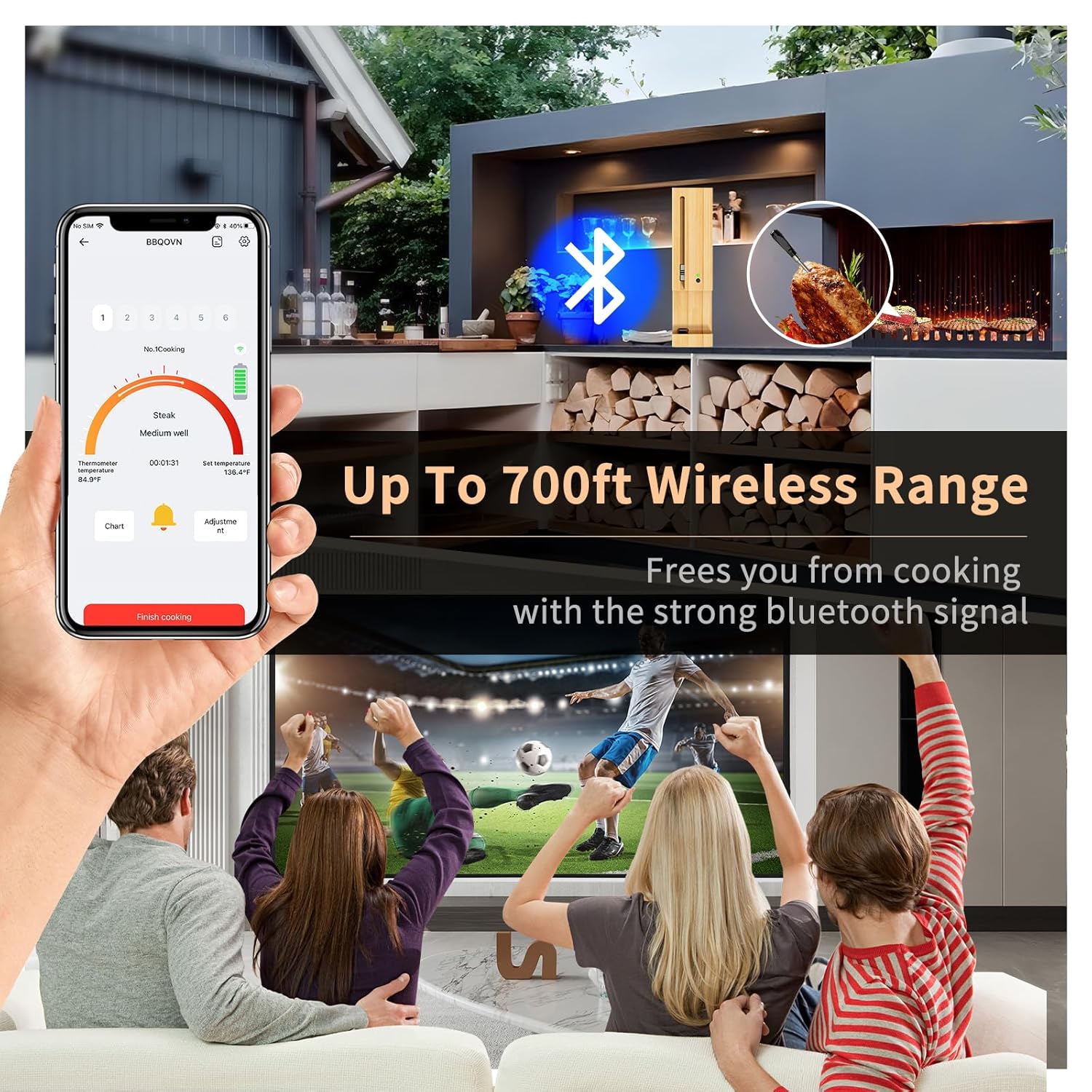
Figure 4.2: Enjoy remote monitoring with the extended wireless range, freeing you from constant kitchen presence.
4.4 Wire-Free Design
The 100% wire-free design eliminates tangled wires, making it suitable for rotisserie, smoker, oven, and grilling applications. The probe sensor provides temperature accuracy within ±1.8°F (1°C) and responds within 2 seconds.

Figure 4.3: The wire-free system allows seamless monitoring of temperatures from your smartphone.
4.5 Versatile Cooking
This thermometer is suitable for various cooking environments, including air fryers, ovens, stoves, grills, smokers, and rotisseries.
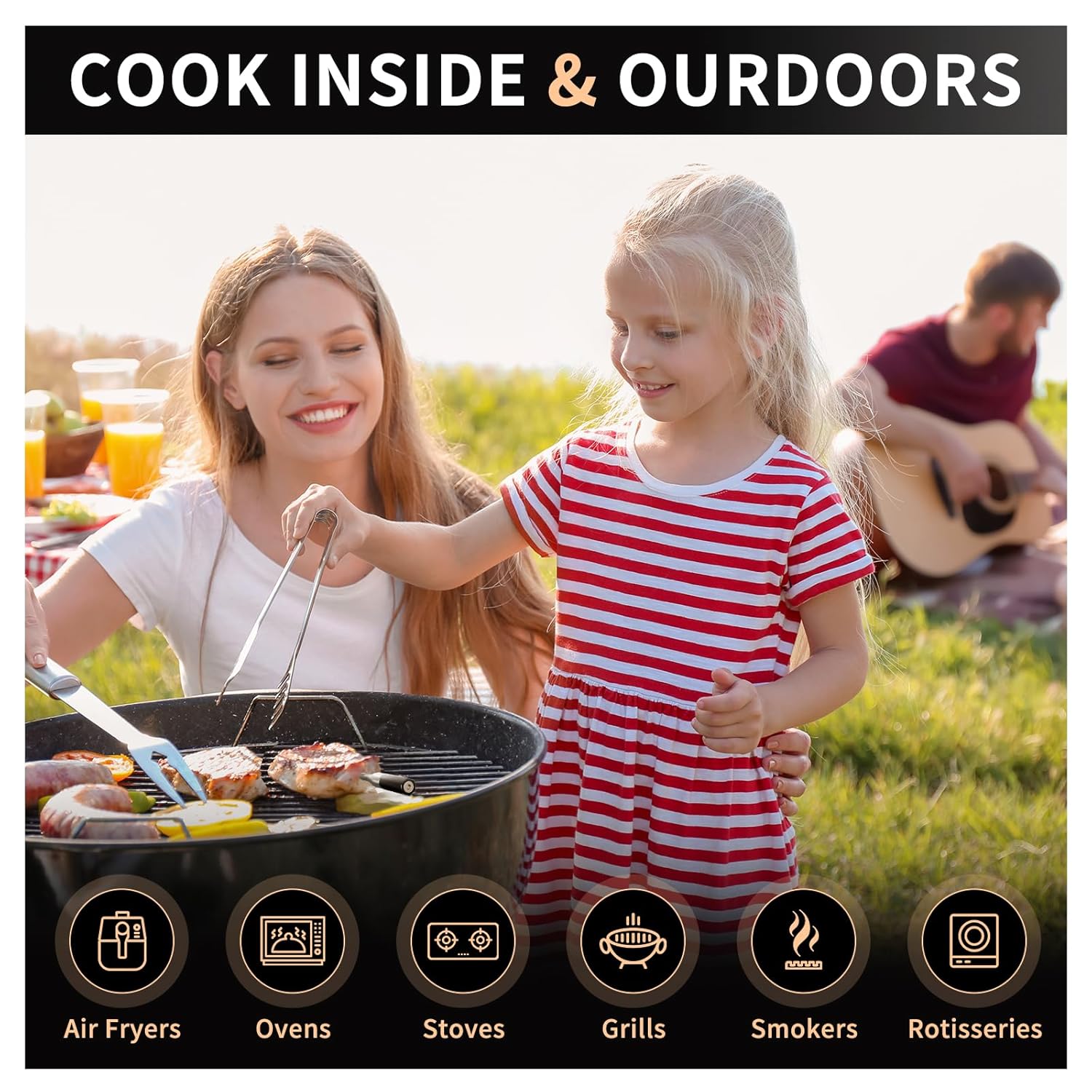
Figure 4.4: The BtcLink thermometer is designed for use in a wide range of indoor and outdoor cooking appliances.
5. Manutenzjoni u Kura
5.1 Tindif tas-Sonda
After each use, clean the metal probe thoroughly with warm, soapy water. Rinse well and dry completely before storing. Do not immerse the entire probe or the charging booster in water. The probe is not dishwasher safe.
5.2 Iċċarġjar tal-Apparat
Always store the probe in its charging booster when not in use to keep it charged. Connect the booster to a USB power source periodically to ensure it maintains a charge. A blinking red light on the booster indicates low power.
5.3 Ħażna
Store the thermometer and booster in a cool, dry place away from direct sunlight and extreme temperatures.
6 Issolvi l-problemi
6.1 Kwistjonijiet ta' Konnessjoni
- Ebda Konnessjoni/Skonnettjar Frekwenti:
- Ensure the probe and booster are sufficiently charged.
- Verify Bluetooth is active on your smartphone.
- Keep the charging booster within 3 feet of the probe during cooking.
- Reduce obstacles between the booster and your smartphone. While the range is extensive, dense materials can interfere.
- Restart the app and/or your phone.
- App Not Finding Device:
- Confirm the probe is removed from the booster to activate it for pairing.
- Check if the app requires an account login. Create one if necessary.
- Ensure you have the correct "BBQOVN" app installed.
6.2 Qari tat-Temperatura Mhux Preċiż
- Ensure the probe is inserted correctly into the thickest part of the meat, avoiding bone.
- Verify the probe is clean and free of residue that might affect readings.
- Compare readings with another calibrated thermometer if available.
6.3 Kwistjonijiet ta' Iċċarġjar
- Ensure the USB-C cable is securely connected to both the booster and the power source.
- Ipprova kejbil USB-C jew adapter tal-enerġija differenti.
- Confirm the probe is correctly seated in the charging slot of the booster.
7. Speċifikazzjonijiet
| Karatteristika | Dettall |
|---|---|
| Numru tal-Mudell | BBQ-03 |
| Brand | BtcLink |
| Konnettività | Bluetooth 5.4 |
| Firxa Wireless | Up to 777ft (unobstructed), 500ft (with obstructions) |
| Probe Temperature Range (Internal) | -4°F sa 212°F (-20°C sa 100°C) |
| Handle Withstand Temperature | Sa 932°F (500°C) |
| Eżattezza | ± 1.8 ° F (± 1 ° C) |
| Ħin ta' Rispons | 2 sekonda |
| Sors tal-Enerġija | Li jaħdem bil-batterija (batterija tal-jone tal-litju inkluża) |
| Materjal ta 'barra | Stainless Steel |
| Dimensjonijiet (Pakkett) | 6.54 x 2.64 x 1.38 pulzieri |
| Piż (Oġġett) | 7.04 uqija |
8. Informazzjoni dwar is-Sigurtà
- Do not expose the probe or booster to open flames directly.
- The probe's internal temperature sensor is designed for food, not ambient oven temperatures exceeding 212°F (100°C) for prolonged periods. The handle can withstand higher temperatures.
- Żomm fejn ma jintlaħaqx mit-tfal.
- Tippruvax tiżżarma jew timmodifika l-apparat.
- Use only the provided charging cable or a certified USB-C cable.
- Avoid sudden temperature changes that could damage the probe.
9. Garanzija u Appoġġ
For warranty information and customer support, please refer to the official BtcLink webis-sit jew ikkuntattja lis-servizz tal-konsumatur tagħhom direttament. Żomm l-irċevuta tax-xiri tiegħek għal talbiet ta' garanzija.
Ask a question about this manual
Ask about setup, troubleshooting, compatibility, parts, safety, or missing instructions. Manuals+ will review the question and use this page’s manual context to help answer it.