
1. Introduzzjoni
The Axis Communications AXIS C1310-E Mk II Network Horn Speaker is designed for outdoor environments, providing clear audio for various applications. This standalone unit allows for remote warnings, emergency instructions, and general voice messages. It features built-in memory for pre-recorded messages and supports live speak functionality. Digital Signal Processing (DSP) ensures high-quality sound. The speaker integrates easily with network video, access control, analytics, and VoIP systems (supporting SIP) through open standards. Its flexible and scalable design makes it a cost-effective solution for system integration.
Il-karatteristiċi ewlenin jinkludu:
- Sistema ta 'kelliem kollha f'wieħed
- Connects to standard network
- Simple installation with Power over Ethernet (PoE)
- Remote health testing capabilities
- Two input/outputs (GPIO)
2. Informazzjoni dwar is-Sigurtà
Please read all safety instructions before installing or operating the AXIS C1310-E Mk II Network Horn Speaker. Keep this manual for future reference.
- Installazzjoni: L-installazzjoni għandha titwettaq minn persunal kwalifikat skont il-kodiċijiet u r-regolamenti lokali kollha.
- Sors tal-Enerġija: Use only Power over Ethernet (PoE) compliant power sources. Do not connect to non-PoE power sources directly.
- Ambjent: The speaker is designed for outdoor use and is waterproof. However, avoid submerging the device or exposing it to extreme conditions beyond its specified operating range.
- Kejbils: Kun żgur li l-kejbils kollha huma mwaħħlin sew u protetti minn ħsara.
- Immuntar: Mount the speaker securely to a stable surface capable of supporting its weight.
3. Kontenut tal-Pakkett
Ivverifika li l-oġġetti kollha huma preżenti fil-pakkett:
- AXIS C1310-E Mk II Network Horn Speaker
- Gwida għall-Installazzjoni / Dokumentazzjoni
- Grommets (for cable entry)
- Mounting bracket and hardware (may vary by region/kit)
4. Setup
This section outlines the steps for installing and connecting your AXIS C1310-E Mk II Network Horn Speaker.
4.1 Armar tal-Ispeaker
The AXIS C1310-E Mk II is designed for wall or pole mounting. Ensure the chosen mounting surface is robust enough to support the speaker's weight (approximately 4 pounds) and withstand environmental conditions.
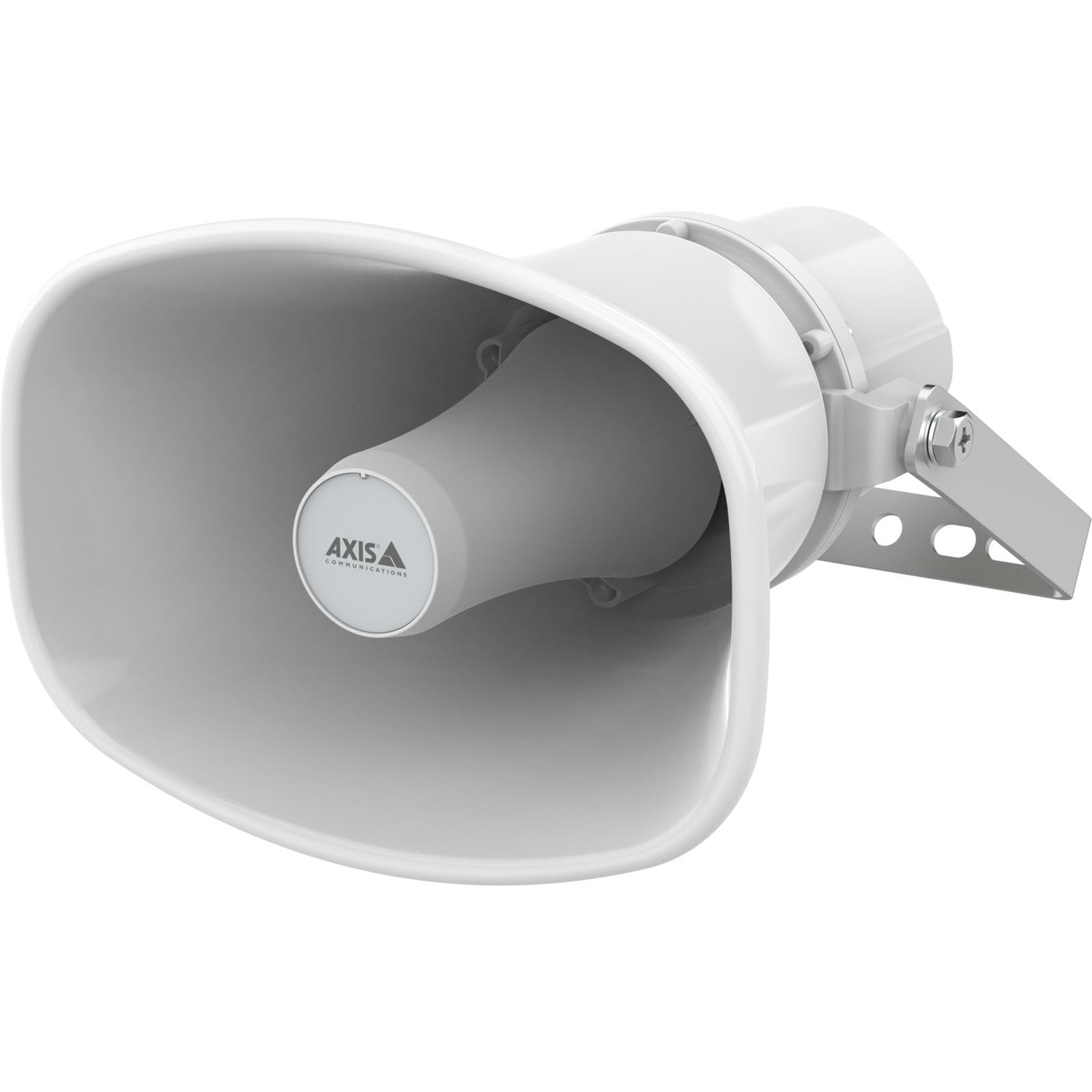
An image showing the Axis Communications AXIS C1310-E Mk II Network Horn Speaker, typically mounted on a wall or pole, highlighting its robust design.
- Select a suitable mounting location, considering optimal sound coverage and cable routing.
- Attach the mounting bracket (if separate) to the desired surface using appropriate screws and anchors.
- Secure the speaker to the mounting bracket according to the instructions provided with the bracket.
4.2 Konnessjoni tal-Enerġija u tan-Netwerk
The speaker connects to your network and receives power via a single Ethernet cable using Power over Ethernet (PoE).
- Route an Ethernet cable from a PoE-enabled network switch or PoE injector to the speaker's Ethernet port.
- Ensure the cable is properly sealed using the provided grommets to maintain the speaker's waterproof rating.
- Once connected, the speaker will power on and attempt to obtain an IP address from your network.
5. It-Tħaddim tal-Ispeaker
The AXIS C1310-E Mk II is managed and operated through a network interface or compatible software/app.
5.1 Konfigurazzjoni Inizjali
- Use Axis IP Utility or a similar network discovery tool to locate the speaker's IP address on your network.
- Access the speaker's web interface billi ddaħħal l-indirizz IP tagħha f'a web browser.
- Follow the on-screen prompts to set up administrator credentials and configure basic network settings.
5.2 Ġestjoni tal-Awdjo
- Live Speak: Utilize the integrated microphone and speaker for two-way communication or live announcements through the web interface or integrated VMS (Video Management System).
- Pre-recorded Messages: Upload and manage pre-recorded audio files for automated announcements or scheduled playback.
- Kontroll tal-Volum: Adjust the speaker's output volume via the web interface or connected control system.
5.3 Integration with Other Systems
The speaker supports open standards for integration with network video, access control, analytics, and VoIP systems (SIP). Refer to the Axis Communications website for detailed integration guides and APIs.
6. Manutenzjoni
Regular maintenance ensures optimal performance and longevity of your AXIS C1310-E Mk II Network Horn Speaker.
- Tindif: Periodically clean the exterior of the speaker with a soft, damp drapp. Tużax kimiċi ħarxa jew tindif li joborxu.
- Spezzjoni: Regularly inspect the mounting hardware and cables for any signs of wear, corrosion, or damage. Tighten any loose connections.
- Aġġornamenti tal-Firmware: Check the Axis Communications website for available firmware updates. Keeping the firmware updated ensures the latest features and security patches.
7 Issolvi l-problemi
Din it-taqsima tipprovdi soluzzjonijiet għal kwistjonijiet komuni li tista’ tiltaqa’ magħhom.
| Problema | Kawża Possibbli | Soluzzjoni |
|---|---|---|
| No power/Speaker not turning on | No PoE power; Faulty Ethernet cable; PoE switch issue | Verify PoE source is active; Check Ethernet cable for damage; Test with a different PoE port/injector. |
| Ebda konnettività tan-netwerk | Incorrect network settings; Cable issue; Firewall blocking access | Check IP address configuration; Verify cable connection; Ensure network firewall allows communication. |
| Ebda output awdjo | Volume too low; Muted; Audio source issue; Speaker fault | Increase volume; Unmute speaker; Verify audio source is active; Perform a factory reset if necessary. |
| Awdjo mgħawweġ | Volume too high; Environmental interference; Speaker damage | Reduce volume; Check for sources of interference; Contact support if distortion persists. |
8. Speċifikazzjonijiet
Technical specifications for the AXIS C1310-E Mk II Network Horn Speaker.
| Karatteristika | Dettall |
|---|---|
| Isem tal-Mudell | C1310-E MK II |
| Tip ta 'Immuntar | Mount Wall |
| Materjal | Metall, plastik |
| Tip ta' Kelliem | Barra |
| Karatteristika Speċjali | Mikrofonu Inkorporat |
| Dimensjonijiet tal-Prodott | 12"D x 7"W x 9"H |
| Piż tal-oġġett | 4 Liri |
| Livell ta 'Reżistenza għall-Ilma | Waterproof |
| Metodu ta' Kontroll | App |
| Daqs tal-Kelliem | 12 Pulzier |
| Sors tal-Enerġija | Elettriku bil-fili (permezz ta' PoE) |
| Qawwa tal-Ħruġ Massimu tal-Ispeaker | 100 Watts |
| Rispons ta' Frekwenza | 20 Hz (minimu) |
| Teknoloġija tal-Konnettività | Ethernet |
| Modalità tal-Ħruġ tal-Awdjo | Mono |
| Apparati Kompatibbli | Laptop, Smartphone, Tablet, Television (for control/integration) |
9. Garanzija u Appoġġ
Garanzija: The AXIS C1310-E Mk II Network Horn Speaker comes with a Limited Warranty. Please refer to the official Axis Communications webis-sit jew id-dokumentazzjoni tax-xiri tiegħek għal termini u kundizzjonijiet speċifiċi rigward il-kopertura u t-tul tal-garanzija.
Appoġġ Tekniku: For technical assistance, troubleshooting beyond this manual, or warranty claims, please contact Axis Communications support directly. Visit the official Axis Communications website for contact information, support resources, and frequently asked questions.