
Introduzzjoni
This manual provides detailed instructions for setting up and operating your Majority Frameo Snap10 WiFi Digital Picture Frame. This 10.1-inch digital frame allows you to display photos and videos shared via the Frameo app, offering a convenient way to share memories with family and friends. It features a touchscreen, 32GB of internal storage, auto-rotate functionality, and a motion sensor for efficient use.

The Majority Frameo Snap10 Digital Picture Frame, showcasing a family photo on its 10.1-inch screen.
X'hemm fil-Kaxxa
Jekk jogħġbok iċċekkja l-kontenut tal-pakkett biex tiżgura li l-oġġetti kollha huma preżenti:
- Majority Frameo Snap10 Digital Picture Frame
- Kickstand
- Adapter tal-Enerġija
- Kontroll mill-bogħod
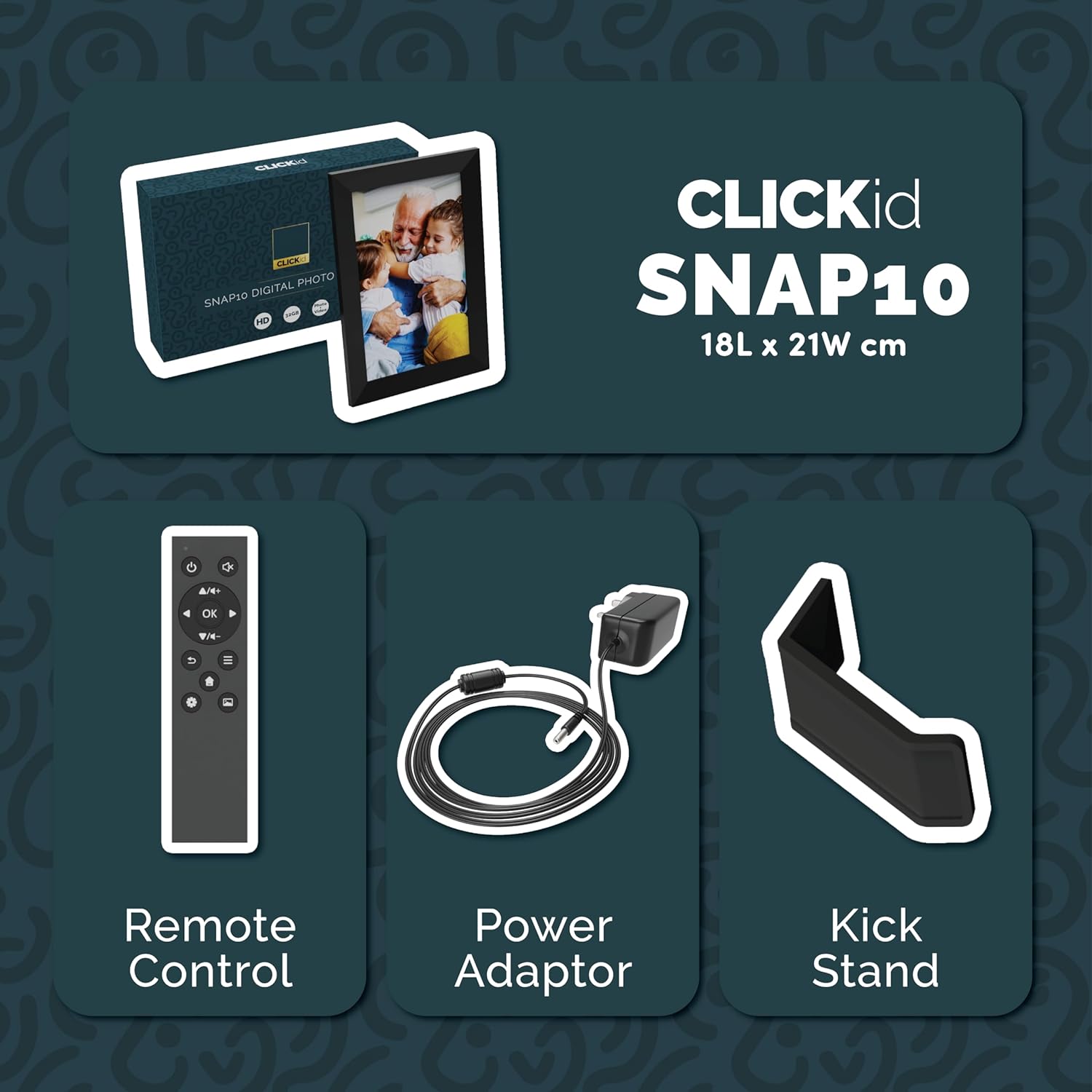
Included accessories: Remote Control, Power Adapter, and Kickstand.
Gwida ta' Setup
- Iftaħ il-Qafas: Carefully remove the digital picture frame and all accessories from the packaging.
- Attach the Kickstand: Insert the kickstand into the designated slot on the back of the frame. The frame supports both horizontal and vertical orientations.
- Qabbad l-Enerġija: Plug the power adapter into the DC port on the back of the frame, then connect it to a power outlet. The frame will automatically power on.
- Setup Inizjali: Segwi l-istruzzjonijiet fuq l-iskrin biex tagħżel il-lingwa tiegħek, iż-żona tal-ħin, u tikkonnettja ma' netwerk Wi-Fi.
- Install Frameo App: Download the "Frameo" app from your smartphone's app store (available for iOS and Android).
- Connect Frame to App: Open the Frameo app and create an account. On your digital frame, tap "Add Friend" to get a unique code. Enter this code into the Frameo app on your smartphone to link the devices.

The back of the frame features essential ports for power, USB, and Micro SD card.
Istruzzjonijiet Operattivi
Sending Photos and Videos
Once your frame is connected to the Frameo app, you can easily send photos and short videos from your smartphone.
- Iftaħ l-app Frameo fuq l-ismartphone tiegħek.
- Agħżel ir-ritratti jew il-vidjows li tixtieq tibgħat.
- Choose the connected digital frame as the recipient.
- Add a caption if desired, then tap "Send."

The Frameo app simplifies photo and video uploads from your smartphone.
Bl-użu tal-Touchscreen
The 10.1-inch LCD touchscreen allows for intuitive navigation. Swipe left or right to browse photos, tap to view options, and pinch to zoom.
Funzjonijiet ta 'Kontroll mill-bogħod
The included remote control provides convenient access to various frame functions from a distance.
- Navigazzjoni: Use arrow keys to move through menus and photos.
- OK/Daħħal: Ikkonferma l-għażliet.
- Dahar: Irritorna għall-iskrin preċedenti.
- Play/Pawsa: Control slideshows or video playback.
- Volum: Adjust audio for videos.

Il-kontroll remot inkluż għal tħaddim konvenjenti.
Sensor tal-Moviment
The integrated motion sensor can be enabled to automatically turn the display on when movement is detected and off when the area is vacant, conserving energy. This setting can be adjusted in the frame's system settings.
Funzjoni Awto-Dawwar
The frame automatically adjusts the photo orientation (portrait or landscape) based on how the frame is positioned. Ensure the auto-rotate feature is enabled in the settings for optimal display.

The auto-rotate feature adjusts display based on frame orientation.
Karatteristiċi Matulview
- Touchscreen LCD ta' 10.1 pulzieri: Provides a clear display and interactive control.
- Ħażna Interna ta' 32GB: Ample space to store thousands of photos and videos.
- Konnettività Wi-Fi: Enables seamless photo and video sharing from anywhere via the Frameo app.
- Frameo App Integration: Manage your frame, send media, and invite friends/family to share their moments.
- Sensor tal-Moviment: Automatically turns the screen on/off to save energy.
- Dawwar Awtomatikament: Adjusts photo orientation automatically.
- Weather and Calendar Display: Integrated widgets provide current weather and calendar information.
- Slot tal-Kard tal-Memorja: Supports Micro SD cards for additional storage or direct media import.
Manutenzjoni
- Tindif: Uża drapp artab u niexef biex tnaddaf l-iskrin u l-qafas. Evita prodotti tat-tindif li joborxu jew sprejs direttament fuq l-iskrin.
- Aġġornamenti tas-Software: The frame may receive automatic software updates via Wi-Fi. Ensure your frame is connected to the internet to receive the latest features and improvements.
- Ġestjoni tal-Ħażna: Perjodikament mill-ġdidview your stored photos and videos. You can delete unwanted media directly from the frame or through the Frameo app to free up space.
Issolvi l-problemi
- Il-qafas mhux qed jixgħel:
- Kun żgur li l-adapter tal-enerġija huwa konness sew kemm mal-qafas kif ukoll ma' sokit tal-enerġija li jaħdem.
- Ma tistax tikkonnettja mal-Wi-Fi:
- Verify your Wi-Fi password. Ensure the frame is within range of your Wi-Fi router. Try restarting your router and the frame.
- Ritratti li ma jidhrux fuq il-qafas:
- Confirm that the frame is connected to Wi-Fi and linked to your Frameo app account. Check the Frameo app to ensure photos were successfully sent. Allow some time for photos to download, especially large batches.
- Frame is stuck on a white screen with a loading bar:
- This may indicate a software issue. Try performing a soft reset by disconnecting the power for 30 seconds and then reconnecting. If the issue persists, a factory reset might be necessary (refer to the frame's settings for this option, noting it will erase all data).
- Il-kontroll mill-bogħod ma jaħdimx:
- Check if the batteries in the remote control need replacement. Ensure there are no obstructions between the remote and the frame's IR receiver.
Speċifikazzjonijiet
| Brand | Maġġoranza |
| Numru tal-Mudell | Snap10 |
| Kulur | Iswed |
| Daqs tal-Iskrin | 10.1 Pulzier |
| Riżoluzzjoni | 800 * 1280 |
| Proporzjon ta' l-aspett | 2.10:1 |
| Kapaċità tal-Ħżin tal-Memorja | 32 GB |
| Teknoloġija tal-Konnettività | Wi-Fi |
| Metodu ta' Kontroll | App, Touchscreen, Remote |
| Sors tal-Enerġija | Corded Elettriku |
| Piż tal-oġġett | 491 Gramm |
| Dimensjonijiet tal-oġġett (L x W) | 7.08"T x 8.26"W |
Garanzija u Appoġġ
The Majority Frameo Snap10 Digital Picture Frame comes with a Garanzija Estiża ta 'Sentejn. Registration is required to activate the extended warranty. Please refer to the product packaging or the manufacturer's website for details on how to register your product.
For technical support, troubleshooting assistance, or warranty claims, please contact Majority customer service through their official webis-sit jew l-informazzjoni ta' kuntatt ipprovduta fid-dokumentazzjoni tal-prodott tiegħek.
Video tal-Prodott
This video demonstrates the ease of sharing photos and videos with the Frameo app and viewing them on the digital picture frame, highlighting its use for connecting family members.