
FREEWOLF RK-K8
Manwal tal-Utent tat-Tastiera Mekkanika tal-Logħob mingħajr Fili FREEWOLF RK-K8
Model: RK-K8
1. Introduzzjoni
This manual provides detailed instructions for the FREEWOLF RK-K8 Wireless Mechanical Gaming Keyboard. Please read this manual thoroughly before using the product to ensure proper operation and to maximize your user experience.
Karatteristiċi ewlenin:
- Triple-Mode Connectivity: Supports Type-C wired, 2.4GHz wireless, and Bluetooth 5.0 connections.
- Hot-Swappable Switches: Compatible with most 3-pin mechanical switches for customization.
- Gasket Mounted Structure: Enhances typing feel and reduces hollow sound.
- Customizable Rainbow Backlight: Features 18 backlight effects.
- Long-Lasting Battery: Equipped with a 4000mAh battery.
- 96% Layout: 100-key design that saves space while retaining essential keys.
- Wide Compatibility: Supports Windows and Mac operating systems.
2. Kontenut tal-Pakkett
Jekk jogħġbok ivverifika li l-oġġetti kollha huma preżenti fil-pakkett tiegħek:
- 1 x FREEWOLF RK-K8 Mechanical Keyboard
- 1 x USB Receiver (2.4Ghz)
- 1 x Type-C to USB-A Braided Coiled Cable
- 1 x Keycap Puller
- 1 x Puller tas-Swiċċ
- 2 x Original Switches (spare)
- 1 x Manwal tal-Utent (dan id-dokument)

Image 2.1: Contents of the FREEWOLF RK-K8 package, showing the keyboard, coiled USB-C cable, USB 2.4G receiver, keycap puller, switch puller, and two spare switches.
3. Setup u Konnessjoni
3.1 Iċċarġjar tat-Tastiera
Before first use, it is recommended to fully charge the keyboard. Connect the provided Type-C cable to the keyboard's Type-C port and the USB-A end to a power source (e.g., computer USB port, USB wall adapter). The keyboard features a 4000mAh battery.
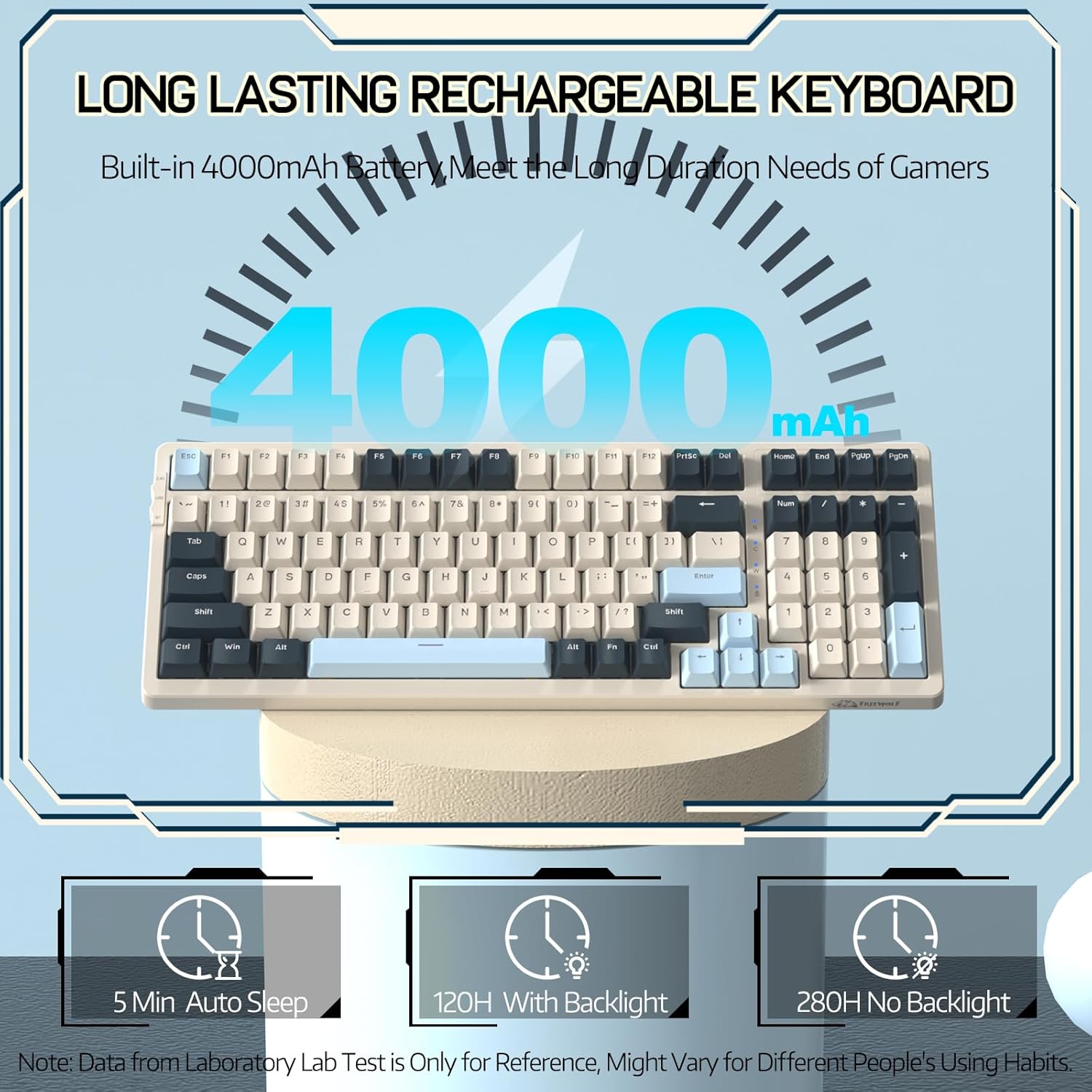
Image 3.1: The keyboard's 4000mAh battery capacity, indicating extended usage time.
3.2 Modi ta' Konnessjoni
The RK-K8 keyboard supports three connection modes: Wired, 2.4GHz Wireless, and Bluetooth 5.0.

Image 3.2: Visual guide for switching between 2.4G wireless, wired, and Bluetooth connection modes.
3.2.1 Modalità bil-Fili
- Connect the provided Type-C coiled cable to the keyboard's Type-C port.
- Qabbad it-tarf USB-A tal-kejbil mal-port USB tal-kompjuter tiegħek.
- Ensure the mode switch on the keyboard is set to "USB" (or wired mode indicator).
- It-tastiera tiġi rikonoxxuta awtomatikament mis-sistema tiegħek.

Image 3.3: The Type-C to USB-A braided coiled cable, featuring a metal aviation connector for wired connection.
3.2.2 Modalità bla fili ta' 2.4GHz
- Locate the 2.4GHz USB receiver, typically stored in a slot on the keyboard.
- Ipplaggja r-riċevitur USB f'port USB disponibbli fuq il-kompjuter tiegħek.
- Toggle the mode switch on the keyboard to "2.4G".
- It-tastiera għandha tikkonnettja awtomatikament.
3.2.3 Modalità Bluetooth 5.0
It-tastiera tappoġġja l-konnessjoni ma' sa tliet apparati Bluetooth.
- Toggle the mode switch on the keyboard to "BT".
- Biex tidħol fil-mod ta' tqabbil, agħfas u żommha FN+Q, FN + W, jew FN + E for 3-5 seconds. The corresponding key's backlight will flash rapidly, indicating it's ready to pair.
- On your device (PC, Mac, tablet, phone), open Bluetooth settings and search for "RK-K8" or a similar device name.
- Select the keyboard to pair. Once connected, the backlight on the chosen key (Q, W, or E) will stop flashing and remain steadily lit.
- Biex taqleb bejn apparati Bluetooth imqabbdin, sempliċement agħfas FN+Q, FN + W, jew FN + E.
3.3 Kompatibilità tas-Sistema
The RK-K8 keyboard is compatible with both Windows and Mac operating systems. Use the appropriate FN key combinations for specific functions on each system.
Vidjo 3.1: Overview of the FREEWOLF K8 mechanical keyboard, showcasing its features including customizable keycaps, lighting effects, hot-swappable design, compact layout, and multi-device compatibility across Windows, Mac, and mobile devices.
4. Operazzjoni
4.1 Kontroll tad-dawl ta' wara
The RK-K8 features 18 customizable rainbow backlight effects.
- FN + |: Switch between 18 backlight effects.
- FN + ↑ / ↓: Aġġusta l-luminożità tad-dawl ta' wara.
- FN + ← / →: Adjust the flowing speed of dynamic backlight effects.
- FN + X: Turn on/off backlight.
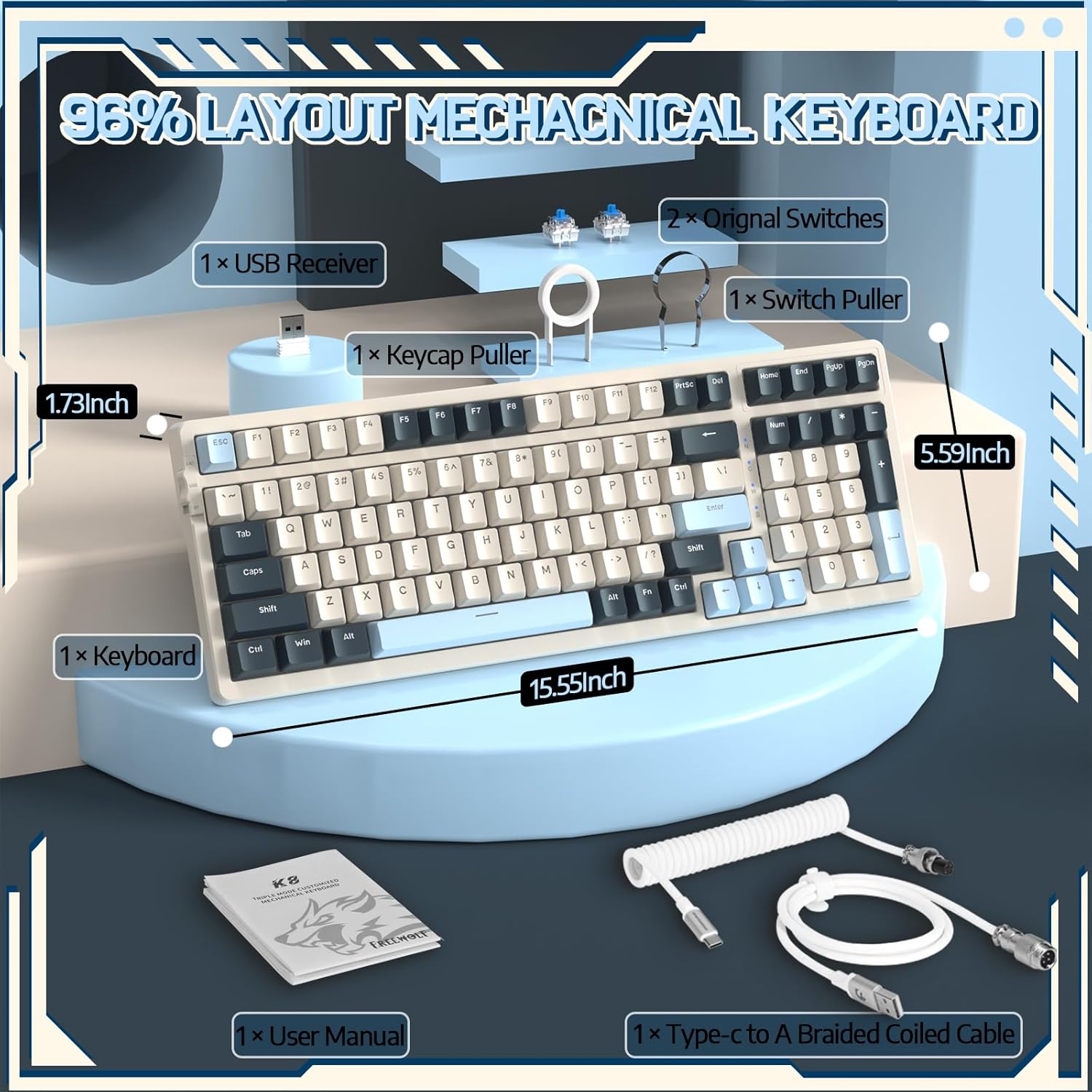
Image 4.1: The RK-K8 keyboard displaying various customizable rainbow backlight patterns.
4.2 Swiċċijiet li jistgħu jinbidlu bis-sħana
The keyboard is equipped with a hot-swappable PCB, allowing you to change switches without soldering. It is compatible with most 3-pin mechanical switches (e.g., Cherry MX, Gateron, Kailh Box, AKKO, Epomaker, Glorious switches).
- Use the provided switch puller to carefully remove the existing switch. Grip the switch firmly and pull straight up.
- Align the pins of the new 3-pin switch with the holes on the PCB.
- Gently press the new switch into place until it clicks. Ensure the switch is seated properly and the pins are not bent.
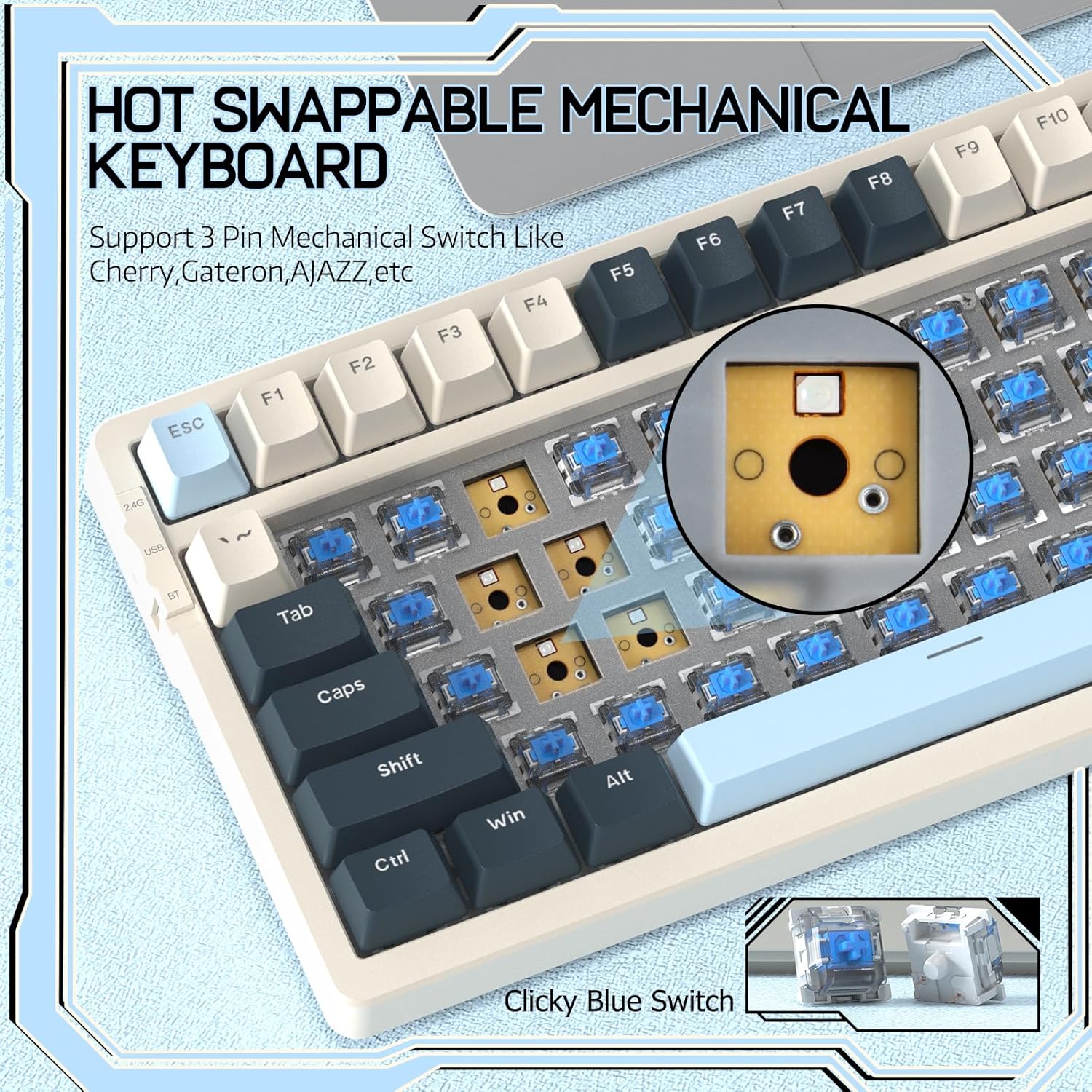
Image 4.2: Demonstrating the hot-swappable feature, showing a switch being removed from the keyboard.
4.3 Gasket Mounted Structure
The keyboard features a gasket-mounted design with sound-dampening materials between the plate and the housing. This construction reduces hollow sounds and provides a more consistent and comfortable typing experience.

Image 4.3: Diagram illustrating the internal layers of the gasket-mounted keyboard structure, designed for improved acoustics and feel.
4.4 Funzjonijiet Ewlenin u Tqassim
The RK-K8 utilizes a 96% layout with 100 keys, retaining essential modifiers, arrow keys, a separate numpad, and function row while maintaining a compact form factor.
Refer to the keyboard layout for specific key placements. Many keys have secondary functions accessible via the FN ċavetta.
- FN + F1-F12: Multimedia and system control functions (e.g., volume, play/pause).
- FN + Win: Lock/unlock Windows key.
- FN + A: Switch to Windows layout.
- FN + S: Switch to Mac layout.
5. Manutenzjoni
5.1 Tindif
Biex iżżomm id-dehra u l-funzjonalità tat-tastiera:
- Skonnettja t-tastiera mill-kompjuter tiegħek qabel ma tnaddafha.
- Uża drapp ratba u mingħajr ħelu ftit dampImlaħlaħ bl-ilma jew b'soluzzjoni ħafifa tat-tindif biex timsaħ il-keycaps u x-chassis.
- Għat-trab u l-fdalijiet bejn il-keycaps, uża arja kkompressata jew il-puller tal-keycaps ipprovdut biex tneħħi l-keycaps u naddaf taħthom.
- Evita li tuża kimiċi ħarxa, sustanzi li joborxu, jew solventi.
5.2 Sostituzzjoni tal-Għatu taċ-Ċwievet u s-Swiċċ
The provided keycap and switch pullers facilitate easy replacement of keycaps and switches. Refer to section 4.2 for switch replacement instructions.
6 Issolvi l-problemi
If you encounter issues with your FREEWOLF RK-K8 keyboard, please refer to the following common solutions:
- It-tastiera ma tirrispondix:
- Kun żgur li t-tastiera hija ċċarġjata.
- Check the connection mode switch (Wired, 2.4G, BT) matches your intended connection.
- For wired mode, ensure the cable is securely connected to both the keyboard and the computer.
- For 2.4G wireless, ensure the USB receiver is plugged in and the keyboard is in 2.4G mode.
- For Bluetooth, re-pair the device if necessary (see section 3.2.3).
- Ċwievet li jirrepetu ruħhom jew ma jirreġistrawx:
- This can sometimes occur with wireless connections. Try switching to wired mode to see if the issue persists.
- Ensure the switches are properly seated. If a switch is loose, carefully remove and re-insert it.
- Naddaf kwalunkwe debris madwar iċ-ċavetta affettwata.
- Id-dawl ta' wara mhux qed jaħdem jew imwaħħal:
- Kun żgur li d-dawl ta' wara ma jkunx mitfi (agħfas FN + X).
- Aġġusta l-luminożità billi tuża FN + ↑ / ↓.
- Try cycling through backlight effects with FN + |.
- Problemi bil-konnessjoni Bluetooth:
- Ensure the keyboard is in Bluetooth mode and sufficient battery.
- Forget the device on your computer/phone and re-pair it.
- Ensure your device's Bluetooth is enabled and working correctly.
7. Speċifikazzjonijiet
| Karatteristika | Dettall |
|---|---|
| Brand | FREEWOLF |
| Mudell | RK-K8 |
| Teknoloġija tal-Konnettività | Bluetooth 5.0 / 2.4GHz Wireless / Wired (Type-C) |
| Deskrizzjoni tat-Tastiera | Mekkaniċi |
| Tip ta' Swiċċ | Tactile Blue Switch (Hot-Swappable 3-pin) |
| Kapaċità tal-batterija | 4000mAh |
| Dawl ta' wara | Rainbow Backlit (18 effects) |
| Tqassim | 96% (100 ċavetta) |
| Apparati Kompatibbli | PC, Mac, PS4 (via USB) |
| Materjal | Acrylonitrile Butadiene Styrene (ABS) |
| Piż tal-oġġett | 2.25 liri (madwar 1.02 kg) |
| Dimensjonijiet tal-Pakkett | 16.14 x 6.69 x 2.01 pulzieri |
8. Garanzija u Appoġġ
For warranty information or technical support, please refer to the contact details provided with your purchase or visit the official FREEWOLF websit. Żomm l-irċevuta tax-xiri tiegħek għal pretensjonijiet ta' garanzija.
Ask a question about this manual
Ask about setup, troubleshooting, compatibility, parts, safety, or missing instructions. Manuals+ will review the question and use this page’s manual context to help answer it.