
LEMNOI SG7
LEMNOI SG7 Educational Day/Night Alarm Clock for Children - User Manual
Mudell: SG7
Introduzzjoni
This manual provides detailed instructions for the setup, operation, and maintenance of your LEMNOI SG7 Educational Day/Night Alarm Clock. Please read it thoroughly to ensure proper use and to maximize the product's features.
Informazzjoni dwar is-Sigurtà
- Żomm l-apparat 'il bogħod mill-ilma u l-umdità.
- Tesponix għal temperaturi estremi.
- Uża biss il-kejbil USB-C provdut għall-iċċarġjar.
- Żomm fejn ma jintlaħaqx mit-tfal żgħar biex tevita periklu ta' fgar minn partijiet żgħar.
- Tippruvax tiżżarma jew issewwi l-apparat int stess. Ikkuntattja l-appoġġ għall-klijenti jekk jinqalgħu xi problemi.
Kontenut tal-Pakkett
Jekk jogħġbok iċċekkja l-pakkett għall-oġġetti li ġejjin:
- LEMNOI SG7 Educational Day/Night Alarm Clock
- Cable tal-Iċċarġjar tal-USB-C
- Manwal għall-Utent
Prodott Overview
The LEMNOI SG7 is designed to assist children with sleep training and morning routines. It features:
- Day/Night Educational Icons: Green sun for wake-up, blue moon for sleep.
- Dawl tal-Lejl LED b'5 Kuluri: Luminożità aġġustabbli.
- 7 Musical Alarm Options: Gentle wake-up sounds.
- Dual Alarms & Snooze Function: Customizable for weekdays and weekends.
- Digital Display with Temperature Monitor: 12/24 hour format, F/C conversion.
- Touch/Sound Activated Screen: L-iskrin jintefa wara 20 sekonda ta' inattività.
- Batterija tal-litju 2000mAh inkorporata: USB-C rikarikabbli.

Quddiem view of the LEMNOI SG7 alarm clock, displaying time, temperature, and day/night icons.
Setup
1. Iċċarġjar Inizjali
Before first use, fully charge the alarm clock. Connect the provided USB-C cable to the charging port on the back of the device and plug it into a compatible USB power adapter (not included).
- Id-dawl indikatur tal-iċċarġjar se jixgħel waqt l-iċċarġjar.
- Ċarġ sħiħ tipikament jieħu madwar 3 sigħat.
- The battery icon on the display will show charging status.
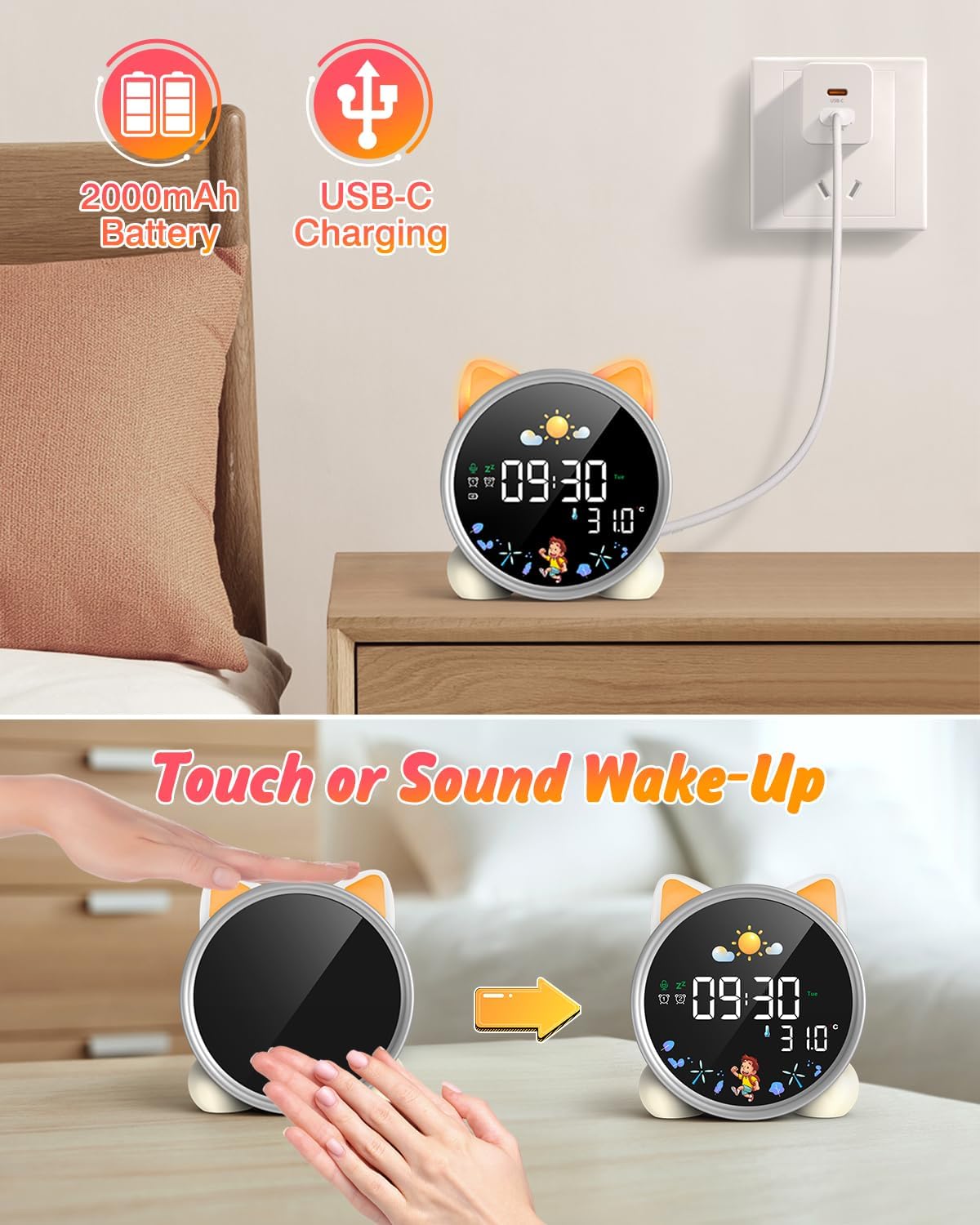
The alarm clock being charged via its USB-C port.
2. Power On/Off
The device powers on automatically when connected to power. To manually power on/off or wake the screen:
- Ixgħel l-Iskrin: Tap the device or make a sound near it. The screen will illuminate for 20 seconds.
- Power On/Off: The device is designed to be always on for alarm functions.
Activating the screen by tapping the device.
Istruzzjonijiet Operattivi
1. L-issettjar tal-Ħin u d-Data
The alarm clock supports 12/24 hour format and displays the day of the week. Specific buttons for setting are not detailed in the provided text, but typically involve a "Set" or "Mode" button.
- Refer to the physical manual for exact button functions (e.g., "SET" button).
- Agħfas u żomm il-buttuna "SET" biex tidħol fil-modalità tal-issettjar tal-ħin.
- Use "+" and "-" buttons to adjust hours, minutes, and other settings.
- Agħfas "SET" mill-ġdid biex tikkonferma kull setting u tgħaddi għal dak li jmiss.
2. Day/Night Educational Mode
This feature uses color-changing lights and icons to signal wake-up and sleep times.
- Qmu: Green light and sun icon appear to indicate it's time to wake up.
- Irqad: Blue light and moon icon appear to indicate it's time to sleep.

Day/Night mode with green sun for wake-up and blue moon for sleep.
3. Dual Alarms and Snooze Function
Set two independent alarms for different routines.
- Issettjar ta' Allarmi: The dual alarms can be customized for any day from Monday to Sunday. Consult the full manual for specific steps to set Alarm 1 and Alarm 2.
- Tnaqqis When an alarm sounds, press the "SNOOZE" button on top for an additional 9 minutes of sleep. This can be repeated up to 3 times.

Illustration of the snooze function and dual alarm capability.
4. Night Light (5 Colors & Brightness Levels)
The alarm clock functions as a night light with 5 color options and adjustable brightness.
- Għażliet tal-Kulur: Yellow, Blue, Purple, White, and Gradient.
- Luminożità: 3 levels of brightness (0%, 30%, 70%, 100%) for the screen display. The night light itself also has adjustable brightness.
- Refer to the physical manual for instructions on cycling through colors and adjusting brightness.

The 5 available night light colors and screen brightness options.
5. Music and Sound Machine
The alarm clock offers 7 musical options for a gentle wake-up or soothing sleep environment.
- 7 musical options are available.
- Refer to the physical manual for instructions on selecting and setting music.

The 7 sound options available for the alarm clock.
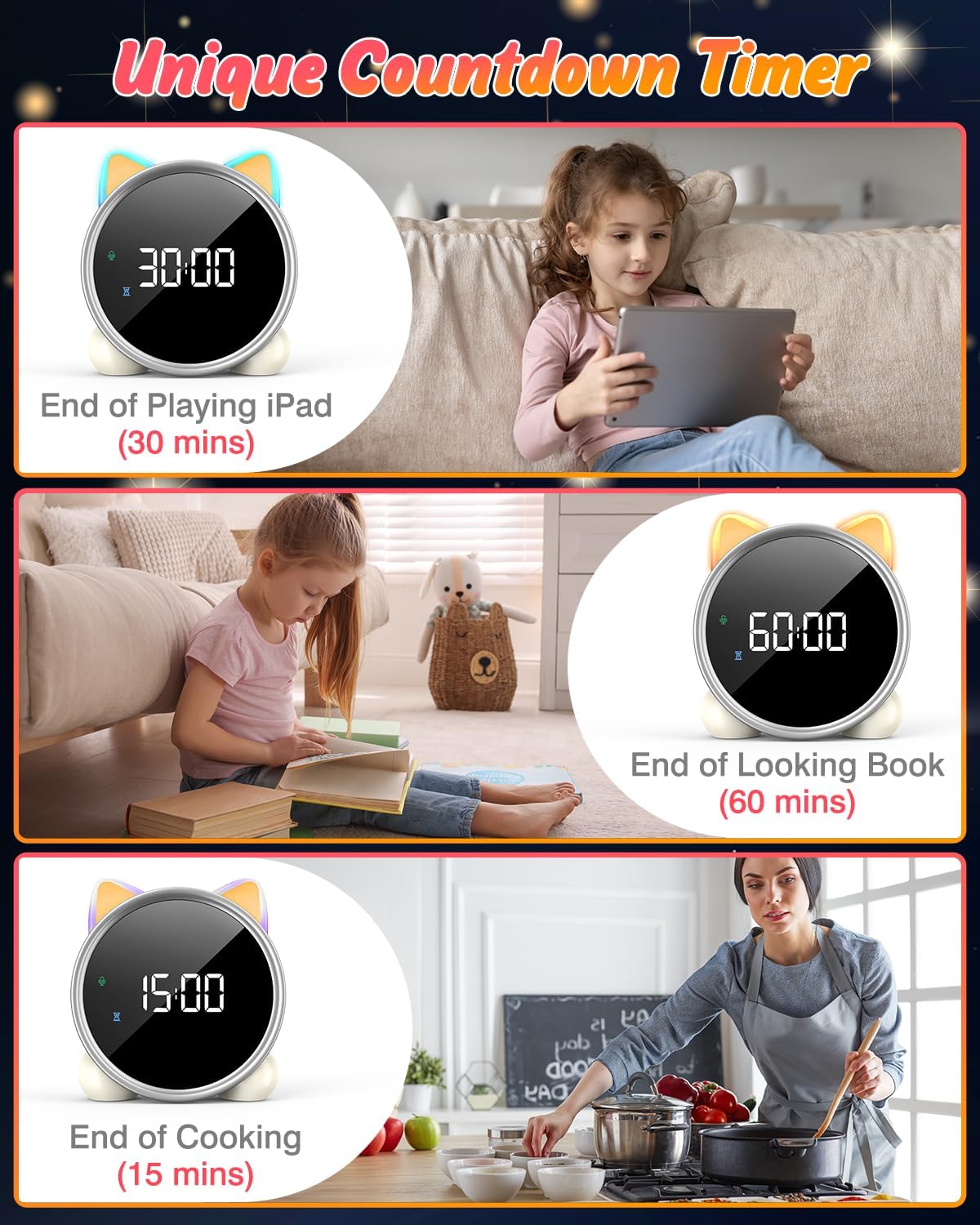
6. Tajmer tal-Countdown
A unique countdown timer feature can be used for various activities.
- Useful for managing screen time, reading sessions, or cooking.
- Refer to the physical manual for instructions on setting the countdown timer.
Examples of the countdown timer in use for various activities.
7. Wiri tat-Temperatura
The alarm clock displays the ambient temperature and supports both Celsius and Fahrenheit units.
- Supports F/C temperature conversion.
- Refer to the physical manual for instructions on switching between units.
8. Screen Activation (Touch/Sound)
The screen can be activated by touch or sound and will automatically turn off after a period of inactivity to save power.
- Tap the device or make a sound to wake the screen.
- The screen will turn off after 20 seconds of no interaction.
Manutenzjoni
- Tindif: Imsaħ l-apparat b'ċarruta ratba u niexfa. Tużax prodotti tat-tindif jew solventi li joborxu.
- Ħażna: Aħżen f'post frisk u niexef meta ma tkunx qed tintuża għal perjodi twal.
- Kura tal-batterija: To prolong battery life, avoid fully discharging the battery frequently. Recharge when the low battery indicator appears.
Issolvi l-problemi
| Problema | Kawża Possibbli | Soluzzjoni |
|---|---|---|
| Screen does not turn on. | Batterija baxxa jew l-apparat mitfi. | Charge the device using the USB-C cable. Tap the device or make a sound to activate the screen. |
| Il-batterija tiskula malajr. | Night light mode consumes more power. | It is recommended to keep the device plugged in when using night light mode for extended periods. Ensure the screen brightness is not set too high if battery life is a concern. |
| Difficulty setting time/alarms. | Sekwenza mhux korretta tal-buttuni jew nuqqas ta' familjarità mal-kontrolli. | Refer to the "Operating Instructions" section and the detailed physical manual for precise button functions and sequences. |
| Screen remains on constantly. | Possible setting error or malfunction. | Ensure the screen auto-off feature is enabled (if applicable, check manual). If the issue persists, try a soft reset (if available, check manual) or contact customer support. |
Speċifikazzjonijiet
- Ditta: LEMNOI
- Numru tal-Mudell: SG7
- Kulur: Rose
- Dimensjonijiet tal-Prodott (L x W x H): 13.1 x 3.81 x 14.5 ċm
- Materjal: Plastik
- Karatteristiċi: Adjustable brightness, Snooze function
- Piż tal-oġġett: 265 gramma
- Tip ta' wiri: Diġitali
- Sors tal-Enerġija: Battery Powered (Built-in 2000mAh Lithium Battery, USB-C charging)
- Tip ta' Kamra: Kamra tas-sodda
- Forma: Cat
- Użu fuq ġewwa/barra: Ġewwa
Garanzija u Appoġġ
For warranty information or technical support, please refer to the contact details provided with your purchase or visit the official LEMNOI websit. Żomm il-prova tax-xiri tiegħek għal kwalunkwe talba ta' garanzija.
Ask a question about this manual
Ask about setup, troubleshooting, compatibility, parts, safety, or missing instructions. Manuals+ will review the question and use this page’s manual context to help answer it.