
1. Introduzzjoni
Welcome to the user manual for your new SGIN E10P 10-inch Kids Tablet. This guide provides essential information on setting up, operating, maintaining, and troubleshooting your device. Please read this manual thoroughly to ensure proper use and to maximize your tablet's features.
X'hemm fil-Kaxxa
Meta tiftaħ il-pakkett, jekk jogħġbok ivverifika li l-oġġetti kollha elenkati hawn taħt huma preżenti:
- SGIN E10P Kids Tablet (with protective case)
- Manwal għall-Utent
- Kejbil USB Type-C
- Adapter tal-Enerġija (Ċarġer)
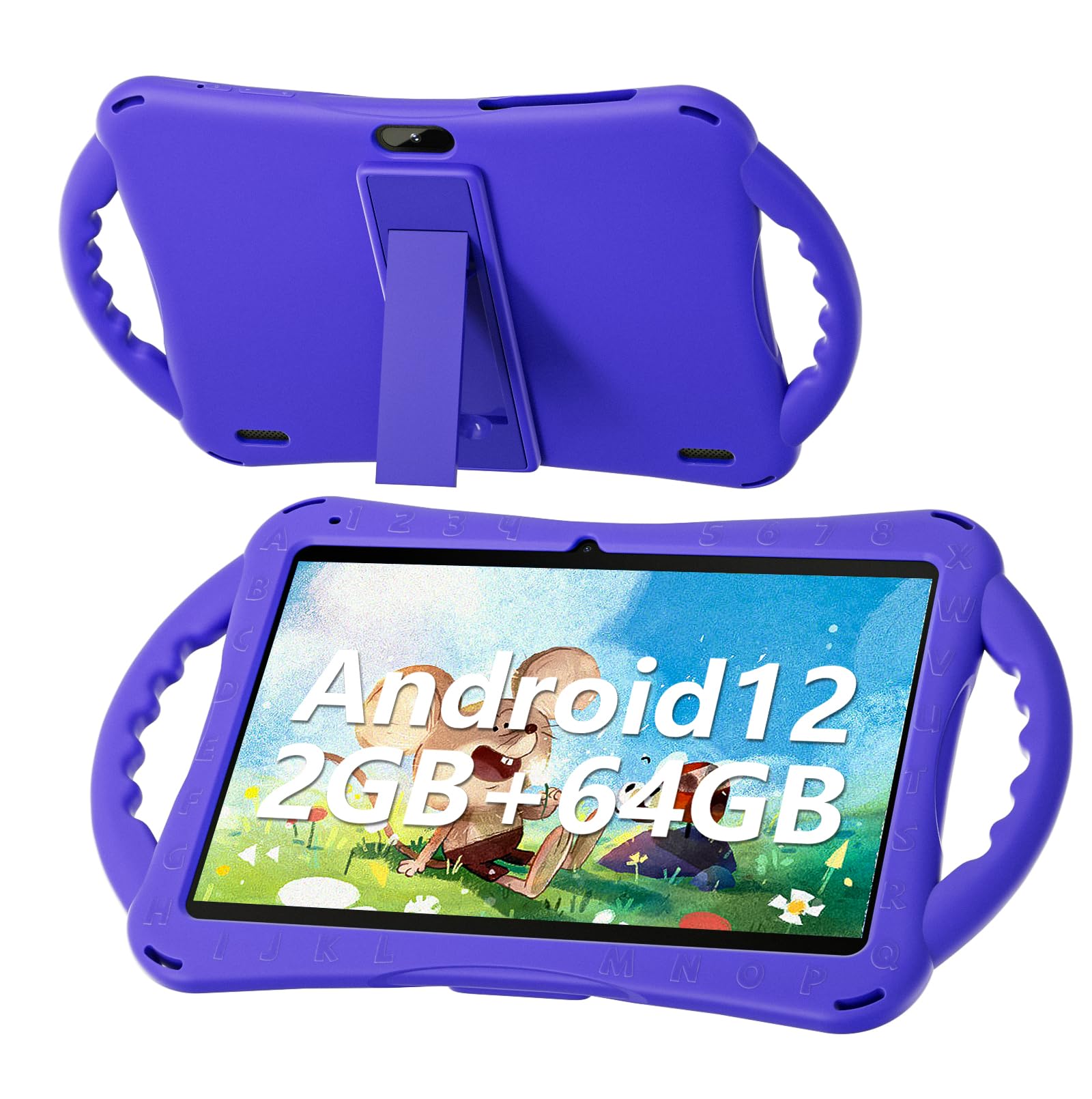
Figure 1: SGIN E10P Kids Tablet with its protective case.
2. Prodott Aktarview
Familiarize yourself with the physical components of your SGIN E10P Kids Tablet.

Figure 2: Labeled diagram of the SGIN E10P Kids Tablet components.
- Kamera ta' quddiem: Għal sejħiet bil-vidjo u selfies.
- Kamera ta' wara: Għat-teħid ta' ritratti u vidjows.
- Kelliema: Output awdjo.
- Port tat-Tip-C: Għall-iċċarġjar u t-trasferiment tad-dejta.
- Slott tal-Karta TF: For expanding storage with a microSD card.
- Jack tal-headphone: Għall-konnessjoni ta' headphones bil-fili.
- Żid il-Volum: Button to raise the audio level.
- Naqqas il-Volum: Button to lower the audio level.
- Bracket (Kickstand): Integrated stand for hands-free viewing.
- Armrest (Handle): Ergonomic handles on the protective case for easy gripping.
3. Setup
3.1 Iċċarġjar tat-Tablet
Before first use, fully charge the tablet. Connect the USB Type-C cable to the tablet's Type-C port and the other end to the power adapter. Plug the power adapter into a wall outlet. The battery indicator on the screen will show charging status. A full charge typically takes several hours.
3.2 Tixgħel/Jitfi
- Biex Tixgħel: Press and hold the Power button (usually located on the side or top edge) until the SGIN logo appears on the screen.
- Biex Tifi: Press and hold the Power button until a menu appears. Select "Power off" from the options.
- Biex terġa' tibda: Press and hold the Power button until a menu appears. Select "Restart" from the options.
3.3 Setup Inizjali
The first time you power on the tablet, you will be guided through an initial setup process:
- Għażla tal-Lingwa: Agħżel il-lingwa ppreferuta tiegħek.
- Konnessjoni Wi-Fi: Agħżel in-netwerk Wi-Fi tiegħek u daħħal il-password biex tikkonnettja mal-internet.
- Kont Google: Sign in with an existing Google account or create a new one. This is necessary for downloading apps from the Google Play Store.
- Data u Ħin: Issettja d-data u l-ħin korretti, jew ħalli n-netwerk jissettjahom awtomatikament.
- Kontrolli tal-Ġenituri: Configure Google Kids Space or other parental control features to manage content and screen time for children.
4. Tħaddim tat-Tablet
4.1 Navigazzjoni Bażika
The SGIN E10P tablet uses a touch-sensitive screen for navigation:
- Tektek: Tmiss l-iskrin darba biex tiftaħ app, tagħżel oġġett, jew tagħfas buttuna.
- Mess u Żomm: Agħfas u żomm oġġett biex taċċessa għażliet addizzjonali jew iċċaqlaqha.
- Swipe: Iddreggja subgħajk fuq l-iskrin biex tiskrollja minn paġni jew listi.
- Agħfas biex Tiżżumja: Place two fingers on the screen and move them apart to zoom in, or together to zoom out.
4.2 Konnettività tal-Wi-Fi
To connect or manage Wi-Fi networks:
- Mur fuq Settings > Netwerk u internet > Wi-Fi.
- Ixgħel il-Wi-Fi On.
- Agħżel in-netwerk mixtieq tiegħek mil-lista u daħħal il-password jekk tintalab.

Figure 3: The tablet supports both 2.4GHz and 5GHz Wi-Fi for stable connections.
4.3 Applications and Content
The tablet runs on Android 12 and comes with access to the Google Play Store, allowing you to download a wide range of applications. It is pre-configured for children's use, supporting apps like YouTube Kids, educational games, and other child-friendly content.

Figure 4: The Android 12 interface with various pre-installed and downloadable kids' apps.
4.4 Kontrolli tal-Ġenituri
Utilize the built-in parental control features to manage your child's tablet experience. This includes setting screen time limits, filtering content, and approving app downloads. Access these settings through the Google Family Link app or directly in the tablet's settings under "Digital Wellbeing & parental controls."
5. Manutenzjoni
5.1 Tindif
- Skrin: Use a soft, lint-free cloth specifically designed for electronics. For stubborn smudges, slightly dampen the cloth with water or a screen cleaner solution (do not spray directly onto the screen).
- Każ: The silicone protective case can be wiped with a damp cloth and mild soap if necessary. Ensure it is completely dry before reattaching it to the tablet.
- Portijiet: Keep all ports (USB-C, headphone jack, TF card slot) free of dust and debris. Use a soft brush or compressed air if needed.
5.2 Kura tal-Batterija
The tablet is equipped with a 5000mAh battery, providing extended usage time.

Figure 5: The tablet features a 5000mAh battery for prolonged use.
- Evita temperaturi estremi, għax jistgħu jnaqqsu l-ħajja tal-batterija.
- Uża biss il-ċarġer u l-kejbil provduti biex tevita l-ħsara.
- Għal lonġevità ottimali tal-batterija, evita li tixxotta l-batterija kompletament ta' spiss jew li żżommha ċċarġjata 100% għal perjodi twal.
5.3 Ħażna
Aħżen il-pillola f'post frisk u niexef 'il bogħod mix-xemx diretta u mill-umdità meta ma tkunx qed tużaha.
6 Issolvi l-problemi
This section addresses common issues you might encounter with your SGIN E10P tablet.
6.1 It-Tablet Mhux Mixgħul
- Ensure the tablet is sufficiently charged. Connect it to the charger for at least 30 minutes before attempting to power it on again.
- Agħfas u żomm il-buttuna tal-Qawwa għal 10-15-il sekonda biex twettaq restart furzat.
6.2 Kwistjonijiet ta' Konnessjoni tal-Wi-Fi
- Iċċekkja jekk il-Wi-Fi huwiex attivat fis-settings tat-tablet.
- Ivverifika li r-router Wi-Fi tiegħek qed jaħdem sew u li apparati oħra jistgħu jikkonnettjaw.
- Forget the network in the tablet's Wi-Fi settings and reconnect.
- Restart both the tablet and your Wi-Fi router.
6.3 L-Applikazzjonijiet Jikkraxxjaw jew Jiffriżaw
- Agħlaq u terġa' tiftaħ l-app.
- Neħħi l-cache u d-dejta tal-app Settings > Apps > [Isem tal-App] > Ħażna u cache.
- Ensure the app is updated to its latest version via the Google Play Store.
- Ibda mill-ġdid il-pillola.
6.4 Prestazzjoni bil-mod
- Agħlaq applikazzjonijiet fl-isfond mhux meħtieġa.
- Clear cached data from apps and the system.
- Ensure there is sufficient storage space available. Delete unused apps or files.
- Ikkunsidra li tagħmel reset tal-fabbrika bħala l-aħħar għażla (Nota: This will erase all data on the tablet. Back up important filel-ewwel).
7. Speċifikazzjonijiet
Key technical specifications for the SGIN E10P Kids Tablet:
| Karatteristika | Speċifikazzjoni |
|---|---|
| Brand | SGIN |
| Numru tal-Mudell | E10P |
| Daqs tal-Iskrin | 10 Pulzier |
| Riżoluzzjoni tal-Iskrin | 1280 x 800 |
| Proċessur | 1.5 GHz Allwinner Quad-core A133 |
| RAM | 2 GB |
| Ħażna (ROM) | 64 GB |
| Ħażna espansibbli | TF Card Slot (for additional expansion) |
| Sistema Operattiva | Android 12 |
| Wara WebCam Riżoluzzjoni | 5 MP |
| Kamera ta' Quddiem | 2 MP |
| Kapaċità tal-batterija | 5000 mAh |
| Konnettività | 2.4G/5G WiFi, Bluetooth 4.2 |
| Dimensjonijiet (LxWxH) | 10.1 x 6 x 0.4 pulzieri |
| Piż tal-oġġett | 2.27 liri |
8. Garanzija u Appoġġ
SGIN provides a 1-year maintenance period from the date of purchase for this product. If you encounter any issues or require assistance, please contact SGIN customer support.
For further support, please refer to the contact information provided with your purchase documentation or visit the official SGIN websit.