
1. Introduzzjoni
Grazzi tax-xiriasing the LEVOIT LTF-F361-WEU Tower Fan. This manual provides important information regarding the safe operation, maintenance, and troubleshooting of your new fan. Please read this manual thoroughly before use and retain it for future reference.
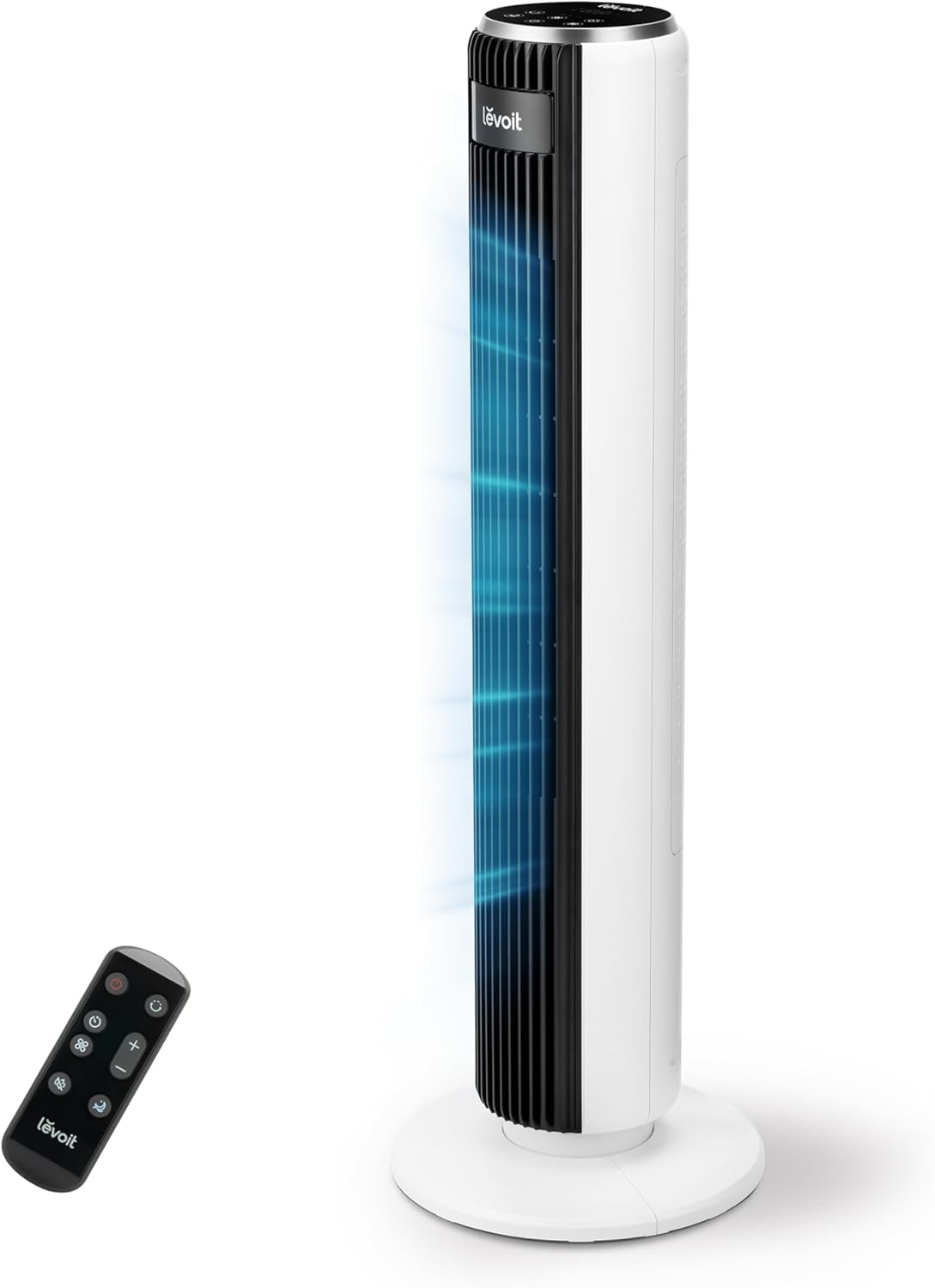
Image 1.1: The LEVOIT LTF-F361-WEU Tower Fan, a sleek and modern cooling device.
2. Istruzzjonijiet Importanti dwar is-Sigurtà
To reduce the risk of fire, electric shock, or injury, please read and follow all instructions and warnings in this manual.
- Always place the fan on a stable, level surface.
- Tużax il-fann fl-imxarrab jew damp postijiet, bħal kmamar tal-banju.
- Żomm il-fann 'il bogħod mill-ilma u likwidi oħra.
- Daħħalx subgħajk jew oġġetti barranin fil-gradilja waqt li l-fann ikun qed jaħdem.
- Skonnettja l-fann mis-sokit tal-elettriku meta ma jkunx qed jintuża, meta ċċaqlaqh, jew qabel ma tnaddfu.
- Tħaddimx il-fann b'korda jew plagg bil-ħsara.
- Żomm il-korda tad-dawl 'il bogħod minn uċuħ imsaħħna.
- Dan l-apparat mhuwiex maħsub għall-użu minn persuni (inklużi tfal) b’kapaċitajiet fiżiċi, sensorji jew mentali mnaqqsa, jew nuqqas ta’ esperjenza u għarfien, sakemm ma jkunux ingħataw superviżjoni jew istruzzjoni dwar l-użu tal-apparat minn persuna responsabbli għas-sigurtà tagħhom.
3. Kontenut tal-Pakkett
Jekk jogħġbok iċċekkja l-kontenut tal-pakkett malli tirċevih. Jekk xi oġġetti huma nieqsa jew bil-ħsara, ikkuntattja lis-servizz tal-konsumatur.
- LEVOIT LTF-F361-WEU Tower Fan
- Kontroll mill-bogħod
- Manwal għall-Utent
4. Setup u Assemblea
The LEVOIT LTF-F361-WEU Tower Fan is designed for easy assembly. Follow these steps to set up your fan:
- Ħoll il-Fann: Neħħi bir-reqqa l-komponenti kollha mill-imballaġġ.
- Arma l-Bażi: The base is designed for straightforward attachment. Align the fan body with the base and secure it according to the instructions provided in the quick start guide (if applicable).
- Qabbad l-Enerġija: Ipplaggja l-korda tad-dawl fi żbokk elettriku adattat.
The rear grille is detachable for easy cleaning, secured by a single nut.

Immaġni 4.1: Fuqview of the fan's control panel, remote control storage, and the detachable rear cover for maintenance.
5. Istruzzjonijiet Operattivi
Your LEVOIT Tower Fan offers multiple settings for personalized comfort. You can control the fan using the touch control panel on top or the included remote control.
5.1 Power On/Off
Agħfas il-buttuna tal-qawwa fuq il-pannell tal-kontroll jew ir-remote biex tixgħel jew titfi l-fann.
5.2 Veloċitajiet tal-fann
The fan features 5 adjustable speeds. Use the speed buttons on the control panel or remote to cycle through the speed settings (1-5).
5.3 Modi tar-Riħ
Select from 4 distinct wind modes to suit your preference:
- Modalità Normali: Provides a constant airflow at your selected speed.
- Modalità Awtomatika: Adjusts fan speed automatically based on ambient temperature, ensuring optimal comfort and energy efficiency.
- Modalità Sleep: Operates at a very low noise level (as low as 23 dB) with automatic display dimming for an undisturbed night's sleep.
- Modalità Turbo: Delivers the highest fan speed for rapid cooling.

Image 5.1: Illustration of the fan's Auto Mode, demonstrating how it adjusts speed based on room temperature for optimal comfort.

Image 5.2: The fan operating in Advanced Sleep Mode, providing quiet airflow (23 dB) for a comfortable night's rest.
5.4 Oxxillazzjoni
Activate the 90° oscillation feature to distribute airflow across a wider area. This ensures comprehensive room coverage with a maximum range of 7 meters.

Image 5.3: The fan's 90-degree oscillation feature, illustrating how it provides wide-ranging cool air.
5.5 Funzjoni Timer
Set the fan to automatically turn off after a specified period, up to 12 hours. Use the timer button on the control panel or remote to adjust the duration.
5.6 Kontroll mill-Bogħod
The included remote control allows convenient operation from a distance. Ensure the remote has working batteries and is pointed towards the fan's receiver.
Vidjo 5.4: Preżentazzjoni qasiraview demonstrating the LEVOIT Tower Fan's oscillation feature and quiet operation. This video highlights the fan's movement and low noise level.
Vidjo 5.5: Wirja uffiċjali tal-vidjo tal-prodottasing the various features and modes of the LEVOIT Tower Fan, including its quiet operation, multiple speeds, and oscillation.
6. Manutenzjoni u Tindif
Tindif regolari jgħin biex iżomm il-prestazzjoni u l-lonġevità tal-fann tiegħek.
6.1 Tindif ta' barra
- Dejjem aqla l-fann qabel it-tindif.
- Imsaħ l-uċuħ ta 'barra b'artab, damp drapp. Tużax tindif jew solventi li joborxu.
- Kun żgur li l-fann ikun niexef għalkollox qabel ma terġa' tqabbdu.
6.2 Internal Cleaning (Detachable Rear Cover)
The rear cover is detachable for easy access to the internal components for cleaning.
- Qabbad il-fann.
- Locate the single nut securing the rear cover and unscrew it.
- Carefully remove the rear cover.
- Use a soft brush or vacuum cleaner to remove dust and debris from the fan blades and internal components.
- The rear cover can be washed with water. Ensure it is completely dry before reattaching.
- Reattach the rear cover and secure it with the nut.

Image 6.1: Illustration of the detachable rear cover and internal fan components, highlighting the ease of cleaning.
7 Issolvi l-problemi
Jekk tiltaqa' ma' xi problemi bil-fann tiegħek, jekk jogħġbok irreferi għall-problemi u s-soluzzjonijiet komuni li ġejjin:
| Problema | Kawża Possibbli | Soluzzjoni |
|---|---|---|
| Il-fann ma jixgħelx. | Ebda provvista ta 'enerġija. | Kun żgur li l-korda tal-enerġija hija pplaggjata sew f'sokit li jaħdem. Iċċekkja s-circuit breaker. |
| Fluss ta 'arja dgħajjef. | Air inlet/outlet blocked or dirty. | Clean the air inlet and outlet grilles. Ensure there are no obstructions around the fan. |
| Il-fann jagħmel ħoss mhux tas-soltu. | Foreign object inside or fan not on a level surface. | Unplug the fan and check for any foreign objects. Place the fan on a stable, level surface. |
| Il-kontroll mill-bogħod ma jaħdimx. | Il-batteriji huma mejta jew imdaħħla ħażin. | Replace the batteries with new ones, ensuring correct polarity. Point the remote directly at the fan. |
If the problem persists after trying these solutions, please contact LEVOIT customer support.
8. Speċifikazzjonijiet
| Karatteristika | Dettall |
|---|---|
| Numru tal-Mudell | LTF-F361-WEU |
| Dimensjonijiet (L x W x H) | 16.51 x 16.51 x 91.95 ċm |
| Piż | 3.6 Kilogrammi |
| Qawwa | 39 Watts |
| Voltage | 220.0 V |
| Livell ta' Storbju | 23 dB (lowest) - 28 dB (typical) |
| Veloċità tar-Riħ | Sa 7 m/s |
| Oscilazzjoni | 90 grad |
| Timer | 12 sigħat |
| Karatteristiċi Speċjali | Portable, Automatic Shut-off Function, Remote Control |
9. Garanzija u Appoġġ għall-Klijent
9.1 Informazzjoni dwar Garanzija
LEVOIT provides a garanzija ta 'sena for this tower fan. This warranty covers defects in materials and workmanship under normal use. Please retain your proof of purchase for warranty claims.
9.2 Appoġġ għall-Klijent
If you have any questions about your product, warranty, or need technical assistance, please contact LEVOIT customer support. Our professional team is ready to assist you.
For more information, visit the official LEVOIT webis-sit jew ikkuntattja lid-distributur lokali tiegħek.