
UGREEN 15598
UGREEN Revodok 6-in-1 USB C Hub Gigabit Ethernet Adapter Instruction Manual
Mudell: 15598 | Marka: UGREEN
Prodott Overview
The UGREEN Revodok 6-in-1 USB C Hub is a versatile multiport adapter designed to expand the connectivity of your USB-C enabled devices. It transforms a single USB-C port into multiple essential ports, enhancing productivity and convenience for laptops, tablets, and smartphones.
Karatteristiċi ewlenin:
- Konnettività 6 f'1: Integrates 4K@30Hz HDMI, Gigabit Ethernet, 100W Power Delivery (PD) charging, and three USB-A 3.0 data ports.
- 4K HD Visuals: Supports video output up to 4K at 30Hz via the HDMI port for clear display mirroring or extension. (Note: Does not support HDR/3D).
- Gigabit Ethernet Stabbli: Provides a reliable 1000Mbps wired network connection for faster and more stable internet access compared to Wi-Fi.
- Kunsinna tal-Enerġija 100W: Offers up to 85W pass-through charging for your laptop via the Type-C port, with 15W reserved for hub operations. (Note: USB-C port supports charging only, no data or video).
- Trasferiment Mgħaġġel tad-Dejta: Three USB-A 3.0 ports allow data transfer speeds up to 5Gbps, ideal for connecting peripherals like external hard drives, USB flash drives, mice, and keyboards.
- Kompatibilità Universali: Compatible with a wide range of devices including MacBook Neo/Pro/Air M1, M2, M3, M4, M5, iPad, iPhone 16 Pro/Pro Max, Steam Deck, and various laptops, smartphones, and tablets running macOS, Windows, Chrome OS, and iPadOS.
- Disinn Durabbli: Features a metallic finish and aluminum alloy construction for efficient heat dissipation and enhanced durability.
Kontenut tal-Pakkett
- UGREEN Revodok 6-in-1 USB C Hub (Model: 15598)
- Manwal għall-Utent
Setup Istruzzjonijiet
- Qabbad il-Hub mat-Tagħmir Tiegħek:
Plug the integrated USB-C cable of the UGREEN Revodok hub into an available USB-C port on your laptop, tablet, or smartphone. Ensure the connection is secure.

Image: The UGREEN Revodok 6-in-1 USB C Hub connected to a laptop, showcasing id-disinn kompatt tiegħu u l-portijiet multipli.
- Kunsinna tal-Enerġija (Mhux obbligatorja):
If your device requires charging or if you are connecting power-intensive peripherals, connect your original USB-C power adapter to the PD 100W USB-C port on the hub. This will provide pass-through charging to your host device.

Image: A laptop connected to the UGREEN Revodok hub, which is then connected to a 100W power adapter for fast charging.
- Connect External Display (Optional):
For video output, connect an HDMI cable from your monitor or TV to the 4K@30Hz HDMI port on the hub. Your device should automatically detect the external display. Adjust display settings (mirror or extend) as needed in your operating system settings.
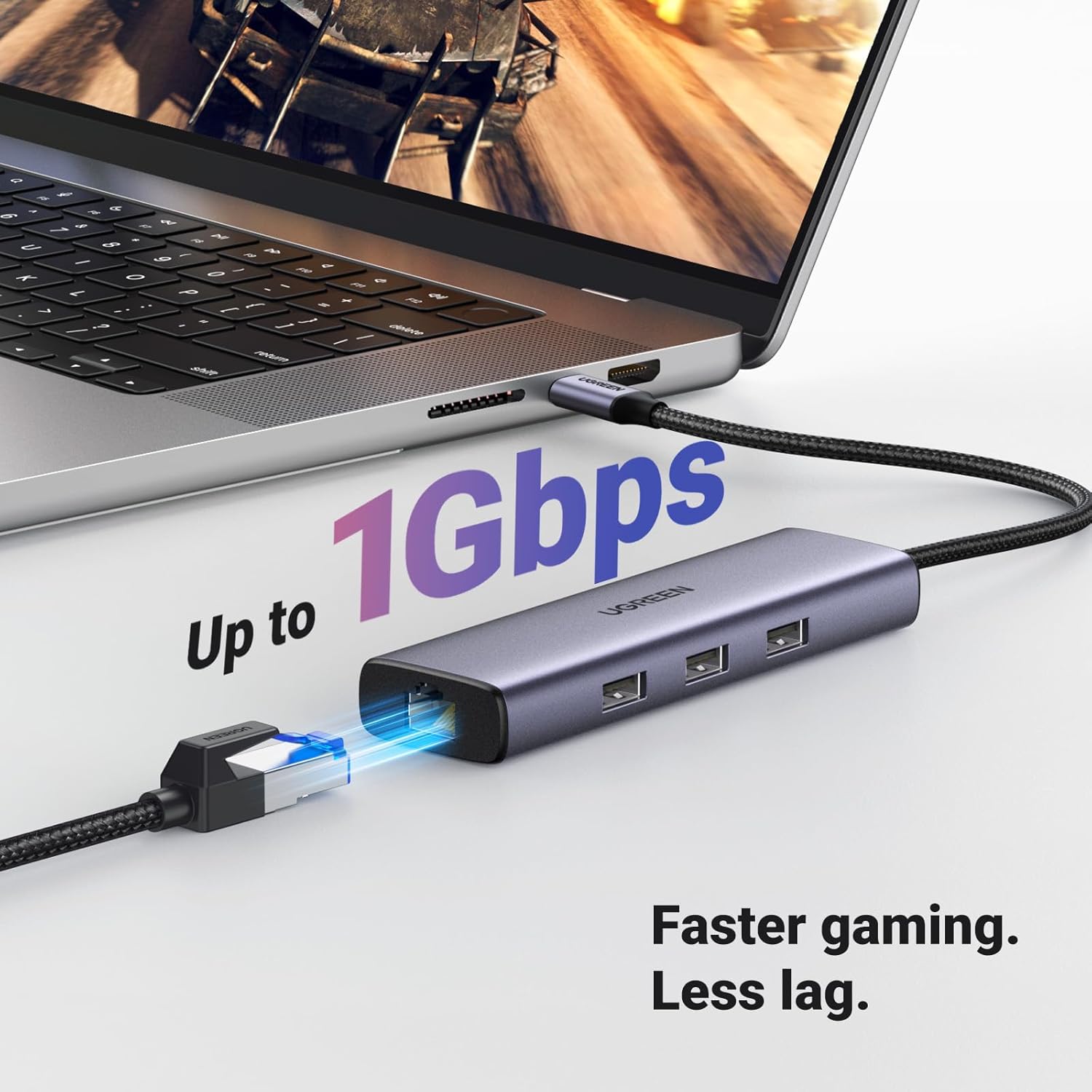
Image: A laptop connected to the UGREEN Revodok hub, which is displaying content on an external 4K monitor via HDMI.
- Qabbad il-Kejbil Ethernet (Mhux obbligatorju):
For a wired network connection, plug an Ethernet cable into the Gigabit Ethernet (RJ45) port on the hub. Connect the other end of the Ethernet cable to your router or modem. The connection should be established automatically.

Image: The UGREEN Revodok hub connected to a laptop, with an Ethernet cable plugged into its RJ45 port, indicating a stable network connection.
- Connect USB Peripherals (Optional):
Plug your USB-A devices (e.g., mouse, keyboard, USB flash drive, external hard drive) into the three USB-A 3.0 ports on the hub.

Image: A laptop connected to the UGREEN Revodok hub, with various USB devices like a flash drive and external hard drive plugged into its USB-A ports.
Istruzzjonijiet Operattivi
The UGREEN Revodok 6-in-1 USB C Hub is designed for plug-and-play functionality, requiring no additional drivers for most operating systems.
- Sejbien Awtomatiku:
Once connected, your operating system (macOS, Windows, Chrome OS, iPadOS) should automatically detect the hub and its connected peripherals. You can verify this in your device's system settings or device manager.
- Using HDMI Output:
After connecting an HDMI display, navigate to your device's display settings to configure the external monitor. Options typically include "Mirror Displays" (duplicate your primary screen) or "Extend Displays" (use the external monitor as an additional workspace).
- Utilizing Ethernet:
When the Ethernet cable is connected, your device should prioritize the wired connection over Wi-Fi for internet access. Check your network settings to confirm the Gigabit Ethernet connection is active.
- Trasferiment tad-Data USB:
Files can be transferred to and from connected USB-A devices at speeds up to 5Gbps. Ensure your connected devices and cables support USB 3.0 for optimal performance.
- It-Tħaddim tat-Tagħmir Tiegħek:
The 100W PD port allows you to charge your host device while using the hub. Connect your original power adapter to the hub's PD port. The hub will draw power for its own operation and pass the remaining power to your device.
Manutenzjoni
- Tindif: Uża drapp artab u niexef biex tnaddaf il-hub. Evita prodotti tat-tindif likwidi jew aerosols.
- Ħażna: Aħżen il-hub f'post frisk u niexef 'il bogħod mix-xemx diretta u minn temperaturi estremi.
- Immaniġġjar: Evita li twaqqa' l-apparat jew li tissottomettih għal impatti qawwija. Tippruvax tiżżarma l-hub.
- Kura tal-Cable: Tgħawwiġx jew iddawwarx il-kejbil USB-C integrat b'mod eċċessiv biex tevita l-ħsara.
Issolvi l-problemi
| Problema | Soluzzjoni |
|---|---|
| L-ebda wiri fuq monitor estern. |
|
| Il-konnessjoni Ethernet mhix stabbli jew ma taħdimx. |
|
| L-apparati USB mhumiex rikonoxxuti. |
|
| Device is not charging via PD port. |
|
| Hub feels warm during use. |
|
Speċifikazzjonijiet
| Karatteristika | Dettall |
|---|---|
| Brand | UGREEN |
| Numru tal-Mudell | 15598 |
| Kulur | Griż |
| Interface tal-Ħardwer | Ethernet, HDMI, USB, USB Tip Ċ |
| Karatteristiċi Speċjali | Fast Data Transfer, Heat Resistant, Lightweight, Plug and Play, Portable |
| Apparati Kompatibbli | Laptops, MacBook Neo, Macbook M5/M4/M3/M2/M1, Smartphones, Tablets |
| Portijiet USB totali | 3 (USB-A 3.0) |
| Rata ta' Trasferiment tad-Data | 5 Gigabits Kull Sekonda |
| Numru ta' Portijiet | 6 |
| Ħruġ HDMI | 4K@30Hz |
| Port Ethernet | Ġigabit (1000Mbps) RJ45 |
| Kunsinna tal-Enerġija (PD) | 100W (85W to host, 15W for hub) |
| Sistema Operattiva Minima Meħtieġa | Windows 7 |
| Kompatibilità tas-Sistema Operattiva | Mac OS 9, Windows 10, Windows 7, Chrome OS, iPadOS |
| Materjal tal-għeluq | Plastic (with Aluminum Alloy for heat dissipation) |
| Piż tal-oġġett | 140 Gramm |
Garanzija u Appoġġ
Garanzija: Dan il-prodott jiġi b'garanzija ta' 24-il xahar mid-data tax-xiri.
Appoġġ għall-Klijent: For technical assistance, troubleshooting, or warranty claims, please contact UGREEN customer support through their official website or the retailer where the product was purchased. Please have your model number (15598) and proof of purchase ready.
Vidjows tal-Prodott
UGREEN USB C Adapter Overview
Video: A seller-created overview of the UGREEN USB C Adapter, highlighting its various ports and functionalities. This video demonstrates the adapter's use with a tablet, showing how multiple USB devices and charging can be managed simultaneously.
UGREEN Revodok 6-in-1 USB C Hub Features
Vidjo: Wirja uffiċjali tal-vidjo tal-bejjiegħasing the UGREEN Revodok 6-in-1 USB C Hub. It details the product's design, port types (HDMI, USB-A, USB-C PD, Ethernet), and its compatibility with various devices, emphasizing its utility for expanding connectivity.
Ask a question about this manual
Ask about setup, troubleshooting, compatibility, parts, safety, or missing instructions. Manuals+ will review the question and use this page’s manual context to help answer it.