
Introduzzjoni
The Orange Box is a portable Bluetooth speaker designed to deliver high-quality audio. This manual provides essential information for setting up, operating, maintaining, and troubleshooting your device. Please read these instructions carefully before use to ensure optimal performance and longevity of your speaker.
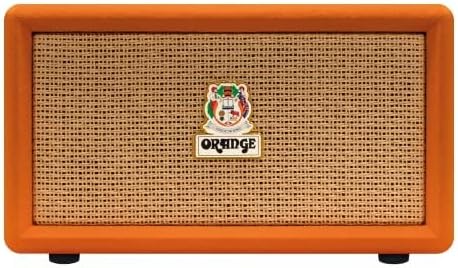
Immaġni: Quddiem view of the Orange Box Portable Bluetooth Speaker.
Informazzjoni Importanti dwar is-Sigurtà
Biex tnaqqas ir-riskju ta' xokk elettriku, nar, u korriment, jekk jogħġbok osserva l-prekawzjonijiet ta' sigurtà li ġejjin:
- Tesponix l-ispiker għax-xita jew għall-umdità.
- Tiżżarmax l-unità. Irreferi kull manutenzjoni lil persunal kwalifikat.
- Avoid extreme temperatures. Do not place near heat sources or in direct sunlight.
- Use only the power cable supplied with the device.
- Żomm fejn ma jintlaħaqx mit-tfal.
- Aċċerta ruħek li jkun hemm ventilazzjoni xierqa; timblokkax xi fetħiet tal-ventilazzjoni.
Kontenut tal-Pakkett
Iċċekkja li l-oġġetti kollha huma preżenti fil-kaxxa:
- Orange Box Portable Bluetooth Speaker
- Kejbil tal-Enerġija
- Manku li jinqala'

Image: The Orange Box speaker shown with its retail packaging, indicating included accessories.
Prodott Overview
Kontrolli tal-Panew ta' Quddiem
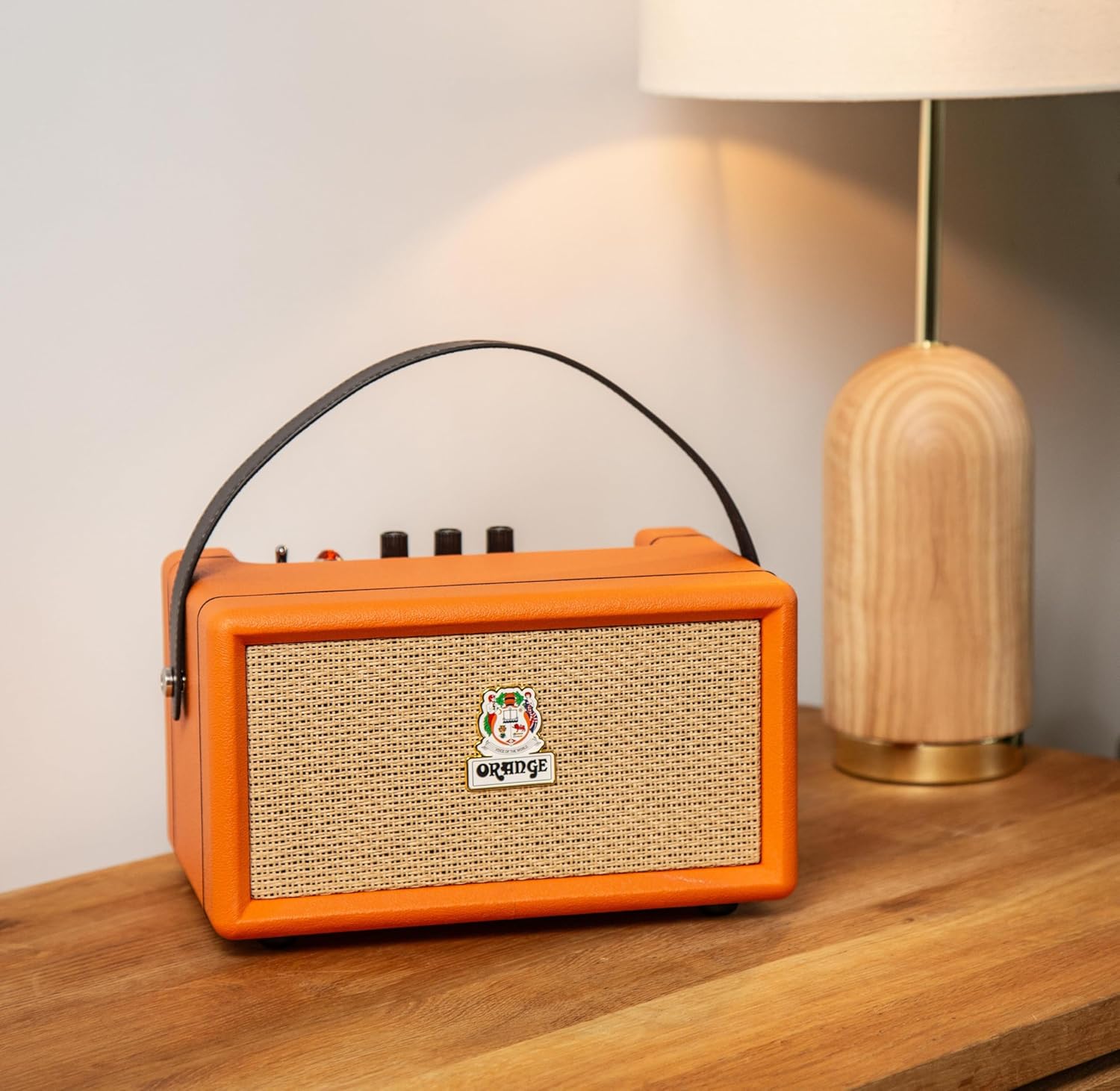
Immaġni: Dettaljata view of the Orange Box control panel.
- Swiċċ mixgħul/mitfi: Jixgħel u jaqleb il-qawwa tal-ispiker.
- Indikatur tal-batterija: Juri l-livell attwali tal-ċarġ tal-batterija.
- Kontroll tat-Triple: Jaġġusta l-ħruġ tal-awdjo ta' frekwenza għolja.
- Kontroll tal-bass: Jaġġusta l-ħruġ tal-awdjo ta' frekwenza baxxa.
- Kontroll tal-Volum: Jaġġusta l-livell ġenerali tal-ħruġ tal-ħoss.
- AUX In: Input ta' 3.5mm għall-konnessjoni ta' apparati awdjo esterni.
- Buttuna Bluetooth: Jibda l-modalità ta' tqabbil Bluetooth.
- Dawl ta' tagħbija żejda: Illuminates when the audio signal is too high, indicating potential distortion.
Konnessjonijiet tal-Panew ta' wara

Immaġni: Wara view of the Orange Box speaker, highlighting the power input.
- DC IN: Power input port for connecting the supplied power cable to charge the battery or operate the speaker.
Setup
1. Iċċarġja l-Ispeaker
- Connect the supplied power cable to the DC IN port on the rear of the speaker.
- Ipplaggja t-tarf l-ieħor tal-kejbil tad-dawl fi żbokk tad-dawl adattat.
- The battery indicator light will show charging status. A full charge provides up to 15 hours of playback.

Image: Visual representation of the speaker's long battery life.
2. Tixgħil / Mitfi
- To power on, flip the On/Off switch to the 'On' position.
- To power off, flip the On/Off switch to the 'Off' position.
Istruzzjonijiet Operattivi
1. Tqabbil tal-Bluetooth
- Kun żgur li l-kelliem ikun mixgħul.
- Press the Bluetooth button on the control panel. The Bluetooth indicator light will flash, indicating pairing mode.
- Fuq l-apparat awdjo tiegħek (smartphone, tablet, eċċ.), attiva l-Bluetooth u fittex apparati disponibbli.
- Select "Orange Box" from the list of devices.
- Once connected, the Bluetooth indicator light will become solid. The speaker has a Bluetooth range of up to 15 meters.

Image: Bluetooth 5.0 connectivity icon.
2. L-użu tal-Input AUX
- Connect a 3.5mm audio cable (not supplied) from your audio device's headphone jack to the AUX In port on the speaker's control panel.
- L-ispiker jaqleb awtomatikament għall-modalità ta' input AUX.
3. Aġġustament tal-Awdjo
- Volum: Dawwar il-pum tal-Volum biex iżżid jew tnaqqas il-livell tal-ħoss.
- Bass/Treble: Use the Bass and Treble knobs to fine-tune the audio equalization to your preference.
4. Overload Indicator
The Overload light illuminates when the input signal is too strong, which can cause audio distortion. If this light frequently comes on, reduce the volume from your audio source or the speaker's volume knob to prevent clipping and ensure clear sound.

Image: Overload light indicator on the control panel.
Manutenzjoni
- Tindif: Use a soft, dry cloth to clean the speaker''s exterior. Do not use liquid cleaners or aerosols.
- Ħażna: Meta ma tkunx qed tużah għal perjodi twal, aħżen l-ispiker f'post frisk u niexef.
- Kura tal-batterija: Biex ittawwal il-ħajja tal-batterija, evita li tiċċarġja kompletament il-batterija ta’ spiss. Iċċarġja l-ispiker regolarment, anke jekk ma jkunx qed jintuża.
Issolvi l-problemi
| Problema | Kawża Possibbli | Soluzzjoni |
|---|---|---|
| Ebda qawwa | Il-batterija hija eżawrita jew il-kejbil tal-enerġija mhux imqabbad. | Charge the speaker using the supplied power cable. Ensure the power switch is in the 'On' position. |
| L-ebda ħoss | Volume is too low, incorrect input selected, or device not paired. | Increase speaker volume and source device volume. Ensure Bluetooth is paired or AUX cable is properly connected. |
| Il-Bluetooth mhux qed jgħaqqad | Speaker is not in pairing mode or device is out of range. | Press the Bluetooth button to enter pairing mode. Move your device closer to the speaker (within 15 meters). Forget the device on your phone and re-pair. |
| Ħoss distort | Volume too high (overload) or poor audio source quality. | Reduce the volume on the speaker or your audio source. Check the audio source for quality issues. |
| Ħajja qasira tal-batterija | Battery not fully charged or aged battery. | Ensure the speaker is fully charged before use. Battery performance may decrease over time. |
Speċifikazzjonijiet
| Karatteristika | Dettall |
|---|---|
| Brand | Oranġjo |
| Numru tal-Mudell | Orange Box |
| Isem tal-Mudell | ORA ORANGEBOX |
| Qawwa tal-Ħruġ Massimu tal-Ispeaker | 50 Watt RMS |
| Teknoloġija tal-Konnettività | Bluetooth, Aux |
| Medda Bluetooth | 15 Meters |
| Modalità tal-Ħruġ tal-Awdjo | Stereo |
| Tip ta' Kelliem | Speaker li jista ’jinġarr |
| Kulur | Oranġjo |
| Materjal tal-għeluq | Plastik |
| Dimensjonijiet tal-oġġett (D x W x H) | 13"D x 11"W x 10"H |
| Piż tal-oġġett | 2.97 Kilogrammi |
| Sors tal-Enerġija | Mħaddma bil-batterija |
| Ħajja tal-batterija | Sa 15 sigħat |
| Metodu ta' Kontroll | Touch (for Bluetooth button), Rotary Knobs |

Image: Dimensions of the Orange Box speaker.
Garanzija u Appoġġ
The Orange Box Portable Bluetooth Speaker comes with a Garanzija Limitata ta' Sena from the manufacturer, Orange. This warranty covers defects in materials and workmanship under normal use.
For warranty claims, technical support, or service inquiries, please contact Orange customer support through their official website or the retailer where the product was purchased. Please have your proof of purchase and the product's model number (Orange Box) available when contacting support.