
1. Introduzzjoni
Thank you for choosing the Calex Smart Ceiling Lamp. This 30cm smart ceiling light is designed for indoor use in spaces such as bedrooms and living rooms, offering versatile lighting options including 16 million colors and tunable white light. It can be controlled via the Calex Smart App and is compatible with popular voice assistants.

Figure 1: Calex Smart Ceiling Lamp (Mudell 5301000200)
2. Informazzjoni dwar is-Sigurtà
- Dan il-prodott huwa maħsub għal użu fuq ġewwa bissTinstallax f'ambjent imxarrab jew damp postijiet.
- Ensure the power supply is disconnected before installation, maintenance, or cleaning to prevent electric shock.
- L-installazzjoni għandha titwettaq minn elettriċista kwalifikat jew skont il-kodiċijiet elettriċi lokali.
- Opera l-lamp only within the specified voltage range of 230 Volts AC.
- Tippruvax tiżżarma jew timmodifika l-lamp. M'hemm l-ebda partijiet li jistgħu jintużaw mill-utent ġewwa.
- Żomm il-lamp bogħod minn sorsi tas-sħana u dawl tax-xemx dirett.
3. Kontenut tal-Pakkett
Ivverifika li l-komponenti kollha huma preżenti fil-pakkett:
- 1x Calex Smart Ceiling Lamp (Mudell 5301000200)
4. Setup u Installazzjoni
The Calex Smart Ceiling Lamp requires ceiling mounting and assembly. Follow these steps carefully:
- Preparazzjoni: Turn off the main power supply at the circuit breaker before starting installation.
- Immuntar: Waħħal sewwa l-lamp's mounting bracket to the ceiling using appropriate screws and anchors (not included, typically supplied by installer). Ensure the mounting surface can support the lamp's weight (934 grams).
- Wiring: Qabbad il-wajers elettriċi mis-saqaf sal-lamp's terminals. Ensure correct polarity (Live, Neutral, Earth) as indicated in the lamp's wiring diagram.
- Assemblea: Waħħal il-lamp body to the mounting bracket, ensuring it is firmly secured.
- Qawwa Mixgħul: Restore power at the circuit breaker. The lamp should turn on or enter pairing mode.
5. It-tħaddim tal-Lamp
The Calex Smart Ceiling Lamp is primarily controlled via the Calex Smart App. It offers a wide range of lighting options:
- Għażla tal-Kulur: Choose from 16 million colors to set the perfect mood.
- Abjad sintonizzat: Aġġusta d-dawl abjad minn toni sħan għal toni kesħin.
- Dimmable: Adjust the brightness from 0% to 100%.
- Xeni u Skedi: Create custom lighting scenes and set timers for automated operation.
6. Calex Smart App Control
To unlock the full potential of your Calex Smart Ceiling Lamp, download and install the Calex Smart App on your smartphone or tablet. The app allows you to control your lamp from anywhere with an internet connection.
- Niżżel l-App: Fittex għal "Calex Smart" in your device's app store (iOS or Android).
- Oħloq Kont: Iftaħ l-app u segwi l-istruzzjonijiet biex toħloq kont ta' utent ġdid jew idħol jekk diġà għandek wieħed.
- Żid Apparat: In the app, select "Add Device" or the "+" icon. Choose "Lighting" and then "Ceiling Lamp" or a similar option.
- Tqabbil: Żgura l tiegħekamp is powered on and in pairing mode (it may flash). Follow the in-app instructions to connect the lamp man-netwerk Wi-Fi ta' 2.4 GHz tiegħek.
- Kontroll: Once paired, you can control the lamp's color, brightness, and set schedules directly from the app.
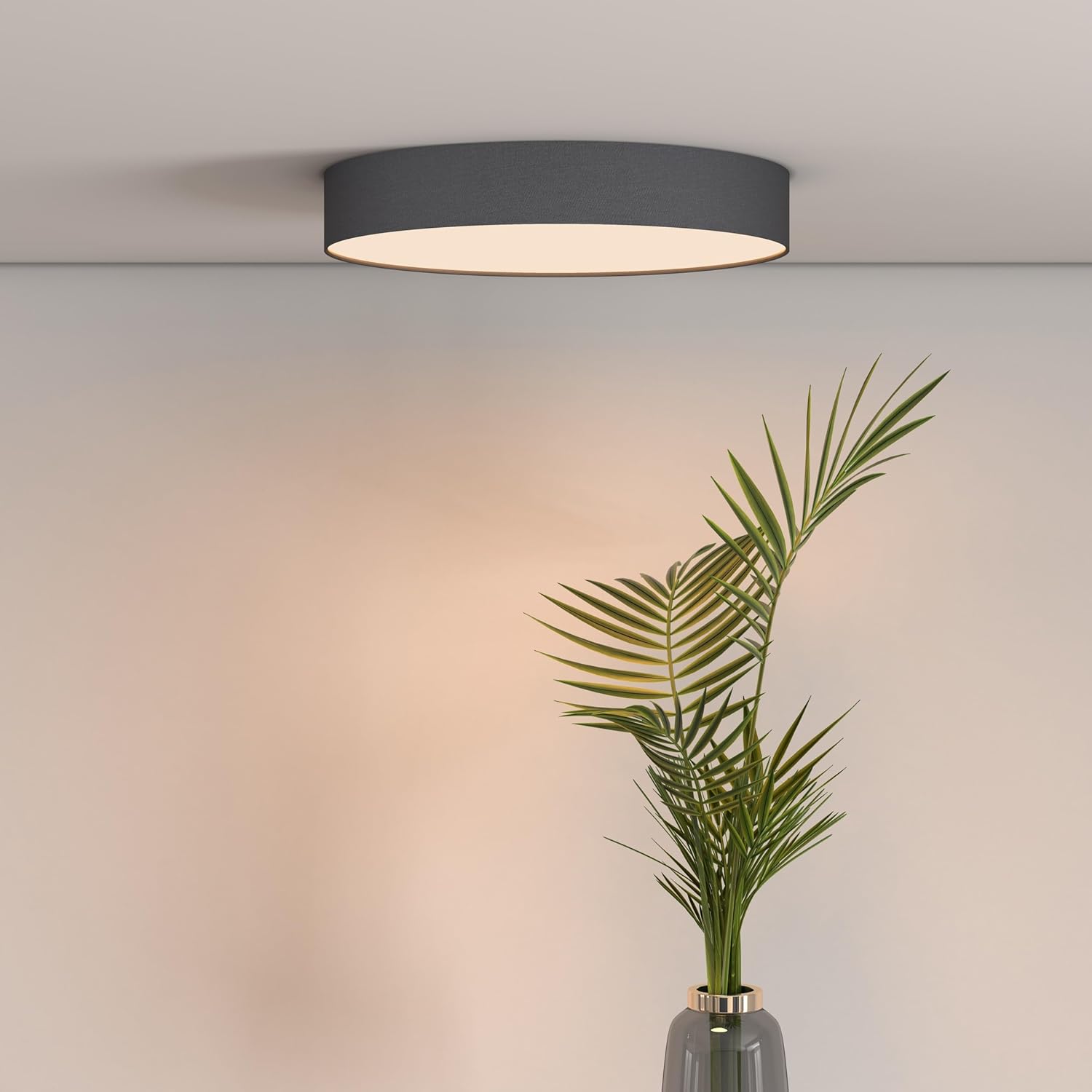
Figure 2: Calex Smart App Interface
7. Kontroll tal-Vuċi
The Calex Smart Ceiling Lamp is compatible with leading voice assistants, allowing for hands-free control:
- Amazon Alexa: Link your Calex Smart account to Alexa through the Alexa app.
- Google Home Assistant: Link your Calex Smart account to Google Home through the Google Home app.
- Siri: Use Siri Shortcuts to control your lamp (setup via the Calex Smart App).
Once linked, you can use commands such as: "Alexa, turn on the ceiling lamp," "Hey Google, set the ceiling lamp to blue," or "Siri, dim the ceiling lamp għal 50%."
8. Manutenzjoni
To ensure the longevity and optimal performance of your Calex Smart Ceiling Lamp, segwi dawn il-linji gwida sempliċi ta' manutenzjoni:
- Tindif: Skonnettja l-provvista tal-enerġija qabel it-tindif. Uża drapp artab, niexef, jew kemxejn imxarrab.amp drapp biex timsaħ il-wiċċ tal-lamp. Do not use abrasive cleaners, solvents, or harsh chemicals, as these can damage the finish.
- Spezzjoni: Perjodikament iċċekkja l-lamp for any signs of damage or loose connections. If any issues are found, disconnect power and consult a qualified technician.
- L-ebda Partijiet li jistgħu jservu mill-utent: The LED light source is integrated and not replaceable by the user. Do not attempt to open the lamp.
9 Issolvi l-problemi
If you encounter issues with your Calex Smart Ceiling Lamp, irreferi għas-soluzzjonijiet komuni li ġejjin:
- Lamp ma jixgħelx:
- Iċċekkja jekk il-provvista ewlenija tal-enerġija hijiex mixgħula.
- Tiżgura l-lamp is correctly wired and securely connected to the power source.
- Verify that the light switch (if applicable) is in the ON position.
- Lamp does not connect to Wi-Fi/App:
- Ensure your Wi-Fi network is 2.4 GHz. The lamp does not support 5 GHz Wi-Fi.
- Check your Wi-Fi signal strength at the lampil-post ta'.
- Erġa' ibda r-router tal-Wi-Fi tiegħek.
- Irrisettja l-lamp to pairing mode (usually by cycling power ON/OFF several times). Refer to the Calex Smart App for specific reset instructions.
- Ensure your smartphone is connected to the same 2.4 GHz Wi-Fi network during the pairing process.
- Il-kontroll tal-vuċi mhux qed jaħdem:
- Verify that your Calex Smart account is correctly linked to your voice assistant app (Alexa, Google Home).
- Iċċekkja l-konnessjoni tal-internet tiegħek.
- Tiżgura l-lamp is online and controllable via the Calex Smart App.
10. Speċifikazzjonijiet
| Karatteristika | Speċifikazzjoni |
|---|---|
| Brand | Calex |
| Numru tal-Mudell | 5301000200 |
| GTIN | 08712879151081 |
| Kulur | Black (exterior) |
| Dimensjonijiet | 30cm diameter (approx.) |
| Piż | 934 Gramm |
| Sors tal-Enerġija | AC |
| Voltage | 230 Volt |
| Wattage | 16 Watt |
| Luminożità | 1500 Lumen |
| Sors tad-Dawl | LED integrat |
| Kulur Dawl | RGBW (16 million colors + Tunable White) |
| Dimmable | Iva |
| Konnettività | Wi-Fi (2.4GHz) |
| Metodu ta' Kontroll | Calex Smart App, Voice Control (Alexa, Google Home, Siri) |
| Tip ta' Installazzjoni | Muntatura tal-Limitu |
| Użu fuq ġewwa/barra | Ġewwa Biss |
| Klassi tal-Effiċjenza tal-Enerġija | F |

Figure 3: Energy Label for Model 5301000200
Għal informazzjoni dettaljata dwar il-prodott, irreferi għad-database tal-EPREL: https://eprel.ec.europa.eu/qr/711744
11. Garanzija u Appoġġ
Calex products are manufactured to high-quality standards and come with a manufacturer's warranty. For specific warranty terms and conditions, please refer to the documentation provided with your purchase or visit the official Calex websit.
For technical support, troubleshooting assistance, or warranty claims, please contact Calex customer service through their official webis-sit jew l-informazzjoni ta' kuntatt ipprovduta fl-imballaġġ tal-prodott tiegħek.