
Introduzzjoni
Thank you for choosing the heygelo S90 Drone. This manual provides essential information for the safe operation, setup, and maintenance of your drone. Please read this manual thoroughly before operating the device to ensure proper usage and to maximize your flying experience.
Prekawzjonijiet tas-Sigurtà
- Dejjem ħaddem id-drone f'żoni miftuħa, 'il bogħod minn nies, annimali, u ostakli.
- Do not fly the drone in strong winds or adverse weather conditions.
- Kun żgur li l-batterija tad-drone tkun iċċarġjata kompletament qabel kull titjira.
- Keep fingers and loose objects away from rotating propellers.
- Issorvelja lit-tfal meta jkunu qed joperaw id-drone.
- Do not modify or disassemble the drone or its components.
- Adhere to all local laws and regulations regarding drone operation.
Kontenut tal-Pakkett
Ivverifika li l-oġġetti kollha huma preżenti fil-pakkett tiegħek:
- 1 x S90 Camera Drone
- 1 x Kontroll mill-bogħod
- 2 x Drone Batteries
- 1 x USB Charger (Jack Plug)
- 4 x Spare Blades
- 4 x Protective Guards
- 1 x Manwal għall-Utent
- 1 x Gwida Quick Start

Figure 1: heygelo S90 Drone Kit Contents
Prodott Overview
The heygelo S90 Drone is a foldable, mini FPV quadcopter designed for both beginners and experienced users. It features a 1080P HD camera, multiple flight modes, and user-friendly controls.
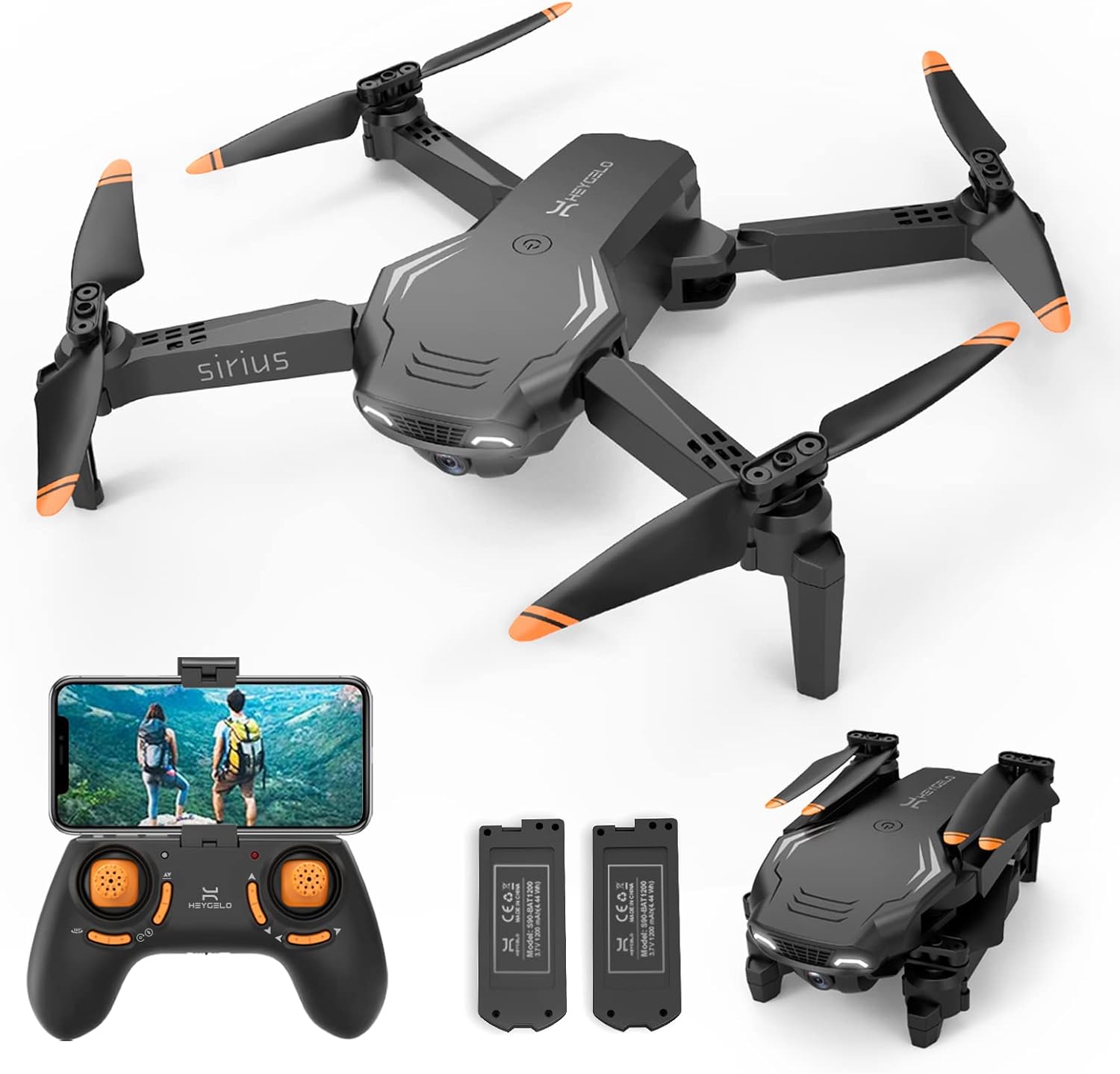
Figure 2: heygelo S90 Drone and Accessories
Karatteristiċi ewlenin:
- 1080P HD FPV WiFi Camera: Real-time live video streaming to your smartphone via the app. The camera is manually adjustable by 45 degrees.
- Modi ta' Kontroll Multipli: Control via Remote, APP, Voice, or Gravity Sensor.
- Intelligent Flight Functions: Includes 360° flip, high-speed rotation, Circle Flight, and Trajectory Flight.
- Titjira Stabbli: Altitude Hold for stable hovering and 3 adjustable speeds for different skill levels.
- Protezzjoni Sħiħa: Propeller guards protect blades during practice and minor impacts.
- Long Flight Time & Portable Design: Two modular batteries provide up to 26 minutes of flight time. Foldable design for easy transport.
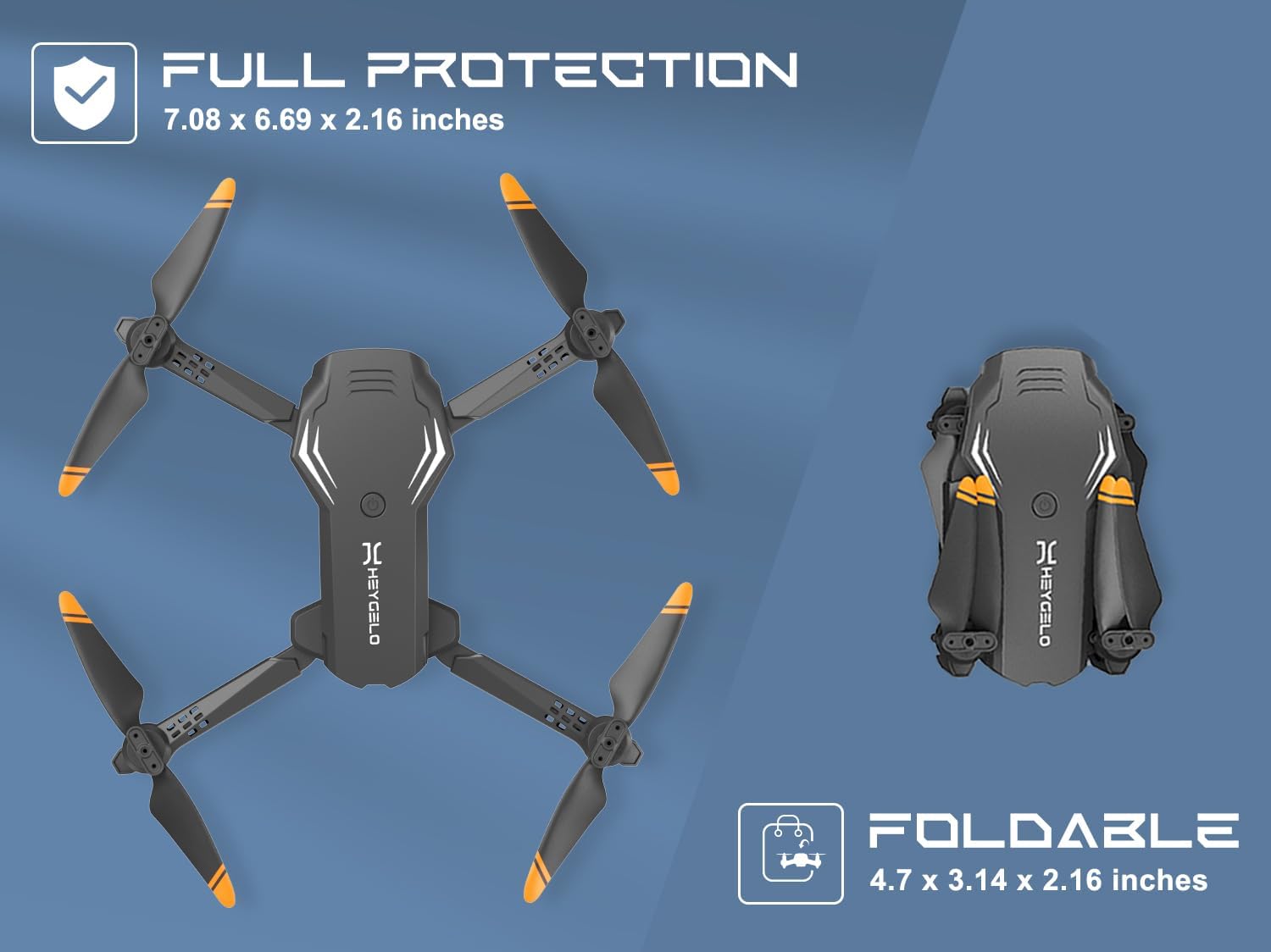
Figura 3: Disinn li Jintrewa għall-Portabbiltà
Setup
1. Tħejjija tad-Drone
- Unfold the Drone Arms: Gently unfold all four arms of the drone until they click into place.
- Installa l-Gwardji tal-Iskrun: Attach the protective guards to each motor arm to prevent damage to the propellers during flight.
- Installa l-Batterija tad-Drone: Insert a fully charged modular battery into the battery compartment on the back of the drone until it clicks securely.
2. Setup tal-Kontroll mill-bogħod
- Installa Batteriji: Open the battery compartment on the back of the remote control and insert 3 x AAA batteries (not included), ensuring correct polarity. Close the compartment.
- Waħħal id-Detentur tat-Telefon: If using the app, extend the phone holder on the remote control and securely place your smartphone.

Figure 4: Remote Control Design
3. Installazzjoni u Konnessjoni tal-App
- Niżżel l-App: Scan the QR code in the Quick Start Guide or search for the "HEYGELO" app in your smartphone's app store (iOS/Android).
- Connect to Drone WiFi:
- Ixgħel id-drone. Id-dwal indikatur se jteptipu.
- Go to your phone's Wi-Fi settings and connect to the Wi-Fi network named "HEYGELO-S90-XXXXXX".
- Open the HEYGELO app. The app should automatically connect to the drone, and you will see the live camera feed.
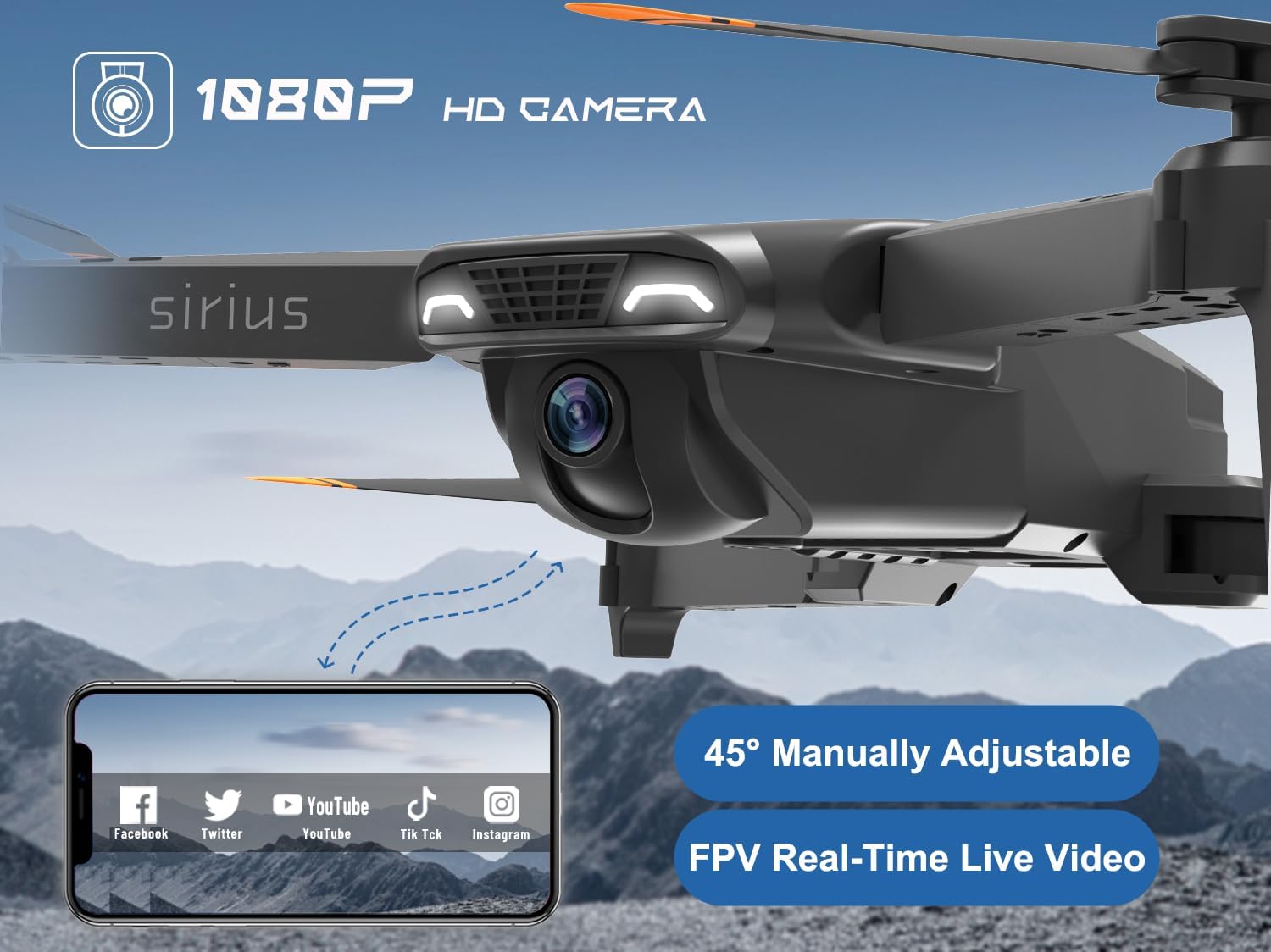
Figure 5: 1080P HD FPV Camera and App Interface
Istruzzjonijiet Operattivi
1. Tqabbil u Kalibrazzjoni
- Qawwa Mixgħul: Turn on the drone and then the remote control. The drone's indicator lights will flash.
- Tqabbil: Push the left joystick (throttle) all the way up and then all the way down. The drone lights will stop flashing and become solid, indicating successful pairing.
- Kalibrazzjoni: Place the drone on a flat, level surface. Push both joysticks down and to the right simultaneously. The drone lights will flash rapidly and then become solid, indicating successful gyroscope calibration.
2. Tluq u Inżul
- Bidu Ewlieni Wieħed: Press the One Key Take-off/Landing button on the remote control (or in the app). The drone will automatically lift off and hover at a stable altitude.
- Tlugħ manwali: After pairing and calibration, slowly push the left joystick (throttle) upwards to make the drone ascend.
- Inżul b'Ċavetta Waħda: Press the One Key Take-off/Landing button again. The drone will automatically descend and land gently.
- Inżul manwali: Slowly pull the left joystick (throttle) downwards until the drone lands.
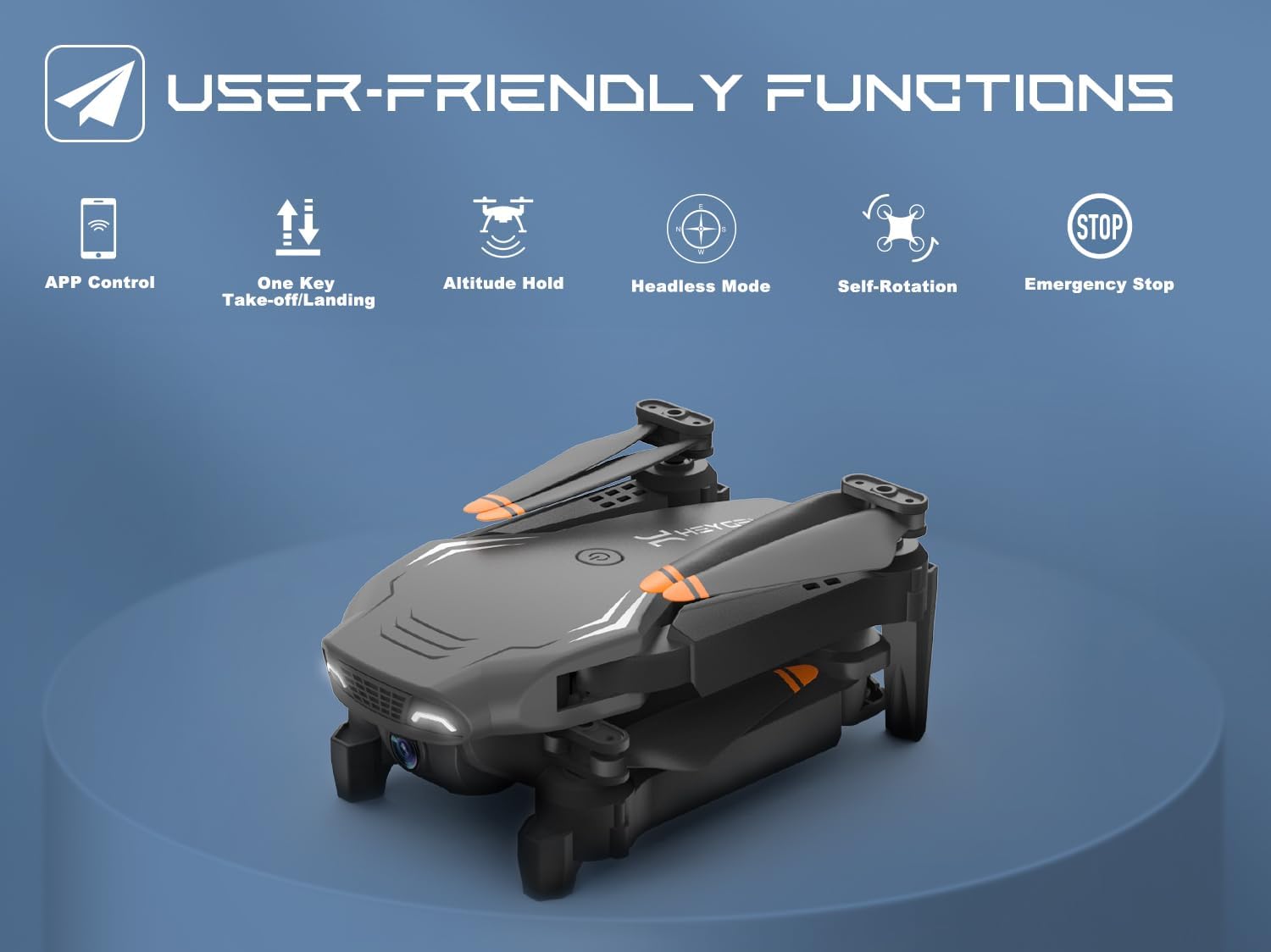
Figure 6: User-Friendly Functions
3. Kontrolli tat-Titjira
- Żamma tal-Altitudni: The drone maintains a stable altitude automatically, making it easier to control and capture clear photos/videos.
- 3 Veloċitajiet: Press the speed switch button on the remote to cycle through low, medium, and high speeds, suitable for beginners to advanced pilots.
- Modalità bla ras: In Headless Mode, the drone's orientation is relative to the pilot, eliminating the need to adjust its position before flying. Activate by pressing the Headless Mode button.
4. Special Flight Functions
- Dawriet ta' 360°: Press the 360° Flip button and then move the right joystick in the desired direction to perform an aerial flip.
- Kontroll tal-Vuċi: Use simple voice commands (e.g., "Take off", "Land") through the app to control the drone.
- Kontroll tal-ġesti: Perform specific hand gestures in front of the camera to trigger photo or video recording. A "Victory" sign for photos, a "Palm" for video.
- Kontroll tal-Gravità: Tilt your smartphone to control the drone's flight direction.
- Titjira ta' Trajtorja: Pinġi rotta tat-titjira fuq l-iskrin tal-ismartphone tiegħek, u d-drone awtomatikament isegwi r-rotta magħżula.
- Circle Flight: The drone will fly in a circular path around a designated point.
- Rotazzjoni b'Veloċità Għolja: The drone will perform a rapid rotation in place.

Figure 7: Advanced Flight Modes
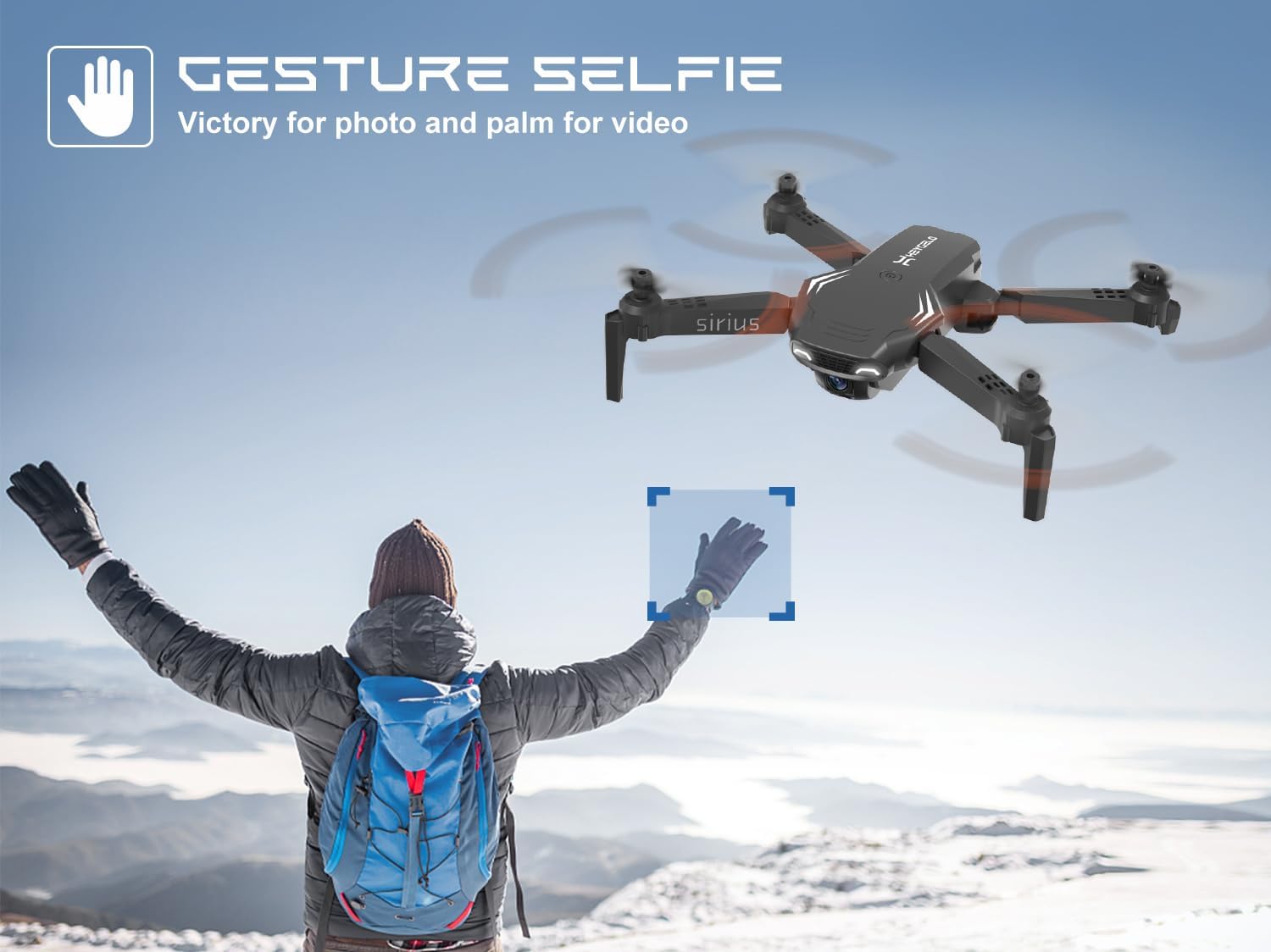
Figure 8: Gesture Selfie Function
5. Operazzjoni tal-Kamera
- Qbid tar-Ritratti/Vidjo: Uża l-buttuni ddedikati fuq il-kontroll remot jew l-interfaċċja tal-app biex tieħu ritratti jew tibda/twaqqaf ir-reġistrazzjoni tal-vidjow.
- Manual Camera Adjustment: The camera angle can be manually adjusted by 45 degrees before flight to capture different perspectives.
- Ħażna: Photos and videos are stored directly on your connected smartphone via the app.
Manutenzjoni
1. Kura tal-batterija
- Iċċarġjar: Use only the provided USB charger. Do not overcharge the batteries. The modular batteries are designed for easy replacement and safe charging.
- Ħażna: Aħżen il-batteriji f'post frisk u niexef 'il bogħod mix-xemx diretta u temperaturi estremi.
- Rimi: Armi batteriji qodma b'mod responsabbli skont ir-regolamenti lokali.
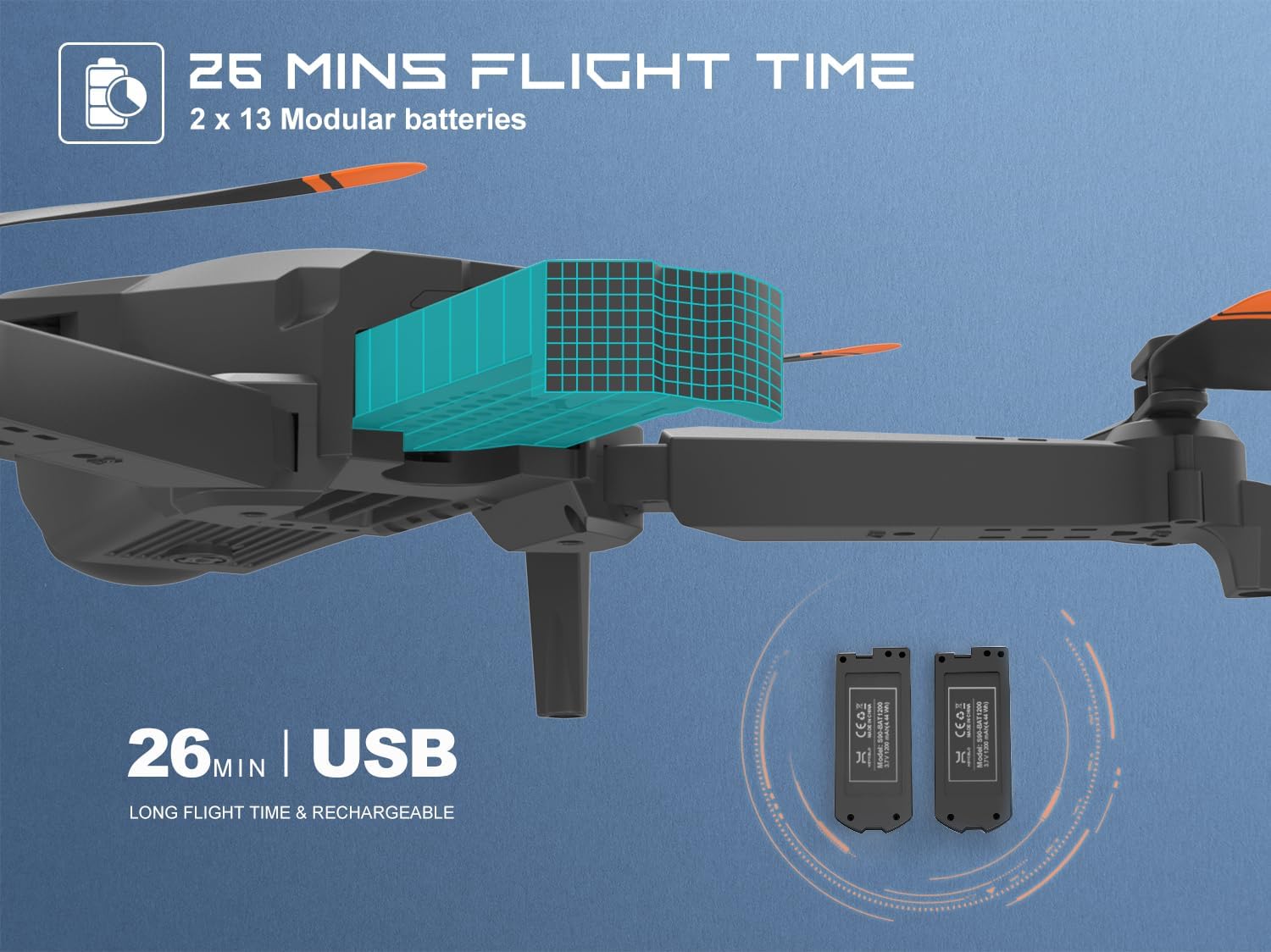
Figure 9: Modular Batteries for Extended Flight
2. Kura tal-Iskrun
- Spezzjoni: Regularly inspect propellers for any signs of damage (cracks, bends). Replace damaged propellers immediately using the spare blades provided.
- Tindif: Keep propellers free from dust and debris.

Figure 10: Propeller Guards for Enhanced Protection
3. Tindif
- Wipe the drone body with a clean, dry cloth. Do not use liquid cleaners or solvents.
- Ensure no dust or debris enters the motor or camera lens.
Issolvi l-problemi
| Problema | Kawża Possibbli | Soluzzjoni |
|---|---|---|
| Id-drone ma jirrispondix għall-kontroll remot. | Not paired correctly; low battery on drone or remote. | Erġa' qabbad id-drone u r-remote. Iċċarġja/ibdel il-batteriji. |
| Id-drone jittajjar waqt it-titjira. | Not calibrated; windy conditions. | Perform gyroscope calibration. Fly in calm conditions. |
| App does not show live video feed. | Not connected to drone's Wi-Fi; app permissions. | Ensure phone is connected to drone's Wi-Fi. Check app permissions (microphone, location, media). Restart app/drone. |
| Ħin qasir tat-titjira. | Il-batterija mhix iċċarġjata għalkollox; batterija qadima. | Fully charge battery before use. Consider replacing old batteries. |
| Drone crashes frequently. | Lack of practice; flying in confined spaces. | Practice in open areas. Start with low speed settings. |
Speċifikazzjonijiet
| Karatteristika | Dettall |
|---|---|
| Brand | heygelo |
| Isem tal-Mudell | S90 |
| Firxa ta' Età (Deskrizzjoni) | Adult, Kid |
| Kulur | Iswed |
| Riżoluzzjoni tal-Qbid tal-Vidjo | 1080p |
| Teknoloġija tal-Konnettività | Wi-Fi |
| Livell ta' Ħiliet | Bidu |
| Piż tal-oġġett | 105 Gram (3.7 uqija) |
| Kapaċità tal-batterija | 1200 Milliamp Sigħat |
| Format tal-Qbid tal-Vidjo | MP4 |
| Tip ta' Kontroll | Kontroll mill-bogħod |
| Materjal | Plastik |
| Kompożizzjoni taċ-Ċellola tal-Batterija | Jonju tal-litju |
| Dimensjonijiet tal-Prodott (Miftuħ) | 7.08"T x 6.69"W x 2.16"Għ |
| Dimensjonijiet tal-Prodott (Mitwija) | 4.7"T x 3.14"W x 2.16"Għ |
Garanzija u Appoġġ
For warranty information, technical support, or any inquiries regarding your heygelo S90 Drone, please contact heygelo customer support.
- Uffiċjali Websit: www.heygelo.com
- Appoġġ bl-Email: usa@heygelo.com
- Ħanut tal-Marka: Visit the official heygelo store on Amazon for more products and information: heygelo Amazon Store
- Gwida għall-Utent (PDF): A downloadable PDF version of the user guide is available hawn.