
Alcatel Alcatel 3082X
Manwal tal-Utent tal-Alcatel 3082 4G
Easy-to-Use Flip Phone with Charging Cradle
1. Introduzzjoni
Welcome to the user manual for your new Alcatel 3082 4G flip phone. This device is designed for straightforward communication, featuring large keys, a clear display, and essential functions. Its compact flip design protects the screen and keypad, while 4G connectivity ensures reliable network access. Please read this manual carefully to understand how to set up, operate, and maintain your phone.
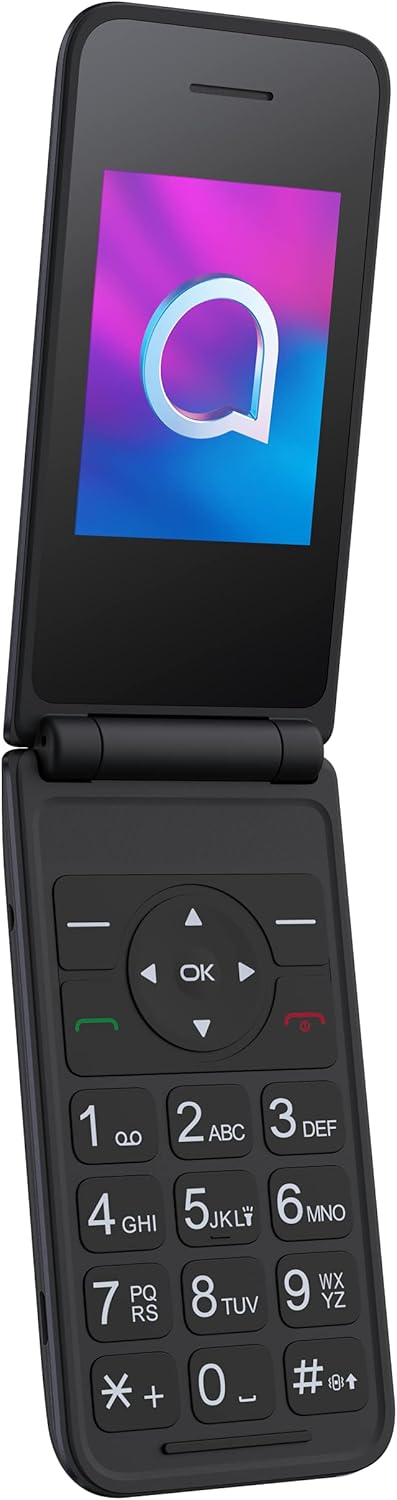
Figure 1.1: Alcatel 3082 4G Open View
2. Setup
2.1 Kontenut tal-Pakkett
Kun żgur li l-oġġetti kollha huma preżenti fil-pakkett tal-prodott tiegħek:
- Alcatel 3082 4G Flip Phone
- Benniena tal-Iċċarġjar
- Cable USB
- Adapter tal-Enerġija
- Batterija 1380 mAh
- Gwida Quick Start (dan il-manwal)
2.2 Installazzjoni tas-SIM Card u l-Batterija
- Neħħi bir-reqqa l-għatu ta' wara tat-telefon.
- Daħħal il-karta/i tas-SIM tiegħek fl-islott/i magħżul/a bil-kuntatti tad-deheb iħarsu 'l isfel.
- Insert the 1380 mAh battery into its compartment, ensuring the contacts align.
- Erġa' poġġi l-għatu ta' wara sakemm tikklikkja sew f'postu.
2.3 Iċċarġjar tat-Telefon
Before first use, fully charge the phone. You can use the included charging cradle or connect the USB cable directly to the phone.
- L-użu tal-Bniena tal-Iċċarġjar: Connect the USB cable to the charging cradle and then to the power adapter. Place the phone into the cradle, ensuring it sits firmly and the charging indicator appears on the screen.
- Iċċarġjar Dirett: Connect the USB cable to the Micro USB port on the side of the phone and then to the power adapter.
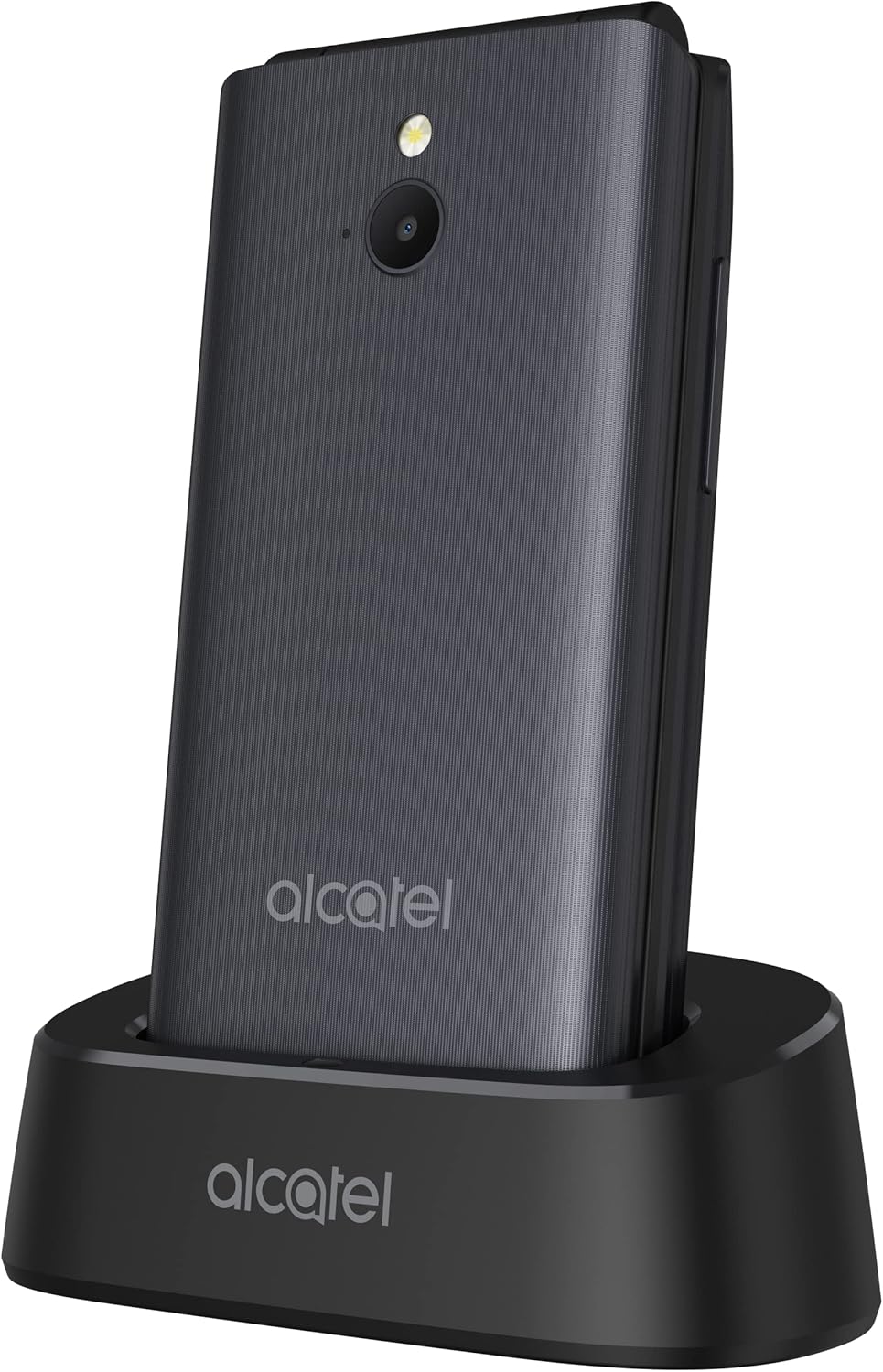
Figure 2.1: Phone in Charging Cradle

Figure 2.2: Micro USB Charging Port
2.4 Tixgħel/Jitfi
- Biex Tixgħel: Press and hold the red End Call/Power key until the screen lights up.
- Biex Tifi: Press and hold the red End Call/Power key until the power options appear, then select 'Power off'.
3. Istruzzjonijiet Operattivi
3.1 Funzjonijiet Ewlenin
The Alcatel 3082 4G features a large, easy-to-use keypad:
- Ċwievet tan-Navigazzjoni ('il fuq, 'l isfel, Xellug, Lemin): Użat biex tinnaviga fil-menus u l-għażliet.
- Ċavetta OK: Jikkonferma l-għażla.
- Ċavetta ħadra tas-sejħa: Jibda sejħa jew iwieġeb sejħa li tkun dieħla.
- Red End Call/Power Key: Ends a call, returns to the home screen, or powers the phone on/off.
- Soft Keys (Left/Right): Il-funzjonijiet ivarjaw skont il-kuntest tal-iskrin, indikat mit-tikketti fuqhom.
- Tastiera Numerika (0-9, *, #): Biex iċċempel numri u jittajpja test.
3.2 Tagħmel u Riċeviment Sejħiet
- Tagħmel Sejħa: Daħħal in-numru tat-telefon billi tuża t-tastiera u agħfas il-buttuna l-Ħadra tas-Sejħa.
- Tweġiba għal Sejħa: When the phone rings, press the Green Call key.
- Tmiem Sejħa: Agħfas il-buttuna l-ħamra tat-Tmiem tas-Sejħa.
3.3 Messaġġi (SMS/MMS)
Biex tibgħat u tirċievi messaġġi bit-test:
- From the main menu, navigate to 'Messages'.
- Agħżel 'Messaġġ Ġdid' jew 'Oħloq Messaġġ'.
- Daħħal in-numru tar-riċevitur jew agħżel mill-kuntatti.
- Type your message using the keypad. Press the '#' key to switch between text input modes (e.g., ABC, Abc, abc, 123).
- Press the 'Send' option.
3.4 Funzjoni tal-Kamera
The phone is equipped with a 1 MP camera with flash for basic photo capture.
- Mill-menù prinċipali, agħżel 'Kamera'.
- Ifrejmja x-xbieha tiegħek billi tuża l-iskrin bħala viewfinder
- Press the 'OK' key to take a picture.
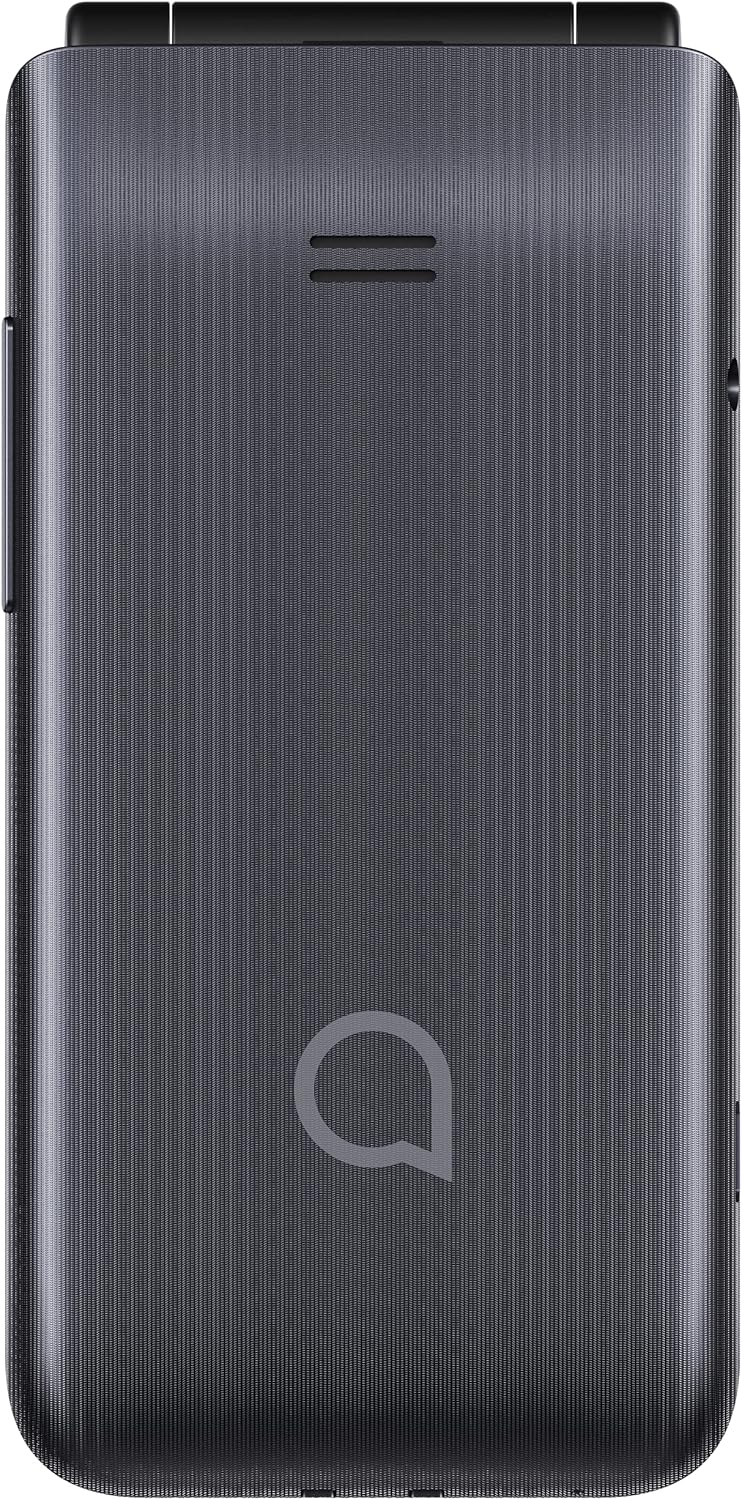
Figure 3.1: Rear Camera and Flash
3.5 Konnettività Bluetooth
Qabbad it-telefon tiegħek ma' headsets Bluetooth jew apparati oħra.
- From the main menu, navigate to 'Settings' > 'Connectivity' > 'Bluetooth'.
- Ixgħel il-Bluetooth.
- Agħżel 'Fittex għal devices' or 'Pair new device'.
- Choose the desired device from the list and follow the on-screen prompts to pair.
3.6 Ħoss u Volum
Adjust ringtone, call, and notification volumes through the 'Settings' menu under 'Profiles' or 'Sound'.
4. Manutenzjoni
4.1 Tindif tat-Telefon Tiegħek
Biex iżżomm it-telefon tiegħek f'kundizzjoni ottimali:
- Uża drapp artab u mingħajr suf biex timsaħ l-iskrin u l-qafas.
- Avoid using harsh chemicals, cleaning solvents, or aerosol sprays.
- Tesponix it-telefon għal umdità eċċessiva.
4.2 Kura tal-Batterija
Biex ittawwal il-ħajja tal-batterija:
- Evita temperaturi estremi.
- Tħallix it-telefon jiċċarġja għal perjodi twal wara li jkun iċċarġjat kompletament.
- Jekk it-telefon ma se jintużax għal żmien twil, iċċarġjah sa madwar 50% qabel ma taħżnu.
4.3 Ħażna
Store your phone in a cool, dry place away from direct sunlight and extreme temperatures.
5 Issolvi l-problemi
If you encounter issues with your Alcatel 3082 4G, refer to the table below for common problems and solutions.
| Problema | Kawża Possibbli | Soluzzjoni |
|---|---|---|
| It-telefon ma jixgħelx | Il-batterija hija eżawrita jew mhux imdaħħla sew. | Iċċarġja l-batterija. Kun żgur li l-batterija hija mdaħħla sew. |
| L-ebda sinjal tan-netwerk | SIM card not inserted correctly, out of network coverage, or network settings issue. | Reinsert SIM card. Move to an area with better coverage. Check network settings. |
| Ma nistax nagħmel/nirċievi telefonati | No network signal, incorrect number dialed, or call barring activated. | Check network signal. Verify the number. Disable call barring if active. |
| Kwistjonijiet ta' ċċarġjar | Charger or cable faulty, or charging port/cradle dirty. | Try a different charger/cable. Clean the charging port/cradle. |
| Il-Bluetooth mhux qed jgħaqqad | Bluetooth is off, device not in pairing mode, or too far away. | Ensure Bluetooth is on. Put the other device in pairing mode. Keep devices close. |
6. Speċifikazzjonijiet
Detailed technical specifications for the Alcatel 3082 4G:
| Karatteristika | Speċifikazzjoni |
|---|---|
| Brand | Alcatel |
| Numru tal-Mudell | Alcatel 3082X |
| Kulur | Griż |
| Sistema Operattiva | THREAD X |
| Daqs tal-Iskrin | 2.4 Pulzier |
| Riżoluzzjoni tal-Wiri | 240x320 pixel |
| Daqs RAM | 16 MB (installed) |
| Kapaċità tal-Ħżin | 64 MB (intern) |
| Riżoluzzjoni Għadha Effettiva | 1 Megapixel |
| Kompożizzjoni tal-batterija | Lithium-ion |
| Kapaċità tal-batterija | 1380 mAh |
| Konnettività | 4G, Bluetooth, Micro USB |
| Karatteristiċi Speċjali | Stereo earphones support, 4G Connectivity, Charging Cradle |
7. Garanzija u Appoġġ
Your Alcatel 3082 4G phone comes with a standard manufacturer's warranty. Please refer to the warranty card included in your package for specific terms and conditions, including warranty period and coverage details. For technical support, service, or further inquiries, please visit the official Alcatel support webis-sit jew ikkuntattja l-linja tas-servizz tal-konsumatur tagħhom. Żomm l-irċevuta tax-xiri tiegħek bħala prova tax-xiri għal talbiet ta’ garanzija.
Ask a question about this manual
Ask about setup, troubleshooting, compatibility, parts, safety, or missing instructions. Manuals+ will review the question and use this page’s manual context to help answer it.