
BOLISS BLS-2818H
BOLISS BLS-2818H Ergonomic Office Chair User Manual
Comprehensive instructions for the setup, operation, maintenance, and troubleshooting of your BOLISS BLS-2818H ergonomic office chair.
1. Setup u Assemblea
Before beginning assembly, ensure all parts are present and undamaged. It is recommended to assemble the chair on a soft, clean surface to prevent scratches. For detailed visual instructions, please refer to the official Installation Manual PDF provided with your purchase.
Passi tal-Assemblea Ġenerali:
- Attach the casters to the five-star base by firmly pushing them into the sockets until they click into place.
- Daħħal iċ-ċilindru tal-irfigħ tal-gass fit-toqba taċ-ċentru tal-bażi b'ħames stilel.
- Waħħal il-mekkaniżmu tas-sedil man-naħa ta’ taħt tal-kuxxin tas-sedil billi tuża l-viti pprovduti. Kun żgur li l-parti ta’ quddiem tal-mekkaniżmu tħares lejn in-naħa ta’ quddiem tas-sedil.
- Poġġi s-sedil immuntat bir-reqqa fuq iċ-ċilindru tal-irfigħ tal-gass.
- Attach the backrest to the seat mechanism using the designated screws.
- Install the armrests to the seat and backrest as per the instructions, ensuring they are securely fastened.
- Attach the headrest to the top of the backrest, adjusting its height as needed.

Figure 1: Visual guide for chair assembly steps.
Nota Importanti: Do not exceed the maximum weight limit of 400 lbs. Always assemble the chair according to the instructions provided. Keep the chair away from heat sources and sharp objects to prevent damage. Do not use the chair if any parts are broken or missing.
2. Istruzzjonijiet Operattivi
The BOLISS BLS-2818H office chair is designed with multiple adjustable features to provide optimal comfort and support for extended periods of use.
Aġġustament Għoli
To adjust the seat height, locate the lever on the right side beneath the seat. Pull the lever upwards while seated to lower the chair, or pull the lever upwards while standing to raise the chair. Release the lever at your desired height.
Tilt and Recline Function
The chair features a tilting mechanism for reclining. To enable tilting, pull the lever on the left side beneath the seat outwards. To lock the chair in an upright position, push the lever inwards. The tension of the tilt can be adjusted by rotating the round knob located at the front center beneath the seat. Turn clockwise to increase tension (making it harder to recline) and counter-clockwise to decrease tension (making it easier to recline).

Figure 2: Chair recline and tilt adjustment.
Headrest aġġustabbli
The 3D designed headrest can be adjusted in height and angle to provide optimal neck and head support. Simply grasp the headrest and move it up or down to your preferred height. The angle can also be adjusted by tilting it forward or backward.
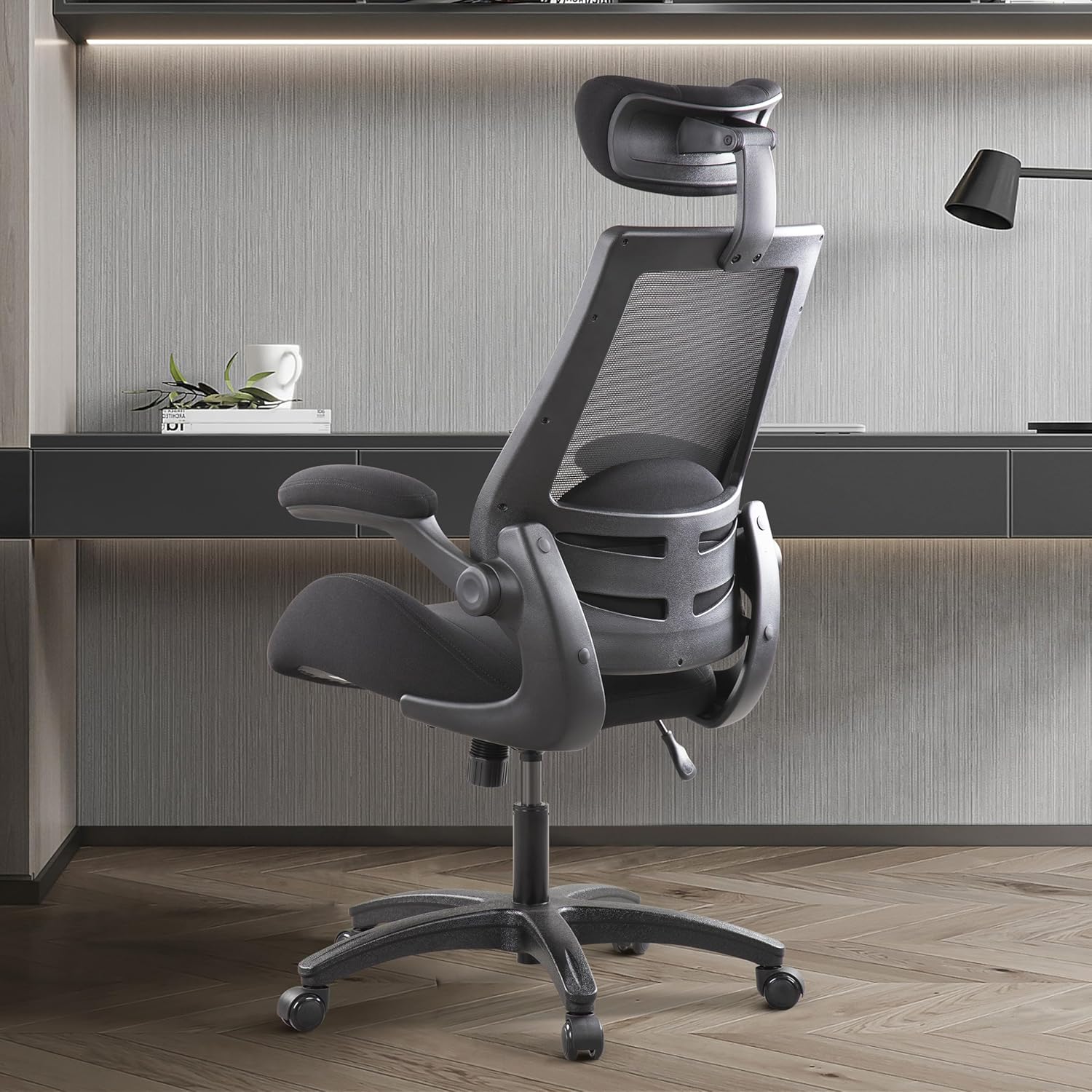
Figure 3: Adjustable headrest for personalized comfort.
Flipped Armrests
The armrests are designed to flip up 90 degrees, allowing you to push the chair closer to your desk or save space when not in use. Simply lift the armrests upwards until they lock into the vertical position. To return them to the down position, gently pull them down.

Figure 4: Flipped armrests for space-saving.
Lumbar Support and Seat Cushion
The chair includes a free-placed lumbar cushion to provide additional support to your lower back and spine. Position it as needed for optimal comfort. The seat cushion features a 4-inch thick streamlined design with high-quality molded sponge, offering soft, resilient, and breathable support to reduce pressure on the legs and promote blood circulation.

Figure 5: Ergonomic seat cushion and lumbar support.
Mobilità
The chair is equipped with silent PU castors that allow for smooth 360-degree swivel and movement across various floor surfaces, including tile, hard floor, and carpet. The high-bearing five-star base ensures stability and durability.
3. Manutenzjoni u Kura
Proper maintenance will extend the life and appearance of your BOLISS office chair.
- Tindif: Imsaħ nadif bl adamp cloth. For mesh and fabric surfaces, use a mild soap solution if necessary, and then wipe with a clean, damp drapp. Evita kimiċi ħarxa jew prodotti tat-tindif li joborxu.
- Spezzjoni: Iċċekkja l-viti u l-boltijiet kollha perjodikament biex tiżgura li huma ssikkati. Issikkahom mill-ġdid jekk meħtieġ biex iżżomm l-istabbiltà u tevita li jkun hemm xi ħsejjes.
- Xandara: Żomm ir-roti ħielsa mix-xagħar u l-fdalijiet biex tiżgura li jirrumblaw bla xkiel.
- Evita tagħbija żejda: Taqbiżx il-kapaċità ta 'piż massimu ta' 400 lbs.
- Fatturi Ambjentali: Avoid prolonged exposure to direct sunlight or extreme temperatures, which can degrade materials over time.
4 Issolvi l-problemi
Din it-taqsima tindirizza kwistjonijiet komuni li tista’ tiltaqa’ magħhom mas-siġġu tal-uffiċċju tiegħek.
| Problema | Kawża Possibbli | Soluzzjoni |
|---|---|---|
| Is-Siġġu Jgħajjat jew Jitbandal | Viti jew konnessjonijiet maħlula. | Tighten all screws and bolts, especially those connecting the seat, backrest, and armrests. |
| Gas Lift Not Adjusting Height | Ħsara fiċ-ċilindru tal-irfigħ tal-gass jew il-lieva mhux imqabbda għalkollox. | Ensure the height adjustment lever is fully pulled or pushed. If the issue persists, the gas lift may need replacement. |
| Ir-roti mhux qed iduru bla xkiel | Debris (hair, lint) caught in casters or damaged casters. | Remove any debris from the casters. If damaged, consider replacing them. |
| Headrest Does Not Hold Position | Internal mechanism wear or loose connection. | Check for any visible loose parts where the headrest connects to the backrest. If it's an internal mechanism, contact customer support. |
| Tilting/Reclining Mechanism Not Working | Locking lever not engaged/disengaged properly or internal mechanism issue. | Ensure the tilt lock lever is fully engaged or disengaged. Adjust the tilt tension knob. If the issue persists, the mechanism may be faulty. |
If you encounter issues not listed here or if the suggested solutions do not resolve the problem, please contact BOLISS customer support for further assistance.
5. Speċifikazzjonijiet
| Ditta: | BOLISS |
| Isem tal-Mudell: | BLS-2818H (2818H) |
| Kulur: | Iswed |
| Dimensjonijiet tal-Prodott (P x W x H): | 27.6"D x 27.3"W x 45.3"H |
| Rakkomandazzjoni tal-Piż Massimu: | 400 Liri |
| Material (Fill): | Fowm |
| Stil ta' Dahar: | Mesh, Solid Back |
| Karatteristiċi Speċjali: | Adjustable Headrest, Adjustable Height, Cushion Availability, Ergonomic, Space Saving (Flipped Armrests) |
| Istruzzjonijiet għall-Kura tal-Prodott: | Imsaħ Nadif |
| Furniture Base Movement: | Dawwar |
| Rakkomandazzjoni tal-wiċċ: | Art iebes, Tapit |
| Għadd tal-Pożizzjoni Mimduda: | 1 (Tilting) |
| Piż tal-oġġett: | 39.4 liri |
6. Garanzija u Appoġġ
BOLISS provides after-sales service for your BLS-2818H office chair. Within two years of purchase, if you encounter any issues with the product, you can contact their after-sales service for assistance and resolution.
For further support, including detailed installation guides or specific inquiries, please refer to the official documentation provided with your product or visit the BOLISS brand store online.
- Manwal Uffiċjali tal-Installazzjoni (PDF): Niżżel Hawnhekk
- Visit the BOLISS Store: BOLISS Official Store
Ask a question about this manual
Ask about setup, troubleshooting, compatibility, parts, safety, or missing instructions. Manuals+ will review the question and use this page’s manual context to help answer it.