
1. Prodott Aktarview

Quddiem-fuq view of the SUNMI 80mm Kitchen Cloud Receipt Printer, showcasing its compact black design with orange accents and control panel.
The SUNMI 80mm Kitchen Cloud Receipt Printer (Model C04000069) is a compact and efficient thermal printer designed for various environments, particularly suited for kitchen and point-of-sale applications. It offers reliable, high-speed printing for receipts and orders.
Karatteristiċi ewlenin:
- Compact 130mm square design for space-saving installation.
- High-performance Seiko thermal print head.
- Fast printing speed of 165mm/s for 80mm receipts.
- Easy internet connectivity via LAN cable.
- Supports 80mm paper format.
2. Kontenut tal-Pakkett
Jekk jogħġbok immarka l-kaxxa għall-oġġetti li ġejjin:
- SUNMI 80mm Kitchen Cloud Receipt Printer (Model C04000069)
- Adapter tal-Enerġija
- Thermal Paper Roll (for initial setup)
- Manwal għall-Utent (dan id-dokument)
3. Gwida ta' Setup
3.1 Konnessjoni tal-Enerġija
- Kun żgur li l-istampatur jitqiegħed fuq wiċċ stabbli u ċatt.
- Qabbad l-adapter tal-enerġija mal-port tad-dħul tal-enerġija tal-istampatur.
- Ipplaggja l-adapter tal-enerġija fi żbokk tal-elettriku adattat.
- Press the power button to turn on the printer. The power indicator light will illuminate.
3.2 Installazzjoni tar-Roll tal-Karta

Miftuħ view of the SUNMI printer's interior, revealing the paper roll compartment and the high-performance Seiko thermal print head, capable of 165mm/s printing speed.
- Open the printer's top cover by pressing the release latch.
- Insert the 80mm thermal paper roll into the compartment, ensuring the paper feeds from the bottom and the leading edge is straight.
- Iġbed ammont żgħir ta' karta 'l barra mill-cutter.
- Agħlaq l-għatu ta’ fuq sew sakemm jikklikkja f’postu.

Two sequential images: one showing a hand inserting a receipt into the printer's output slot, and another showing a hand replacing the thermal paper roll inside the printer's open compartment.
3.3 Konnessjoni tan-Netwerk
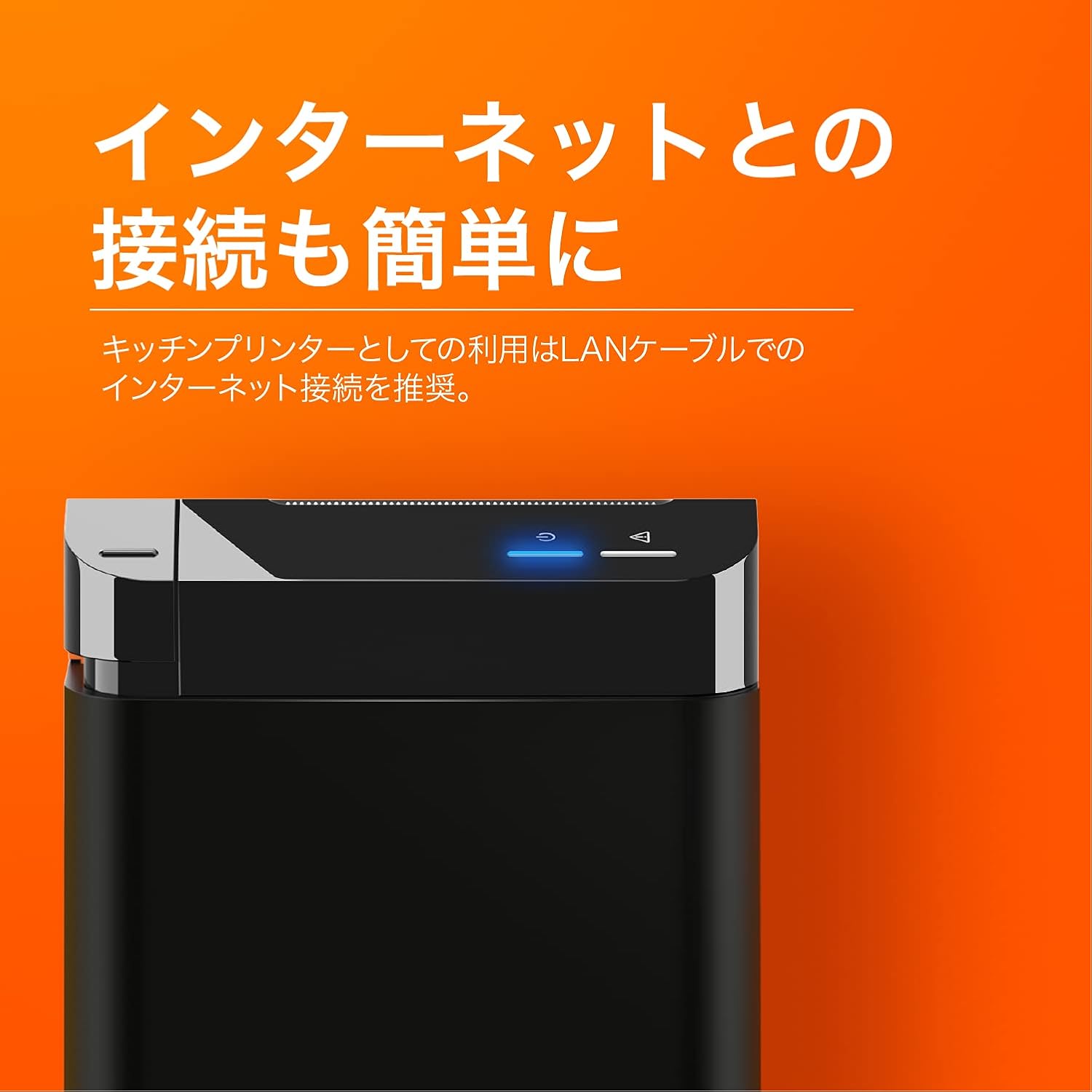
The SUNMI printer with a blue illuminated status light, highlighting its easy internet connectivity via LAN cable, recommended for kitchen printer use.
For optimal performance, especially in kitchen environments, a wired LAN connection is recommended.
- Connect one end of an Ethernet (LAN) cable to the printer's LAN port.
- Qabbad it-tarf l-ieħor tal-kejbil Ethernet mar-router jew is-swiċċ tan-netwerk tiegħek.
- The network indicator light on the printer will show connection status (e.g., solid blue for connected).
4. Istruzzjonijiet Operattivi
4.1 Stampar Bażiku
Once the printer is powered on and connected to your network, it is ready to receive print commands from compatible software or systems (e.g., POS software, kitchen display systems).
- Ensure your printing application is configured to use the SUNMI 80mm Kitchen Cloud Printer.
- Initiate a print job from your application.
- The printer will automatically feed and cut the receipt after printing.

A view of two SUNMI 80mm Kitchen Cloud Printers side-by-side, with one actively printing a receipt, demonstrating its operational use.
4.2 Indikaturi tal-Istat
The printer features indicator lights on its control panel to provide status information:
- Indikatur tal-Enerġija: Solid light indicates the printer is on.
- Indikatur ta' Żball: Flashing or solid light indicates an error (e.g., paper out, cover open). Refer to the Troubleshooting section.
- Indikatur tan-Netwerk: Indicates network connectivity status.
5. Manutenzjoni
5.1 Tindif tal-Istampatur
Tindif regolari jgħin biex tinżamm il-kwalità tal-istampar u jtawwal il-ħajja tal-istampatur.
- Itfi u aqla’ l-istampatur qabel ma tnaddaf.
- Uża drapp ratba u mingħajr ħelu ftit dampened with water or isopropyl alcohol to wipe the exterior.
- Gently clean the thermal print head with a cotton swab dipped in isopropyl alcohol. Allow it to dry completely before use.
- Neħħi kwalunkwe trab jew debris tal-karta mill-mogħdija tal-karta.
5.2 Sostituzzjoni tar-Romblu tal-Karta
When the paper roll is nearing its end, the printer may indicate a paper-low error or print faint lines. Follow the steps in Section 3.2 to replace the paper roll.
6 Issolvi l-problemi
If you encounter issues with your SUNMI printer, refer to the table below for common problems and solutions.
| Problema | Kawża Possibbli | Soluzzjoni |
|---|---|---|
| Il-printer ma jixgħelx | No power, faulty adapter | Check power cable connection; ensure outlet is working; try a different adapter if available. |
| No printing / Error light on | Paper out, cover open, paper jammed | Replace paper roll; ensure cover is closed properly; clear any paper jams. |
| Faint or blank prints | Incorrect paper type, dirty print head, paper loaded incorrectly | Ensure thermal paper is used; clean the print head (Section 5.1); check paper orientation. |
| Ma tistax tikkonnettja man-netwerk | Loose LAN cable, network configuration issue | Check LAN cable connection; verify network settings on your router/system. |
7. Speċifikazzjonijiet Tekniċi

The SUNMI 80mm Kitchen Cloud Printer, demonstrating its compact 130mm square footprint, ideal for space-saving installations.
| Karatteristika | Speċifikazzjoni |
|---|---|
| Numru tal-Mudell | C04000069 |
| Brand | SUNMI |
| Tip ta 'stampatur | Stampatur tal-Irċevuta Termali |
| Veloċità tal-Istampar | 165 mm/s |
| Wisa' tal-Karta | 80 mm |
| Teknoloġija tal-Konnettività | USB, LAN (Ethernet) |
| Kulur | Multicolor (primarily black with orange accents) |
| Dimensjonijiet tal-Prodott | 13 x 13 x 13 ċm (madwar 5.1 x 5.1 x 5.1 pulzieri) |
| Piż tal-oġġett | 1.32 Kilogrammi (madwar 2.91 lbs) |
| Kapaċità Massima tad-Dħul tal-Folji | 100 sheets (referring to paper roll length equivalent) |
| Stampar Duplex | No (single-sided receipt printing) |
| Midja Appoġġjata | Thermal Labels/Receipt Paper |
8. Garanzija u Appoġġ
This product is covered by the standard manufacturer's warranty. For specific warranty terms and conditions, please refer to the documentation provided at the time of purchase or contact your retailer.
For technical support, troubleshooting assistance beyond this manual, or service inquiries, please contact SUNMI customer support or your authorized dealer. Keep your purchase receipt and product model number (C04000069) ready when contacting support.