
1. Introduzzjoni
Thank you for choosing the Hoco HC2 Wireless Speaker. This manual provides essential information for setting up, operating, and maintaining your device. Please read it carefully before use to ensure optimal performance and longevity of your speaker.
2. Karatteristiċi
- Bluetooth 5.0 għal konnettività mingħajr fili stabbli u effiċjenti.
- Dual 52mm speaker units with 5W x 2 power output for rich, clear audio.
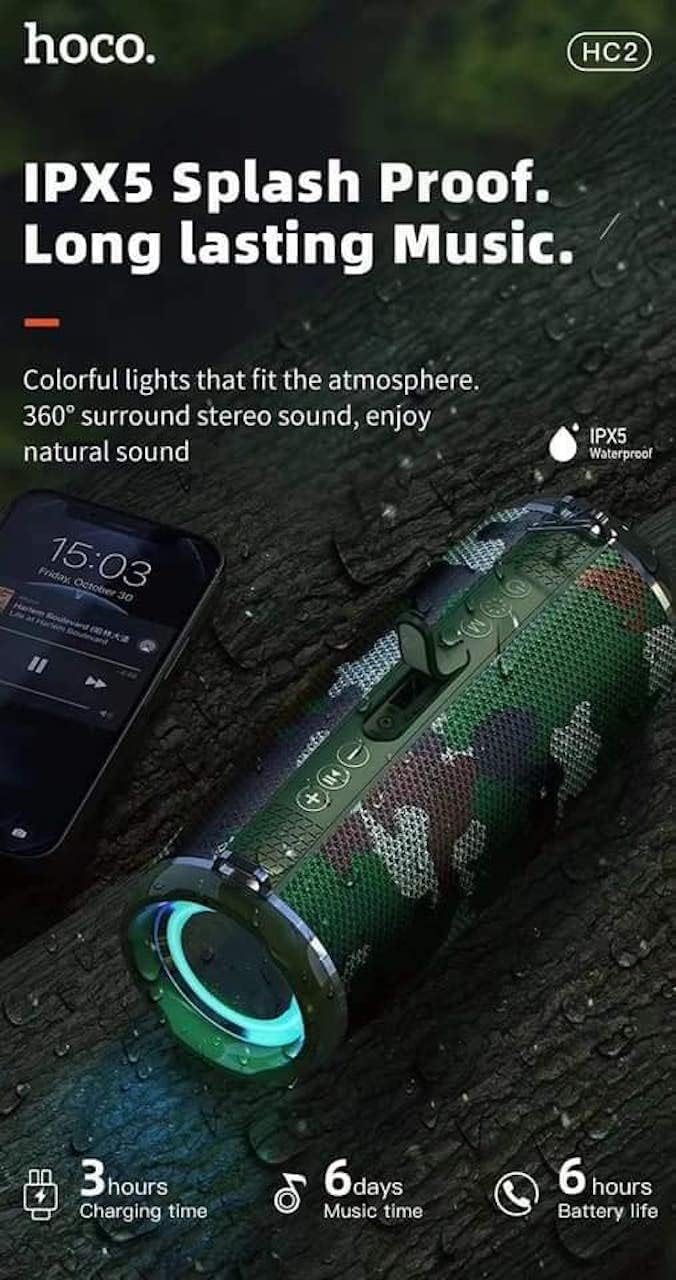
- Built-in 2400 mAh battery providing approximately 6 hours of talk/music playback time.
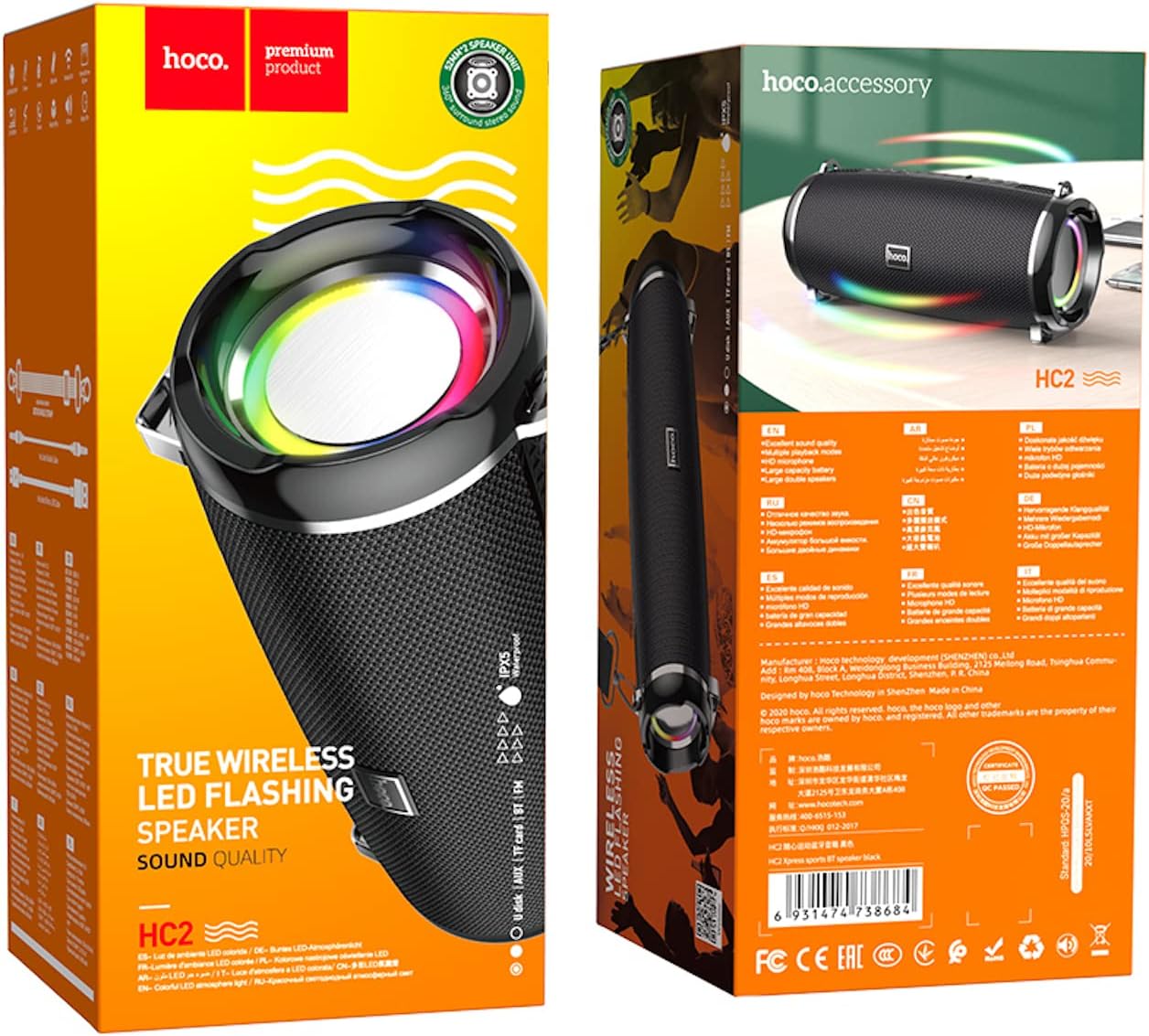
- Versatile playback options: Supports Bluetooth, TF card, USB, AUX, and FM radio modes.
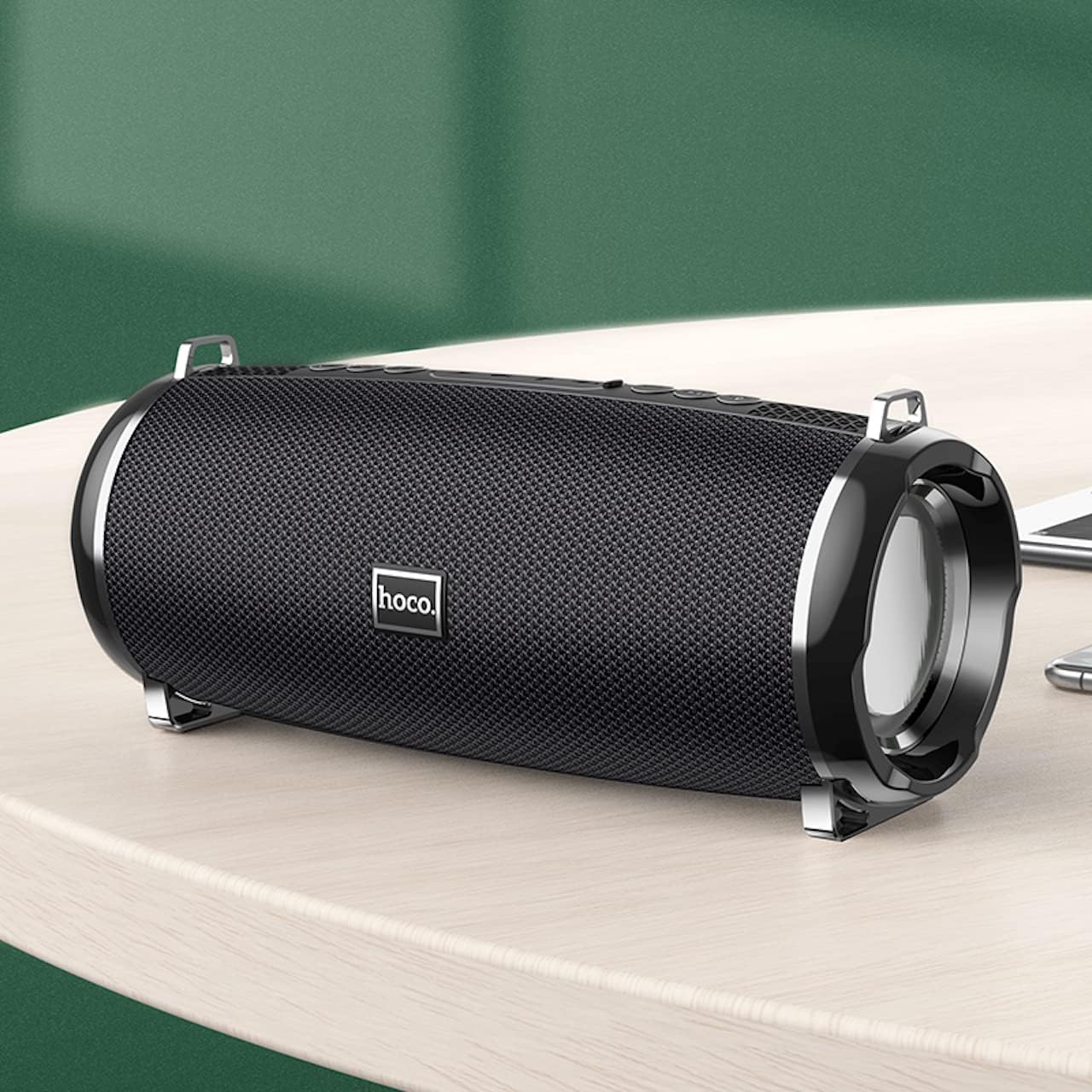
- Compact and portable design with dimensions of 194.4 x 81 x 82 mm and a weight of 598 grams.
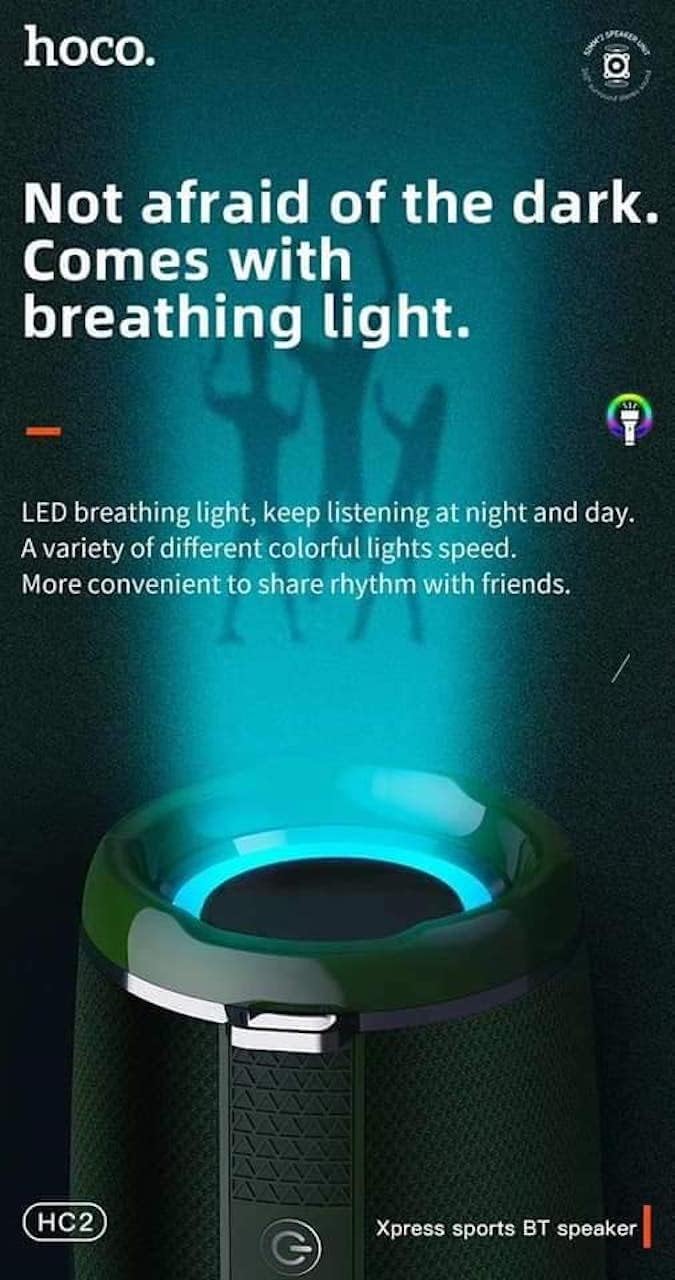
- Features LED breathing light for enhanced visual experience.
- IPX5 splash-proof rating for outdoor use.
3. Kontenut tal-Pakkett
Jekk jogħġbok iċċekkja l-pakkett għall-oġġetti li ġejjin:
- Hoco HC2 Wireless Speaker
- Cable tal-Iċċarġjar tal-USB
- Manwal għall-Utent
- Shoulder Strap (may vary by package)
4. Setup
4.1 Iċċarġjar tal-Ispeaker
Qabel l-ewwel użu, iċċarġja l-ispiker kompletament. Qabbad il-kejbil tal-iċċarġjar USB ipprovdut mal-port tal-iċċarġjar tal-ispiker u t-tarf l-ieħor ma' adapter tal-enerġija USB (mhux inkluż) jew mal-port USB tal-kompjuter. Id-dawl indikatur tal-iċċarġjar jixgħel waqt l-iċċarġjar u jintefa meta jkun iċċarġjat kompletament. L-iċċarġjar jieħu madwar sagħtejn.
4.2 Tixgħel/Jitfi
Press and hold the power button for a few seconds to turn the speaker on or off. A voice prompt will indicate the power status.
4.3 Tqabbil tal-Bluetooth
- Ixgħel l-ispiker. Dan jidħol awtomatikament fil-modalità ta' tqabbil Bluetooth, indikat minn dawl LED li jteptep.
- Ippermetti l-Bluetooth fuq l-ismartphone, it-tablet, jew apparat ieħor tiegħek.
- Fittex għal "HC2" in the list of available Bluetooth devices.
- Select "HC2" to connect. Once connected, a voice prompt will confirm the successful pairing, and the LED light will stop flashing.
- Jekk tintalab għal password, daħħal "0000".
L-ispiker jerġa' jikkonnettja awtomatikament mal-aħħar apparat imqabbad meta jinxtegħel, jekk il-Bluetooth tal-apparat ikun attiv u fil-firxa tiegħu.
5. Istruzzjonijiet Operattivi
5.1 Qlib tal-Modalità
Press the 'M' (Mode) button to cycle through available modes: Bluetooth, TF Card, USB, AUX, and FM Radio.
5.2 Music Playback (Bluetooth/TF Card/USB)
- Play/Pawsa: Agħfas il-buttuna Play/Pause.
- Track li jmiss: Short press the 'Next' button.
- Track preċedenti: Short press the 'Previous' button.
- Volum 'il fuq: Long press the 'Volume Up' button.
- Volum 'l isfel: Long press the 'Volume Down' button.
5.3 Tħaddim tar-Radju FM
- Switch to FM Radio mode using the 'M' button.
- Press the Play/Pause button to automatically scan and save available radio stations.
- Use the 'Next' and 'Previous' buttons to switch between saved stations.
5.4 Modalità AUX
Connect an external audio device (e.g., MP3 player, computer) to the speaker's AUX port using a 3.5mm audio cable. The speaker will automatically switch to AUX mode. Control playback from your connected device.
5.5 Kontroll tad-Dawl LED
The speaker features an LED breathing light. Refer to the specific button on your speaker (often a dedicated light button or a long press on a volume button) to cycle through light modes or turn the light on/off.
6. Manutenzjoni
- Tindif: Uża drapp artab u niexef biex tnaddaf l-ispiker. Tużax prodotti tat-tindif jew solventi li joborxu.
- Ħażna: Aħżen l-ispiker f'post frisk u niexef 'il bogħod mix-xemx diretta u minn temperaturi estremi.
- Kura tal-batterija: To prolong battery life, charge the speaker regularly, even if not in use. Avoid fully discharging the battery frequently.
- Reżistenza għall-Ilma: The speaker is IPX5 splash-proof, meaning it can resist light splashes of water. Do not submerge it in water or expose it to heavy rain. Ensure all ports are securely covered when exposed to moisture.
7 Issolvi l-problemi
| Problema | Kawża Possibbli | Soluzzjoni |
|---|---|---|
| L-ispeaker ma jixgħelx. | Batterija baxxa. | Iċċarġja l-ispiker kompletament. |
| L-ebda ħoss. | Volum baxx wisq; mod mhux korrett; apparat mhux imqabbad. | Increase volume; switch to correct mode; ensure device is paired/connected. |
| Tqabbil Bluetooth ifalli. | L-ispiker mhux fil-modalità ta' tqabbil; l-apparat wisq 'il bogħod; interferenza. | Ensure speaker is in pairing mode; move devices closer; restart both devices. |
| Riċeviment ħażin tar-radju FM. | Sinjal dgħajjef. | Irriloka l-ispiker f'żona b'sinjal aħjar. |
8. Speċifikazzjonijiet
| Speċifikazzjoni | Dettall |
|---|---|
| Isem tal-Mudell | HC2 |
| Dimensjonijiet tal-Prodott | 19.44 x 8.2 x 8.1 ċm |
| Piż | 598 gramma |
| Teknoloġija tal-Konnettività | Bluetooth, FM, TF Card, USB Disk, AUX, TWS |
| Verżjoni Bluetooth | 5.0 |
| Chipset | JLAC6928B |
| Kapaċità tal-batterija | 2400 mAh |
| Ħin tal-Iċċarġjar | Appross. 3 sigħat |
| Talk/Music Playback Time | Appross. 6 sigħat |
| Unità tal-Ispeaker | 52 mm × 2 |
| Qawwa Massima tal-Ħruġ tal-Ispeaker | 5W × 2 |
| Modalità tal-Ħruġ tal-Awdjo | Jdawru |
| Karatteristika Speċjali | Bluetooth, TF Card, USB, AUX, FM Radio support |
| Użi Rakkomandati | Smartphones, Tablets, Music Players, Surround Sound Systems |
| Apparati Kompatibbli | Smartphone, Laptop, MP3 Player, Tablet, Desktop Computer |
| Tip ta 'Immuntar | Mejda |
9. Stampi tal-Prodott




10. Garanzija u Appoġġ
Hoco products are manufactured to the highest quality standards. This product is covered by a standard manufacturer's warranty against defects in materials and workmanship. Please refer to the warranty card included in your package for specific terms and conditions, including the warranty period.
For technical support, troubleshooting assistance, or warranty claims, please contact Hoco customer service through their official website or the retailer from whom you purchased the product. Keep your purchase receipt as proof of purchase for warranty purposes.
Extended protection plans may be available from your retailer. These plans offer additional coverage beyond the standard manufacturer's warranty.