
Nulaxy NX09
Nulaxy NX09 Bluetooth FM Transmitter User Manual
Model: NX09 | Brand: Nulaxy
Introduzzjoni
Thank you for choosing the Nulaxy NX09 Bluetooth FM Transmitter. This device allows you to stream music and make hands-free calls through your car's FM radio. It features Bluetooth 5.0 for stable connections, QC3.0 fast charging, and multiple music playback options. Please read this manual carefully to ensure proper use and optimal performance.
Prodott Overview
Karatteristiċi ewlenin:
- Bluetooth V5.0: Provides a fast and stable wireless connection for audio streaming and calls.
- QC3.0 Quick Charge: One USB port offers up to 4 times faster charging for compatible devices, reaching 80% in approximately 35 minutes.
- Additional USB Charging Port: A 5V/1A USB port for standard charging, also functions as a USB flash drive input for music playback.
- Sejħat mingħajr idejn: Built-in microphone with CVC noise-cancellation technology for clear calls.
- Appoġġ għall-Assistent tal-Vuċi: Compatible with Siri and Google Assistant for voice commands and navigation.
- Modi Multipli ta' Daqq tal-Mużika: Play music via Bluetooth, USB flash drive (up to 32GB), or microSD card (up to 32GB).
- Dawl ta' wara LED b'7 kuluri: Customizable LED lighting to enhance your car's interior ambiance.
- Voltage Sejbien: Monitors your car battery's voltage fil-ħin reali.
- Protezzjonijiet tas-Sigurtà: Equipped with overcurrent, overvoltage, overcharge, overload, overheat, and short circuit protection.
Kontenut tal-Pakkett:
- Nulaxy NX09 Bluetooth FM Transmitter
- Manwal għall-Utent
Setup Istruzzjonijiet
- Insert into Car Cigarette Lighter: Plug the Nulaxy NX09 into your vehicle's 12V-24V cigarette lighter socket. The device will power on automatically and display the current car battery voltage.

Image: The Nulaxy NX09 Bluetooth FM Transmitter inserted into a car's power outlet, displaying its LED screen.
- Tune Car FM Radio: Adjust your car's FM radio to an unused, blank frequency (a channel without any broadcast) between 88.1 MHz and 107.9 MHz.
- Issettja l-Frekwenza tat-Trasmettitur:
- Long press the "Previous" or "Next" button on the transmitter until the FM frequency display starts flashing.
- Rotate the multi-function knob or press the "Previous" / "Next" buttons to match the transmitter's frequency to the blank FM frequency you selected on your car radio.
- Par via Bluetooth:
- Ippermetti Bluetooth fuq it-tagħmir mobbli tiegħek.
- Fittex għal available Bluetooth devices and select "NX09" to connect.
- Once connected, you will hear a confirmation tone, and the device is ready for audio streaming and hands-free calls.
Istruzzjonijiet Operattivi
Daqq tal-mużika:
The Nulaxy NX09 supports three modes for music playback: Bluetooth, USB Flash Drive, and microSD Card.
- Modalità Bluetooth: After successful Bluetooth pairing, play music directly from your connected mobile device.
- Modalità USB Flash Drive: Insert a USB flash drive (up to 32GB, formatted with supported audio files like WMA, MP3, WAV, APE, FLAC) into the 5V/1A USB port. The device will automatically detect and play music from the drive.
- microSD Card Mode: Insert a microSD card (up to 32GB, formatted with supported audio files) into the designated slot. The device will automatically detect and play music from the card.

Image: The Nulaxy NX09 displaying its capability to play music from Bluetooth, a USB flash drive, or a microSD card.
Use the "Previous" and "Next" buttons to skip tracks. Rotate the multi-function knob to adjust the volume.
Sejħat mingħajr idejn:
When a call comes in, the device will announce the incoming phone number. Use the multi-function knob for call management:
- Irrispondi Sejħa: Press the multi-function knob once.
- Tmiem Sejħa: Press the multi-function knob once during a call.
- Irrifjuta Sejħa: Long press the multi-function knob.
- Isemmi mill-ġdid l-Aħħar Numru: Double-press the multi-function knob.

Image: A user interacting with the Nulaxy NX09's multi-function knob to manage a phone call, highlighting the ease of hands-free operation.
Assistent tal-Vuċi:
The NX09 supports voice assistants like Siri and Google Assistant for navigation, sending texts, and other commands.
- Attiva l-Assistent tal-Vuċi: Press and hold the dedicated voice assistant button (often marked with a microphone icon) or the multi-function knob (refer to specific device markings) to activate your phone's voice assistant.

Image: The Nulaxy NX09 facilitating voice navigation with Siri and Google Assistant on connected smartphones.
Backlight LED:
The device features 7 LED backlight colors. Press the LED light button (often marked with a light bulb icon) to cycle through the available colors (Red, Green, Blue, Yellowish Green, Purple, Cyan, Silver White) or to turn the lights off.
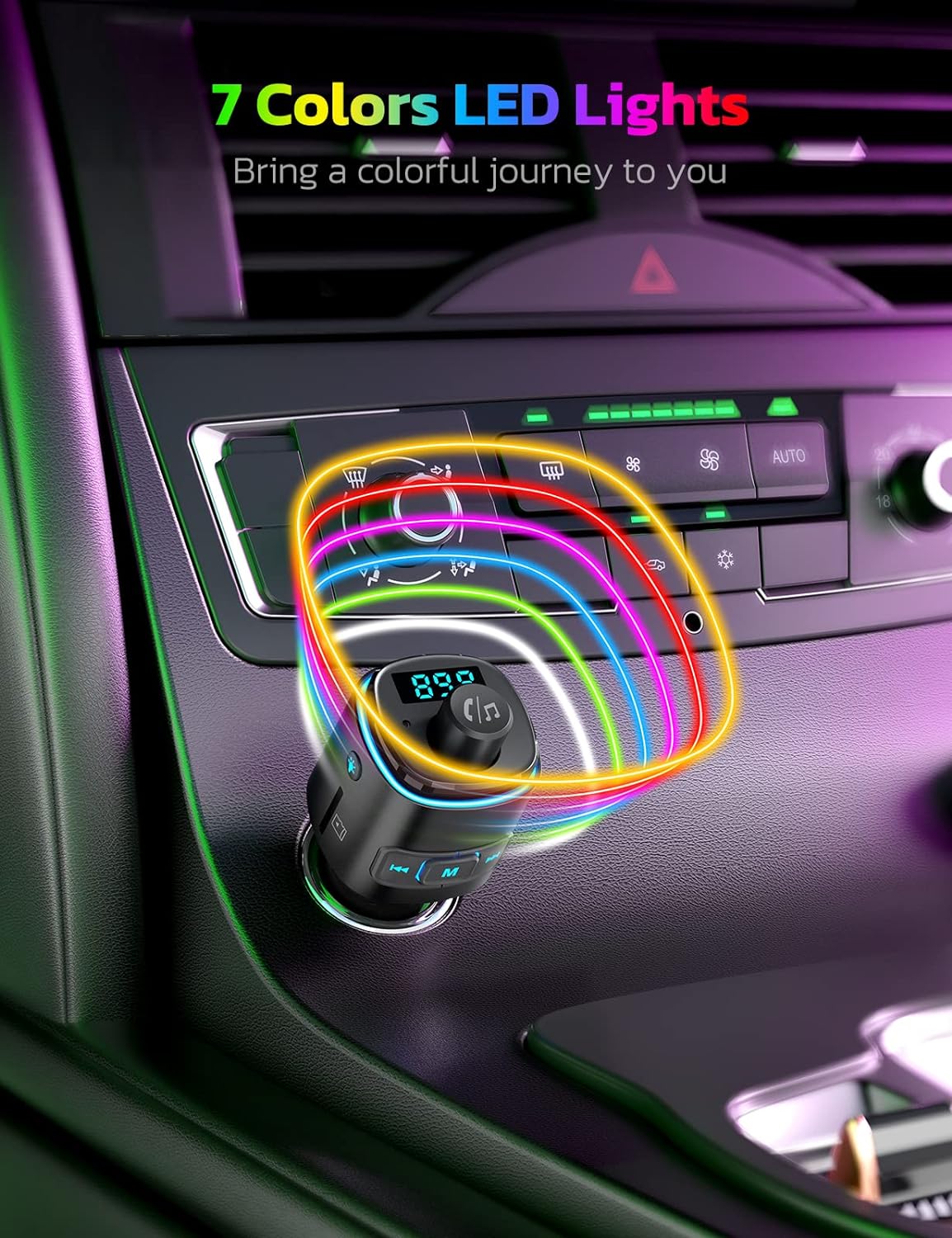
Image: The Nulaxy NX09 showcasing its 7-color LED backlight feature, creating a vibrant car environment.
Apparat li jiċċarġja:
The NX09 includes two USB charging ports:
- QC3.0 Port: Għal apparati kompatibbli mal-iċċarġjar veloċi.
- 5V/1A Port: For standard charging and USB flash drive music playback.
Tista 'tiċċarġja żewġ apparati simultanjament.

Image: The Nulaxy NX09 demonstrating its dual charging capability, with one phone connected to the QC3.0 port and another to the 5V/1A port.
Voltage Monitoraġġ:
The device displays your car battery's voltage on its LED screen. This allows you to monitor the battery condition. If the voltage drops below 12V, it is recommended to check or replace your car battery.

Image: The Nulaxy NX09 showing its real-time car voltage monitor feature, indicating safe and critical battery voltage livelli.
Manutenzjoni
- Keep the device dry and clean. Avoid exposure to liquids and moisture.
- Tesponix l-apparat għal temperaturi estremi ('il fuq minn 60°C / 140°F jew taħt -20°C / -4°F).
- Naddaf l-apparat b'ċarruta ratba u niexfa. Tużax kimiċi ħarxa jew prodotti tat-tindif li joborxu.
- Aħżen l-apparat f'post frisk u niexef meta ma jkunx qed jintuża.
Issolvi l-problemi
| Problema | Kawża Possibbli | Soluzzjoni |
|---|---|---|
| Ebda enerġija/L-apparat mhux mixgħul. | Loose connection; Car cigarette lighter not supplying power; Blown fuse in car. | Ensure the device is firmly plugged in. Check if the car's cigarette lighter socket is functional. Consult a mechanic if the car's fuse is suspected. |
| Kwalità tal-awdjo statika jew fqira. | FM frequency interference; Volume levels too low/high; Weak Bluetooth signal. | Change to a different, clearer FM frequency on both the car radio and the transmitter. Adjust volume on both the device and your phone. Ensure your phone is close to the transmitter. |
| Ma tistax tqabbad permezz tal-Bluetooth. | Bluetooth not enabled on phone; Device already paired to another phone; Incorrect pairing procedure. | Ensure Bluetooth is enabled on your phone. Disconnect from other Bluetooth devices. Restart both the phone and the transmitter, then try pairing again (search for "NX09"). |
| Il-kwalità tas-sejħiet hands-free hija fqira. | Microphone obstruction; High background noise; Low volume. | Ensure the microphone is not obstructed. Reduce car fan speed or window noise. Adjust call volume on your phone and the transmitter. |
| USB/microSD card not playing music. | Mhux appoġġjat file ifformattja; Il-karta/drajv mhux imdaħħla sew; Korrotta files. | Tiżgura l-mużika files are in supported formats (WMA, MP3, WAV, APE, FLAC). Reinsert the USB drive or microSD card. Try a different drive/card. |
Speċifikazzjonijiet
| Numru tal-Mudell | NX09 |
| Verżjoni Bluetooth | V5.0 |
| Medda ta' Frekwenzi FM | 88.1 - 107.9 MHz |
| Input Voltage | DC 12V-24V |
| Output USB 1 (QC3.0) | 5V/3A, 9V/2A, 12V/1.5A (Max 18W) |
| USB Output 2 (Music/Charging) | 5V/1A |
| Formati ta 'Mużika Appoġġjati | WMA, MP3, WAV, APE, FLAC |
| USB/microSD Card Capacity | Sa 32GB |
| Materjal | Plastik |
| Piż tal-oġġett | 0.05 Kilogrammi |
| Dimensjonijiet | 11.3 x 5.1 x 4.4 ċm (Dimensjonijiet tal-Pakkett) |
Garanzija u Appoġġ
The Nulaxy NX09 Bluetooth FM Transmitter comes with a Garanzija ta' 1 snin mill-manifattur. Din il-garanzija tkopri difetti fil-materjali u l-abbilità taħt użu normali.
For technical support, warranty claims, or any questions regarding your product, please contact Nulaxy customer service. Refer to the contact information provided with your purchase or visit the official Nulaxy websit.
Informazzjoni dwar is-Sigurtà: Do not expose the device to temperatures above 60°C (140°F) or below -20°C (-4°F). Avoid contact with liquids and moisture. This device may cause interference with other wireless devices.
Ask a question about this manual
Ask about setup, troubleshooting, compatibility, parts, safety, or missing instructions. Manuals+ will review the question and use this page’s manual context to help answer it.