
1. Introduzzjoni
Thank you for choosing the X.Cell M100 Wireless Mouse. This manual provides essential information for setting up, operating, and maintaining your new wireless mouse. Please read these instructions carefully before use to ensure optimal performance and longevity of your device.
2. Kontenut tal-Pakkett
Ivverifika li l-oġġetti kollha huma preżenti fil-pakkett tiegħek:
- X.Cell M100 Wireless Mouse
- Riċevitur Nano USB
- Batterija AA (tista' tkun installata minn qabel jew inkluża separatament)
- Manwal għall-Utent (dan id-dokument)
3. Setup
- Daħħal il-batterija: Locate the battery compartment on the underside of the mouse. Open the cover and insert the provided AA battery, ensuring correct polarity (+/-). Close the battery compartment cover.
- Qabbad ir-Riċevitur USB: Remove the USB Nano Receiver from its storage slot, usually located inside the battery compartment or near it. Plug the receiver into an available USB port on your computer (PC or Mac).
- Qawwa Mixgħul: Turn on the mouse using the power switch, typically located on the underside. The mouse is designed for plug-and-play functionality, meaning it should automatically connect to your computer within a few seconds.
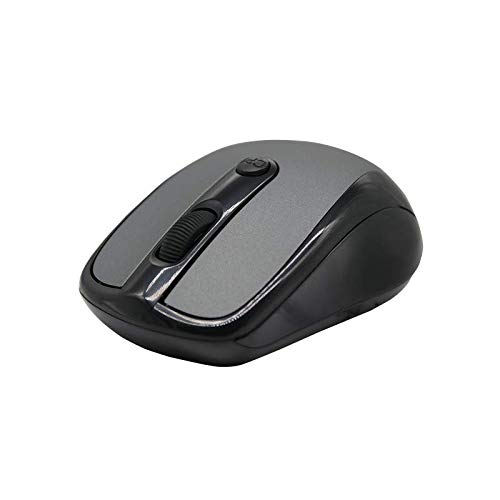
This image shows the X.Cell M100 Wireless Mouse from a top-down perspective, highlighting its ergonomic design and button layout.
4. Istruzzjonijiet Operattivi
The X.Cell M100 Wireless Mouse utilizes 2.4 GHz wireless technology, providing a stable connection with an operating range of up to 10 meters. It is compatible with both PC and Mac systems.
- Buttuna tax-Xellug: Funzjoni primarja ta' klikk għall-għażla ta' oġġetti, il-ftuħ files, eċċ.
- Buttuna tal-lemin: Secondary click function for context menus and additional options.
- Scroll Wheel: Irrombla 'l fuq jew 'l isfel biex tinnaviga d-dokumenti u web paġni. Ir-rota tal-iscroll tiffunzjona wkoll bħala buttuna tan-nofs tal-ikklikkjar.
- DPI Button (if present): Some models may include a DPI button to adjust cursor sensitivity. Refer to the mouse's physical design for this feature.

A hand demonstrates the comfortable grip and usage of the X.Cell M100 Wireless Mouse during operation.
5. Manutenzjoni
- Tindif: Uża drapp artab u niexef biex tnaddaf il-maws. Għal ħmieġ iebes, nixxef ftit.ampLaħlaħ id-drapp bl-ilma. Evita li tuża kimiċi ħarxa jew materjali li joborxu.
- Sostituzzjoni tal-batterija: When the mouse performance degrades or it stops responding, replace the AA battery. Follow the steps in the 'Setup' section for battery insertion. The mouse is designed for approximately 12 months of battery life under typical usage.
- Ħażna: Meta ma tkunx qed tużah għal perjodi twal, itfi l-maws biex tikkonserva l-ħajja tal-batterija. Aħżen il-USB Nano Receiver fl-islott apposta għalih biex tevita li jintilef.
6 Issolvi l-problemi
| Problema | Soluzzjoni |
|---|---|
| Il-ġurdien ma jirrispondix |
|
| Il-moviment tal-cursor huwa irregolari jew bil-mod |
|
| Kwistjonijiet ta' konnessjoni |
|
7. Speċifikazzjonijiet
- Mudell: XL-M-100-BLK
- Konnettività: 2.4 GHz Wireless
- Medda operattiva: Sa 10 metri
- Kompatibilità: PC & Mac
- Sors tal-Enerġija: 1 x AA Battery
- Ħajja Stima tal-Batterija: 12 xhur
- Dimensjonijiet (L x W x H): 2.4 x 6.4 x 4.6 ċm
- Piż: 80 gramma
- Kulur: Iswed
8. Garanzija u Appoġġ
Specific warranty details and direct support contact information are not provided in the product description. Please refer to the product packaging or the official X.Cell website for the most current warranty policy and customer support options. Keep your purchase receipt as proof of purchase for any warranty claims.