
Xerox 3R20172
Xerox Revolution Laser Print Synthetic Paper User Manual
Mudell: 3R20172
Introduzzjoni
This manual provides essential information for the proper use, handling, and maintenance of Xerox Revolution Laser Print Synthetic Paper. Designed for durability and high-impact graphics, this synthetic paper is ideal for applications requiring resistance to wet weather, chemicals, and rough handling.
Xerox Revolution NeverTear is engineered with a premium coating for static control and a superior surface for printing high-impact images and graphics. It is suitable for various uses including signs, menus, and manuals.
Prodott Overview
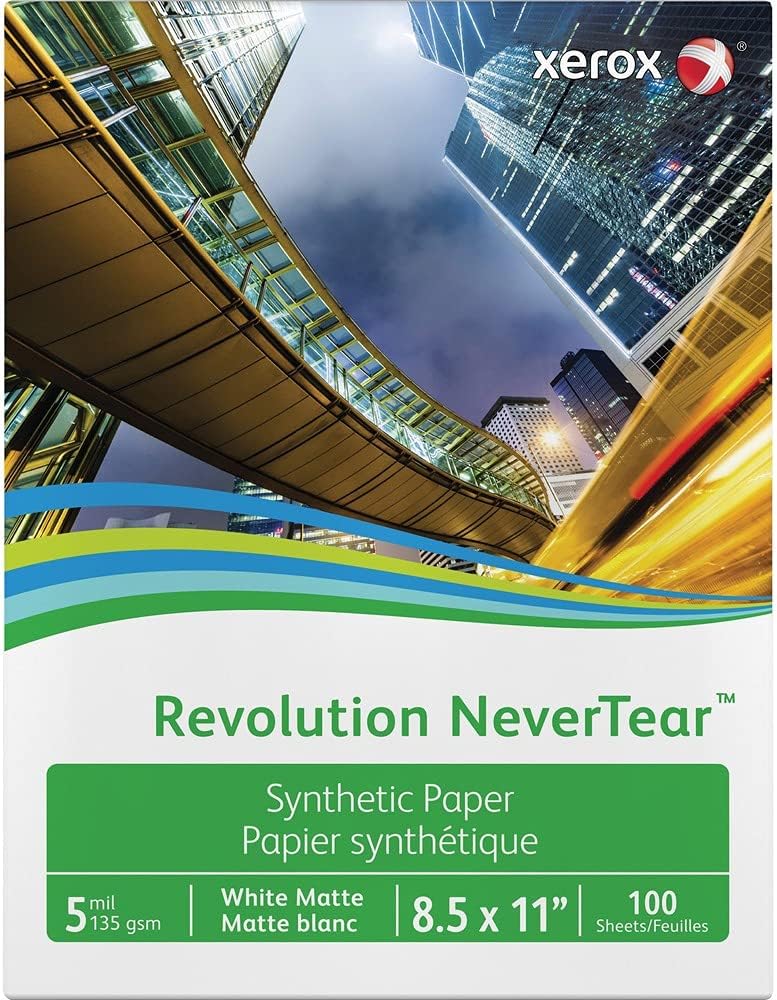
Image: Packaging for Xerox Revolution Laser Print Synthetic Paper, showing the product name "Revolution NeverTear", "Synthetic Paper", "White Matte", "8.5 x 11" sheet size, and "100 Sheets". The background features a modern city skyline with tall buildings and a curved pedestrian bridge, emphasizing the professional and durable nature of the paper.
Key features of Xerox Revolution Laser Print Synthetic Paper include:
- Durabilità Eċċezzjonali: Engineered to withstand challenging conditions, including wet weather, chemicals, and rough handling, without tearing or disintegrating.
- Kostruzzjoni piż tqil: Provides optimum stiffness and opacity for a premium feel and professional appearance.
- Superior Print Surface: Features a specially coated surface for producing high-impact images and graphics with excellent clarity and color reproduction.
- Applikazzjonijiet versatili: Ideal for creating durable manuals, signs, menus, maps, and other documents that require longevity and resilience.
Setup
Proper setup ensures optimal printing results and prevents paper jams or damage to your printer.
- Unpack the Paper: Carefully remove the desired quantity of paper from its packaging. Store unused paper in its original packaging in a cool, dry place to prevent moisture absorption.
- Check Printer Compatibility: Ensure your laser printer is compatible with synthetic paper and can handle the paper weight (20 lb) and thickness. Refer to your printer's manual for specific paper handling guidelines.
- Tagħbija l-Karta b'Mod Korrett: Load the paper into the printer's paper tray according to the printer manufacturer's instructions. Ensure the paper is aligned properly and the paper guides are adjusted to prevent skewing. Avoid overfilling the tray.
- Allow for Acclimation: If the paper has been stored in a significantly different temperature or humidity, allow it to acclimate to the printing environment for a few hours before use.
Operazzjoni
Follow these guidelines for successful printing with Xerox Revolution Laser Print Synthetic Paper:
- Settings tal-printer:
- Select the appropriate paper type setting in your printer's driver, such as "Heavy Paper," "Cardstock," "Transparency," or "Synthetic Paper," if available. This ensures correct fuser temperature and paper handling.
- Adjust the paper weight setting to match 20 lb (or equivalent gsm if specified by printer).
- For best results, use the manual feed tray if your printer has one, especially for thicker media.
- Printing Considerations:
- Stampar Duplex: When performing manual duplex printing, allow printed sheets to cool and dry completely before re-feeding them for the second side. Synthetic paper can retain heat, and immediate re-feeding may cause sticking or print quality issues.
- Kwalità tal-Istampar: For optimal image and graphic reproduction, ensure your printer's toner levels are adequate and the print heads (if applicable) are clean.
- Test Prints: Always perform a test print on a single sheet to verify settings and desired output quality before printing large batches.
Manutenzjoni
Proper storage and handling will extend the life and usability of your synthetic paper.
- Ħażna: Store unused paper flat in its original packaging or a sealed, moisture-proof container. Keep it in a cool, dry environment away from direct sunlight, extreme temperatures, and high humidity.
- Immaniġġjar: Handle paper by the edges to avoid transferring oils or dirt from your hands onto the print surface. Avoid bending or creasing the sheets.
- Tindif: The paper itself does not require cleaning. Ensure your printer's paper path is free of dust and debris to prevent marks on the paper during printing.
Issolvi l-problemi
| Problema | Kawża Possibbli | Soluzzjoni |
|---|---|---|
| Paper sticking together after printing (especially duplex) | Heat retention in synthetic paper; static electricity. | Allow printed sheets to cool and dry completely before handling or re-feeding for duplex printing. Manually separate sheets if necessary. Ensure proper printer settings for paper type. |
| Poor print quality (fading, smudging) | Incorrect printer settings; low toner; dirty printer components. | Verify printer settings match "Heavy Paper" or "Synthetic Paper" type. Check toner levels. Clean printer's fuser and paper path according to printer manual. |
| Ġammijiet tal-karti | Improper paper loading; incorrect paper guides; printer not compatible with paper thickness. | Ensure paper is loaded correctly and paper guides are snug. Do not overfill paper tray. Confirm printer's specifications for media thickness. Use manual feed if available. |
Speċifikazzjonijiet
- Numru tal-Mudell: 3R20172
- Ditta: Xerox
- Kulur: Abjad
- Daqs tal-folja: 8 1/2 x 11 inches
- Għadd ta' Folji: 100 folja għal kull pakkett
- Piż tal-Karta: 20 lb
- Tlestija tal-Karta: Matte
- Dimensjonijiet tal-Prodott: 11.5 x 9.25 x 5.5 pulzieri (ippakkjar)
- Piż tal-oġġett: 1.96 liri
- Manifattur: Xerox Corporation
Garanzija u Appoġġ
For information regarding product warranty, technical support, or further assistance, please refer to the official Xerox website or contact Xerox customer service directly. Keep your purchase receipt as proof of purchase.
You can visit the official Xerox store on Amazon for more information: Xerox Store
Ask a question about this manual
Ask about setup, troubleshooting, compatibility, parts, safety, or missing instructions. Manuals+ will review the question and use this page’s manual context to help answer it.