
Introduzzjoni
Merħba fil-manwal tal-utent għall-Black tiegħekweb BWA16WI003 4-Foot Lightning Cable. This manual provides essential information for the proper setup, operation, and maintenance of your cable. Please read these instructions carefully before use.
Prodott Overview
Kontenut tal-Pakkett
- 1 x Iswedweb BWA16WI003 4-Foot Lightning Cable
Karatteristiċi Ewlenin
- 4-foot (1.2 meter) length for extended reach.
- Lightning connector for Apple devices.
- USB-A connector for power sources and data transfer.
- Kostruzzjoni durabbli għal użu affidabbli.
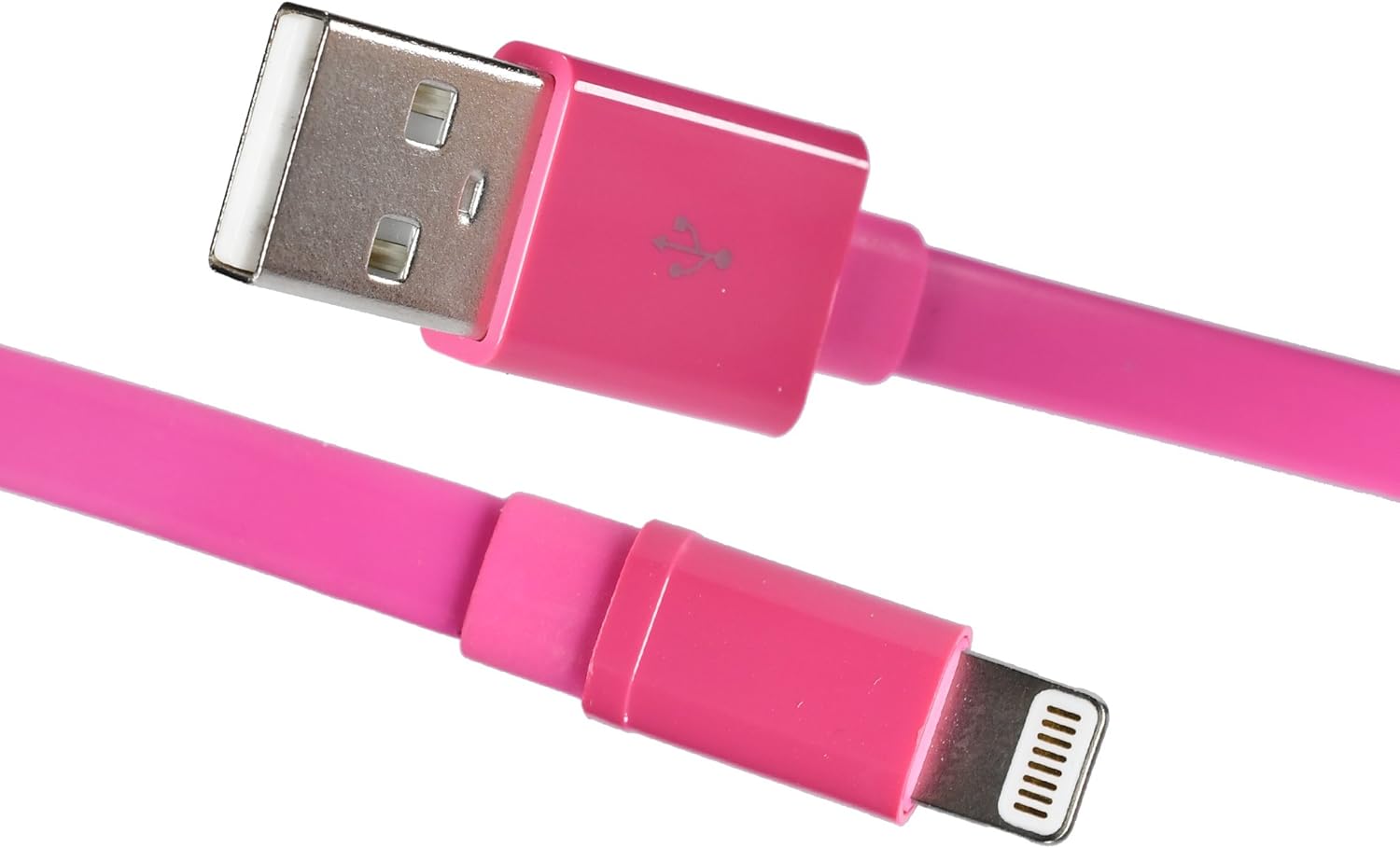
Immaġni: L-Iswedweb BWA16WI003 Lightning Cable, showcasing both the USB-A and Lightning connectors.
Setup u Konnessjoni
- Identify Connectors: Locate the USB-A connector (larger, rectangular) and the Lightning connector (smaller, reversible).
- Qabbad mas-Sors tal-Enerġija: Insert the USB-A connector into a compatible USB power adapter, computer USB port, or other USB charging device.
- Qabbad mal-Apparat: Insert the Lightning connector into the charging/sync port of your Apple device (iPhone, iPad, iPod). Ensure a firm connection.

Image: The Lightning connector being inserted into an Apple iPhone, demonstrating proper connection.
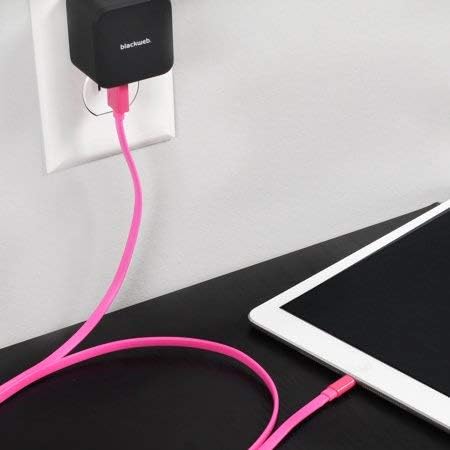
Immaġni: L-Iswedweb Lightning cable connected to a wall power adapter and an iPad, illustrating a typical charging setup.

Immaġni: L-Iswedweb Lightning cable connecting an iPhone to a laptop's USB port for charging or data synchronization.
Istruzzjonijiet Operattivi
Iċċarġja l-Apparat Tiegħek
Once connected to a power source and your Apple device, the device should begin charging automatically. A charging indicator (e.g., battery icon) will typically appear on your device's screen.
Sinkronizzazzjoni tad-Data
When connected to a computer, the cable facilitates data transfer between your Apple device and the computer. Follow your device's instructions for syncing photos, videos, music, and other data.
Manutenzjoni u Kura
- Ħażna: Store the cable in a clean, dry place when not in use. Avoid extreme temperatures.
- Tindif: Gently wipe the cable with a soft, dry cloth. Do not use harsh chemicals or abrasive cleaners.
- Immaniġġjar: Avoid bending the cable sharply or pulling it by the cord. Always grasp the connector ends when plugging or unplugging.
- Spezzjoni: Periodically inspect the cable and connectors for any signs of damage, such as fraying or bent pins. Discontinue use if damage is observed.

Immaġni: L-Iswedweb Lightning cable neatly coiled, demonstrating proper storage to prevent damage.
Issolvi l-problemi
Apparat Mhux Iċċarġja
- Iċċekkja l-Konnessjonijiet: Ensure both the USB-A and Lightning connectors are fully and securely inserted.
- Ivverifika Sors tal-Enerġija: Confirm that the USB power adapter or computer USB port is functional and providing power. Try a different power source.
- Spezzjona l-Kejbil: Check the cable for any visible damage. If damaged, replace the cable.
- Ibda mill-ġdid l-Apparat: Sometimes, restarting your Apple device can resolve charging issues.
Kwistjonijiet ta' Trasferiment tad-Data
- Iċċekkja l-Konnessjonijiet: Ensure secure connections at both ends.
- Computer Recognition: Verify that your computer recognizes the connected Apple device. You may need to unlock your device and confirm "Trust This Computer."
- Aġġornamenti tas-Software: Ensure your computer's operating system and your device's iOS are up to date.
Speċifikazzjonijiet
| Karatteristika | Dettall |
|---|---|
| Mudell | BWA16WI003 |
| Brand | Iswedweb |
| Tip ta' Cable | Lightning to USB-A |
| Tul | 4 piedi (madwar 1.2 metri) |
| Kulur | Roża |
| Konnettur Sess | Raġel għal Raġel |
| Piż tal-oġġett | 1.92 uqija (madwar 54 gramma) |
| Dimensjonijiet tal-Prodott | 7 x 2 x 5 pulzieri (ippakkjar) |
Informazzjoni dwar is-Sigurtà
- Do not expose the cable to water or excessive moisture.
- Tippruvax tiżżarma jew timmodifika l-kejbil.
- Żomm fejn ma jintlaħaqx mit-tfal.
- Use only with compatible devices and power sources.
- Disconnect the cable during lightning storms or when unused for long periods.
Garanzija u Appoġġ
For warranty information or technical support, please refer to the documentation provided with your purchase or contact Blackweb servizz tal-klijent.
You can often find support resources on the official Blackweb websit.