
BLAZEVIDEO A252
BLAZEVIDEO Game & Trail Camera User Manual
Model: A252 | Brand: BLAZEVIDEO
1. Introduzzjoni
Thank you for choosing the BLAZEVIDEO Game & Trail Camera. This manual provides detailed instructions for setting up, operating, and maintaining your camera to ensure optimal performance. This camera is designed for capturing high-resolution photos and videos of wildlife, as well as for home surveillance and field monitoring. Its robust, waterproof design makes it suitable for various outdoor environments.
2. Informazzjoni dwar is-Sigurtà
- Do not immerse the camera in water, despite its waterproof rating. It is designed to withstand rain and dust, not submersion.
- Use only recommended battery types (8*AA batteries). Do not mix old and new batteries, or different types of batteries.
- Kun żgur li l-kompartiment tal-batterija jkun magħluq sew biex tinżamm l-ilma.
- Keep the camera away from extreme temperatures and direct sunlight for prolonged periods to prevent damage.
- Handle the SD card with care. Avoid touching the metal contacts.
- Tippruvax tiżżarma jew issewwi l-kamera int stess. Irreferi għal persunal tas-servizz kwalifikat.
3. Kontenut tal-Pakkett
Jekk jogħġbok iċċekkja l-kontenut tal-pakkett biex tiżgura li l-oġġetti kollha huma preżenti:
- BLAZEVIDEO Game & Trail Camera (x2)
- Ċinga tal-Immuntar (x2)
- Mini USB Cable (x2)
- Manwal għall-Utent (x2)

Image: Included components of the BLAZEVIDEO Game & Trail Camera, including the camera body, strap, USB cable, and user manual.
4. Prodott Aktarview
Familiarize yourself with the main components of your BLAZEVIDEO Game & Trail Camera:

Immaġni: Quddiem view of two BLAZEVIDEO Game & Trail Cameras, showcasing their camouflage design and lens placement.
- LEDs infra-aħmar: 36pcs 940nm no-glow LEDs for night vision.
- Lenti: Captures 64MP photos and 1296P videos.
- Sensor PIR: Passive Infrared sensor for motion detection with a 0.3-second trigger speed.
- Skrin LCD: 2.4-inch color screen for menu navigation and viewmidja tal-ing.
- Tastiera: Buttons for menu control and settings adjustment.
- Slot tal-batterija: Holds 8*AA batteries (not included).
- Slot tal-Kard SD: Supports up to 512GB SD cards (not included).
- Port Mini USB: Għall-konnessjoni ma' kompjuter.
- Port DC: For external power supply (6V/2A).
- Tripod Screw Mat: Standard UNC 1/4-20 thread for mounting.
5. Setup
5.1 Installazzjoni tal-batterija
The camera operates on 8*AA batteries. For best performance and extended battery life, we recommend using high-quality alkaline or rechargeable AA batteries.
- Iftaħ il-kamera casing billi tiftaħ il-klipps tal-ġenb.
- Sib il-kompartiment tal-batterija.
- Insert 8*AA batteries, ensuring correct polarity (+/-) as indicated inside the compartment.
- Close the battery compartment cover and secure the side clips firmly to maintain the IP66 waterproof rating.
5.2 Installazzjoni tal-Kard SD
A Class 10 or higher SD card (up to 512GB) is required to store photos and videos.
- With the camera powered off, locate the SD card slot inside the camera casing.
- Daħħal il-kard SD bil-kuntatti tal-metall iħarsu 'l isfel sakemm tikklikkja f'postha.
- To remove, gently push the SD card until it pops out.
5.3 Immuntar tal-Kamera
Il-kamera tista' tiġi mmuntata bl-użu taċ-ċinga inkluża jew ta' tripod.
- Immuntar taċ-Ċinga: Thread the provided strap through the slots on the back of the camera and secure it around a tree or pole. Adjust the strap for a firm fit.
- Immuntar ta' tripod: Use the 1/4-20 threaded insert on the bottom of the camera to attach it to a tripod or other compatible mounting accessory.
Position the camera approximately 3-6 feet (1-2 meters) from the ground, aiming it towards the area you wish to monitor. Ensure there are no obstacles directly in front of the lens or PIR sensor.
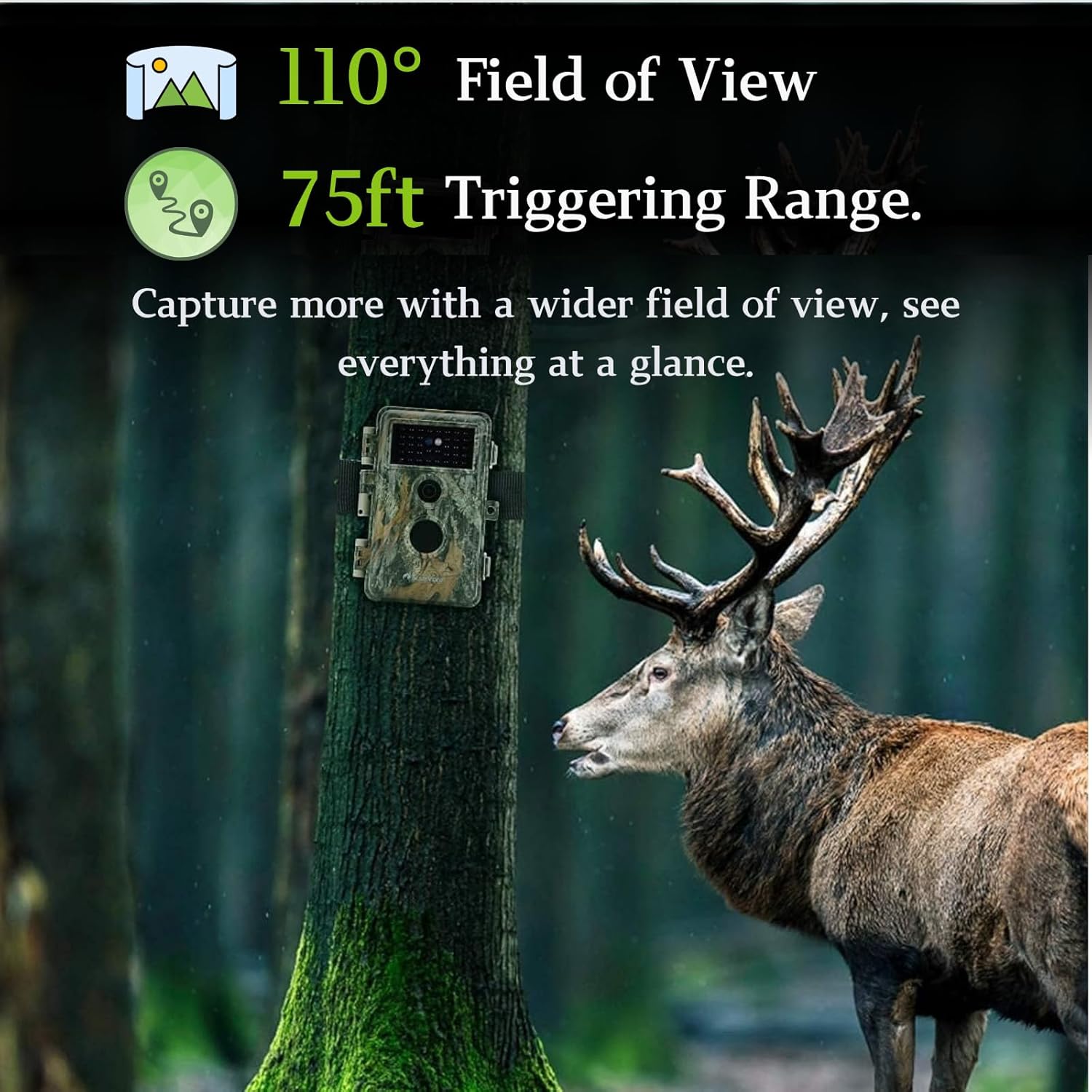
Image: A BLAZEVIDEO camera mounted on a tree, demonstrating its wide field of view and detection range in a natural setting.
6. It-tħaddim tal-Kamera
6.1 Tixgħel/Jitfi
To power on the camera, slide the power switch from "OFF" to "SETUP" mode. The LCD screen will light up, allowing you to access the menu. To begin recording, slide the switch to "ON" mode. The screen will turn off, and the camera will enter monitoring mode. To power off, slide the switch back to "OFF".
6.2 Navigazzjoni tal-Menu
In "SETUP" mode, use the keypad buttons to navigate the menu:
- MENU: Enters/exits the main menu.
- FUQ ISFEL: Jinnaviga fl-għażliet tal-menù.
- XELLUG LEMIN: Changes settings values.
- KOLLOX SEW: Confirms selection or takes a manual photo/video.
6.3 Setting Capture Modes and Parameters
Access the menu to configure your camera's settings:
- Modalità: Select between Photo, Video, or Photo+Video.
- Riżoluzzjoni tar-Ritratti: Choose up to 64MP for high-quality images.
- Riżoluzzjoni tal-vidjo: Select up to 1296P for clear video recordings. The camera uses H.264 MP4 format for efficient storage and easy sharing.
- Intervall PIR: Issettja d-dewmien bejn id-detezzjonijiet.
- Veloċità ta' Trigger: The camera features a rapid 0.3-second trigger speed to capture fast-moving subjects.
- Viżjoni bil-lejl: Equipped with 36pcs 940nm no-glow infrared LEDs, providing clear night vision up to 75 feet (23 meters) without disturbing wildlife.
- Time-Lapse: Enable time-lapse mode to capture images at set intervals, useful for observing slow processes like plant growth.
- Protezzjoni bil-Password: Set a password to prevent unauthorized access to your camera's settings and captured media.
- Numru tas-serje: Assign a unique serial number to each camera for easy identification, especially when using multiple units.

Image: Visual comparison demonstrating the clarity of 64MP high-resolution photos and 1296P Ultra HD video captured by the camera.
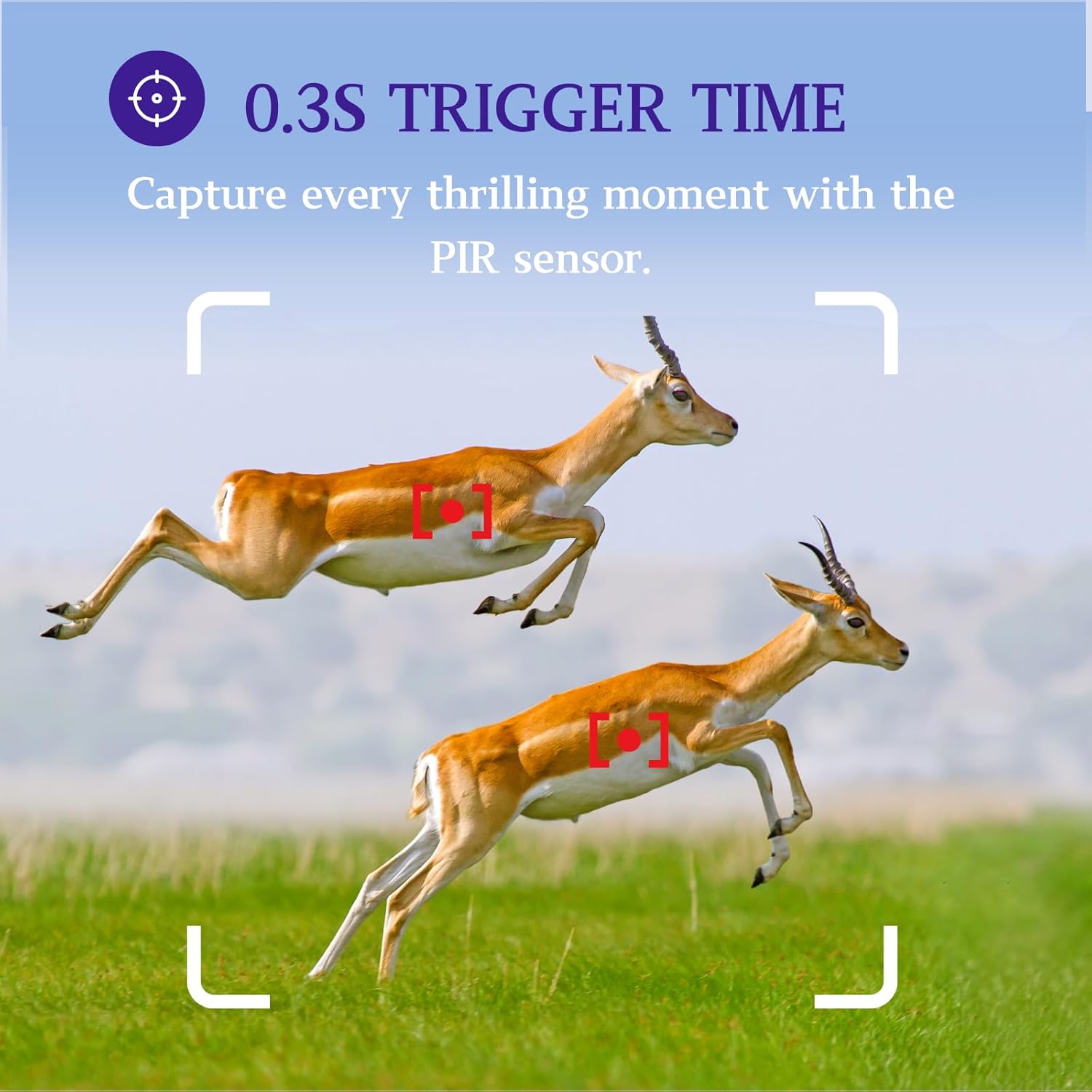
Image: Illustration of the camera's 0.3-second trigger time, designed to capture fast-moving subjects.
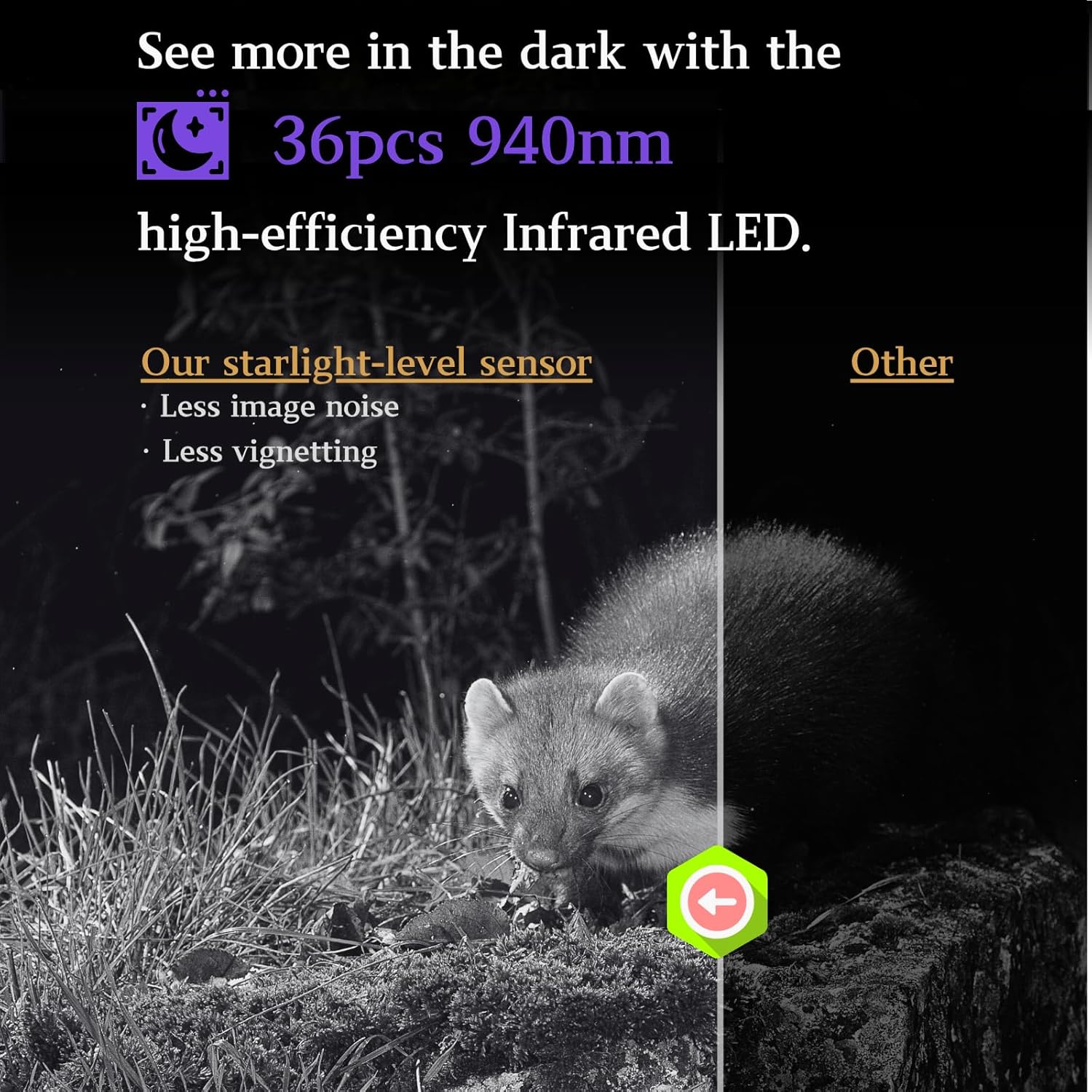
Image: Demonstrates the superior night vision capabilities using 36pcs 940nm high-efficiency Infrared LEDs.
6.4 ViewMidja Maqbuda
Tista' view photos and videos directly on the camera's 2.4-inch LCD screen in "SETUP" mode. Use the navigation buttons to browse through files. For larger viewing, connect the camera to a computer using the Mini USB cable or insert the SD card directly into a card reader.
Vidjo: Example footage captured by the BLAZEVIDEO Game Camera, showcasing its clear video capabilities in a natural environment with deer.
7. Manutenzjoni
- Tindif: Uża drapp artab u niexef biex tnaddaf il-lenti u l-qafas tal-kamera. Tużax prodotti tat-tindif jew solventi li joborxu.
- Kura tal-batterija: Neħħi l-batteriji jekk il-kamera ma tkunx se tintuża għal perjodu estiż biex tevita t-tnixxija.
- Ġestjoni tal-Karta SD: Regularly format your SD card in the camera's menu to ensure optimal performance and prevent data corruption. Back up important files qabel l-ifformattjar.
- Waterproofing: Always ensure the battery compartment and all ports are securely sealed to maintain the IP66 waterproof rating, protecting against rain and dust.

Image: The camera demonstrating its IP66 waterproof and dustproof capabilities in a rainy outdoor setting.
8 Issolvi l-problemi
| Problema | Soluzzjoni Possibbli |
|---|---|
| Il-kamera mhux qed tixgħel. | Check battery polarity, ensure batteries are fresh, or try an external power source. |
| Kwalità fqira tal-immaġni/vidjow bil-lejl. | Ensure the area is within the 75ft IR range. Check for obstructions in front of the IR LEDs. |
| Il-kamera mhux qed tiskopri moviment. | Adjust PIR sensitivity in settings. Ensure no heat sources or moving branches are triggering false alarms or blocking detection. |
| Żball tal-karta SD. | Format the SD card in the camera. Try a different SD card (Class 10 or higher, up to 512GB). |
| Ħajja qasira tal-batterija. | Use high-quality alkaline or rechargeable batteries. Reduce video length or photo burst settings. |
9. Speċifikazzjonijiet
| Karatteristika | Dettall |
|---|---|
| Riżoluzzjoni tar-Ritratti | Sa 64 MP |
| Riżoluzzjoni tal-vidjo | 1296P (H.264 MP4) |
| Qasam ta View | 110 Grad |
| Trigger Veloċità | 0.3 sekonda |
| Firxa ta 'Sejbien | 75 pied (23 metri) |
| Medda tal-Viżjoni Lejl | 75 pied (23 metri) |
| LED IR | 36pcs 940nm No-Glow Infrared LEDs |
| Display Screen | LCD bil-kulur ta' 2.4 pulzieri |
| Ħażna | Karta SD (sa 512GB, mhux inkluża) |
| Sors tal-Enerġija | 8*AA Batteries (not included) or 6V/2A DC external |
| Reżistenza għall-Ilma | IP66 Waterproof |
| Dimensjonijiet (L x W x H) | 7.4 x 4.96 x 3.31 pulzieri |
| Piż | 2 liri |
10. Garanzija u Appoġġ
BLAZEVIDEO provides a one-year free new replacement service for this product. For any questions, technical support, or warranty claims, please contact BLAZEVIDEO Official customer service. Refer to the contact information provided with your purchase or visit the official BLAZEVIDEO websit.
Tista' ssib ukoll riżorsi addizzjonali u FAQs fuq BLAZEVIDEO Store on Amazon.
Ask a question about this manual
Ask about setup, troubleshooting, compatibility, parts, safety, or missing instructions. Manuals+ will review the question and use this page’s manual context to help answer it.