
Samsung SNH-V6410PNW
Samsung SmartCam Pan/Tilt Full HD 1080p Wi-Fi IP Camera
Model: SNH-V6410PNW User Manual

Quddiem view of the Samsung SmartCam SNH-V6410PNW, a white and silver pan/tilt camera with a black lens housing.
1. Introduzzjoni
This manual provides detailed instructions for the installation, operation, and maintenance of your Samsung SmartCam Pan/Tilt Full HD 1080p Wi-Fi IP Camera (Model: SNH-V6410PNW). Please read this manual thoroughly before using the product to ensure proper and safe operation.
1.1 Prodott Fuqview
The Samsung SmartCam SNH-V6410PNW is a versatile indoor surveillance camera offering 1080p Full HD resolution, pan and tilt capabilities for wide area coverage, and advanced features such as motion detection, two-way audio, and night vision. It is designed to provide comprehensive monitoring and peace of mind for your home or office environment.

An illustrative image of the Samsung SmartCam SNH-V6410PNW, showcasing its key features including 1080p Full HD, 350-degree wide-angle viewing, smooth night vision, two-way talk, true day & night, motion detection, and Micro SD card storage.
1.2 Karatteristiċi ewlenin
- Riżoluzzjoni Full HD 1080p: Jiġbed vidjo ċar u dettaljat footage.
- Funzjonalità Pan/Tilt: Joffri firxa wiesgħa viewing angle with remote control for horizontal and vertical camera movement.
- Traċċar awtomatiku: Isegwi awtomatikament oġġetti li jiċċaqalqu fil-kamp ta' azzjoni tiegħu view.
- Sejbien tal-Moviment: Alerts you to detected movement with customizable zones and sensitivity.
- Awdjo f'żewġ direzzjonijiet: Mikrofonu u kelliem integrati għall-komunikazzjoni.
- Viżjoni bil-lejl: Provides clear monitoring in low-light conditions up to 32 feet.
- Modalità ta' Privatezza: Allows you to physically conceal the lens for privacy.
- Ħażna Lokali: Supports Micro SD card for video recording (card not included).
- Wi-Fi & Ethernet Connectivity: Flexible network connection options.
2. Setup
2.1 Disimballaġġ
Carefully remove all components from the packaging. Ensure all items listed in the package contents are present and undamaged.
2.2 Installazzjoni Fiżika
The SmartCam SNH-V6410PNW can be placed on a flat surface or mounted to a wall or ceiling. Choose a location that provides the desired viewing area and is within range of your Wi-Fi network or an Ethernet connection.
- Poġġiment fuq il-mejda: Poġġi l-kamera fuq wiċċ stabbli u ċatt.
- Muntaġġ tal-ħajt: Use the provided mounting bracket and screws to secure the camera to a wall. Ensure the mounting surface is sturdy enough to support the camera's weight.
2.3 Konnessjoni tal-Enerġija
Connect the provided power adapter to the camera's power input port and then plug it into a standard electrical outlet. The camera will power on automatically.
2.4 Konnessjoni tan-Netwerk
The camera supports both Wi-Fi and Ethernet connectivity.
- Setup tal-Wi-Fi: This is typically done through the mobile app during the initial setup process.
- Setup tal-Ethernet: Connect an Ethernet cable from your router to the camera's Ethernet port.
2.5 Installazzjoni tal-App u Tqabbil tal-Apparat
Biex tikkontrolla u view your SmartCam, you need to install the SmartCam Mobile App on your smartphone or tablet.

An image illustrating the easy and quick installation process using the Smart Cam Mobile App, with QR codes for both iOS and Android devices.
- Niżżel il- SmartCam Mobile App from your device's app store:
Download for iOS (Apple App Store)
Download for Android (Google Play Store) - Iftaħ l-app u segwi l-istruzzjonijiet fuq l-iskrin biex toħloq kont jew tidħol.
- Select 'Add Device' and follow the prompts to pair your SmartCam with your account. This typically involves scanning a QR code on the camera or entering a setup code.
- Once paired, you can configure Wi-Fi settings if you are not using an Ethernet connection.
3. Joperaw
3.1 Ħaj View
Access the live video feed from your camera through the SmartCam Mobile App. You can view the current scene in real-time.
3.2 Kontroll tal-Pan/Tilt
Fi ħdan il-ħaj view, use the directional controls in the app to remotely pan (rotate horizontally) and tilt (rotate vertically) the camera lens to adjust your viewangolu tal-ing.
3.3 Reġistrazzjoni u Daqq
The camera supports recording to a Micro SD card (sold separately). You can configure continuous recording or event-triggered recording (e.g., motion detection). Recorded footage can be accessed and played back through the SmartCam Mobile App.
3.4 Sejbien tal-Moviment
Configure motion detection settings in the app. You can define specific detection zones and adjust sensitivity levels to minimize false alarms. When motion is detected, the camera can send push notifications to your mobile device and initiate recording.
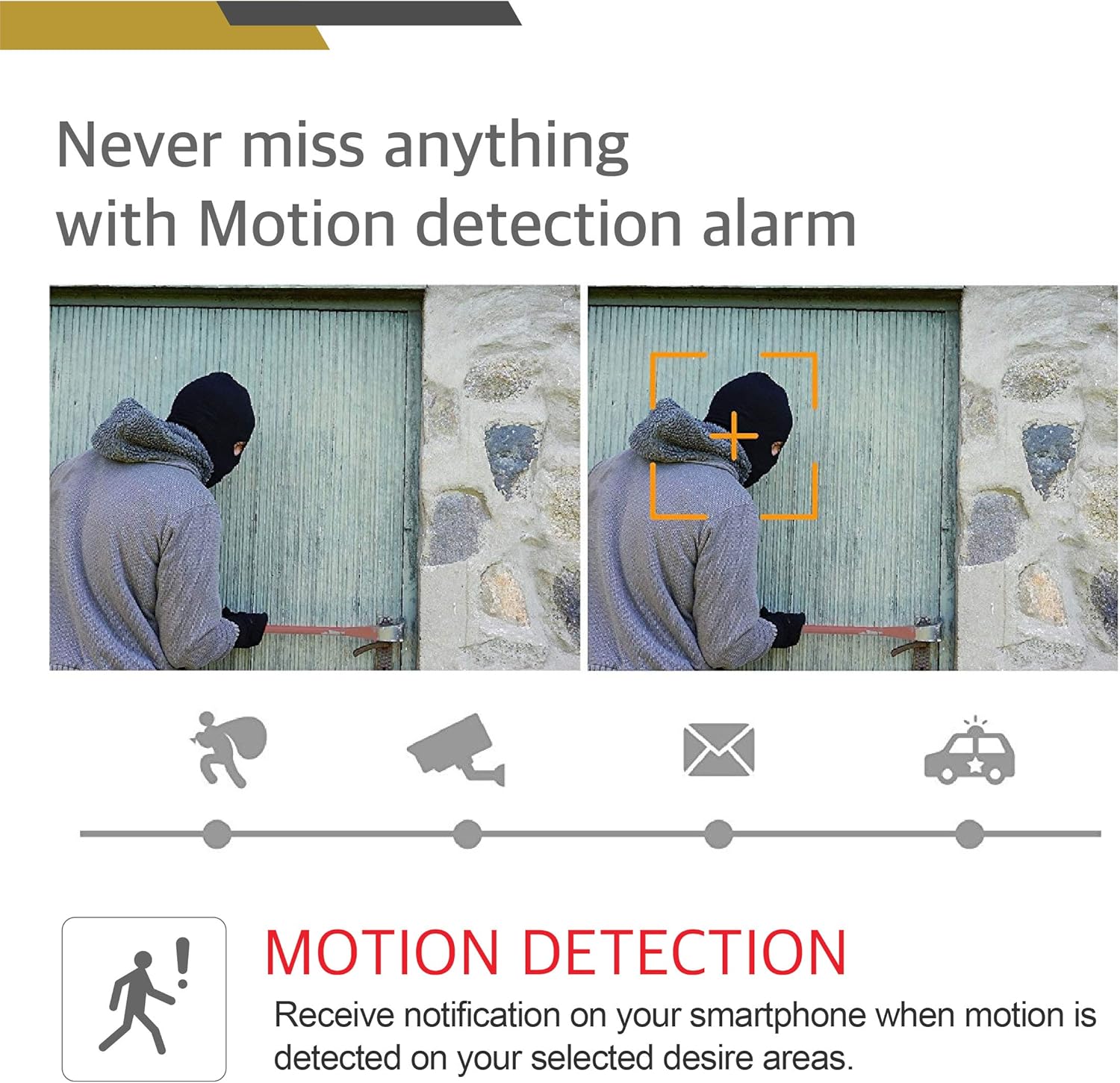
An image demonstrating the motion detection alarm feature, showing how the camera identifies movement and triggers notifications.
3.5 Awdjo b'żewġ direzzjonijiet
Use the two-way audio feature to listen to the environment around the camera and speak through the camera's built-in speaker from your mobile device.
3.6 Viżjoni bil-lejl
The camera automatically switches to night vision mode in low-light conditions, utilizing infrared (IR) illumination to provide clear black-and-white video.

An image illustrating the True Day & Night feature, showing how the camera maintains accurate colors during the day and illuminates the night with IR Cut Film.
3.7 Modalità ta' Privatezza
Activate Privacy Mode through the app to physically rotate the camera lens downwards, blocking its view u l-iżgurar tal-privatezza meta jkun meħtieġ.
4. Manutenzjoni
4.1 Tindif
To clean the camera, gently wipe the exterior with a soft, dry cloth. Do not use harsh chemicals or abrasive cleaners. For the lens, use a lens cleaning cloth specifically designed for optics.
4.2 Aġġornamenti tal-Firmware
Periodically check the SmartCam Mobile App for available firmware updates. Keeping your camera's firmware up-to-date ensures optimal performance, security, and access to new features.
4.3 Ħażna
If storing the camera for an extended period, disconnect it from power, clean it, and store it in a cool, dry place away from direct sunlight and extreme temperatures.
5 Issolvi l-problemi
This section addresses common issues you might encounter with your Samsung SmartCam.
| Problema | Kawża Possibbli | Soluzzjoni |
|---|---|---|
| Il-kamera ma tixgħelx | Power adapter not connected; Power outlet faulty | Ensure power adapter is securely connected to camera and a working outlet. Try a different outlet. |
| Ma tistax tikkonnettja mal-Wi-Fi | Incorrect Wi-Fi password; Camera too far from router; Router issues | Verify Wi-Fi password. Move camera closer to router. Restart router. Ensure camera is on a 2.4GHz network. |
| L-ebda feed tal-vidjow dirett | Network connection issue; App issue | Check network connection. Restart camera. Close and reopen the app. Re-pair the camera if necessary. |
| Is-sejbien tal-moviment mhux qed jaħdem | Sensitivity too low; Detection zones not set; Notifications disabled | Adjust motion sensitivity. Define detection zones. Enable push notifications in app settings. |
| Choppy audio/video | Weak network signal; Network congestion | Improve Wi-Fi signal strength. Reduce network traffic. Consider using an Ethernet connection. |
| Pan/Tilt not responding | Network issue; Camera malfunction | Check network connection. Restart camera. If issue persists, contact customer support. |
6. Speċifikazzjonijiet
Detailed technical specifications for the Samsung SmartCam SNH-V6410PNW.
| Karatteristika | Speċifikazzjoni |
|---|---|
| Isem tal-Mudell | SNH-V6410PNW |
| Riżoluzzjoni tal-Qbid tal-Vidjo | Full HD ta '1080p |
| Teknoloġija tal-Konnettività | Mingħajr fili (Wi-Fi), Bil-fili (Ethernet) |
| Teknoloġija tal-Komunikazzjoni mingħajr Fili | Wi-Fi |
| Użu fuq ġewwa/barra | Indoor, Outdoor (under cover) |
| Sors tal-Enerġija | Adapter AC/DC |
| Tip ta 'Immuntar | Wall Mount, Mejda |
| Dimensjonijiet tal-oġġett (L x W x H) | 3.9 x 3.9 x 9.5 pulzieri |
| Piż tal-oġġett | 15.2 uqija |
| Karatteristika Speċjali | Motion Sensor, Pan/Tilt, Two-Way Audio, Night Vision |
| Teknoloġija tad-Dawl Baxx | Kulur bil-lejl |
| Metodu ta' Kontroll | App (SmartCam Mobile App) |
| UPC | 817835020383 |
7. Informazzjoni dwar Garanzija
Samsung products are manufactured to the highest quality standards. For specific warranty terms and conditions applicable to your SNH-V6410PNW SmartCam, please refer to the warranty card included in your product packaging or visit the official Samsung websit għar-reġjun tiegħek. Żomm il-prova tax-xiri tiegħek għal talbiet ta' garanzija.
8. Appoġġ għall-Klijent
If you require further assistance or have questions not covered in this manual, please contact Samsung Customer Support.
- Appoġġ onlajn: Żur l-appoġġ uffiċjali ta' Samsung websit għal FAQs, gwidi għas-soluzzjoni tal-problemi, u downloads ta’ softwer.
- Appoġġ tat-Telefon: Refer to your product packaging or the Samsung websit għan-numri ta' kuntatt tas-servizz tal-konsumatur reġjonali.
When contacting support, please have your product model number (SNH-V6410PNW) and serial number ready.
Ask a question about this manual
Ask about setup, troubleshooting, compatibility, parts, safety, or missing instructions. Manuals+ will review the question and use this page’s manual context to help answer it.