
Allewie AW5387-2
Allewie Upholstered Queen Size Platform Bed Frame with LED Light and Charging Station Instruction Manual
Model: AW5387-2
Produk Selesaiview
This manual provides detailed instructions for the assembly, operation, and maintenance of your Allewie Upholstered Queen Size Platform Bed Frame. This bed frame features integrated LED lighting, a convenient charging station, and a sturdy, noise-free design for enhanced comfort and functionality.
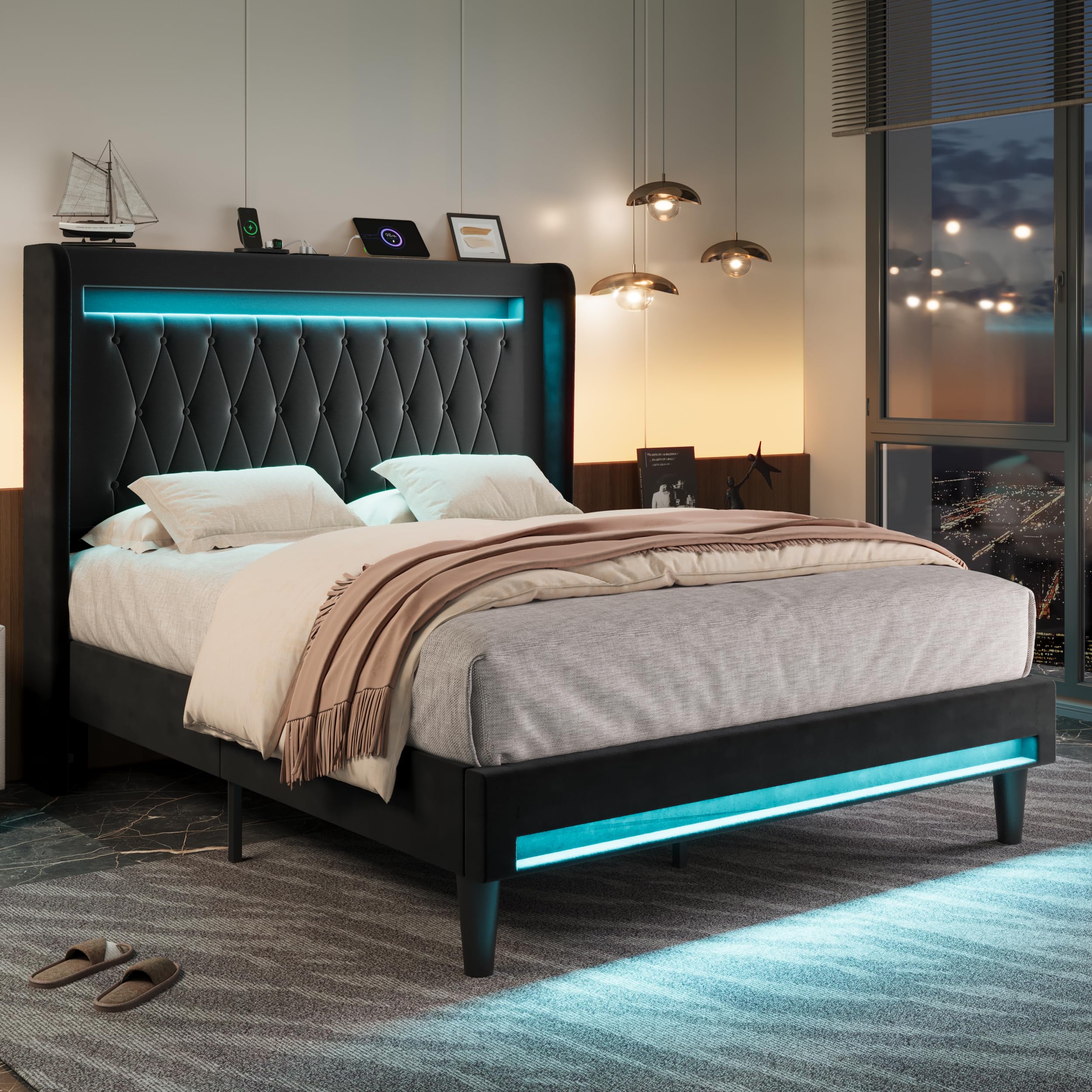
Image: The Allewie Queen Size Platform Bed Frame in black, showcasing its upholstered headboard, LED lighting, and overall design.
Maklumat Keselamatan
- Do not load more than 900 pounds on the bed frame. Exceeding this weight limit may cause damage to the product and potential injury.
- Jauhkan bahagian kecil daripada kanak-kanak semasa pemasangan untuk mengelakkan bahaya tercekik.
- Ensure all connections are secure before use. Regularly check and tighten fasteners as needed.
- Jangan berdiri di atas rangka katil atau menggunakannya sebagai tangga.
- Use only the provided power adapter for the LED lights and charging station.
Kandungan Pakej
Sahkan bahawa semua komponen hadir sebelum memulakan pemasangan. Jika mana-mana bahagian yang hilang atau rosak, sila hubungi sokongan pelanggan.
- Kepala katil (dengan lampu LED bersepadu dan stesen pengecas)
- Rel Sisi
- Footboard (with integrated LED lights)
- Pancaran Sokongan Pusat
- Bilah Kayu
- Sokong Kaki
- Pek Perkakasan (skru, bolt, pencuci, sepana Allen)
- Manual Arahan
Nota: Tilam tidak disertakan.
Arahan Perhimpunan
Assembly is designed to be straightforward with included tools and detailed instructions. It is recommended to assemble the bed frame with two people.
- Buka Pembungkusan Komponen: Keluarkan semua bahagian dari bungkusan dengan berhati-hati dan letakkannya di atas permukaan yang bersih dan lembut untuk mengelakkan calar.
- Pasang Rel Sisi pada Kepala katil: Connect the side rails to the headboard using the provided hardware. Ensure all bolts are finger-tightened initially.
- Pasang Rel Sisi pada Papan Kaki: Connect the other end of the side rails to the footboard.
- Pasang Sokongan Pusat: Secure the center support beam and its legs to the bed frame.
- Letakkan Bilah Kayu: Lay the wooden slats across the bed frame. The Velcro design ensures easy and secure placement, contributing to a noise-free experience.
- Pengetatan Akhir: Once all components are in place, fully tighten all bolts and screws using the Allen wrench. Do not overtighten.
- Sambungkan Kuasa: Plug in the power cord for the LED lights and charging station.
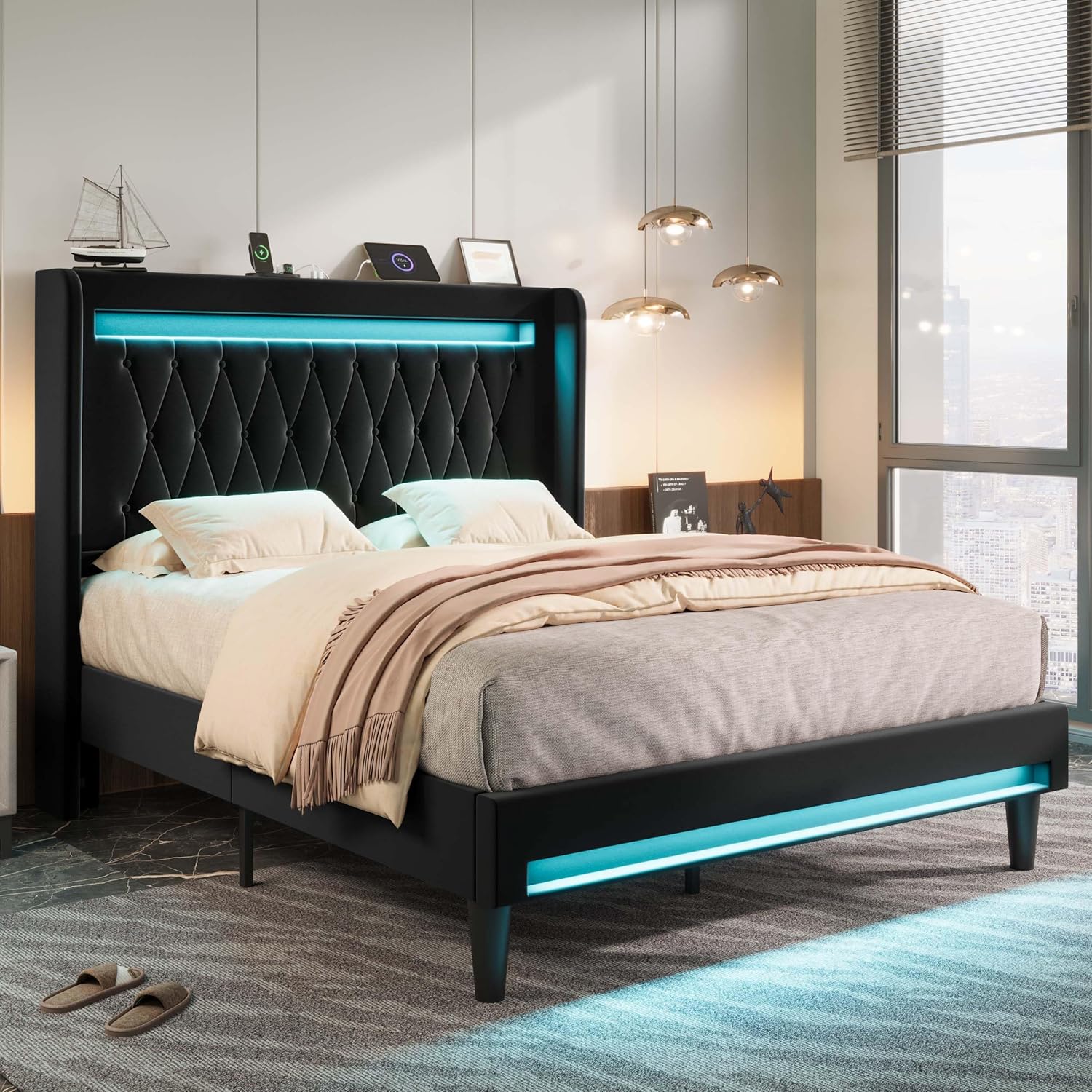
Image: Visual guide illustrating the quick installation process with Velcro-secured slats and noise-reducing foam strips.
Video: An official product video demonstrating the assembly and features of the Allewie Upholstered Bed Frame with LED Light and Charging Station.
Arahan Operasi
Sistem Pencahayaan LED
The integrated LED lights can be controlled via a remote control or a dedicated smartphone application. This allows for customization of color, brightness, and lighting modes.
- Hidupkan/Mati Kuasa: Use the power button on the remote or app to turn the LED lights on or off.
- Pilihan Warna: Choose from a wide range of colors using the color wheel or preset color options.
- Pelarasan Kecerahan: Increase or decrease the light intensity to your preference.
- Mod Pencahayaan: Select from various modes including constant light, dynamic color changes, and music synchronization.
- Kawalan Apl: Download the companion app (refer to packaging or product details for app name) for advanced control features and scheduling.

Image: A visual representation of the smartphone application used to control the LED lighting, showing various color and mode selections.
Stesen Pengecasan
The headboard includes a built-in power strip with 2 USB ports (5V/3A) and 1 Type-C port (5V/3A) for convenient device charging.
- Sambungkan Peranti: Plug your USB or Type-C compatible devices directly into the ports located on the headboard.
- Sumber Kuasa: Ensure the bed frame's main power cord is plugged into a wall outlet for the charging station to function.
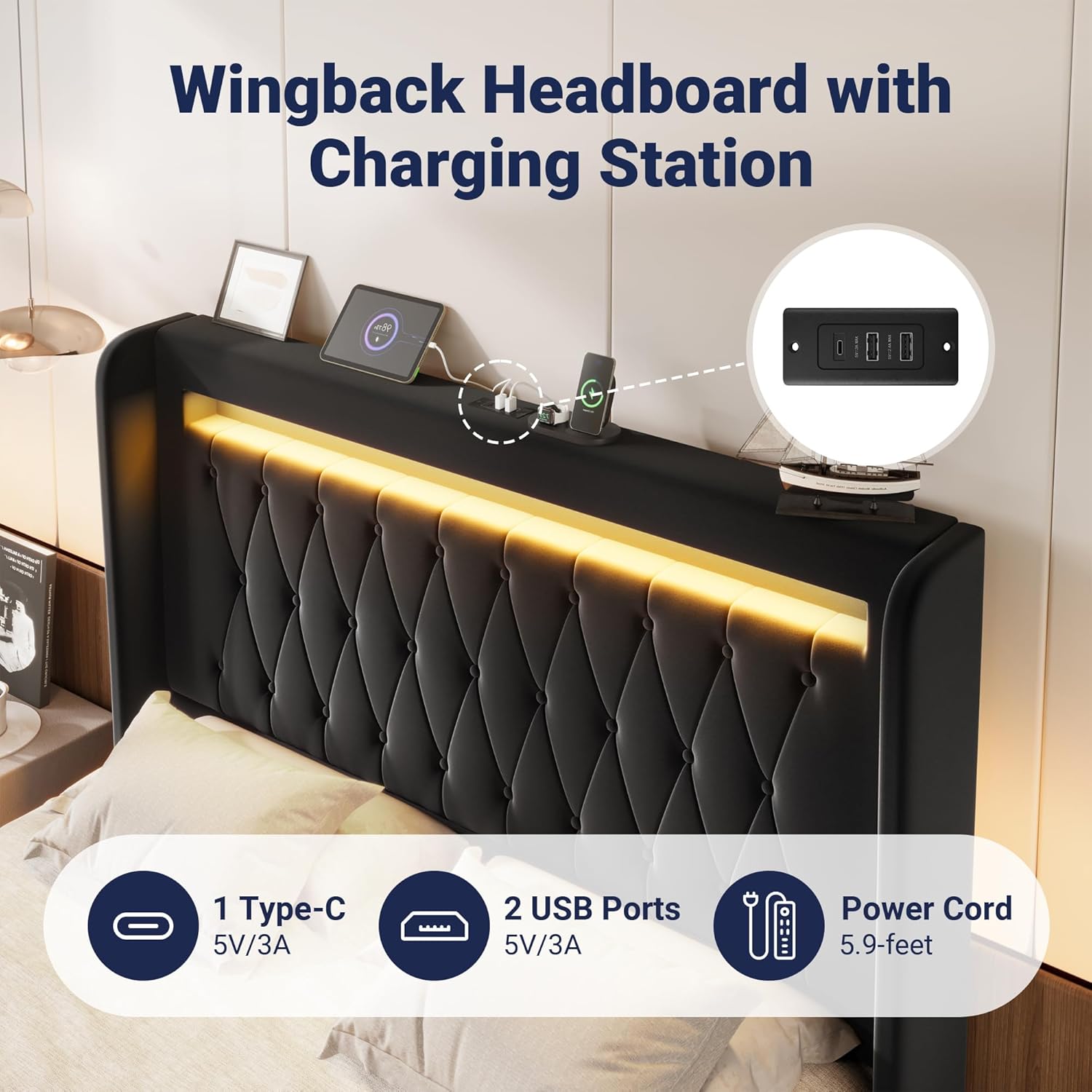
Imej: A terperinci view of the headboard's integrated charging station, featuring USB and Type-C ports.
Penyelenggaraan
- Membersihkan Upholsteri: For general cleaning, gently wipe the velvet upholstery with a soft, damp kain. Untuk tumpahan, lap segera dengan kain bersih dan kering. Elakkan bahan kimia yang keras atau pembersih yang kasar.
- Pemeriksaan Bingkai: Periodically check all bolts and screws to ensure they are tight. Retighten as necessary to maintain stability and prevent squeaking.
- Lampu LED: The LED lights are designed for long-term use. If issues arise, check the power connection and remote control battery.
- Port Pengecasan: Keep charging ports free of dust and debris. Use a dry, soft brush or compressed air to clean if needed.
- Pembersihan Bawah Katil: The 6.3-inch ground clearance allows for easy cleaning underneath the bed, including robot vacuum access.

Image: A robot vacuum easily cleaning beneath the bed frame, demonstrating the ample ground clearance for maintenance.
Menyelesaikan masalah
| Masalah | Kemungkinan Punca | Penyelesaian |
|---|---|---|
| Lampu LED tidak berfungsi | Power cord disconnected; remote battery low; app not connected. | Ensure power cord is securely plugged in. Replace remote battery. Reconnect app via Bluetooth. |
| Stesen pengecasan tidak berfungsi | Bed frame not powered; device cable faulty. | Verify bed frame is plugged into a live outlet. Try a different charging cable or device. |
| Bingkai katil berderit | Loose bolts; uneven floor; slats not properly seated. | Tighten all assembly bolts. Ensure bed is on a level surface. Check that all slats are correctly positioned and secured by Velcro. |
| Tilam gelongsor | No mattress stopper or insufficient friction. | The headboard design helps prevent mattress sliding. Ensure the mattress is properly aligned with the frame. |
Spesifikasi
| Nombor Model | AW5387-2 |
| Saiz | Ratu |
| Dimensi Produk (L x W x H) | 83.5"L x 61.8"W x 46.9"H |
| Kapasiti Berat | 900 paun |
| bahan | MDF Board, Metal, Velvet |
| Bahan Kepala Katil | baldu |
| warna | Hitam |
| Ciri Khas | LED Lights, USB & Type-C Charging Station, Wingback Design, Noise-Free, Easy Assembly |
| Komponen yang Disertakan | Headboard, Light kit included, Slats |
| Perhimpunan yang Diperlukan | ya |
| UPC | 749655444721 |

Image: Detailed dimensions and weight capacity of the Queen size bed frame.
Waranti dan Sokongan
For warranty information, product support, or to report missing/damaged parts, please contact Allewie customer service. Refer to your purchase documentation for specific warranty terms and contact details.
Typically, Allewie products come with a manufacturer's warranty covering defects in materials and workmanship. Keep your proof of purchase for warranty claims.
For further assistance, you may visit the official Allewie store on Amazon: Allewie Store
Ask a question about this manual
Ask about setup, troubleshooting, compatibility, parts, safety, or missing instructions. Manuals+ will review the question and use this page’s manual context to help answer it.