
1. Pengenalan
Thank you for choosing the DazzlingStage 60W 9LED RGBW Stage Wall Wash Bar Light. This manual provides essential information for the safe and effective operation of your lighting fixture. Please read it thoroughly before installation and use, and retain it for future reference.
Ini stage light bar features 9 high-power RGBW LEDs, offering a wide spectrum of colors and dynamic lighting effects suitable for various events and venues.

Imej 1.1: Selesaiview of the DazzlingStage 60W 9LED RGBW Stage Wall Wash Bar Lights in various colors.
2. Arahan Keselamatan
- Keselamatan Elektrik: Pastikan bekalan kuasa voltage matches the specifications of the fixture. Always disconnect power before cleaning, servicing, or moving the unit.
- Pemasangan: Install the fixture in a well-ventilated area, away from heat sources. Ensure secure mounting to prevent accidental falls.
- Operasi: Do not look directly into the light source when the fixture is operating, as it can cause eye damage. Avoid operating the unit in wet or damp syarat.
- Penyelenggaraan: Rujuk semua servis kepada kakitangan yang berkelayakan. Jangan cuba membaiki unit ini sendiri.
- Kanak-kanak: Jauhkan peranti daripada capaian kanak-kanak.
3. Kandungan Pakej
Setelah membuka bungkusan, sila sahkan bahawa semua barang yang disenaraikan di bawah disertakan dan dalam keadaan baik:
- DazzlingStage 60W 9LED RGBW Stage Wall Wash Bar Light (x1 per pack)
- Power Cord (x1 per pack)
- Remote Control (x1 per pack)
- Mounting Bracket (x1 per pack)
- Knobs (x2 per pack)
- Black Gaskets (x2 per pack)
- Instruction Manual (x1 per pack)

Image 3.1: Contents included in the product package.
4. Komponen Produk
Familiarize yourself with the main components of the light bar:
- Susunan LED: 9 RGBW LEDs for color mixing.
- Panel Kawalan: Features a 4-digit LED display and control buttons (MENU, UP, DOWN, ENTER) for mode selection and parameter adjustment.
- Port DMX MASUK/KELUAR: For connecting to a DMX controller or linking multiple units.
- Kuasa MASUK/KELUAR: For power connection and daisy-chaining power to other units.
- Pendakap Pelekap: Pendakap boleh laras untuk pemasangan lantai atau kekuda.
- Sinki haba: Integrated cooling system to maintain optimal operating temperature.

Image 4.1: Key components and dimensions of the light bar.
5. Persediaan dan Pemasangan
The DazzlingStage Wall Wash Bar Light offers flexible installation options:
5.1 Memasang Pendakap
Attach the included mounting bracket to the light bar using the provided knobs and gaskets. Ensure the bracket is securely fastened.
5.2 Pilihan Penempatan
- Lantai Berdiri: The bracket allows the light bar to stand upright on a flat surface. Adjust the angle as needed.
- Pemasangan Kekuda: Gunakan cl yang sesuaiamps (not included) to attach the bracket to a lighting truss. Ensure the truss and clamps can support the weight of the fixture.
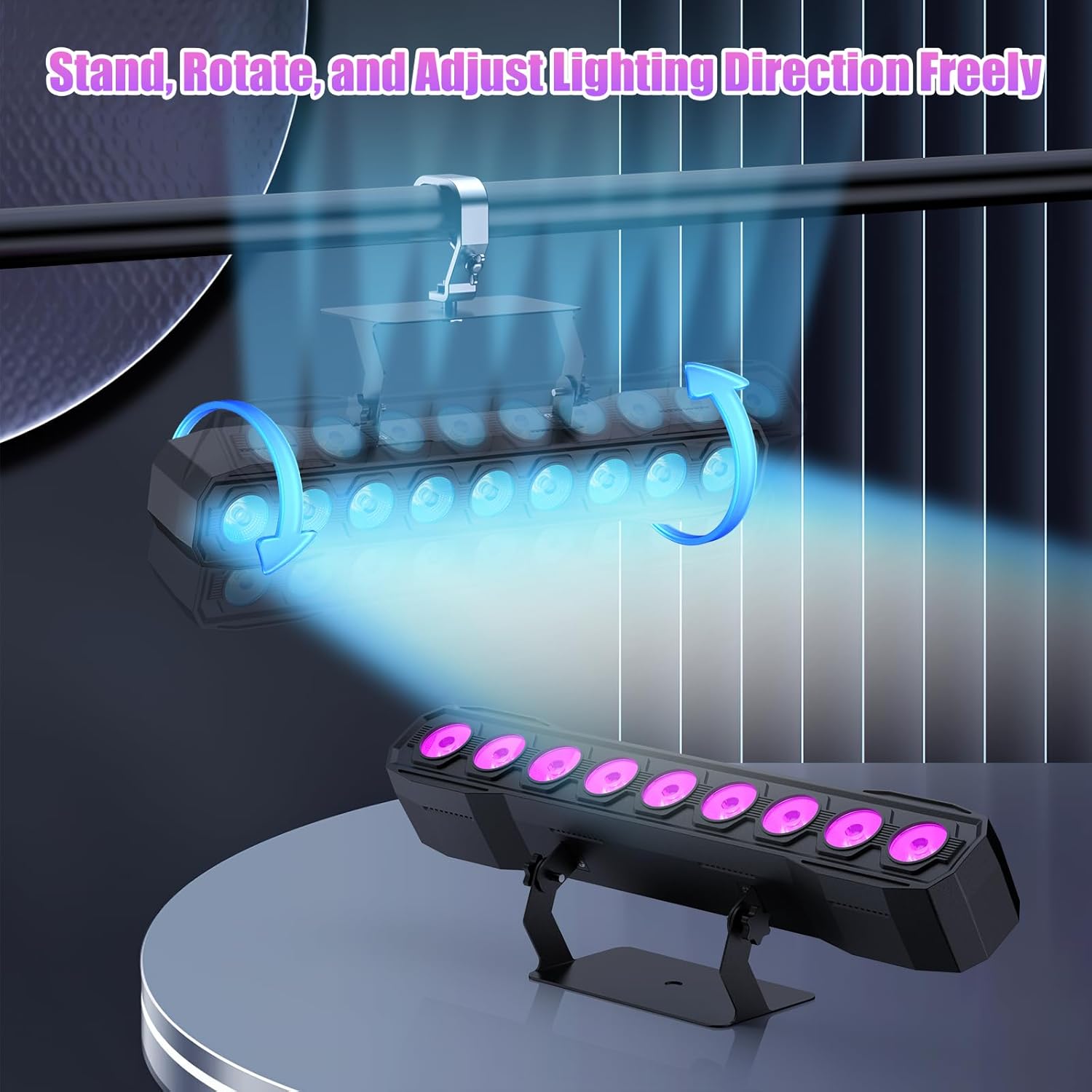
Image 5.1: Illustration of mounting and angle adjustment options.
5.3 Sambungan Kuasa
Connect the power cord to the Power IN port on the back of the fixture and then to a suitable power outlet. Multiple units can be daisy-chained using the Power OUT port to simplify wiring for larger setups.
6. Mod Operasi
The DazzlingStage Wall Wash Bar Light supports several control modes:
- Kawalan DMX512: For professional control via a DMX console.
- Mod Auto: Urutan pencahayaan yang telah diprogramkan terlebih dahulu.
- Sound-Activated Control: Lights react to ambient sound.
- Kawalan Jauh: Convenient wireless control using the included remote.
- Mod Tuan-Hamba: Link multiple units where one acts as a master and others as slaves, synchronizing effects.
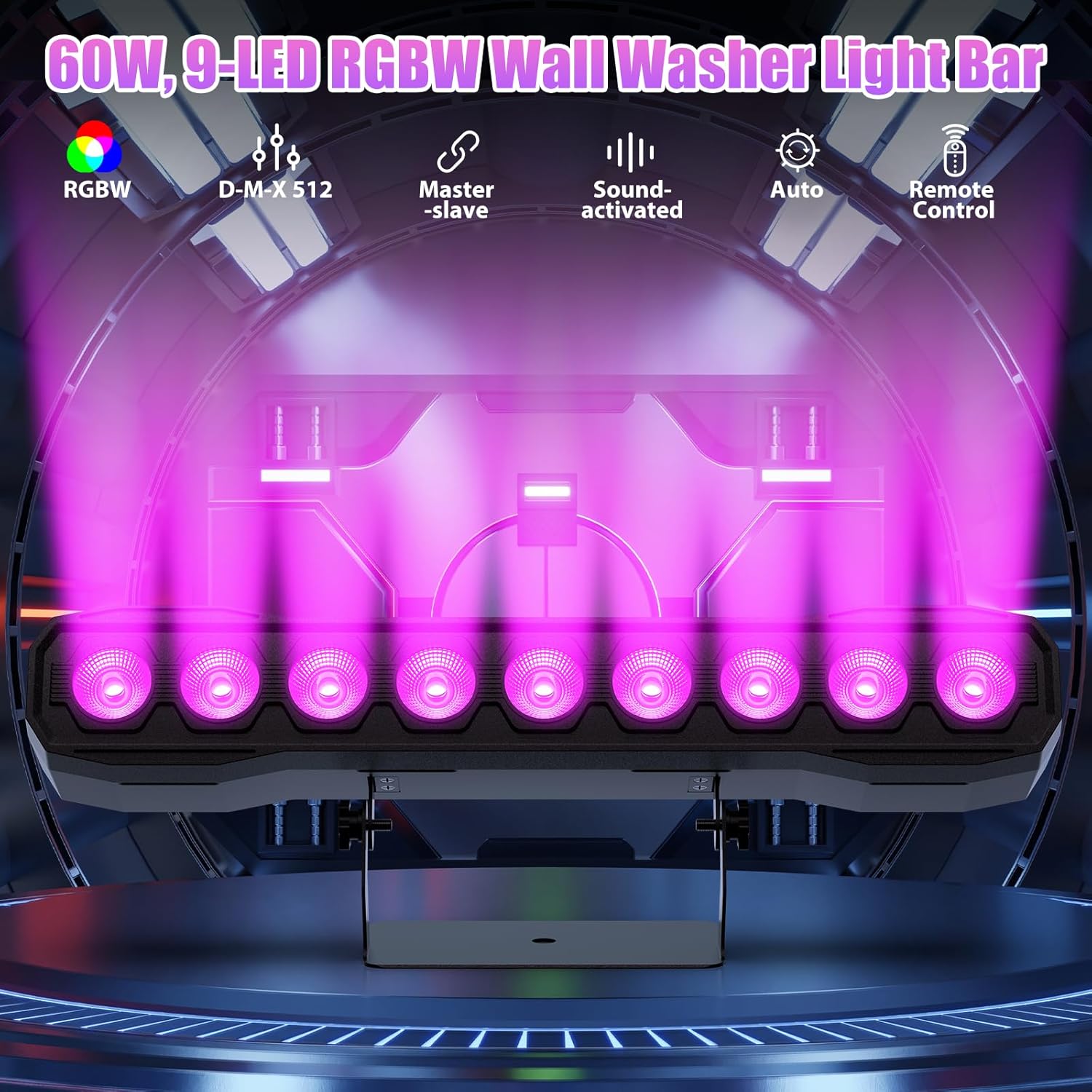
Imej 6.1: Selesaiview daripada mod kawalan yang tersedia.
6.1 Display Panel Operation
Use the buttons on the back of the fixture to navigate the menu and select modes:
- MENU: Kitaran melalui pilihan menu utama.
- ATAS BAWAH: Adjusts values or navigates sub-menus.
- MASUK: Mengesahkan pemilihan.
6.2 Kesan Pencahayaan
The fixture supports various dynamic effects:
- Campuran Warna: Over 16.7 million color combinations with 0-100% linear dimming.
- Strobo: Flashing effect.
- lompat: Instant color changes.
- Pudar: Peralihan lancar antara warna.
- nadi: Gradual changing effects.
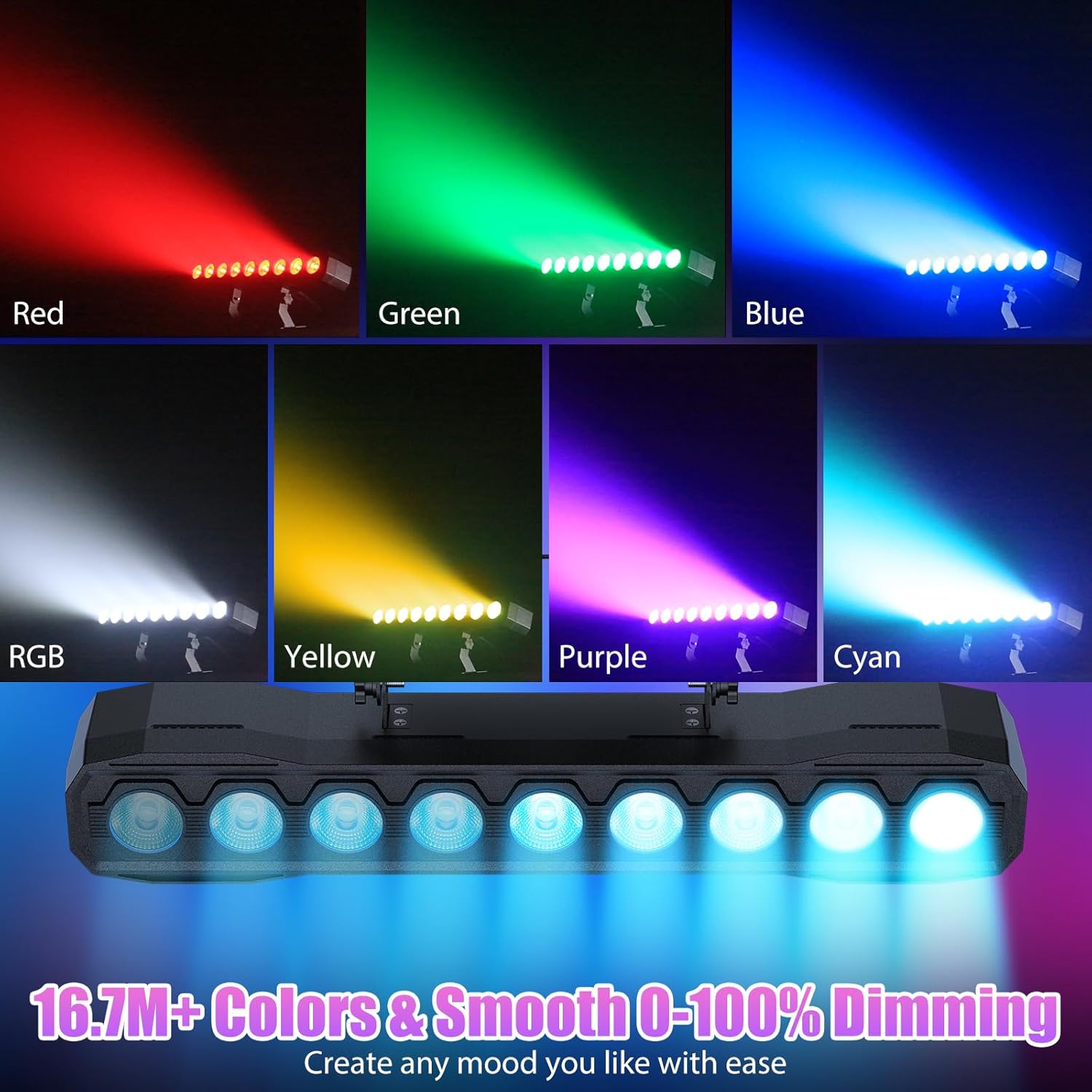
Imej 6.2: Cthamples of color mixing and dimming capabilities.

Image 6.3: Visual representation of Strobe, Jump, Fade, and Pulse effects.
7. Fungsi Alat Kawalan Jauh
Alat kawalan jauh yang disertakan menyediakan akses mudah kepada pelbagai fungsi:
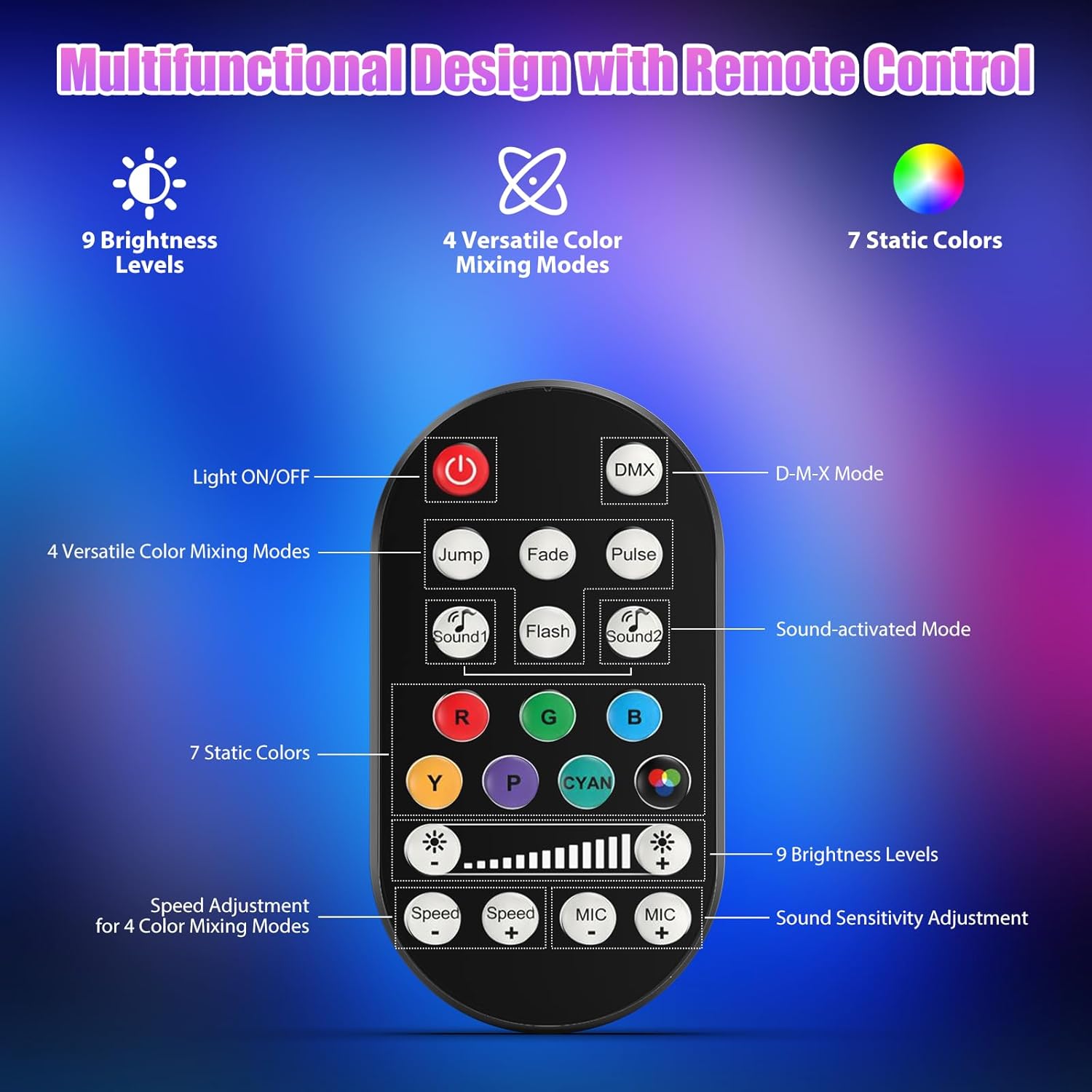
Imej 7.1: Susun atur dan fungsi alat kawalan jauh.
- Lampu HIDUP/MATI: Menghidupkan atau mematikan unit.
- DMX: Activates DMX control mode.
- Jump, Fade, Pulse, Flash: Selects different color mixing modes.
- Sound1, Sound2: Activates sound-activated modes with different sensitivities.
- R, G, B, Y, P, Cyan, White: Selects static colors.
- Tahap Kecerahan: Adjusts the overall intensity of the light (9 levels).
- Kelajuan +/-: Melaraskan kelajuan kesan dinamik.
- MIC +/-: Adjusts the sound sensitivity for sound-activated modes (15 levels).
8. Kawalan DMX512
For advanced control, connect the fixture to a DMX512 controller. The light bar typically uses 4 or 8 DMX channels. Refer to the display panel for DMX address setting and channel assignments.
8.1 Tetapan Alamat DMX
Use the MENU, UP, DOWN, and ENTER buttons on the fixture's display panel to set the DMX starting address. The display will show 'AXXX' where XXX is the address (e.g., A001).
8.2 DMX Channel Functions (Example - 8 Channel Mode)
| Saluran | Fungsi | Julat Nilai | Penerangan |
|---|---|---|---|
| CH1 | Master Dimmer | 0-255 | Kecerahan keseluruhan (0% hingga 100%) |
| CH2 | Keamatan Merah | 0-255 | Red LED brightness (0% to 100%) |
| CH3 | Intensiti Hijau | 0-255 | Green LED brightness (0% to 100%) |
| CH4 | Intensiti Biru | 0-255 | Blue LED brightness (0% to 100%) |
| CH5 | Intensiti Putih | 0-255 | White LED brightness (0% to 100%) |
| CH6 | Strobe/Effect | 0-255 | 0-10: No function; 11-255: Strobe speed (slow to fast) |
| CH7 | Program Auto | 0-255 | Selects and controls speed of built-in auto programs |
| CH8 | Bunyi Aktif | 0-255 | Activates sound mode and adjusts sensitivity |
Jadual 8.1: Cthample DMX Channel Functions (may vary slightly by firmware version).
9. Penyelenggaraan
Penyelenggaraan yang kerap memastikan prestasi optimum dan memanjangkan jangka hayat lekapan anda.
- Pembersihan: Periodically clean the lens and housing with a soft, lint-free cloth. Do not use abrasive cleaners or solvents. Ensure the fixture is powered off and cool before cleaning.
- Pemeriksaan: Periksa kabel kuasa, kabel DMX dan perkakasan pelekap secara berkala untuk sebarang tanda haus atau kerosakan. Gantikan komponen yang rosak dengan segera.
- Storan: Apabila tidak digunakan untuk tempoh yang lama, simpan lekapan di persekitaran yang kering dan bebas habuk.
10. Penyelesaian masalah
Jika anda menghadapi masalah, rujuk kepada masalah dan penyelesaian biasa berikut:
| Masalah | Kemungkinan Punca | Penyelesaian |
|---|---|---|
| Tiada kuasa | Power cable disconnected; No power from outlet; Blown fuse | Check power cable connection; Test outlet with another device; Replace fuse if necessary |
| Tiada keluaran cahaya | Dimmer channel at 0%; Incorrect mode selected; DMX signal issue | Increase dimmer level; Select desired operating mode; Check DMX cable and address settings |
| Incorrect colors/effects | Incorrect DMX channel values; Remote control interference | Verify DMX channel settings; Ensure remote is pointed directly at the sensor; Check for other IR interference |
| Mod diaktifkan bunyi tidak berfungsi | Microphone sensitivity too low; No sound input | Increase MIC sensitivity via remote or display; Ensure sufficient sound is present near the fixture |
| Lekapan terlalu panas | Poor ventilation; Blocked heat sink | Ensure adequate airflow around the unit; Clean any dust or debris from the heat sink fins |
11. Spesifikasi
| Ciri | Perincian |
|---|---|
| Jenama | DazzlingStage |
| Nombor Model | ZQ06190 |
| Sumber Cahaya | LED RGBW 9 x 60W |
| Campuran Warna | RGBW 4-in-1, 16.7 million colors |
| Peredupan | 0-100% pemalapan elektronik linear |
| Sudut Rasuk | Sudut Lebar 35° |
| Mod Kawalan | DMX512, Auto, Sound-Activated, Remote Control, Master-Slave |
| Saluran DMX | 4 or 8 Channels (selectable) |
| Paparan | Paparan LED 4 digit |
| bahan | Akrilonitril Butadiena Stirena (ABS) |
| Dimensi Produk | 18.1 x 5.5 x 5.1 inci (46 x 14 x 13 cm) |
| Berat Barang | lebih kurang 1.98 paun (0.9 kg) |
| Input Kuasa | AC 100-240V, 50/60Hz |
| Pengeluar | Shenzhen Zhuoqiong Technology Co., Ltd. |
12. Waranti dan Sokongan
DazzlingStage products are designed for reliability and performance. For warranty information, please refer to the terms and conditions provided at the time of purchase or contact your retailer.
If you require technical assistance or have questions not covered in this manual, please contact DazzlingStage customer support through the retailer's platform or the official brand website. Please have your model number (ZQ06190) and purchase details ready when contacting support.