
1. Pengenalan
Thank you for choosing the Horavie Single Serve Coffee Maker. This versatile machine is designed to provide a convenient and high-quality coffee experience, allowing you to brew both K-Cup pods and ground coffee. With multiple brew sizes and options for hot, strong, or iced coffee, it caters to various preferences. Please read this manual thoroughly before operation to ensure proper use, maintenance, and safety.
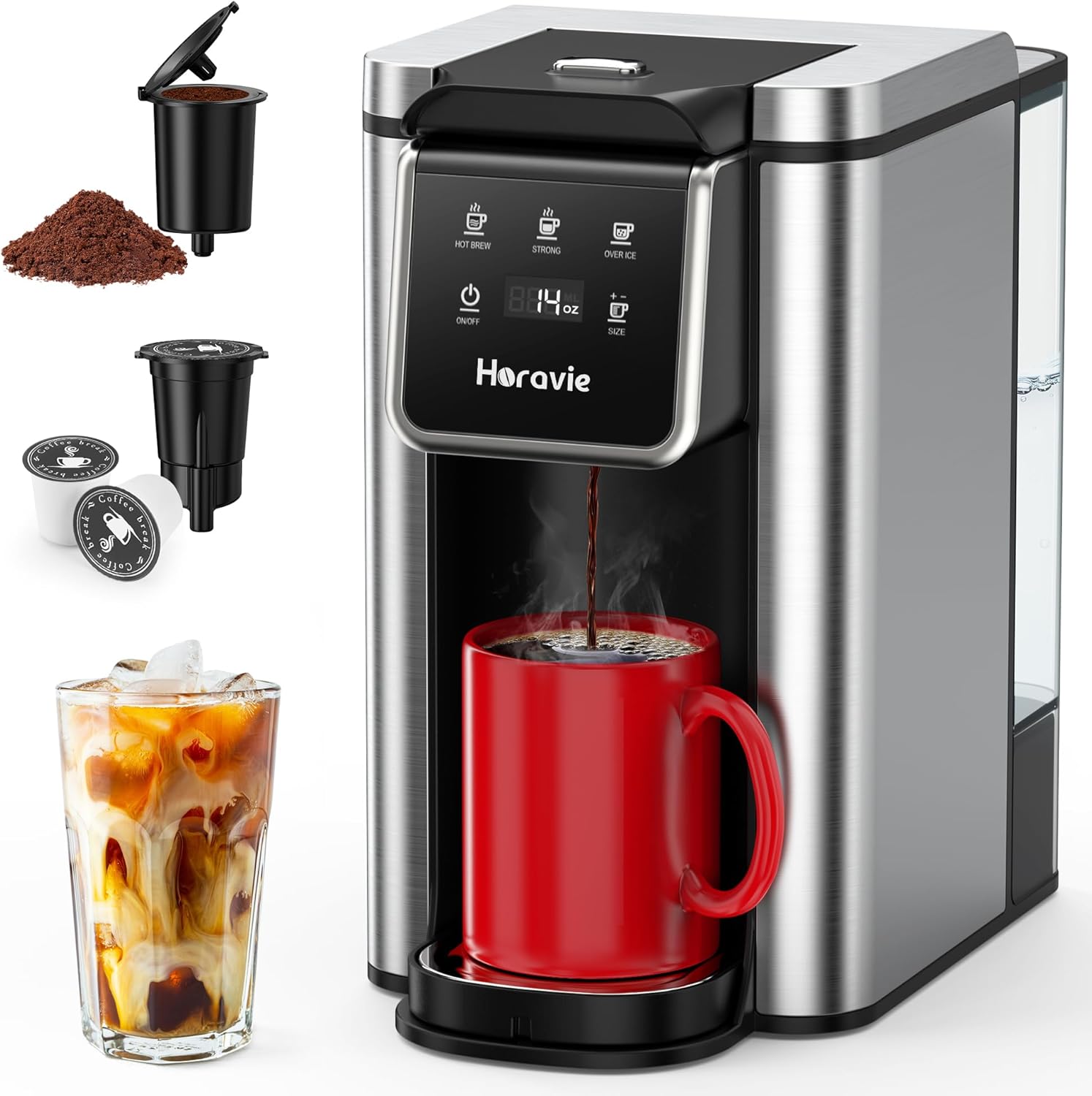
Image: Horavie Single Serve Coffee Maker, showcasing its ability to use both K-Cup pods and ground coffee, along with an iced coffee option.
2. Maklumat Keselamatan Penting
Sila baca semua arahan keselamatan dengan teliti sebelum menggunakan perkakas. Kegagalan mematuhi arahan ini boleh mengakibatkan renjatan elektrik, kebakaran atau kecederaan serius.
- Sentiasa cabut plag pembuat kopi dari soket apabila tidak digunakan dan sebelum membersihkannya.
- Jangan rendam perkakas, kord, atau palam ke dalam air atau cecair lain.
- Jauhkan perkakas daripada kanak-kanak.
- Jangan kendalikan sebarang perkakas dengan kord atau palam yang rosak, atau selepas perkakas tidak berfungsi atau rosak dalam apa jua cara.
- Use only cold, filtered water in the water reservoir.
- Do not open the brew head during the brewing process as hot water is under pressure.
- Ensure the drip tray is properly in place to catch any spills.
- Perkakas ini adalah untuk kegunaan rumah sahaja.
3. Produk Lebihview
Komponen
- Unit Utama dengan Panel Kawalan
- 50 oz Removable Water Reservoir
- Pemegang Pod K-Cup
- Reusable Filter Basket for Ground Coffee
- Dulang Titisan Boleh Tanggal
- Kord Kuasa
Image: The Horavie Single Serve Coffee Maker, illustrating its main parts including the water reservoir, brew head, and drip tray.
Fungsi Panel Kawalan
- Butang HIDUP/MATI: Powers the machine on or off.
- HOT BREW: Standard coffee brewing mode.
- KUAT: Brews a bolder, more concentrated coffee.
- OVER ICE: Brews coffee specifically for iced beverages (dispenses 6/8 oz).
- SIZE Button: Adjusts the brew volume (6, 8, 10, 12, 14 oz).
- Paparan Digital: Shows selected brew size and status.

Imej: Terperinci view of the control panel, highlighting the brew size selection and brewing mode buttons.
4. Persediaan
Persediaan Awal dan Penggunaan Pertama
- Bongkar: Carefully remove all packaging materials and tape from the coffee maker.
- Komponen Bersih: Wash the removable water reservoir, K-Cup pod holder, reusable filter basket, and drip tray with warm, soapy water. Rinse thoroughly and dry.
- Isi takungan air: Fill the 50 oz removable water reservoir with fresh, cold, filtered water up to the MAX line. Ensure it is securely placed back on the machine.
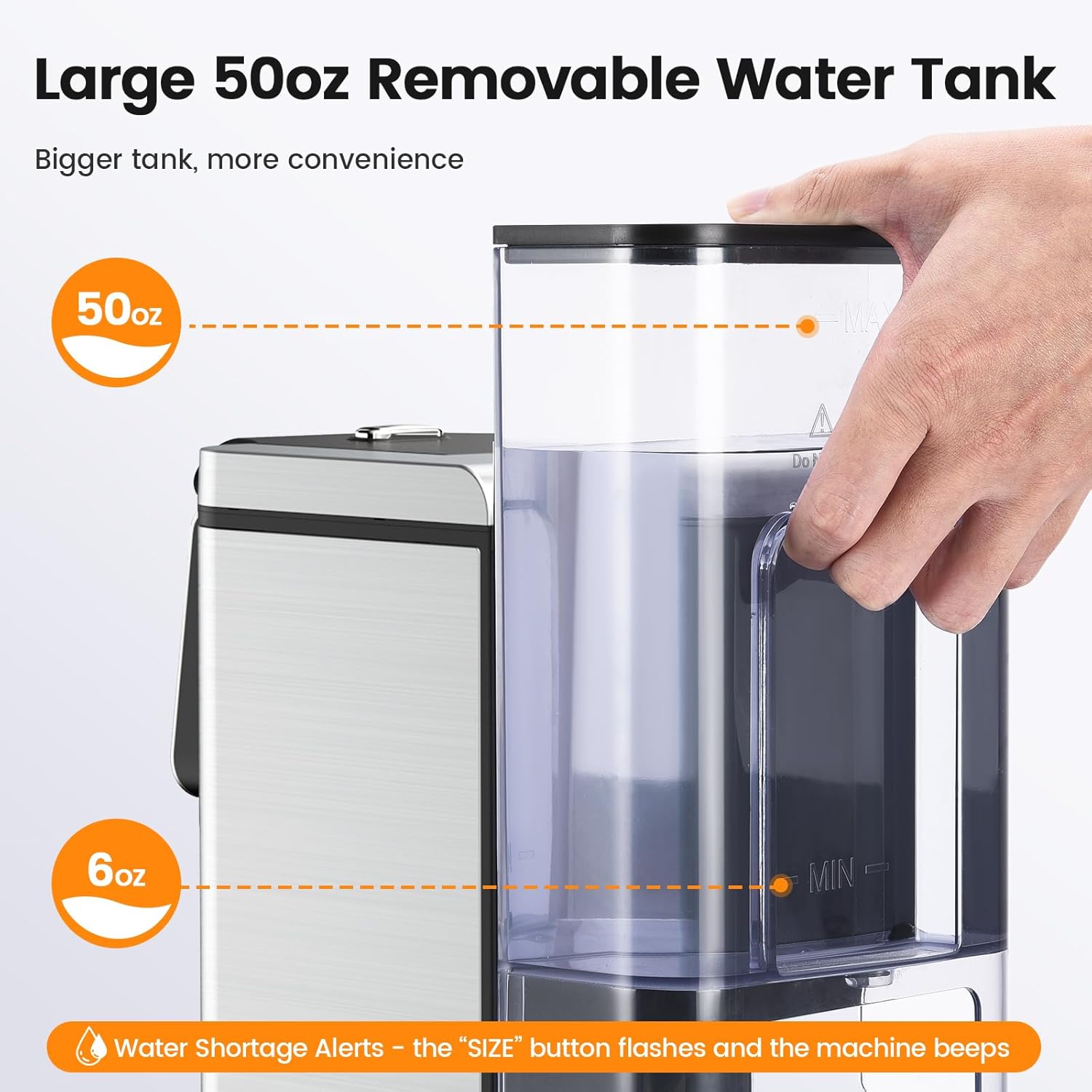
Image: A hand demonstrating how to remove and fill the large 50oz water reservoir.
- Kitaran Bilas Pertama:
- Letakkan mug besar (sekurang-kurangnya 14 oz) di atas dulang titisan.
- Ensure no K-Cup pod or ground coffee is in the brew head.
- Plug in the coffee maker. Press the ON/OFF button.
- Select the 14 oz brew size using the SIZE button.
- Press the HOT BREW button to start a cleansing cycle.
- Discard the hot water. Repeat this process 2-3 times to thoroughly clean the internal components.
- Pembuat kopi anda kini sedia untuk digunakan.
5. Arahan Operasi
Pembuatan bir dengan Pod K-Cup
- Pastikan takungan air diisi dengan air tawar.
- Angkat pemegang kepala bru.
- Insert a K-Cup pod into the K-Cup pod holder. Close the brew head handle firmly until it clicks.
- Letakkan mug anda di atas dulang titisan.
- Tekan butang ON/OFF untuk menghidupkan mesin.
- Select your desired brew size (6, 8, 10, 12, or 14 oz) using the SIZE button.
- Choose your brewing style:
- HOT BREW: For a standard cup of hot coffee.
- KUAT: For a bolder, more intense flavor.
- OVER ICE: For iced coffee (only 6 or 8 oz dispense; add ice to your cup first).
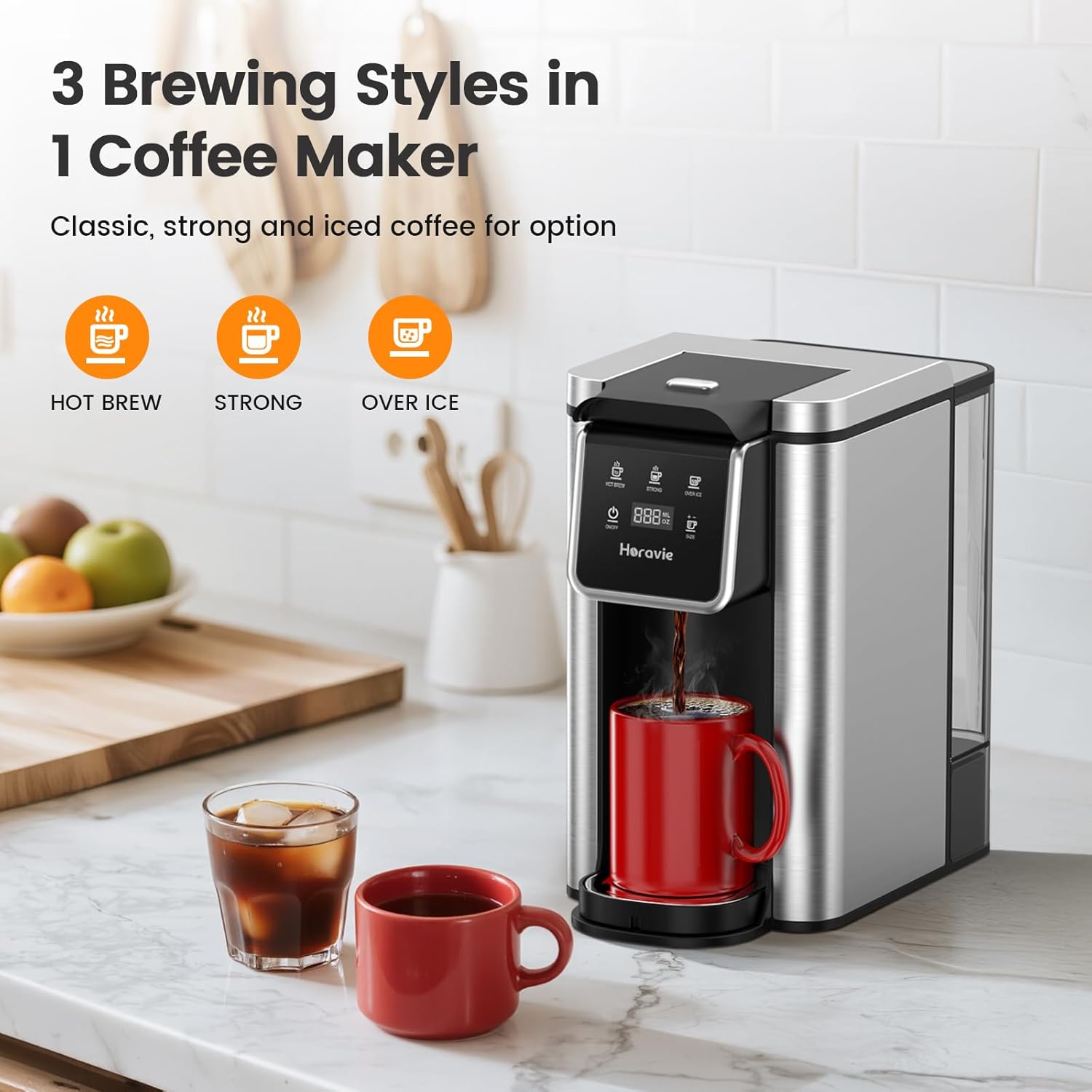
Image: The coffee maker displaying the three brewing styles: Hot Brew, Strong, and Over Ice.
- The machine will begin brewing. Brewing time is approximately 1 minute for 6 oz and 2 minutes for 14 oz.
- Once brewing is complete, carefully lift the brew head handle and dispose of the used K-Cup pod.
Bancuh dengan Kopi Kisar
- Pastikan takungan air diisi dengan air tawar.
- Angkat pemegang kepala bru.
- Insert the reusable filter basket into the brew head.
- Add your desired amount of medium-coarse ground coffee into the reusable filter basket. Do not overfill.
- Close the brew head handle firmly until it clicks.
- Letakkan mug anda di atas dulang titisan.
- Tekan butang ON/OFF untuk menghidupkan mesin.
- Select your desired brew size (6, 8, 10, 12, or 14 oz) using the SIZE button.
- Choose your brewing style (HOT BREW, STRONG, or OVER ICE).

Image: Illustration of the K-Pod holder and the reusable filter basket for ground coffee, demonstrating the dual brewing capability.
- The machine will begin brewing.
- Once brewing is complete, carefully lift the brew head handle and remove the reusable filter basket for cleaning.
Brewing Speed and Temperature
The Horavie coffee maker is designed for fast brewing, delivering 6 oz of coffee in as little as 1 minute and 14 oz in just 2 minutes, ensuring your coffee is consistently hot.

Image: The coffee maker in action, emphasizing its fast brewing capability with a "1 MIN" indicator.
6. Penyelenggaraan
Pembersihan Harian
- Dulang Drip: Remove and empty the drip tray after each use. Wash with warm, soapy water and rinse thoroughly.
- K-Cup Pod Holder/Reusable Filter Basket: Remove and rinse after each use. The bottom of the K-Pod holder is removable for easier cleaning.
- Takungan Air: Empty any remaining water and rinse the reservoir daily. Refill with fresh water before each use.
- Luaran: Lap bahagian luar pembuat kopi dengan damp kain. Jangan gunakan pembersih yang kasar.
Penyahkelasan
Regular descaling is essential to remove mineral buildup and ensure optimal performance and longevity of your coffee maker. The machine has a built-in descaling mode. Descale every 3-6 months, or more frequently if you have hard water.
- Sediakan Penyelesaian Penyahkerak: Mix 10 oz of white vinegar with 10 oz of water, or use a commercially available descaling solution according to its instructions.
- Takungan Kosong: Ensure the water reservoir is empty.
- Isi takungan: Tuangkan larutan penyahkerak ke dalam takungan air.
- Enter Descaling Mode: With the machine powered on, press and hold both the HOT BREW dan ATAS AIS buttons simultaneously for 2 seconds to enter descaling mode. The display will indicate descaling.
Image: The control panel illustrating how to activate the descaling mode by pressing and holding the Hot Brew and Over Ice buttons.
- Jalankan Kitaran Penyahkerak: Place a large mug under the dispenser. The machine will automatically dispense the solution in intervals.
- Kitaran bilas: After the descaling cycle is complete, empty and rinse the water reservoir. Fill it with fresh, clean water. Run 2-3 full brewing cycles with only water to rinse out any remaining descaling solution.
7. Penyelesaian masalah
| Masalah | Kemungkinan Punca | Penyelesaian |
|---|---|---|
| Kopi tidak dibancuh. | No water in reservoir; brew head not fully closed; machine not powered on. | Fill reservoir; ensure brew head clicks shut; press ON/OFF button. |
| Air shorttage alert (SIZE button flashes, machine beeps). | Insufficient water in the reservoir for selected brew size. | Refill the water reservoir to the MIN or desired level. |
| Kopi terasa lemah atau berair. | Too much water for coffee grounds/pod; coffee too coarse; machine needs descaling. | Use STRONG brew mode; use finer grind; descale the machine. |
| Coffee overflows from K-Cup pod/filter. | K-Cup pod/filter clogged; too much ground coffee; brew head not sealed. | Check for clogs; do not overfill ground coffee; ensure brew head is firmly closed. |
| Machine not heating water. | Isu kuasa; kerosakan dalaman. | Check power connection; if problem persists, contact customer support. |
8. Spesifikasi
| Ciri | Perincian |
|---|---|
| Nama Model | Pembuat Kopi Cawan Tunggal |
| Nombor Model | KC101C |
| Jenama | Horavie |
| warna | Black (Stainless Steel finish) |
| Dimensi Produk (D x W x H) | 10.63"D x 6.3"W x 11.15"H |
| Berat Barang | 5.26 paun |
| Kapasiti Tangki Air | 50 oz (Removable) |
| Saiz Brew | 6, 8, 10, 12, 14 oz |
| Jenis Input Kopi | Pod K-Cup, Kopi Kisar |
| Ciri Khas | Adjustable Brew Strength, Auto Clean Function, Auto Shut-Off, Permanent Filter, Removable Tank, Descaling Mode, Water Shortage Makluman |
| Mod Operasi | Automatik Sepenuhnya |
| Input Antara Muka Manusia | Skrin sentuh |

Image: Diagram illustrating the compact dimensions of the Horavie Single Serve Coffee Maker.
9. Waranti dan Sokongan
Horavie products are manufactured to the highest quality standards. For specific warranty information regarding your Horavie Single Serve Coffee Maker (Model KC101C), please refer to the warranty card included with your purchase or visit the official Horavie webtapak.
If you encounter any issues or have questions about your product, please contact Horavie Customer Support.
- Sokongan dalam talian: Lawati Horavie Store on Amazon untuk Soalan Lazim dan pilihan hubungan.
- Sokongan E-mel: Refer to your product packaging or included documentation for direct email contact.