1. Pengenalan
This manual provides essential instructions for the safe operation, setup, and maintenance of your Generic M66 MAX Drone. Please read this manual thoroughly before operating the drone to ensure proper function and to prevent damage or injury. Keep this manual for future reference.
The M66 MAX Drone features a foldable design, a remote control with an integrated 4.5-inch HD display, a dual camera system with EIS stabilization and 50x intelligent zoom, advanced obstacle avoidance, and powerful brushless motors for stable flight.
2. Ciri-ciri Produk
- Foldable Display Remote Control: Features an integrated 4.5-inch HD display for real-time video transmission and direct aerial photography without requiring a smartphone.
- Adjustable Dual Camera System: Equipped with 50x intelligent zoom, Electronic Image Stabilization (EIS), and seamless switching between lenses for clear aerial images and multiple shooting angles.
- Advanced Obstacle Avoidance: Utilizes an intelligent perception system for multi-directional obstacle detection, ensuring safer and more stable flights in various environments.
- Powerful Brushless Motors: High-speed brushless power provides strong wind resistance and smoother flight stability, enhancing performance in diverse conditions.
- Reka Bentuk Mudah Alih: Foldable drone design and included carrying case for convenient transport and storage.
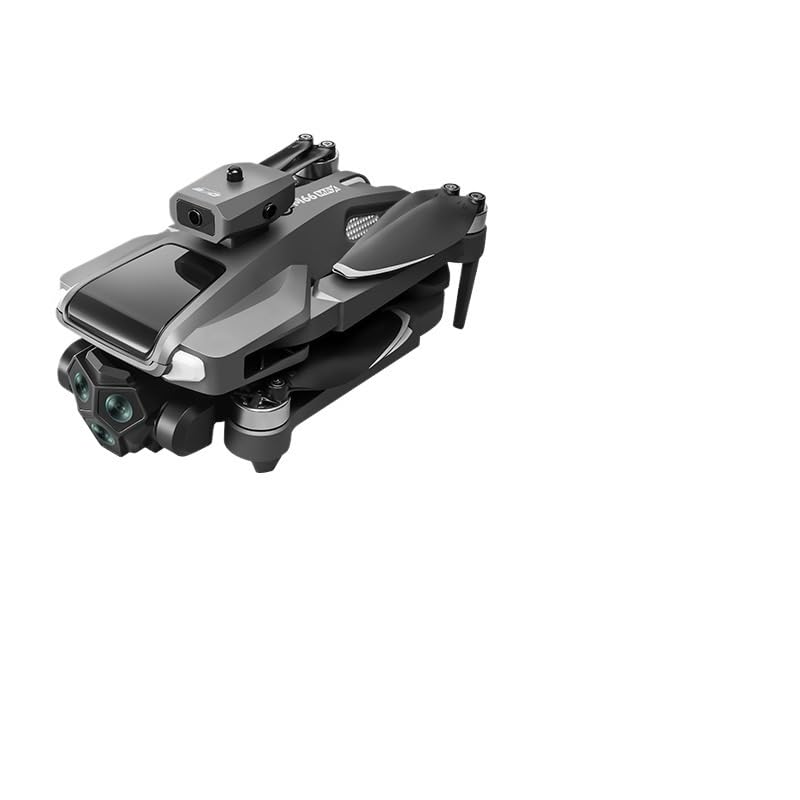
Figure 2.1: The M66 MAX Drone with its foldable remote control, showcasinreka bentuk padat dan paparan bersepadunya.
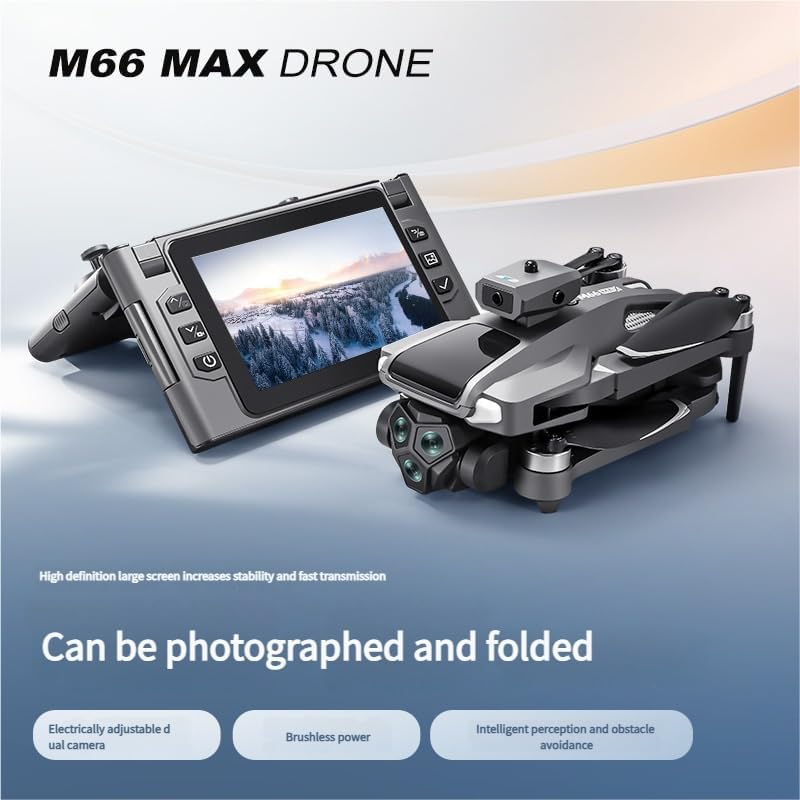
Figure 2.2: The M66 MAX Drone in both folded and unfolded states, highlighting its portability and readiness for flight.

Rajah 2.3: Jarak dekat view of the M66 MAX Drone's dual camera system, featuring EIS anti-shake technology and 50x smart zoom capabilities.
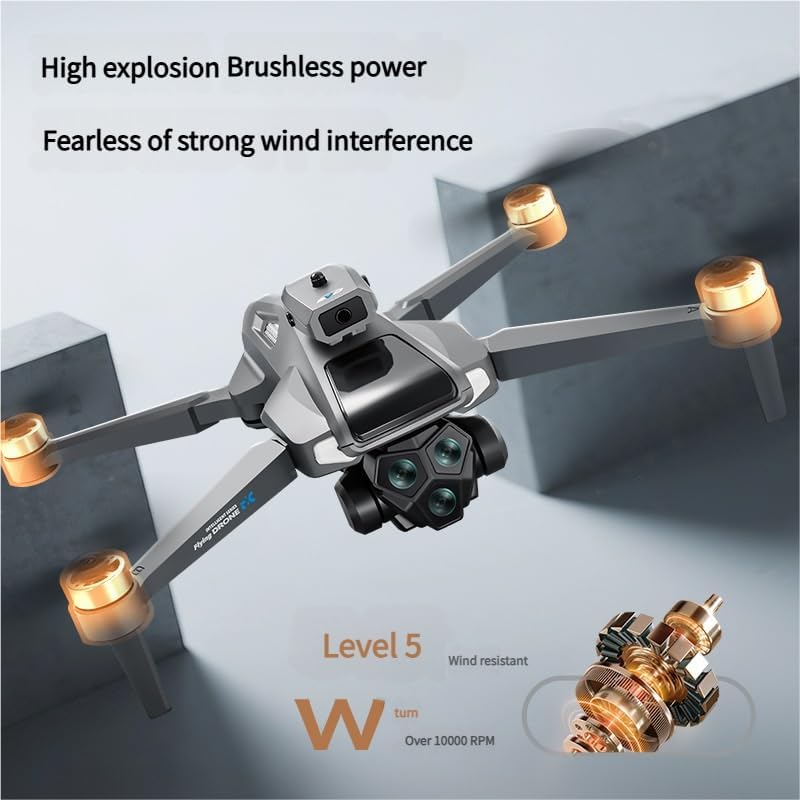
Figure 2.4: The M66 MAX Drone in flight, illustrating the powerful brushless motors and its Level 5 wind resistance for stable operation.
3. Panduan Persediaan
3.1 Menyahkotak dan Semakan Komponen
Carefully unpack all components from the carrying case. Verify that all items are present:
- M66 MAX Drone
- Foldable Display Remote Control
- Bateri boleh dicas semula
- Spare Propeller Blades (set)
- Kabel Pengecas USB
- Pemutar skru
- Membawa Sarung
3.2 Pemasangan dan Pengecasan Bateri
- Insert the rechargeable battery into the drone's battery compartment. Ensure it clicks securely into place.
- Connect the USB charging cable to the drone's charging port and to a compatible USB power adapter (not included).
- Allow the battery to fully charge before first use. The charging indicator light will change (refer to LED indicators section for details) when charging is complete.
- The remote control also has an internal battery. Charge it using its dedicated USB port if necessary.
3.3 Penyediaan Dron
- Unfold the drone arms carefully until they lock into position.
- Inspect the propeller blades for any damage or obstructions. Replace any damaged blades using the provided screwdriver and spare blades. Ensure propellers are correctly installed according to their markings (A/B).
4. Arahan Operasi
4.1 Menghidupkan/Mematikan
- Drone: Press and hold the power button on the drone for 2-3 seconds until the indicator lights illuminate.
- Kawalan Jauh: Unfold the remote control and press the power button on the integrated display. The display will power on.
- To power off, repeat the process by pressing and holding the power buttons until the devices shut down.
4.2 Memasangkan Dron dan Alat Kawalan Jauh
- Letakkan drone di permukaan rata dan rata.
- Power on the drone, then power on the remote control.
- The drone's indicator lights will flash, indicating it is searching for a signal. The remote control display will show a pairing status.
- Push the left joystick on the remote control up and then down. The drone's lights will become solid, and the remote control display will show a connected status, indicating successful pairing.
4.3 Berlepas dan Mendarat
- Pelepasan Automatik: After pairing, press the one-key takeoff button on the remote control. The drone will automatically ascend to a safe hovering altitude.
- Berlepas Manual: Push both joysticks down and outwards simultaneously to arm the motors. Then, slowly push the left joystick up to ascend.
- Pendaratan Automatik: Press the one-key landing button. The drone will descend and land automatically.
- Pendaratan Manual: Slowly pull the left joystick down to descend. Once landed, push both joysticks down and inwards to disarm the motors.
4.4 Kawalan Penerbangan
The remote control uses a standard mode 2 configuration:
- Kayu Joy Kiri:
- Up/Down: Ascend/Descend (Throttle)
- Left/Right: Rotate Left/Right (Yaw)
- Joystick Kanan:
- Up/Down: Fly Forward/Backward (Pitch)
- Left/Right: Fly Left/Right (Roll)
Refer to the remote control diagram in the packaging for specific button functions.
4.5 Operasi Kamera
- Foto/Video: Use the dedicated photo/video buttons on the remote control to capture images or start/stop video recording.
- Dual Camera Switching: The remote control display allows seamless switching between the front and bottom cameras.
- 50x Intelligent Zoom: Use the zoom controls on the remote to adjust the camera's magnification.
- EIS Stabilization: The Electronic Image Stabilization system automatically reduces blur and shakiness in your footage.
4.6 Obstacle Avoidance System
The M66 MAX Drone is equipped with an intelligent obstacle avoidance system. When activated, the drone will detect obstacles in its path and automatically adjust its flight trajectory to prevent collisions. This system enhances flight safety, especially in complex environments. Always maintain visual line of sight and do not rely solely on the obstacle avoidance system.
5. Penyelenggaraan
5.1 Pembersihan
- Wipe the drone's body with a soft, dry cloth. Do not use harsh chemicals or solvents.
- Gently clean camera lenses with a microfiber cloth to ensure clear image quality.
5.2 Pemeriksaan dan Penggantian Kipas
- Periksa kipas dengan kerap jika ada keretakan, bengkok atau serpihan. Kipas yang rosak boleh menjejaskan kestabilan dan keselamatan penerbangan.
- To replace a propeller, use the provided screwdriver to remove the screw holding the blade. Install a new blade, ensuring it matches the correct A/B marking, and secure it with the screw.
5.3 Penjagaan dan Penyimpanan Bateri
- Simpan bateri di tempat yang sejuk dan kering jauh dari cahaya matahari langsung dan suhu yang melampau.
- Jangan cas berlebihan atau terlalu nyahcas bateri.
- Jika menyimpan untuk tempoh yang lama, cas bateri sehingga kapasiti lebih kurang 50-60%.
6. Penyelesaian masalah
| Masalah | Kemungkinan Punca | Penyelesaian |
|---|---|---|
| Drone tidak dihidupkan. | Low or uncharged battery; improperly installed battery. | Pastikan bateri dicas sepenuhnya dan dimasukkan dengan betul. |
| Remote control does not connect to drone. | Not paired; interference; low remote battery. | Re-pair the drone and remote. Ensure both are fully charged. Avoid areas with strong signal interference. |
| Penerbangan atau hanyut yang tidak stabil. | Drone not calibrated; damaged propellers; strong wind. | Perform gyroscope calibration (refer to remote control instructions). Check and replace damaged propellers. Fly in calm conditions. |
| Camera not recording or poor image quality. | SD card full/missing/corrupt; dirty lens; incorrect settings. | Ensure an SD card is inserted and has free space. Clean the camera lens. Check camera settings on the remote display. |
| Penghindaran halangan tidak berfungsi. | Sensors obstructed; system deactivated; specific lighting conditions. | Ensure sensors are clean and unobstructed. Verify obstacle avoidance is active in settings. Note that performance may vary in very bright or very dark conditions. |
7. Spesifikasi
| Ciri | Perincian |
|---|---|
| Jenama | Generik |
| Nama Model | TGAACBDBB |
| Dimensi Produk | 2.54 x 2.54 x 2.54 cm (lebih kurang 1 x 1 x 1 inci) |
| Jenis Kawalan | Remote Control with Integrated Display |
| warna | Satu Warna |
| Julat Umur (Perihalan) | Dewasa |
| Ciri Khas | Advanced Obstacle Avoidance, EIS Stabilization, Dual Adjustable Camera, Intelligent Zoom, Brushless Motor |
| ASIN | B0FD3Y2WLL |
| Tarikh Tersedia Pertama | 17 Jun 2025 |
8. Waranti dan Sokongan
Warranty information for the Generic M66 MAX Drone is not provided within this manual. For details regarding warranty coverage, technical support, or service inquiries, please contact the retailer or manufacturer directly using the contact information provided at the point of purchase.
Always refer to the official Generic website or customer service channels for the most up-to-date support resources.