
1. Pengenalan
The KAYOTOM AT-600 is a state-of-the-art Push-to-Talk Over Cellular (PoC) radio designed for reliable, long-range communication. Utilizing 4G LTE networks, it offers nationwide coverage without traditional distance limitations, making it ideal for team management, outdoor adventures, and various professional applications. This manual provides essential information for setting up, operating, and maintaining your device.
2. Apa yang ada di dalam Kotak
- KAYOTOM AT-600 Walkie Talkie Units (10-PACKS)
- USB Adapters with USB-C Power Cable (10 units)
- Lifetime SIM Card (pre-installed)
- Battery (10 units)
- Tali Gantung (10 unit)
- Klip Tali Pinggang (10 unit)
3. Ciri-ciri Produk
- Julat Tanpa Had: Utilizes 4G LTE cellular networks for nationwide coverage (5000+ miles).
- Lifetime Free SIM: No subscriptions or hidden fees for cellular service.
- Exceptional PoC Clarity: Real-time, broadcast-quality voice transmission with advanced wind and noise suppression.
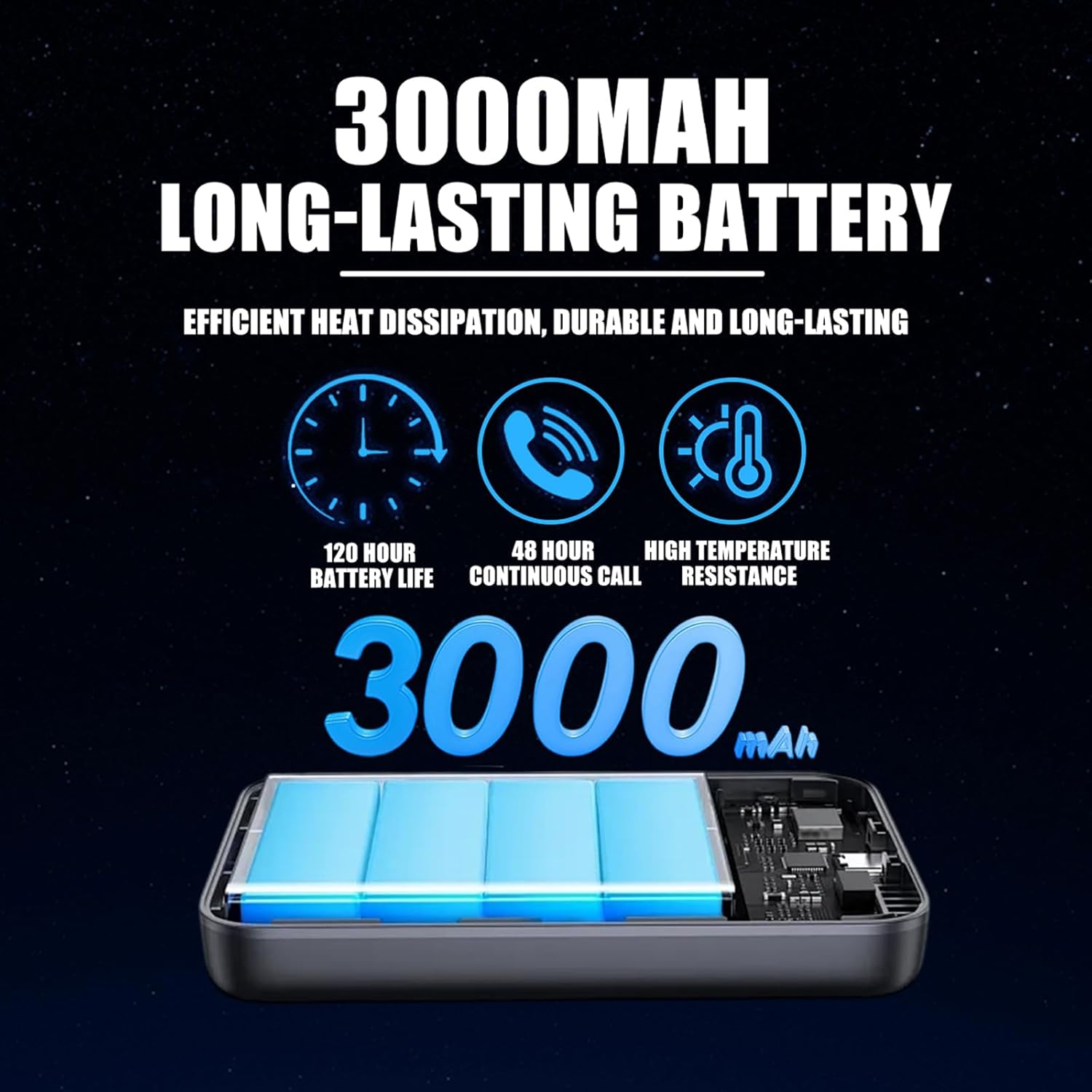
- Bateri Tahan Lama: 3000mAh battery provides over 24 hours of continuous use.
- Pengecasan Jenis-C Pantas: USB-C port delivers 50% power in 20 minutes.
- Advanced AI Noise Cancellation: Filters out 95% of ambient background noise for crystal-clear audio.
- Effortless Multi-Device & Group Management: Easily link devices and set up custom groups via Amazon Message support.
- Reka bentuk tahan lasak: Metal alloy back panel for heat dissipation, robustness, and electromagnetic shielding.
- Lampu suluh bersepadu: Convenient built-in flashlight for low-light conditions.
4. Panduan Persediaan
4.1 Battery and SIM Card Installation
- Pastikan peranti dimatikan.
- Remove the battery cover on the back of the walkie talkie.
- The Lifetime SIM Card is pre-installed. If replacement is needed, carefully insert the SIM card into the designated slot.
- Insert the 3000mAh battery into its compartment, ensuring proper alignment of the contacts.
- Gantikan penutup bateri, pastikan ia klik pada tempatnya dengan selamat.
4.2 Menghidupkan/Mematikan
- Untuk Menghidupkan: Press and hold the power button (usually located on the side or front panel) until the screen illuminates and the device boots up.
- Untuk Mematikan: Tekan dan tahan butang kuasa sehingga peranti dimatikan.
4.3 Initial Connection & Group Management
- Upon first power-on, the device will automatically connect to the 4G LTE network. A 'POC Global' or similar message may appear.
- For multi-device and group communication setup, contact KAYOTOM customer support via Amazon Message after purchase. Provide your IMEI ID for quick linking and custom group creation.
5. Arahan Operasi
5.1 Komunikasi Push-to-Talk (PTT)
- To transmit, press and hold the large PTT button (typically on the side of the device). Speak clearly into the microphone.
- Lepaskan butang PTT untuk mendengar penghantaran masuk.
- Ensure a brief pause before speaking after pressing PTT to avoid cutting off the beginning of your message.
5.2 Kawalan Kelantangan
- Use the dedicated volume up/down buttons (usually arrow keys) to adjust the speaker volume to a comfortable level.
5.3 Fungsi Lampu Suluh
- To activate the built-in flashlight, locate and press the designated flashlight button (refer to device diagram for exact location). Press again to turn off.
5.4 Mengecas
- Connect the provided USB-C cable to the charging port on the device.
- Plug the USB-A end into the USB adapter and then into a power outlet.
- The device can be charged while the battery is installed or separately.
6. Spesifikasi
| Ciri | Spesifikasi |
|---|---|
| Nombor Model | AT-600 |
| Berat Barang | 13 auns (0.37 Kilogram) |
| Dimensi Produk | 1.18 x 1.97 x 3.35 inci |
| Bateri | 3000mAh (2 D batteries required, included) |
| Bilangan Saluran | 200 |
| Julat Percakapan Maksimum | 100,000 Batu |
| Tahap Ketahanan Air | Bukan Tahan Air |
| Ciri Khas | Intelligent Noise Reduction, LED Display Screen, Lightweight and Portable, Long-Lasting Battery |
7. Penyelenggaraan
- Pastikan peranti bersih dan kering. Gunakan yang lembut, damp kain untuk pembersihan.
- Elakkan daripada mendedahkan peranti kepada suhu yang melampau atau cahaya matahari langsung untuk tempoh yang lama.
- Simpan peranti di tempat yang sejuk dan kering apabila tidak digunakan.
- Periksa sesentuh bateri secara berkala untuk kakisan dan bersihkan jika perlu.
8. Penyelesaian masalah
| Masalah | Penyelesaian |
|---|---|
| Tiada Kuasa | Ensure battery is fully charged and correctly installed. Check power button. |
| Tiada Sambungan Rangkaian | Verify SIM card is properly inserted. Move to an area with better 4G LTE coverage. Restart the device. |
| Kualiti Audio Tidak Baik | Check for obstructions around the microphone and speaker. Ensure AI Noise Cancellation is active. Move to an area with stronger signal. |
| Cannot Communicate with Group | Confirm all devices are powered on and connected to the network. Contact customer support to verify group settings. |
9. Waranti dan Sokongan
The KAYOTOM AT-600 comes with a 1-year manufacturer's warranty. For technical support, warranty claims, or assistance with group setup, please contact KAYOTOM customer support via Amazon Message.
10. Alat Bantu Visual
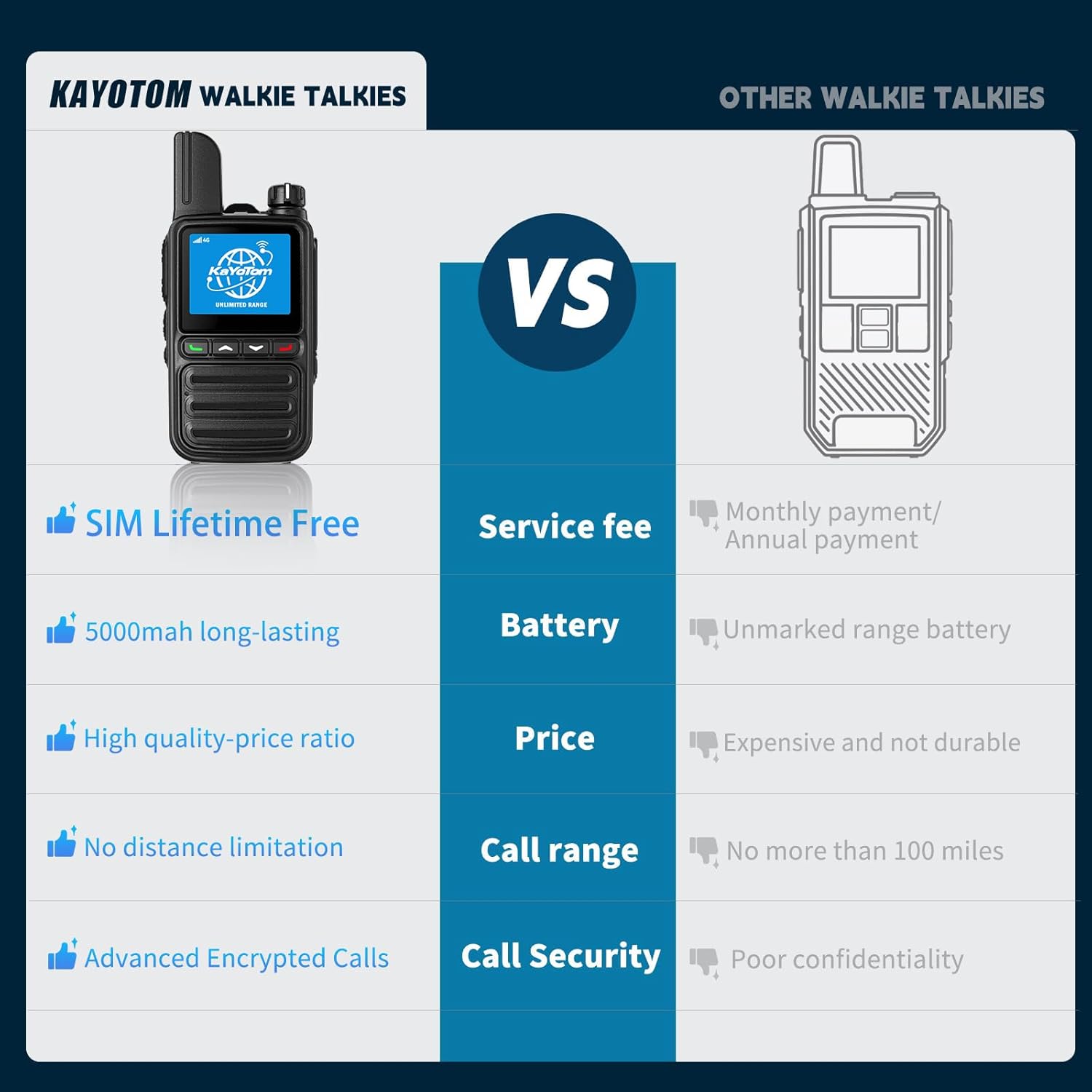
Figure 1: KAYOTOM AT-600 Walkie Talkie with included accessories.

Figure 2: Compact design of the KAYOTOM AT-600 Walkie Talkie held in hand.

Figure 3: Diagram illustrating the global intercom capability of the walkie talkies over a high-speed network.

Figure 4: Close-up of the aluminum alloy back panel highlighting heat dissipation, robustness, electromagnetic shielding, and professional-grade quality.

Figure 5: Illustration of flexible grouping options including individual, group, and host calls, with support for up to 200 groups and 500 people per group.

Figure 6: Visual representation of 3D noise reduction technology, showing audio clarity before and after noise suppression.

Rajah 7: Terperinci view of the 3000mAh long-lasting battery, emphasizing its efficiency, durability, and high-temperature resistance.

Figure 8: Back panel of the KAYOTOM AT-600 showing the model number (AT-600) and FCC ID (2AN96PO25601).
Gambar 9: Cthamples of various usage scenarios, including supermarkets, hotels, security, and outdoor adventures.