
Philips 48OLED820/12
Manual Pengguna TV Pintar Philips Ambilight 48OLED820 4K OLED
Model: 48OLED820/12
pengenalan
This manual provides comprehensive instructions for setting up, operating, and maintaining your Philips Ambilight 48OLED820 4K OLED Smart TV. Designed for an immersive entertainment experience, this TV features a P5 AI Perfect Picture processor, Ambilight technology, and smart functionalities powered by Titan OS, with support for Dolby Vision and Atmos Sound, and voice control via Alexa and Google Assistant.

Imej: Depan view of the Philips Ambilight 48OLED820 4K OLED Smart TV, showcasing reka bentuknya yang anggun dan paparan yang bertenaga.
Persediaan
1. Membuka Kotak dan Kandungan Pakej
Keluarkan semua komponen dari pembungkusan dengan berhati-hati. Pastikan semua item yang disenaraikan di bawah ada.

Image: The packaging box for the Philips Ambilight TV, indicating safe and secure delivery.
- Unit TV
- Kabel Kuasa
- Remote Control with rechargeable lithium battery
- Meja Papan
- Manual Pengguna dan Kad Waranti
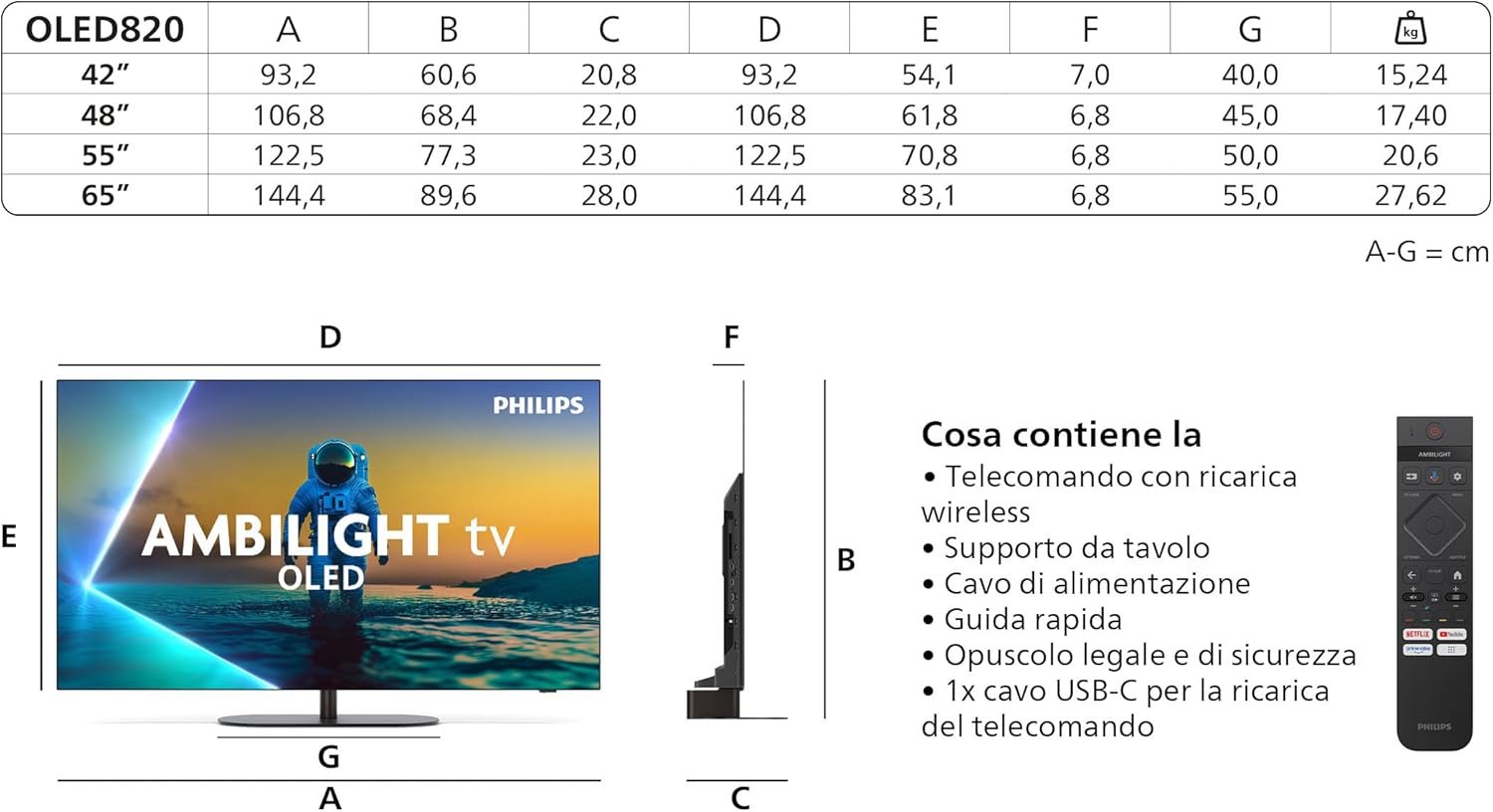
Image: Diagram showing the dimensions of the OLED820 TV series (including 48-inch model) and a visual list of included accessories such as the remote control, stand, and cables.
2. Pemasangan Stand
Attach the tabletop stand securely to the TV unit following the instructions provided in the quick start guide. Ensure all screws are tightened to prevent instability.
3. Menyambung Peranti
Connect your external devices such as set-top boxes, gaming consoles, and sound systems to the appropriate ports on the TV. The Philips 48OLED820/12 features multiple HDMI inputs (including HDMI 2.1 for 4K 120Hz), USB ports, and a network port.

Imej: Jarak dekat view of the Philips TV's connectivity panel, highlighting the Triple Tuner (DVB-T, DVB-C, DVB-S2), USB ports, and HDMI inputs.

Image: Diagram illustrating the location of side and bottom ports for 48", 55", and 65" Philips TV models, including USB, HDMI, Satellite, TV Antenna, Digital Audio Out, and Network ports.
For optimal performance with gaming consoles, utilize the HDMI 2.1 ports which support 4K resolution at 120Hz, VRR (Variable Refresh Rate), and FreeSync.
4. Penghidupan Awal dan Sambungan Rangkaian
Plug the power cable into the TV and a wall outlet. Press the power button on the remote control. Follow the on-screen prompts to complete the initial setup, including language selection, network connection (Wi-Fi or Ethernet), and channel scanning.
Arahan Operasi
1. Fungsi TV Asas
Use the provided remote control to navigate the TV's functions. The remote features dedicated buttons for power, volume, channel selection, and quick access to popular streaming services.

Image: The sleek, rechargeable wireless remote control for the Philips TV, featuring dedicated buttons for streaming services like Netflix and YouTube.
2. Teknologi Ambilight
Ambilight is a unique Philips technology that projects colors from the screen onto the wall behind the TV, creating an immersive viewing experience. You can customize Ambilight settings in the TV menu to match your preferences, including different modes like Follow Video, Follow Audio, or Lounge Light.

Image: A Philips Ambilight TV displaying content with its integrated LED illumination reacting to the scene, extending the visual experience beyond the screen.

Image: The Ambilight TV with AI, showing how scenes are automatically optimized for picture, gaming, sound, and Ambilight settings.
3. P5 AI Perfect Picture Processor
The P5 AI Perfect Picture processor utilizes artificial intelligence to optimize every frame, delivering stunning images with realistic detail, vibrant colors, and smooth motion. It enhances contrast and sharpness, bringing cinematic quality to your home.

Image: Visual representation of the Philips P5 AI Intelligent Picture Engine, symbolizing its advanced processing capabilities for authentic image reproduction.
4. Smart TV Features (Titan OS / Google TV)
Your Philips Smart TV runs on Titan OS, providing easy access to streaming services, personalized recommendations, and an intuitive interface. You can download and enjoy a wide range of applications from the app store.

Image: The Google TV interface, showing various streaming apps like YouTube, Prime Video, Netflix, Disney+, and Max, indicating seamless integration of movies and series.
5. Audio and Visual Technologies
Experience cinematic visuals with 4K Ultra HD resolution and support for all major HDR formats, including Dolby Vision. Immerse yourself in rich, clear audio with Dolby Atmos and DTS:X sound technologies, which create a multi-dimensional sound experience.

Image: Visual representation of OLED technology, 4K Ultra HD, HDR+, and Dolby Vision-Atmos, highlighting the TV's superior picture and sound capabilities.
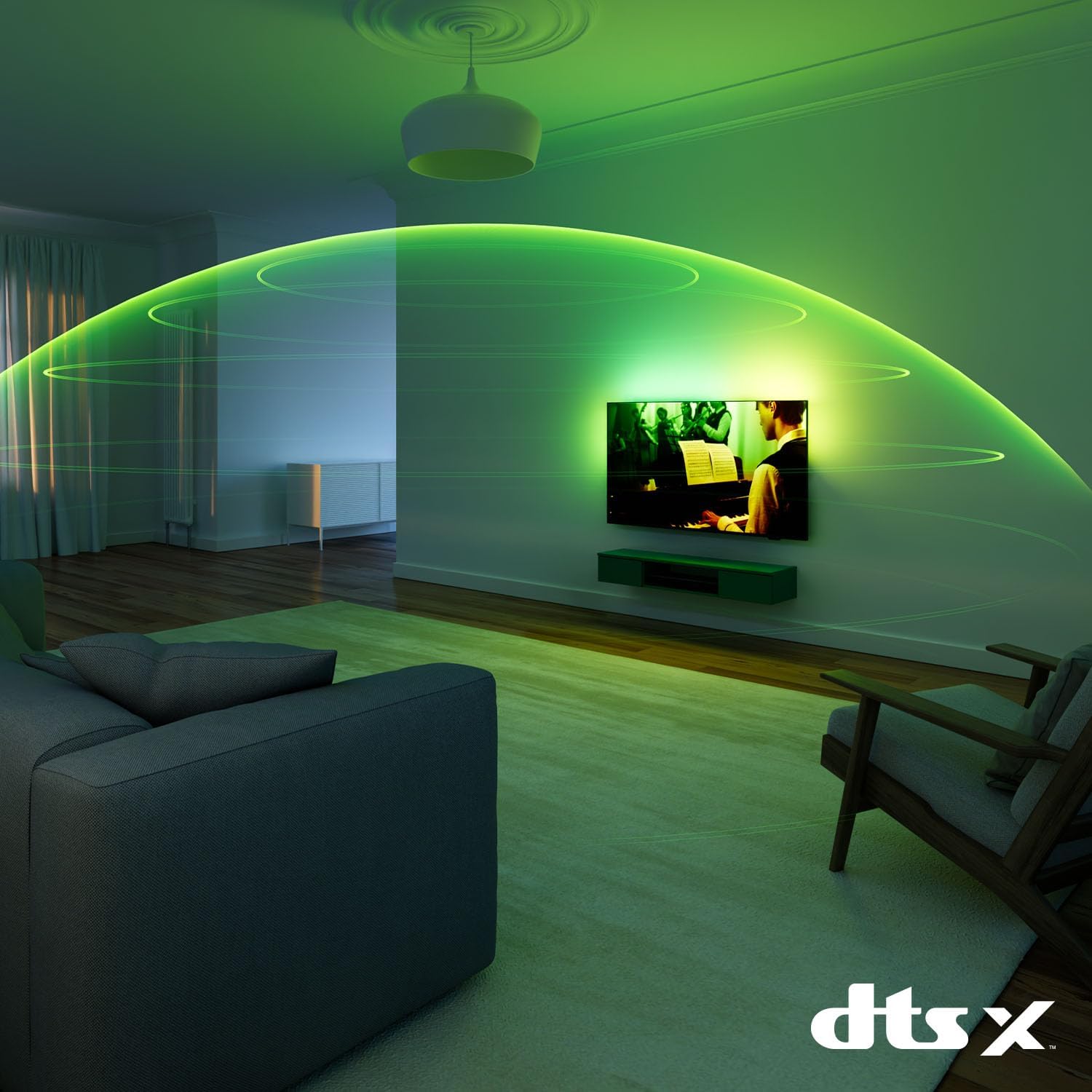
Image: A visual demonstrating DTS:X audio technology, showing sound waves expanding around a room from the TV, creating an immersive audio experience.
6. Ciri-ciri Permainan
For gamers, this TV offers a Total Gaming Solution with features like up to 144Hz refresh rate, VRR (Variable Refresh Rate), AMD FreeSync Premium, and NVIDIA G-SYNC compatibility, ensuring super responsive performance and impeccable graphics.

Image: A gaming setup featuring the Philips TV, highlighting its "Total Gaming Solution" with support for up to 144Hz refresh rate, VRR, AMD FreeSync Premium, and NVIDIA G-SYNC.
7. Kawalan Suara
The TV supports voice control through Alexa and Google Assistant. Simply use the voice remote or a compatible smart speaker to control your TV, search for content, and manage smart home devices.
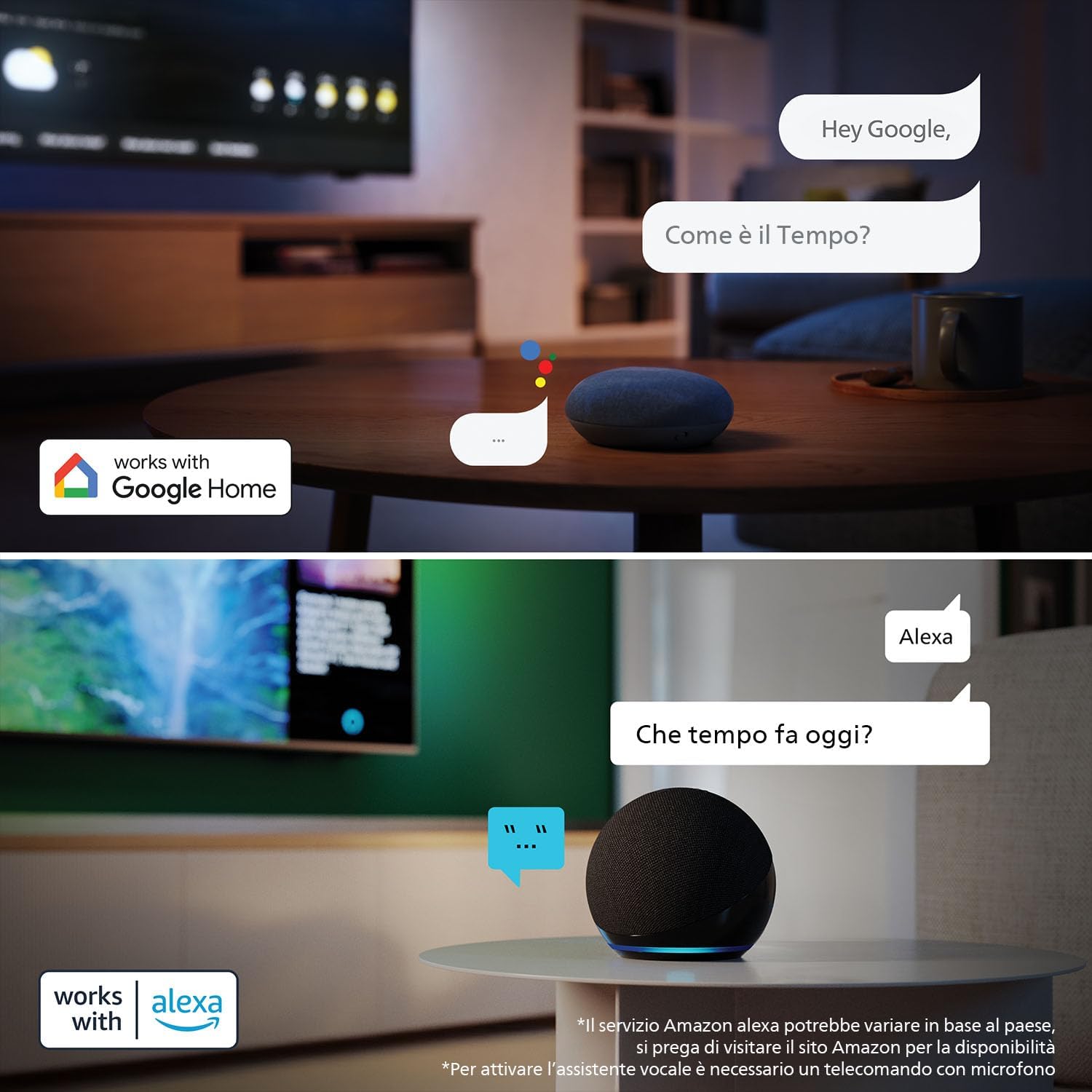
Image: Demonstrates voice control functionality with Google Home and Alexa, showing users interacting with their smart speakers to ask questions and control the TV.
Penyelenggaraan
Membersihkan TV
Untuk membersihkan skrin, lap perlahan-lahan dengan kain lembut yang tidak berbulu. Untuk tanda degil, sedikit dampen kain dengan air atau larutan pembersih skrin. Elakkan menggunakan bahan kimia yang keras atau bahan yang melelas. Bersihkan bingkai TV dan berdiri dengan kain lembut dan kering.
Kemas Kini Perisian
Ensure your TV's software is up to date for optimal performance and new features. You can check for updates via the TV's settings menu under 'Software Update' or 'About'.
Menyelesaikan masalah
| Masalah | Penyelesaian yang Mungkin |
|---|---|
| Tiada kuasa | Periksa sama ada kabel kuasa disambungkan dengan selamat ke TV dan alur keluar dinding. Pastikan alur keluar mempunyai kuasa. |
| Tiada gambar, tetapi bunyi hadir | Sahkan bahawa sumber input yang betul telah dipilih. Periksa sambungan peranti luaran. |
| Alat kawalan jauh tidak berfungsi | Ensure the remote control is charged. Point the remote directly at the TV's IR sensor. |
| Kualiti gambar yang buruk | Periksa sambungan antena/kabel. Laraskan tetapan gambar (kecerahan, kontras, ketajaman). Pastikan kandungan sumber adalah berkualiti tinggi. |
| Tiada sambungan internet | Check your router and modem. Reconnect to the Wi-Fi network or ensure the Ethernet cable is properly connected. |
For more detailed troubleshooting, refer to the full digital manual available on the Philips support website or perform a factory reset (note: this will erase all personal settings).
Spesifikasi
| Ciri | Perincian |
|---|---|
| Nombor Model | 48OLED820/12 |
| Saiz Skrin | 48 Inches / 122 cm (visible diagonal) |
| Teknologi Paparan | OLED |
| Resolusi | 4K Ultra HD |
| Kadar Segar Semula | 120 Hz (sehingga 144Hz untuk permainan) |
| Pemproses | P5 AI Perfect Picture |
| Sistem Operasi | Titan OS (Google TV) |
| Ketersambungan | Bluetooth, Wi-Fi, USB, Ethernet, HDMI (including HDMI 2.1) |
| Ciri Khas | Ambilight, Dolby Vision, Dolby Atmos, AMD FreeSync Premium, NVIDIA G-SYNC, Voice Control (Alexa, Google Assistant) |
| Kelas Kecekapan Tenaga | A_TO_G |
| Penggunaan Tenaga Tahunan | 66 kWj (berdasarkan 4 jam/hari) |
| Dimensi Produk (W x D x H) | 122.6 x 28 x 77.8 cm |
| Berat badan | 17.3 kg |

Image: Guide illustrating recommended viewing distances for different Philips TV screen sizes, including the 48-inch model.
Waranti dan Sokongan
Your Philips TV comes with a manufacturer's warranty. For specific details regarding the warranty period and coverage, please refer to the warranty card included in the packaging or visit the official Philips support webtapak.
If you encounter any issues not covered in the troubleshooting section or require further assistance, please contact Philips customer support. You can find contact information on the Philips webtapak atau dokumentasi jaminan anda.
For returns or defective products purchased through Amazon, please consult Amazon's return policy page for detailed instructions and conditions.
- Sokongan Philips: www.philips.com/support
- Amazon Return Policy: Amazon.it Returns
Ask a question about this manual
Ask about setup, troubleshooting, compatibility, parts, safety, or missing instructions. Manuals+ will review the question and use this page’s manual context to help answer it.