
pengenalan
This user manual provides essential information for the safe and efficient use of your Dawnwake Mushroom Table Lamp. Sila baca arahan ini dengan teliti sebelum pemasangan dan operasi, dan simpannya untuk rujukan masa hadapan.
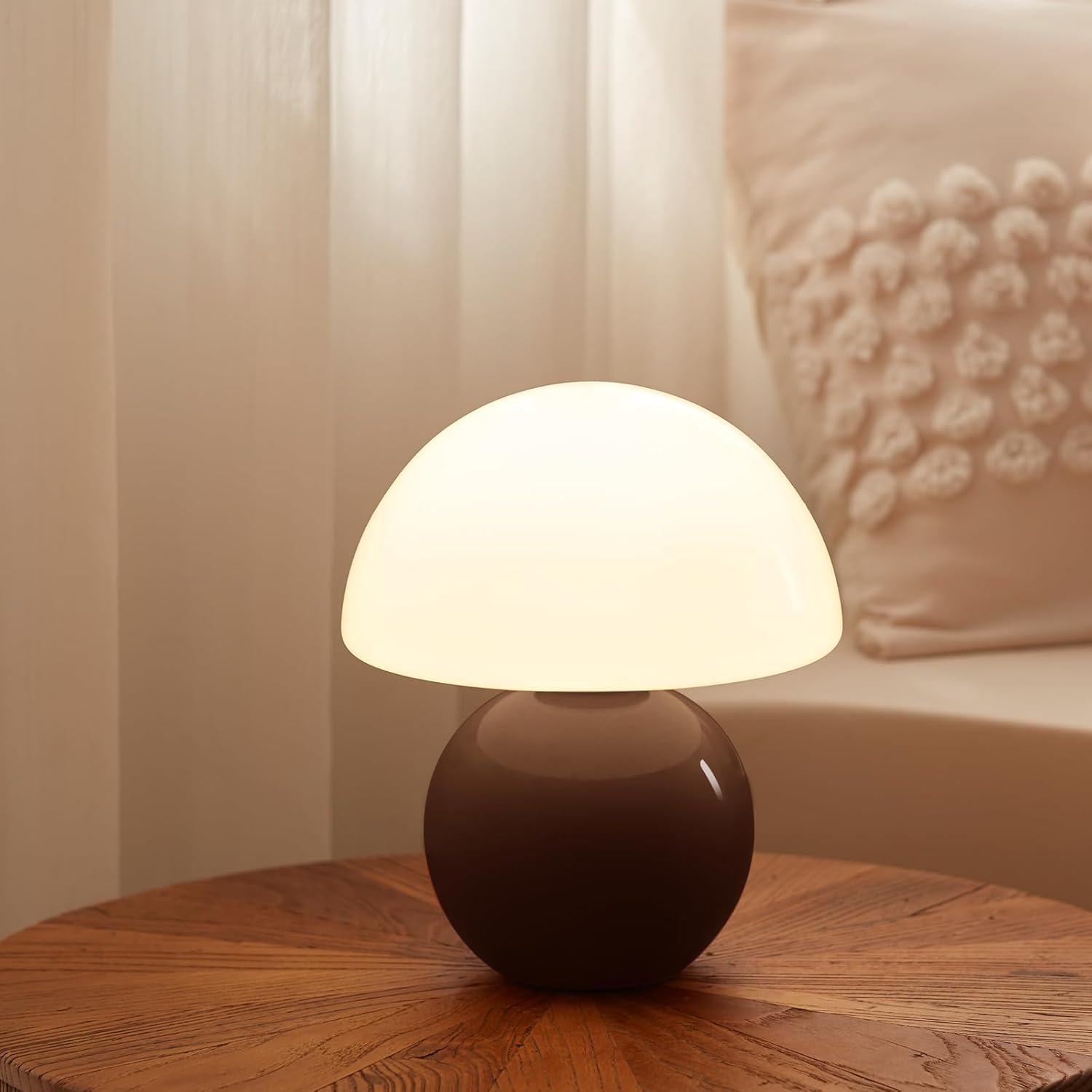
Image: The Dawnwake Mushroom Table Lamp in Coffee color, providing a warm glow on a wooden surface.
Arahan Keselamatan
- Pastikan lamp dicabut daripada plag sebelum pemasangan, pembersihan atau penggantian mentol.
- Jangan kendalikan lamp with a damaged cord or plug. If damaged, contact qualified service personnel.
- l iniamp is intended for indoor use only. Do not expose to water or high humidity.
- Simpan lamp jauh dari sumber haba dan cahaya matahari langsung.
- Gelas lampshade is fragile. Handle with care to prevent breakage.
- Use only the specified bulb type (G9 LED) to avoid overheating or damage.
- Jangan cuba mengubah suai atau membuka lamp beyond the instructions provided.
Kandungan Pakej
Sahkan bahawa semua komponen ada dan tidak rosak semasa membongkar:
- 1 x Seramik Lamp Base (Coffee color)
- 1 x Kaca Lampteduh
- 1 x G9 LED Bulb
- 1 x Power Cord with Stepless Dimmer Switch

Imej: Terperinci view daripada lamp's components, including the G9 bulb, power cord with dimmer, glass lampshade, and ceramic base with a non-slip mat.
Arahan Persediaan
Follow these steps to assemble your Dawnwake Mushroom Table Lamp:
- Buka Pembungkusan Komponen: Carefully remove all parts from the packaging and place them on a flat, stable surface.
- Pasang Mentol: Gently insert the provided G9 LED bulb into the bulb socket located on the top of the ceramic base. Ensure it is seated firmly.
- Pasang Lampteduh: Berhati-hati meletakkan kaca lampshade over the bulb and onto the ceramic base. Ensure it rests securely and evenly.
- Sambung ke Kuasa: Plug the power cord into a standard AC electrical outlet.

Image: Visual guide for bulb installation and lamp assembly, highlighting the G9 bulb and dimmer switch.
Arahan Operasi
Your Dawnwake Mushroom Table Lamp features a stepless dimmer for adjustable brightness.
- Menghidupkan/Mematikan: Locate the in-line dimmer switch on the power cord. Rotate the switch clockwise to turn the lamp on. Continue rotating to increase brightness.
- Melaraskan Kecerahan: Rotate the dimmer switch clockwise to increase the light intensity from 0% to 100%. Rotate counter-clockwise to decrease brightness and turn the lamp dimatikan.

Imej: Lamp displaying 25%, 50%, and 100% brightness levels, illustrating the stepless dimming capability.
Penyelenggaraan
- Pembersihan: Pastikan lamp is unplugged before cleaning. Wipe the ceramic base and glass lampshade with a soft, dry cloth. Do not use abrasive cleaners or solvents.
- Penggantian mentol: If the G9 LED bulb needs replacement, ensure the lamp is unplugged and cool. Gently remove the old bulb and insert a new G9 LED bulb.
Menyelesaikan masalah
| Masalah | Kemungkinan Punca | Penyelesaian |
|---|---|---|
| Lamp tidak menyala. | Kabel kuasa tidak dipasang. Bulb not installed correctly or faulty. Saluran keluar tidak berfungsi. | Ensure cord is securely plugged into a working outlet. Reinstall bulb or replace with a new G9 LED bulb. Uji saluran keluar dengan peranti lain. |
| Cahaya berkelip atau tidak konsisten. | Bulb loose or incompatible. Isu suis pemalap. | Ensure bulb is tightly screwed in. Use only G9 LED bulbs. Contact customer support if flickering persists. |
| Dimmer not working. | Bulb incompatibility. Suis dimmer rosak. | Ensure a dimmable G9 LED bulb is used. Hubungi sokongan pelanggan. |
Spesifikasi
| Ciri | Perincian |
|---|---|
| Nama Model | TD3003 |
| Jenama | Subuh |
| Dimensi Produk | 7"D x 7"W x 11"H (17.8 cm D x 17.8 cm W x 27.9 cm H) |
| Berat Barang | 2.83 paun (1.28 kg) |
| bahan | Glass (Shade), Ceramic (Base) |
| warna | Kopi |
| Jenis Sumber Cahaya | LED |
| Pangkalan Mentol | G9 |
| Jenis Suis | In Line (Stepless Dimmer) |
| Sumber Kuasa | Elektrik Bertali |
| Komponen yang Disertakan | Bulb, Dimmer |

Imej: Lamp's dimensions (8.7 inches height, 7.1 inches width) shown in context with common household items.
Waranti dan Sokongan
For warranty information or technical support, please refer to the product packaging or contact Dawnwake customer service directly. Keep your purchase receipt as proof of purchase.
Untuk bantuan lanjut, anda boleh melawati Dawnwake Store on Amazon.